
Grok Ultra AI Review
Lifetime Access To Grok, Claude, ChatGPT And Gemini In One Workspace, And What It Costs To Keep That Promise
Why Everyone Wants Every Model Under One Roof
Three tabs open. One chat assistant for writing, another for code, a third because somebody online swore it was better at long documents. Each has its own login, its own plan and its own usage meter, and you’re never quite sure which one you’ve already paid for this month.
So a single workspace holding all of them sounds like relief.
Grok Ultra AI sells exactly that. Atul Pareek’s launch lands on November 15, 2026 through Launchpad, and the live order form asks $17 one time for lifetime access to a browser workspace that lists Grok 4.7 and older Grok models, plus Claude, ChatGPT, Gemini, DeepSeek and Kimi. It adds builders for websites, apps and games, and a studio for images, video and music.
It’s an ambitious bundle at a pocket-money price, and that’s the part to think about. Every one of those models costs somebody real money per request, and the page promises that nothing recurs. Most of this review sits in the space between those two facts.
You’ll find the five stops on the dashboard tour, the model roster, what lifetime access can realistically mean, the naming and endorsement questions, three working coupons tested on three order forms, seven upgrades still wearing an older product name, and the platform rules that matter when you sell AI-made work. I’m leaving out every earnings figure.
Grok Ultra AI Quick Facts

| Detail | Information |
|---|---|
| Product | Grok Ultra AI |
| Vendor | Atul Pareek |
| Launch | November 15, 2026, 10:00 AM EST; the cart closes November 21 |
| Sold through | Launchpad |
| Sales Page | https://www.grokultraai.com/special/ |
| Category | Multi-model AI workspace with builders and a creative studio |
| Type | Cloud web app, works in any browser |
| Front-end price | $17 one-time launch price |
| Coupon | GROKULTRA5 for $5 off, GROKULTRA20 for 20% off, GROKULTRA2 for $2 off |
| Order form add-on | First Client Pack, $10 |
| Upsells | Seven, from $37 to $297 |
| Refund | 30 days |
A Workspace With Chat, Builders, A Studio And A Writer
Picture one dashboard with four rooms. The first room is for talking to a model. The second takes a description of a website, app, funnel or game and hands back a project. Pictures, short videos and songs come out of the third, and marketing copy from a template comes out of the fourth.
That’s Grok Ultra AI, an AI workspace that bundles several language models with build and creation tools. The headline model is Grok 4.7, and the page lists older Grok models, a set of Claude models, ChatGPT, Gemini, DeepSeek and Kimi beside it. A prompt library and a commercial license come with the front end.
What each room does:
- Chat: type a request in plain English and a model of your choice answers, for sales copy, blog posts, research and brainstorming.
- Build: describe a website, funnel, app, game or blog and the tool generates a project you can preview and download.
- Studio: generate pictures, short videos and original music with vocals from a text prompt.
- AI Writer: pick from hundreds of templates, describe the job, choose a model and export the result.
- Prompt library: ready-made prompts for marketing, coding, business and content.
- Commercial license: use what you make for yourself or for clients.
One FAQ answer on the page is worth pinning up early. Grok 4.7 powers the reasoning, writing and coding, it says, while images, videos and music come from dedicated engines inside the platform. So the Hollywood-style movie talk rests on those engines and not on Grok.
Meet Atul Pareek
Atul Pareek is a digital product creator who has launched AI tools aimed at marketers, entrepreneurs and content creators, with earlier releases named Alpha Labs AI, Magic Clips AI, Mobi Agents AI, Affiliate Engine AI, ClawBooks AI and Magic Books AI. Grok Ultra AI takes a broader line than those by pulling several premium models into one workspace, which means this launch leans heavily on other companies’ models and less on anything he built himself. I can’t verify the earlier products’ track records from here, so I’d judge him by how quickly support answers a plain question and by the refund terms, not by the list of past launches.
The Model Roster On Paper
The roster is the main selling point, so here’s how the page describes it.
The Grok Family
Grok 4.7 is the star, described as the newest and most powerful. Older versions follow, with several Grok model names and a promise that every future Grok release lands in your account automatically.
The Other Brands
Claude appears with Fable 5, Opus 4.8, Sonnet and Haiku. ChatGPT is listed as 5.6. Gemini is listed as 3.5, with DeepSeek and Kimi beside them. The page says more models will follow.
What I’d Want In Writing
A model name on a sales page isn’t a model in your account. I’d want the exact list inside the dashboard, written out, with version numbers, because the page uses different lists in different places and a few of the names are marketing shorthand and not product names. I’ll cover that mismatch in its own section.
What’s Missing
No limits, no allowances and no model-by-model rules appear anywhere, and that silence is what the cost section below is about.
Five Stops On The Dashboard Tour
Here’s the workflow in the order the walkthrough runs it, from the front door to the last template.
Step 1: Main Dashboard
I land on the central workspace, where Grok 4.7 and the other models sit organized and a click away. There’s no setup to speak of, which is the main thing the page leans on for beginners.
Step 2: Grok Chat
I type a request in plain English, such as a high-converting sales page for a luxury real estate agency, and pick a model from the list, whether that’s a Grok version, one of the others or a deep-search option. The answer arrives in seconds, and the same chat handles blog posts, social copy, research and business ideas.
Step 3: Build With AI
I choose what to create, whether a website, funnel, app, game or blog, and describe it. For a real estate site I’d ask for listings, agent profiles, a mortgage calculator and a contact form, and the tool returns a responsive site to preview and download. Funnels, apps and games follow the same pattern, so a request for a bubble shooter with power-ups and multiple levels comes back as a playable project I can customize.
Step 4: Studio
This is the creative hub. I describe a picture, such as a modern villa with a pool and palm trees at sunset, and get an image I can regenerate and save. For video I ask for something like a movie trailer about a robot saving humanity, and for music I ask for a motivational intro song with lyrics and vocals. Everything previews first and downloads afterward.
Step 5: AI Writer
I pick from hundreds of templates, describe the job, such as a Facebook ad for a real estate business, choose a model, and read what comes back. Then I edit it, regenerate it, refine it or export it.
The page’s own summary of all this is three steps: log in, tell the AI what you want, then generate and start selling. It’s a tidy compression of the five stops above.
For a detailed guide on using the platform, watch the insightful demo video below:
Coupon: GROKULTRA5 for $5 off, GROKULTRA20 for 20% off, GROKULTRA2 for $2 off
Picking A Model Without Wasting Time
Many models in one place only helps if you know which one to reach for. A habit I’d build from day one:
| Job | Sensible starting point |
|---|---|
| Quick drafts, captions, short emails | A lighter, faster model |
| Long documents, research, careful analysis | A flagship model, such as Grok 4.7 or a top Claude model |
| Code and small apps | The builder, then a flagship model to review the output |
| Comparing opinions on one question | Run it through two models and read both |
| Images, video, music | The studio engines, which aren’t language models at all |
I’d start each task with the cheapest model that might do the job and move up only when the answer disappoints. On any platform that saves time. On a lifetime plan paid for by someone else, it also keeps you out of the heaviest usage, which is where limits and slowdowns tend to appear first.
Chat Plans Versus This Workspace
The page pits Grok Ultra AI against ChatGPT, Claude, Gemini and DeepSeek in a feature table, and it wins every row. Of course it does. The table lists things its own product does, such as a funnel builder and a games maker, and marks the rivals with crosses.
Here’s a fairer comparison.
- Price shape: a monthly plan keeps charging. This is a single payment, which is cheaper on paper for as long as it lasts.
- Official apps: a plan from the model’s maker includes that maker’s own apps, tools and agents. A reseller workspace offers the model through its own interface, so some features won’t carry over.
- Limits: the makers publish plan allowances. This page publishes none.
- Longevity: a plan comes from the company that makes the model. This one depends on a small vendor staying in business and keeping supplier access.
- Breadth: this workspace puts many brands in one place, which none of the single-brand plans do.
So the real choice isn’t seventeen dollars against a thousand. It’s a flexible but unproven front end against a set of official products with clear rules. If you mostly draft, summarize and brainstorm, the front end may be plenty. If you lean on memory, agents or heavy daily use, you’ll feel the gaps within a week.
The Bill Behind Lifetime Access
Start with published prices. Grok 4.7’s API costs two dollars per million input tokens and six per million output. Claude Opus 4.8 costs five and twenty-five. Claude Fable 5 costs ten and fifty. A single 100,000-token reply from Fable 5 therefore costs about five dollars at list price, and a long document pushed in as input costs real money too.
Those are text models. Video, image and music generation carry their own costs, and the page promises cinematic videos, games and songs on top.
Now think about what seventeen dollars buys the vendor, minus processing and delivery fees, minus affiliate commissions that the partner materials put at half. Not much is left over to pay suppliers for years.
Is it impossible? No. Here’s how it could work.
- Quiet caps: a monthly allowance or fair-use limit that the page never lists.
- Model routing: heavier models limited, queued or swapped for cheaper ones under load.
- Light users: many buyers will barely log in, and they subsidize the busy ones.
- Upgrade pressure: the generous tier sits behind paid upgrades such as an unlimited edition.
- A short life: the service runs while launch revenue lasts and fades afterward.
The page itself hints at the answer. Its headline says no limitations, yet one FAQ answer says access includes generous usage for websites, videos, apps, games, images and music, enough for regular business use, personal projects and client work. That’s a limit in friendlier clothing. Generous isn’t a number.
Ask three things in writing. What’s the usage allowance on the front end? What happens at the limit? How long will the vendor commit to running the service? Until you have answers, treat lifetime as a launch word and not a contract term. At seventeen dollars the risk is small, so a short test beats a long plan.
When A Model Disappears Overnight
Lifetime access to a model depends on that model staying available, and recent history shows how fast that can change.
Claude’s maker released Fable 5 on June 9, 2026. Three days later it suspended access for everyone after export controls were applied, and access came back on July 1. The same company has also announced shutdown dates for older models. Companies retire versions on a schedule, and sometimes without much warning.
A reseller sits downstream of all of that. If a supplier pulls a model, raises a price or changes its terms, the workspace can only adapt in one of a few ways: absorb the cost, swap in a different model, or let the feature lapse. A lifetime buyer has no say in which.
None of this is a reason to skip the product. It’s a reason to treat the model list as a snapshot and not a guarantee, and to keep your important work portable. Save your prompts, your outputs and your projects outside the workspace.
Model Names That Don’t Match
Read the page slowly and the model lists drift.
The top banner lists Grok 4.7, 4.5, 4.1, 4, 3, SuperGrok, Grok Imagine and Grok Voice. A feature block lists Grok 4.7, 4.5, 4.1 Fast, 4, 3 and 3 Fast. The product walkthrough names Grok 4.7, 4, 4 Heavy, 3, 3 Fast, 3 Reasoning and a deep-search option. They overlap, but they’re three different lists.
Then there are the other brands. ChatGPT 5.6 is a product name set against a model version, since the models behind ChatGPT carry names of their own. Claude’s Sonnet and Haiku appear without version numbers. Gemini 3.5 is a family with more than one tier.
Finally, the page says SuperGrok, Business and Enterprise plans are included. I can’t see how a third-party workspace includes another company’s subscription plans. The likeliest reading is access to the models through an API, and I’ve treated it that way, but I’d ask.
Before you pay, request the exact model list inside the dashboard, with version names and the tier of each.
Names, Logos And An Endorsement That Isn’t
The headline reads Elon Musk’s newest and most powerful model, and one passage refers to the world’s richest man. The product is called Grok Ultra, and Grok is a trademark of the model’s maker. A disclaimer at the foot of the page states that third-party names are used for identification only and don’t imply endorsement, affiliation or sponsorship, which is the right statement to make.
But a headline that name-drops a famous owner and a product name built on a trademark can leave a quick reader thinking this is official, and it isn’t. That’s a perception problem for you, and a supply risk for the vendor, since companies police their marks and API terms usually require compliance with brand rules.
I’m not a lawyer and can’t say what any company will do about this product. What I can say is that the workspace depends on those companies staying friendly, and that your lifetime access depends on the workspace. If the name has to change, the product probably survives. If the access changes, it might not.
Making Movies, Songs And Games: What Platforms Expect
The page leads with Hollywood-style movies, original songs and playable games. Those are fun outputs, and they come with rules.
Disclosure. YouTube asks creators to disclose AI-generated content that looks realistic, and it can add a label automatically. TikTok asks for labels on realistic AI video, audio and images. Label your synthetic work and don’t pass it off as real.
Mass production. YouTube’s spam policy targets high volumes of similar AI content with minimal changes. A channel that posts the same template with a new topic daily is close to that line.
Likeness and voice. Don’t make anyone appear to say or do something they didn’t. Don’t imitate a real person’s voice or face, and don’t build characters that look like famous people.
Music. Original AI songs still raise questions about similarity to existing music and about the terms of the engine that made them. Check the license wording before you release anything commercially.
Copyright. The legal status of purely AI-generated work varies by country, and a commercial license from a reseller can’t override the terms of the engines underneath. Add your own creative input and keep records of what you did.
Fast output makes careless posting easy, so a short checklist helps before anything goes live: watch it in full, check facts, confirm nobody real is imitated, add the AI label, and read the caption twice.
Selling Websites, Apps And Funnels To Clients
The page encourages selling websites, funnels, apps and games, and it quotes price ranges for each. I’m leaving every figure out, because they’re the vendor’s guesses and not market data.
Generated code and sites can be a legitimate starting point. A few cautions apply.
- Test it: AI-built apps can break, leak data or fail on edge cases, and a client will blame you.
- Review security: forms, logins and payments need a human check before they go live.
- Own the details: fonts, images, libraries and templates carry licenses of their own.
- Write a contract: say what you delivered, who maintains it and what happens when something breaks.
- Tell clients about the AI: some forbid it, and honesty protects you.
- Keep prices honest: a client compares you with a freelancer or an agency, not with a template.
The commercial license says you can keep everything you earn. Remember that it’s only as good as the terms of the models and engines underneath.
Marketplace Gigs And AI Rules
The page suggests turning AI creations into gigs on freelance marketplaces. Policies differ by platform, and they change. Some allow AI use when it’s disclosed or when the client hasn’t banned it, some recommend telling clients upfront, and several ban deceptive synthetic media outright. Many also insist that the work be original and meaningfully refined, and that the seller be accountable for the result.
Before you list anything, read the current AI policy of the platform and the brief of each client. A gig built entirely on unedited AI output is the kind that earns bad reviews and sometimes bans.
Three Codes, Three Order Forms And The Real Total
The live Launchpad order form charges $17 one time, while the page headline says $16.97 and a file I was given says $17. What you’ll actually pay is the order form figure, so that’s the one I used.
Here’s the total. The product line is $14.30, a processing line adds $1.70 and a $1 delivery line brings it to $17.00. VAT showed as zero in my test.
The page also shows a crossed-out regular price of $497, described as monthly, and says a thousand dollars of subscriptions gets replaced. Treat both as anchors. Nobody pays either figure.
| Item | Price |
|---|---|
| Front end | $17 one-time |
| First Client Pack add-on on the order form | $10 |
| Seven upgrades | $37 to $297 each |
Coupons
The file gave me two codes, GROKULTRA5 and GROKULTRA20. The page’s exit popup shows a third, GROKULTRA2. I tried all three at the public Launchpad order form against a made-up control code.
- GROKULTRA5: applied. The product line fell from $14.30 to $9.30 and the total from $17.00 to $11.44, a saving of $5.56.
- GROKULTRA20: applied, and it works in lower case. The total fell to $13.22, a saving of $3.78.
- GROKULTRA2: applied. The total fell to $14.78, a saving of $2.22.
- Control code: changed nothing.
I repeated the test on two more order forms: the front end with the $10 Success Pack, and the Automation upgrade at $67. All three codes applied on both. The combined front-end order dropped from $27 to $21.44 with the $5 code. The Automation order went from $67 to $61.44 with the $5 code and to $52.36 with the 20 percent code.
Which one wins? The flat $5 code saves more on the front end. The percentage code pulls ahead once a price passes roughly $25, so it matters more on the pricier upgrades. I couldn’t open the other upgrade order forms without buying, so I can’t confirm the codes work on every item, although the file describes them that way.
The order form also carries a banner for a 30 percent Black Friday code, LPBF30. On the front end it did nothing.
Refunds
There’s a 30-day money-back guarantee. The page promises a full refund to every customer who asks within thirty days, and the Launchpad form repeats it. The site’s legal pages cover the website in general terms and say nothing about refunds or usage, so the guarantee lives only in the sales copy. Keep your receipt and test early, so you know in week one whether to ask.
Coupon: GROKULTRA5 for $5 off, GROKULTRA20 for 20% off, GROKULTRA2 for $2 off
The $10 First Client Pack And The $9.97 Success Pack
The order form offers a First Client Pack for $10, listed at $97 regular. It bundles a pricing and closing guide, gig templates, more than 500 client leads, a follow-up swipe file, proposal and pitch templates, and outreach templates for email, messaging apps and direct messages.
It’s cheap, and templates can save an hour. But shared templates are shared, and a lead list of unknown origin raises questions: where did the names come from, how current are they, and are you allowed to contact them? Check the rules on cold outreach where you live before you send a single message.
A popup offers a second add-on, the Success Pack, at $9.97 and listed at $97. It has 500 prompts, 120 service ideas, proposal templates, pricing blueprints and a business plan. Its own order form totals $27, which looks like the front end plus about ten dollars. It also says ninety-seven percent of customers add it, which can’t be true on launch day. I’d ignore that line.
Both packs lean on the idea of landing clients fast. The tool can help you produce work. Finding people who pay for it is a separate job.
Seven Upgrades Still Wearing An Older Name
Seven upgrades follow the front end. You must buy the front end first, because every upgrade adds to that account. The vendor’s partner document lists names and prices, and I confirmed the Automation order form from a link on the page, but I couldn’t view the other upgrade pages without buying. So everything below beyond the names and prices is my reading of the labels.
The partner document also uses an older product name for the whole funnel, which looks like a template carried over from an earlier launch. The live order forms use the Grok Ultra name.
| Offer | Name | Price |
|---|---|---|
| OTO 1 | Unlimited | $67 to $97 |
| OTO 2 | DFY | $77 |
| OTO 3 | Automation | $67 |
| OTO 4 | Profit System | $37 |
| OTO 5 | Business Accelerator | $47 |
| OTO 6 | Agency Reseller | $197 |
| OTO 7 | Whitelabel | $297 |
OTO 1: Unlimited, $67 to $97
By name it removes limits. The front end already says no limitations, so ask exactly which limits this lifts. The answer will tell you a lot.
OTO 2: DFY, $77
Done-for-you usually means ready-made content or setups. Ask whether it’s unique to you or shared with every buyer.
OTO 3: Automation, $67
The order form describes your own 24/7 agent that automates content, marketing, social media and business workflows, even while you’re away. Ask what it connects to, how it’s limited and who pays for the model calls it makes.
OTO 4: Profit System, $37
The name sounds like an income pitch. Ask for a plain description of what’s inside, and don’t repeat the promises it implies.
OTO 5: Business Accelerator, $47
Probably templates or training for running a service business. Ask for a contents list.
OTO 6: Agency Reseller, $197
Presumably lets you sell access or run client accounts. Read the terms, and check what the underlying model providers allow.
OTO 7: Whitelabel, $297
Presumably lets you rebrand the workspace. That’s a software business with supplier costs of its own, quite different from using the tool.
Which Ones Make Sense?
For most buyers, none on day one. Use the front end for two weeks, note which limits you actually hit, and ask support in writing what the matching upgrade changes. The percentage coupon saves the most on these, so wait for a real need before using it.
What Convinced Me And What Didn’t
What Worked
- Low entry price: seventeen dollars is easy to test.
- Three working codes: every code applied and the control didn’t, on three order forms.
- A broad roster: many brands in one place is genuinely handy for comparing answers.
- A clear tour: chat, build, studio and writer are easy to understand.
- Honest disclaimer: third-party names are marked as used for identification only.
- Reasonable refund promise: thirty days, with a full refund.
What Didn’t
- Unpublished limits: no allowances, and one FAQ answer calls usage generous.
- Mismatched model lists: the page names models three different ways.
- Supplier dependence: lifetime rests on other companies’ models and terms.
- Template leftovers: the funnel document carries an older product name.
- Trademark framing: a famous owner’s name and a Grok-based brand.
- A seven-part upgrade ladder: about $790 to $820 in total, mostly undescribed.
Where The Create, Sell, Profit Promise Needs A Reality Check
The slogan is three verbs. Here’s where I’d slow down.
Lifetime access to every model. Access lasts only as long as the vendor’s suppliers and finances do, and models do disappear.
No limitations. The FAQ says generous usage, which means there’s a limit, just not a stated one.
Hollywood-style movies. The FAQ says dedicated engines make the video, so quality depends on them and not on Grok. Short clips aren’t movies.
Every future Grok model. That promise has a cost attached, and the vendor carries it.
SuperGrok, Business and Enterprise plans included. I can’t see how that’s literally true for a third party. Ask.
Replace a thousand dollars of subscriptions. The figure is an anchor and not a price list, and the plans it names offer features this workspace doesn’t copy.
Sell it all for big money. The page prices services in ranges and tells you to charge clients. I’m leaving every number out. Clients, quality and trust are still yours to supply.
Anyone can do it. Typing a prompt is easy. Judging whether a site, app or script is good enough to deliver isn’t, and that’s where the money is.
Ninety-seven percent add the Success Pack. The launch was days old, so treat that as decoration.
In fairness, the page includes an earnings disclaimer, a trademark statement and a clear refund promise. Read those as the real terms and the headline as the advertisement.
What To Ask Support Before Paying
Launch week is a good time to ask, because replies tend to come fast. Here are my questions.
- What is the usage allowance on the front end? A daily cap, a monthly cap, or a limit per model.
- What happens at the limit? A pause, a slower model, or an upgrade prompt.
- Which exact models are included? Written out with version numbers and tiers.
- Do image, video and music have separate allowances?
- What does Unlimited lift, and what does it cost? Ask for the price in writing.
- How will you handle a model being withdrawn?
- Where’s the written refund policy?
- How is my data handled between you and the model providers?
- Are the leads in the First Client Pack safe to contact?
Clear answers are a good sign. Vague ones tell you something too.
Your First Two Weeks, Planned Cheaply
If I bought Grok Ultra AI, I’d keep the plan small and treat two weeks as a test.
Days one to three. Log in and run five ordinary tasks through the lightest models, noting speed and quality. Look for any usage screen.
Days four to six. Run the same five tasks through a flagship model and compare answers side by side. Ask whether the gain is worth the likely cost.
Days seven to nine. Try the builder on one small, low-stakes project, such as a one-page site for a friend, and review the code.
Days ten to twelve. Make one image, one short video and one song in the studio, label them as AI, and decide whether the quality fits anything you’d publish.
Days thirteen and fourteen. Decide. Did you hit a limit? Did the model list match the page? Would you hand this to a client? If the answers worry you, ask for the refund while the window is open.
I’d keep confidential material out of it throughout, and I’d save everything I care about elsewhere, since a service that may change its terms isn’t a safe archive.
Is Grok Ultra AI Worth $17?
Grok Ultra AI is a broad multi-model workspace with builders and a studio, wrapped in a loud sales letter. Strip away the sell-it-all language and you get a chat window over several brands’ models, a site and app builder, a media studio, a template writer and a commercial license for $17.
I wouldn’t buy it as a lifetime replacement for the plans it names. I’d buy it as a cheap experiment to find out how much real access seventeen dollars buys, and whether the vendor still answers questions in a month.
If you want to try it, use the $5 code, buy the front end, run the two-week plan above and hold off on every upgrade. If the limits turn out tight, or the models don’t match the page, use the 30 days.
Frequently Asked Questions
What is Grok Ultra AI?
Grok Ultra AI is a cloud workspace that bundles Grok, Claude, ChatGPT, Gemini, DeepSeek and Kimi models with builders for websites, apps and games and a studio for images, video and music.
How much does Grok Ultra AI cost?
The live order form charges $17 one time. A $10 add-on, a $9.97 popup pack and seven upgrades follow.
Is there a coupon?
Yes. GROKULTRA5 takes $5 off, GROKULTRA20 takes 20 percent off and GROKULTRA2 takes $2 off. All three applied when I tried them, and a made-up code did nothing.
Is it the same as the official Grok, Claude or ChatGPT plans?
No. It offers models through its own interface, and the page says it isn’t endorsed by or affiliated with the companies behind them.
Does it have usage limits?
The headline says no limitations, but an FAQ answer describes generous usage. Ask support for the written allowance.
Who makes the videos, images and music?
The FAQ says dedicated engines inside the platform do, while Grok handles reasoning, writing and coding.
Can I sell what I create?
The license says yes. Check the platform rules, label realistic AI content and edit before you deliver.
Will every future model be included?
The page says every future Grok release will be, and it promises more premium models. Treat it as a promise that depends on suppliers.
What is the refund policy?
A 30-day money-back guarantee, with a full refund promised to anyone who asks within thirty days.
Do I have to buy the upgrades?
No. The front end works alone. You must buy it before any upgrade, though, and every upgrade is optional.
Get Grok Ultra AI With My Exclusive Bonuses
If Grok Ultra AI fits your plans, grab it through the link on this page, use coupon GROKULTRA5 at checkout for $5 off, and I will add my exclusive Tika Review bonus pack at no extra cost.
1. Buy Grok Ultra AI through the link on this page.
2. Find your bonuses in the member area, or email me your receipt.
3. Download your bonuses and put them to work.
Here is everything you get when you buy through my Grok Ultra AI review below:
1. AI League
2. AI Landscape Photo Toolkit
3. AI Commission Sniper
4. AI Automation Secrets for Small Business Owners
5. My GPT Generator
6. AI Prompts Goldmine
7. ChatGPT Prompts – Income Ideas
8. AI Prompt Idea Factory
9. New Online Business Ideas With AI
10. Prompt To Profit
11. SEO Traffic Tricks Using AI
12. Sales Letter Boss
13. 25 Ebooks – Artificial Intelligence Traffic
14. Zero-Code Profits
15. AI Side Hustle Success Profitable Prompts
16. AI-Proof
17. Google Drive Free Traffic Loophole
Coupon: GROKULTRA5 for $5 off, GROKULTRA20 for 20% off, GROKULTRA2 for $2 off
Grok Ultra AI Review: An Honest Look At Lifetime Access
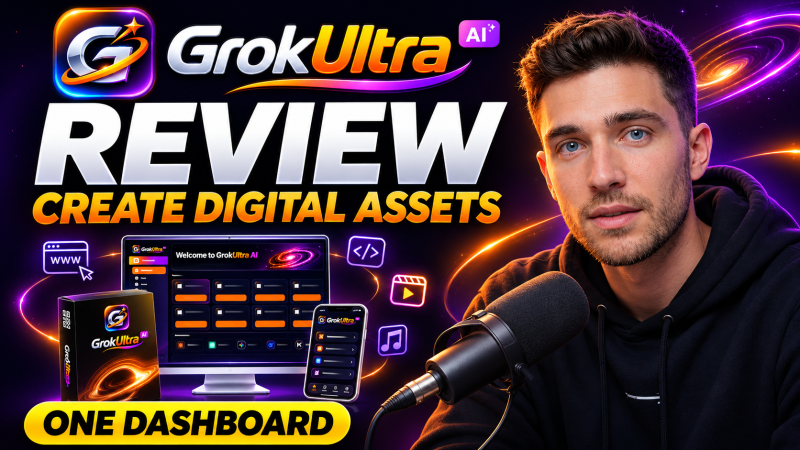
Grok Ultra AI is a browser workspace from Atul Pareek that bundles Grok, Claude, ChatGPT, Gemini, DeepSeek and Kimi models with builders for websites, apps and games and a studio for images, video and music, starting at a one-time launch price of $17.
Product Brand: Atul Pareek
Product Currency: USD
Product Price: 17
Product In-Stock: InStock
4.5

