
CinemaSites AI Review
Can One Sentence Really Turn Into A Finished Cinematic Website?
Why I Got Curious About This One
Ever tried building a website for a friend’s small business? You pick a template. Then you spend a Saturday moving boxes around, rewriting the same headline four times, and wondering why the thing looks fine on your laptop and broken on a phone. By Sunday night you have two pages and a headache.
CinemaSites AI is built for exactly that headache. You describe a business in a sentence, or paste the address of an old site, and the app builds a modern, motion-heavy site for you. It also writes the copy, drafts the SEO details and publishes the result on a free subdomain with SSL. At least, that’s the pitch.
Akshat Gupta is the vendor, and the launch is set for November 11, 2026 through Launchpad. The front end costs $14.94 one-time, and the vendor’s code CSITES3 takes $3 off.
The headline is a mouthful. World’s first, cinematic websites, three clicks, copy and hosting included. I like ambitious products, and I also like checking them. So in this CinemaSites AI review I’ll cover what’s inside, how the workflow runs step by step, what the eight upsells cost, and which claims need a closer look, including a few legal ones that most sales pages skip.
CinemaSites AI Quick Facts

| Detail | Information |
|---|---|
| Product | CinemaSites AI |
| Vendor | Akshat Gupta |
| Launch | November 11, 2026, 11:00 AM EST |
| Sold through | Launchpad |
| Sales Page | https://cinemasitesai.live/ |
| Category | AI website builder, redesign tool and copy assistant |
| Type | Cloud web app, runs in any modern browser |
| Front-end price | $14.94 one-time; the vendor says it rises with every 50 copies sold, then moves to $97 per month after launch |
| Coupon | CSITES3 for $3 off the front end |
| Order form add-on | CinemaSites AI Business Edition, $9.97 one-time |
| Upsells | Eight, from $37 up to $197 |
| Refund | 30 days, with a usage condition |
What Does CinemaSites AI Actually Do?
Imagine a small web agency that lives in your browser tab. One person designs, another writes, another handles search settings, and somebody else sorts out hosting. CinemaSites AI tries to be all of them at once.
CinemaSites AI is a cloud-based AI website studio. It builds sites in two main ways. You can start from a short description of a business, or you can start from an existing address and ask for a modern redesign. A third option, cloning, recreates the look of a reference site you like. Ready-made templates cover niches such as restaurants, dentists, gyms, real estate, law firms, salons, online stores and coaching.
The feature list on the front end looks like this:
- An AI builder that makes a site from a written description
- An AI redesign tool that rebuilds an outdated site from its address
- A clone-to-design tool that works from a reference URL
- Cinematic templates with motion and conversion-ready sections
- An AI copywriter for headlines, sales copy, ads and emails
- One-click mobile optimization
- An AI SEO assistant for titles, meta descriptions and keyword ideas
- Website export, custom domain connection, free SSL and hosting
- A commercial license for client work
It all runs on the vendor’s servers, so there’s nothing to install. Mac, Windows or any modern browser will do.
One thing I’d flag early. A tool that builds, writes, optimizes and hosts is a lot of promises for fifteen dollars. I’ll treat each one as a claim to check, not a fact.
What Separates It From Ordinary Site Builders
Page builders have been around for years, and most of them hand you a blank canvas. You still design, write and configure. CinemaSites AI flips that order.
It starts from a sentence. Describe the business and you get a first draft with layout, sections and wording already in place.
It leans on motion. The templates and sample sites use scrolling effects and big hero visuals, which is why the vendor keeps using the word cinematic. They look more expensive than a stock template. Whether that helps conversions is a separate question.
It writes the words too. Most builders leave the copy to you. Here an AI copywriter sits in the same dashboard.
It covers search basics. An SEO assistant suggests titles, meta descriptions and keywords for a project, a pasted URL or a block of text.
It hosts what it builds. Each published site gets a free subdomain with automatic SSL, and you can connect your own domain later.
None of this is magic. You’d get a similar chain from several separate tools. The appeal is having it behind one login at a low one-time price, and that’s a legitimate appeal for freelancers who juggle too many tabs.
Meet Akshat Gupta
Akshat Gupta is the vendor behind CinemaSites AI, and he describes himself as someone who has built and launched AI apps used by creators and marketers, working through the Launchpad network for this release. That tells you he knows how to package a launch. It says very little about how this particular builder will hold up six months from now, so I’d judge CinemaSites AI by what it produces for you during the refund window and by how fast support answers a real question.
Inside The Dashboard: Features Worth Knowing
Let me go through the parts that matter in daily use. I’ll skip the filler.
Templates With Motion
Every template is designed with motion, real sections and conversion-ready layouts. The sample set includes a real estate site with a cinematic city hero, a roofing company, a travel brand, a coffee shop, a developer SaaS page and a neurotech brand page. You pick one, change it, and publish.
Builder, Redesign And Clone
Give the builder a plain description and it drafts the site. Point the redesign tool at an old address and you get a modern version back. The clone-to-design tool recreates the look of a reference site. I’ll give the last one its own section later, because it raises questions that a sales page won’t.
AI Copywriter
It writes headlines, sales copy, ads and emails in seven tones. You describe the need, pick the audience and tone, and generate.
AI SEO Assistant
You can analyze a project, a website address or pasted text. The output includes a live Google preview, titles, meta descriptions, keyword ideas with intent and difficulty, open graph tags and on-page tips.
Mobile, Export, Domain And Hosting
One-click mobile optimization is part of the list. So is website export, which lets you download files and assets, and custom domain support. Hosting and SSL come bundled.
The Extras
Training videos, free updates and support round out the front end. The vendor also lists a commercial license, which matters if you want to build sites for other people.
The Launch Bonuses
Five bonuses come with a front-end purchase. They’re a local client finder guide, a website client kit with proposal and pricing templates, a gig-listing guide, a before-and-after pitch pack and a set of cold outreach scripts:
They’re mostly templates for people who plan to sell websites. Handy as a head start. No guide finds you a client on its own.
Use my coupon CSITES3 for $3 off
Step-By-Step Guide To Using CinemaSites AI
Here’s how I’d run it, in the order the app presents things.
Step 1: Browse The Ready-Made Templates
I start with the templates. Each one is fully designed, with motion, real sections and conversion-ready layouts. A good example is the real estate template with a cinematic city hero.
Step 2: Click Use Template And Publish
I click Use Template, swap the headline, change the background photo and publish. All my projects stay organized on the dashboard, and every published site gets a free subdomain with automatic SSL.
The same flow works for other sites. I can open the template site live on the web, check the BNB clone with its working booking search and date picker, and look at the redesigned DigiFloat website ready for clients.
Step 3: Write Copy With The AI Copywriter
When I need words that sell, I open the AI copywriter. It writes headlines, sales copy, ads and emails in seven different tones. I describe what I need, set the audience and tone, and click Write Copy. Within seconds I get multiple ready-to-send emails, each with its own subject line and one-click copy.
Step 4: Run The AI SEO Assistant
To help search engines make sense of the site, I run the AI SEO assistant. I analyze one of my projects, any website address or pasted text. I get a live Google preview, optimized titles and meta descriptions, keyword ideas with intent and difficulty, open graph tags and on-page tips.
Step 5: Connect Your Domain And Go Live
Last come domains and hosting. I connect my own custom domain and add the A record shown. The site then goes live on HTTPS automatically.
For a closer look at all the features, be sure to watch the demo video below:
Use my coupon CSITES3 for $3 off
Who Should Try CinemaSites AI?
It depends on whether websites are part of your work. Someone who needs one site a year probably won’t need a whole studio. Someone who builds a few a month might.
Freelancers And Side Hustlers
If you already offer websites, landing pages or small redesigns, this could speed up first drafts. You still own the client talk, the pricing and the final polish.
Small Agencies
Agencies lose hours on early layouts. A tool that produces a presentable draft in minutes lets the team spend time on strategy and revisions.
Local Business Owners
You may not want to hire a designer for a simple site. A guided builder with templates and hosting is a gentler route, as long as you’re willing to edit the wording so it sounds like your business.
Marketers who need landing pages, bonus pages or small niche sites get a similar benefit. Coaches and consultants can build a clean one-page presence without learning a page builder. And online store owners should know that full store tools sit behind the PRO upgrade, not on the front end.
Who Should Pass
If you want a site with heavy custom code, a complicated membership system or a guaranteed stream of clients, skip it. Same if you hate editing. AI drafts need a human pass every time.
Website Projects Worth Building First
New tools tempt you to test everything at once. Resist that. Pick a few small jobs where you can judge the result in an evening.
- A one-page site for a made-up business. Use the sample prompts as a guide. Check the layout, the wording and how the page scrolls.
- A real estate or restaurant template. Swap the headline and background photo. Notice how much of the template you want to keep.
- A redesign of your own old page. Using your own site avoids permission headaches and shows you what the tool does with real content.
- An email set from the AI copywriter. Ask for a short welcome series. Read each subject line out loud.
- An SEO check on a page you already run. Compare the suggested title and meta description with what you have now.
- A custom domain connection. Try it on a spare domain. Connecting a domain is where small snags tend to show up.
What do these have in common? They’re small, fast to judge and free of client pressure. That’s the cheapest way to learn what you bought.
How To Get Cleaner Results
I’ve watched enough AI builders to know where they trip. These habits help.
- Be specific in the description. Instead of a website for a gym, give the town, the vibe, the main service and the audience.
- Edit the headline first. It’s the first thing a visitor reads, and AI wording tends to sound generic.
- Swap in your own photos. Stock imagery makes sites look the same. Real photos make them yours.
- Check the mobile view yourself. One-click optimization is a claim. Open the site on a phone before you hand it over.
- Read the copy for facts. Opening hours, prices and service lists need a human check, because AI may invent details.
- Use the SEO suggestions as a start. A suggested title is not a ranking. You still need good content and patience.
- Keep your own copy of the files. Website export exists for a reason, so use it.
How I’d Spend The First Weekend With CinemaSites AI
Say you buy on launch day. Here’s a plan that costs nothing beyond the purchase.
Friday evening, log in and click through the dashboard. Don’t build anything yet. Just see where the templates, the copywriter and the SEO assistant live, and note anything labeled with a limit.
Saturday morning, build one site from a short description of a business you know well. A cousin’s bakery works. A neighbor’s plumbing outfit works too. Time yourself from the first sentence to a published draft. Then count the edits you made. Ten? Forty? That number tells you more than any sales page.
Saturday afternoon, redesign your own old page, if you have one. Compare the old and new versions side by side, and check the facts the AI kept or changed.
Sunday, write the copy for a small email series and run the SEO assistant on the finished page. Connect a spare domain if you own one. Open everything on your phone.
By Sunday night you’ll know whether this saves you time. If it does, great. If you’re fighting it, the refund window is still wide open, and you haven’t passed the halfway mark on your usage.
Cloning, Copyright And Trademark: Read This First
This is the part most sales pages skip, and I’d rather not skip it.
The clone and redesign tools work from existing sites. Using a reference to learn about layout is common practice in design. Copying someone else’s text, photos, logo or distinctive brand look is a different matter, and that can get you into trouble with copyright or trademark rules.
A few sensible rules:
- Only redesign sites you own, or sites where the owner has said yes.
- Replace the original text and images with your own or properly licensed ones.
- Never reuse another company’s logo, name or brand colors in a way that suggests a connection.
- Be careful with templates and stock media. Check the license before you resell a finished site.
- If you pitch a redesign to a prospect, keep the mockup private until they agree. Don’t publish a rebuilt copy of their site.
I’m not a lawyer, and this isn’t legal advice. Rules differ by country. If you plan to sell sites to clients, ask support what the commercial license covers, and talk to a professional if you’re unsure.
Is CinemaSites AI The Real Deal?
Short answer: the product exists and runs on a normal payment network, and the marketing is louder than the facts.
On the plus side, the sale goes through Launchpad, and a 30-day money-back guarantee is stated on the page. The vendor also published a long demo video that walks through the same workflow described above, and a refund policy page that spells out the conditions. That’s more openness than some launches offer.
On the cautious side, launch day means almost no independent feedback exists. Testimonials on a sales page are claims. The page’s own disclaimer says its example prices are not guaranteed earnings and that results depend on your effort, skills and market. And the terms page reads as if it was reused from another product, since it describes a different kind of product. Some upgrade pages still carry another product’s name in places, too. None of that proves anything bad. Launch pages get assembled fast. It does mean I’d ask support to confirm the current terms for this app before relying on them, and I’d check the product name on every order form before I pay.
My suggestion: test it in the refund window with the small projects above, and keep notes on how many edits each site needs.
What It Costs, And When The Price Moves
You pay $14.94 once for the front end, and the vendor says that buys lifetime access.
| Item | Price |
|---|---|
| Front end | $14.94 one-time |
| Front end with CSITES3 | about $11.94 |
| Optional Business Edition | $9.97 one-time |
The pitch says the price goes up with every 50 copies sold, and that after launch it moves to $97 per month. The vendor’s partner page says the launch runs through November 15, 2026. I wouldn’t panic-buy because of a counter. Decide on what you’ll use, and keep the refund window in mind.
Check the figure on the order form too. The partner page lists a front-end price of $17, but the live checkout shows $14.94, so go by the order form.
Using The Coupon
The vendor’s code is CSITES3, a flat $3 off. Type it into the coupon box on the order form and read the total before you pay. $14.94 minus $3 comes to about $11.94, though fees on the order form can nudge the final figure by a few cents. The upsell pages also show a pop-up pointing back to the same code, so it’s worth remembering.
The Optional Add-On
The order form offers CinemaSites AI Business Edition for $9.97, limited to the first 25 buyers. It promises more sites, redesigns, premium templates and section blocks, extra animations, free updates and priority support. I’d skip it on day one. Try the front end first. If you hit a limit you can’t live with, revisit it.
Refund Terms
The guarantee runs 30 days, and the policy page adds a condition that matters. Refunds aren’t given if you’ve used more than half of your allocated usage limit, or if there’s evidence of misuse. So test early and don’t burn through your allowance before deciding. The policy also says approved refunds take five to ten business days.
Use my coupon CSITES3 for $3 off
The Eight Upsells Explained
CinemaSites AI has eight one-time upgrades after the front end. You must buy the front end first, because each upsell attaches to that account. The prices below are the ones on the live pages.
| OTO | Name | Price |
|---|---|---|
| OTO 1 | Unlimited | $67 Silver, or $97 Gold |
| OTO 2 | PRO | $65 Basic, or $67 Full Access |
| OTO 3 | Done For You | $67 |
| OTO 4 | AI Workers | $97 |
| OTO 5 | AI Ranker | $47 |
| OTO 6 | Traffic Profits | $37 |
| OTO 7 | Agency | $97 |
| OTO 8 | White Label | $197 |
Each upsell page also shows an exit pop-up with a $3 discount through the same coupon, not a cheaper version of the offer. At the lowest tier of each, the eight add up to $674. That’s a lot next to $14.94, and I wouldn’t buy any of them blind.
OTO 1: Unlimited
This one aims to lift the usage limits on the front end. It lists unlimited site creation, redesigns, cloning, templates, copywriting, exports, domain connections and projects. Silver and Gold differ in what’s included. If you run into a cap during week one, this is the logical first upgrade, and only then.
OTO 2: PRO
PRO adds a set of extra builders. There’s a store creator, a course creator, a membership portal builder, a brand identity studio, an email marketing studio, a lead magnet creator, an appointment booking creator and a payment page creator. Basic covers a smaller set, and Full Access adds more. Handy for service businesses that need bookings and payments on the site.
OTO 3: Done For You
A team sets up your account and loads it with ready-made funnels and landing pages. Setup help can save time. The earnings talk around it is where I stop reading.
OTO 4: AI Workers
A team of AI agents for marketing tasks, driven by keywords or voice commands. The page lists agents for websites, funnels, email, images, video, voiceovers, music, courses, SEO, social posts and more. That’s a very wide promise for one upgrade, so I’d want a look inside before paying.
OTO 5: AI Ranker
A backlink and ranking tool. The pitch uses words like guaranteed ranking and first-day results. No tool can promise those, and I’ll explain why in the claims section.
OTO 6: Traffic Profits
A traffic offer. The page says visitors come from a pool of buyers, without detail on where they originate or how they’re screened. Treat it as an experiment at best.
OTO 7: Agency
An agency license with your own admin panel, so you can add customers and resell accounts. It only makes sense if you already have buyers lined up.
OTO 8: White Label
A white-label version of the software with your own name, logo and domain, hosted for you. It’s the priciest upsell and the most business-like. Think of it as a software company in a box, which is a different job from building websites.
Which Upgrades Make Sense?
For most buyers, none right away. Use the front end for a couple of weeks. If limits get in the way, look at OTO 1. If you need stores, courses or bookings, look at PRO. The ranking, traffic, agency and white-label offers are business bets, so treat them that way.
I didn’t spot a bundle deal in the funnel.
Use my coupon CSITES3 for $3 off
What Works And What Doesn’t
Plenty to like. A few things give me pause.
What I Like
- A low entry price. Under fifteen dollars is close to impulse territory.
- Everything in one place. Builder, copywriter, SEO assistant and hosting behind one login.
- Templates with real style. The motion-heavy designs look pricier than typical templates.
- A clear refund window. Thirty days to test it.
- A commercial license on the front end. Useful if you build for others.
- A published workflow. The vendor shows the full process on video.
What Gives Me Pause
- Usage limits. The terms mention monthly limits and fair use.
- A refund condition. Using over half of your allowance can void a refund.
- Cloning risk. Redesign and clone tools can lead you into copyright trouble if you’re careless.
- Eight upsells. The funnel is long, and several offers lean on big promises.
- Thin proof at launch. No long-term user feedback exists yet.
- Hosting limits unclear. The page leaves plan limits open, so ask.
Claims I’d Double-Check Before Buying
Every launch page sells a dream. My job is to say where the dream gets ahead of the evidence.
World’s first. This is a bold label, and I can’t verify it. AI site builders, redesign tools and template platforms already exist. Even if this combination is new, being first doesn’t make a tool good. Judge the output, not the label.
Three clicks. The sales page defines the clicks as describe or paste, pick a style or template, then hit Generate. That’s a fair description of starting a project. It isn’t a finished client site. You’ll still edit copy, swap photos, check the phone view, connect a domain and test the links. Plan for an hour or more per site, not a few seconds.
Cinematic websites in seconds. The first draft may appear quickly. A site you’d happily put your name on takes longer.
Redesign any outdated site. The tool can produce a modern layout from a public address. It can’t promise the result keeps the business’s real facts, tone or legal details straight. It also doesn’t give you the right to reuse someone else’s text, photos or brand assets, as covered above.
Unlimited. The front end doesn’t use the word much, but the upgrade says remove all limits, and the terms say unlimited means reasonable use within system capacity. Monthly limits may apply. The refund policy mentions an allocated usage limit too. Ask support what your allowance is.
Free hosting and SSL. Included hosting is great, and the page’s own FAQ still has a note to confirm plan limits. How much traffic, how many sites and how much storage? Get a straight answer.
SEO built in. The assistant suggests titles, meta descriptions and keywords. That helps with basics. It doesn’t rank a site. Rankings come from content quality, links, speed and time.
Guaranteed rankings and backlinks. The AI Ranker upsell talks about ranking on page one and getting backlinks on autopilot. Search engines don’t offer guarantees, and bulk backlink tools can break search rules. I’d steer clear.
A replacement for a web agency. The page says the app replaces a team of designers, developers, writers and hosting staff. It speeds up drafts. Strategy, judgment and client care are still yours.
Business income and client stories. The page has testimonials and talks about selling sites to local businesses. I’m leaving the figures out of this review because I can’t verify them, and the disclaimer itself says results depend on you. A website tool gives you speed. It doesn’t give you clients.
Done-for-you profits and traffic. Several upsells promise daily earnings or buyer traffic. Treat any promise of money without effort as marketing, and decide from the features, not the earnings talk.
In fairness, there’s a decent core under the noise. A template-driven builder with copy and SEO help, hosting and a refund window is a sensible low-cost offer without the shouting.
Questions Worth Asking Before You Pay
Launch week is a good time to ask, since replies tend to come faster while the team watches the inbox. Before I spent more than the front end, I’d want answers to these.
- What are my monthly usage limits? Ask how many sites, redesigns and copy generations the front end allows.
- What are the hosting limits? Traffic, storage and the number of live sites.
- What does the commercial license cover? Ask about client work, resale and the rules on templates and stock media.
- What happens to my sites if I leave? Can I export everything, and do published sites stay live?
- How does the refund usage rule work? Where do I see my usage, and when does it hit the cut-off?
- Which terms apply to this product? The terms page reads like it belongs to another app.
How fast and how plainly support answers tells you plenty. A vendor who replies in clear words earns some trust.
CinemaSites AI Versus The Other Ways To Get A Website
Where does it sit next to what people already do?
- Hiring a web agency. You get strategy, design judgment and a person to blame. You also pay far more and wait. CinemaSites AI is faster and cheaper, and it needs your eyes on the output.
- A freelance designer. Better for a custom brand. Slower and pricier for a simple brochure site.
- Classic page builders. Flexible, but you do the design, the writing and the setup. This one starts with a draft.
- Other AI site builders. The category is growing. Compare templates, hosting terms and export options before you decide.
- Doing it by hand with code. Total control, steep learning curve. Not for most small businesses.
My honest summary: it’s a convenient middle option. It gets you to a decent first draft quickly, with strings attached about limits and review.
My Bottom Line On CinemaSites AI
CinemaSites AI is a promising website studio with a very loud sales page. Peel away the capital letters and you get templates with motion, an AI copywriter, an SEO helper, hosting and a commercial license for a low one-time price. For $14.94, or about $11.94 with CSITES3, that’s a fair thing to try with a 30-day refund behind you.
I wouldn’t believe the world’s first and three-clicks lines until I’d built a site myself. I wouldn’t count on the income talk at all. And I’d think twice before touching the ranking and traffic upsells.
If I were buying, I’d pick up the front end, build two small test sites, check them on a phone, read the usage limits in the member area and decide on an upgrade only if a limit gets in the way. If none does, stop at the front end and feel fine about it.
Frequently Asked Questions
What is CinemaSites AI?
CinemaSites AI is a cloud AI website studio. You describe a business or paste an address, and it builds or redesigns a site with copy, SEO details, hosting and SSL.
How much does it cost?
You pay $14.94 once for the front end. The vendor says the price rises with every 50 copies sold and moves to $97 per month after launch. An optional $9.97 add-on and eight upsells follow.
Is there a CinemaSites AI coupon?
Yes. CSITES3 takes a flat $3 off the front end, which brings it to about $11.94. Enter it in the coupon box and check the total before paying.
Do I need an existing website?
No. You can start from a short description of the business. You can also paste an existing address for a redesign.
Do I need coding or design skills?
No. You’ll need good judgment, though. Editing the copy and checking the result still matter.
Is hosting included?
Yes, free SSL and hosting come with published sites. The page leaves the exact plan limits open, so ask support before you rely on it for a busy site.
Can I use my own domain?
Yes. You connect a custom domain and add the A record shown, and the site goes live on HTTPS automatically.
Can I sell the websites I build?
The front end lists a commercial license. Ask support what it covers, and make sure you have the rights to any text, photos or brand assets you use.
Can I redesign or clone any website?
The tools work from public addresses, but you still need the owner’s permission to reuse their content or brand. Treat other people’s sites as references only.
What is the refund policy?
There’s a 30-day money-back guarantee. Refunds aren’t given if you’ve used more than half of your allocated usage limit or if there’s misuse. Upsell pages also mention the same guarantee.
Do I have to buy the upsells?
No. The front end works on its own, and every upsell is optional. You do need the front end before any of them.
Get CinemaSites AI With My Exclusive Bonuses
If CinemaSites AI fits your plans, grab it through the link on this page and I will add my exclusive Tika Review bonus pack at no extra cost. Use CSITES3 for $3 off the front end.
1. Buy CinemaSites AI through the link on this page.
2. Find your bonuses in the member area, or email me your receipt.
3. Download your bonuses and put them to work.
Here is everything you get when you buy through my CinemaSites AI review below:
Bonus 1: 50 Productivity Videos – Time Management
Bonus 2: 50 Productivity Videos – Productivity Hacks
Bonus 3: 50 Productivity Videos – Procrastination And Motivation
Bonus 4: 50 Productivity Videos – Motivation
Bonus 5: 50 Productivity Videos – Life Balance
Bonus 6: 50 Productivity Videos – Focus And Concentration
Bonus 7: Sell Digital Videos On Amazon – Advanced Edition
Bonus 8: Grafisa – Whitelabel -3000+ Premium Graphic and Video Templates
Bonus 9: Video Marketing Traffic Using AI
Bonus 10: Build Your Store With Shopify
Bonus 11: Dropshipping Success
Bonus 12: Business Automation Blueprint
Bonus 13: Improve Your Online Sales
Bonus 14: Improve Your Online Sales Upgrade Package
Bonus 15: Personal Branding Bible
Bonus 16: Personal Branding Bible Upgrade Package
Use my coupon CSITES3 for $3 off
CinemaSites AI Review: Is Its 3-Click Claim Believable?
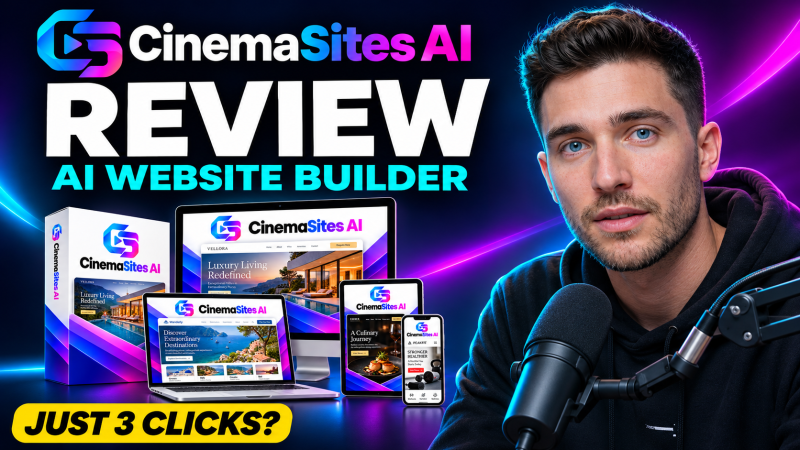
CinemaSites AI is a cloud AI website studio from Akshat Gupta. You describe a business or paste an existing address, and it builds or redesigns a site, writes the copy, suggests SEO details and publishes it with free SSL and hosting, all for a one-time front-end price of $14.94.
Product Brand: Akshat Gupta
Product Currency: USD
Product Price: 14.94
Product In-Stock: InStock
4.4

