
RoboTek Review
Can An AI App Builder Really Replace A Developer?
Building software used to mean one of two things. You learned to code, or you paid someone who did. Both paths cost time, money, or patience, and most people with a good app idea never got past the napkin sketch. RoboTek walks into that gap with a bold pitch. It says a team of AI developers inside a cloud dashboard can write the app for you, in more than 20 programming languages, and help you publish it with one click.
That is a big promise for a $12 tool. So in this RoboTek review I want to slow down and look at it the way a careful buyer would. What does it actually do? Who made it? What does the funnel cost once the upgrades show up? And which parts of the pitch deserve a raised eyebrow? By the end you should know whether RoboTek fits your plans or whether you should keep your wallet closed.
Overview Of RoboTek

| Detail | Information |
|---|---|
| Product | RoboTek |
| Creators | Mike McKay, Radu Hahaianu and Calin Ioan |
| Launch Date | November 6, 2026 |
| Sales Page | https://getrobotek.com/regular |
| Front-end price | $12 one-time (about $14.44 with processing charges) |
| Coupon | RTEK6 for $6 off, or RTEK30 for 30% off, both listed as funnel-wide |
| Upsells | 6 OTOs, each with a lower-priced downsell |
| Refund | 30 days, conditional on unresolved technical problems |
| Platform | LaunchPad |
| Niche | AI software and app creation |
| Skill Level | Beginner to intermediate |
| Support | Training portal and help desk |
| Recommended | Yes, for low-cost app experiments |
What Is RoboTek?
RoboTek is a cloud-based AI app creator. You log in through a browser, describe the software you want, and its AI developers generate the code and build the app for you. There is no hosting to rent, no server to configure, and no editor to install on your laptop. Everything lives in the cloud dashboard.
The range of output is wide on paper. RoboTek says it can produce cloud apps, mobile apps for iOS and Android, desktop software, games, SaaS tools, and WordPress plugins. It also says it works across 20+ programming languages, which matters if you want a plugin in PHP one day and a small web tool in JavaScript the next.
Then comes the selling side. RoboTek bundles a commercial license with the front end. That means you can build apps for clients and charge for the work. The vendor also points to a built-in app store called King Maker, where it says your software can go live with traffic, payments, delivery and support handled on its side. On top of that, the pitch names LaunchPad, WarriorPlus, JVZoo and ClickBank as marketplaces where you can list what you build.
Put simply, RoboTek wants to be three things at once. It is a code generator, a publishing hub, and a small business kit for people who want to sell software without hiring a developer. That combination is the reason it gets attention, and it is also the reason you should read the fine print.
The Core Idea In Plain Words
Think of RoboTek as a translator. You speak in plain English about what the app should do. The AI developers turn that into working code. The cloud dashboard then wraps the result so you can preview it, save it, and push it somewhere people can use it.
That model is not new. Plenty of AI coding assistants now write code from a prompt. What RoboTek adds is a no-setup environment and a publishing layer aimed at marketers rather than engineers. If you already live inside LaunchPad or WarriorPlus, that angle will feel familiar. You build a product, list it, and sell it to the same crowd that buys tools like this one.
The People Behind RoboTek
RoboTek comes from Mike McKay, Radu Hahaianu and Calin Ioan, a trio of digital product vendors who sell software and training mostly through launch platforms aimed at online marketers. Radu Hahaianu and Calin Ioan both publish the RoboTek videos on their own YouTube channels, and the product runs on a LaunchPad funnel with a familiar mix of front end, upgrades and reseller rights.
The team has a long catalog of launches with similar names, including ProfitReply AI, ProfitTok, ProfitCodex, ProfitSite and GeminAI 3.1 Max, so they know how to package a tool for this market. What that catalog does not prove is long-term quality, since launch volume and user satisfaction are two different things, and I would judge RoboTek on what it does in your hands rather than on the size of the back catalog.
What RoboTek Brings To The Table
The feature list is where RoboTek tries hardest to impress. Let me break it into the parts that matter most, along with what each one means in practice.
This is the heart of the product. RoboTek uses what it calls its own proprietary AI developers to create apps from scratch. You do not pick a template and swap colors. You describe the tool, and the AI writes it.
In practice, any AI code builder works best with clear, specific instructions. Tell it you want a mortgage calculator with three input fields and a monthly payment result, and you will usually get something close. Tell it you want the next big social network, and you will get a shell that needs a lot more work. RoboTek sits under the same rule. The clearer your request, the better your first draft.
Support For 20+ Programming Languages
RoboTek says its AI developers can code in more than 20 languages. For a non-coder this sounds abstract, but it has a real benefit. Different targets need different tools. A WordPress plugin lives in PHP. A browser tool often lives in JavaScript. A desktop helper might use Python. A builder that switches between them saves you from learning each one.
Many App Types From One Dashboard
The list of output types is long:
- Cloud apps and SaaS tools that run in a browser
- Mobile apps for iOS and Android
- Desktop software
- Games
- WordPress plugins
- Small micro-apps like calculators, planners and checklists
That spread is useful if you are testing ideas. You can try a simple web calculator, then a plugin, then a mobile version, all without changing tools.
Built-In Commercial License
The front end includes a commercial license. This is the piece that makes RoboTek interesting for freelancers and small agencies. You can build apps for local businesses or online clients and charge for them. The sales page frames it as a way to offer web programming services to others.
Just remember that a license gives you permission, not clients. You still need to find buyers, set prices, and deliver work that solves their problem.
Marketplace Publishing And King Maker
RoboTek says you can publish cloud apps and WordPress plugins on LaunchPad, ClickBank, WarriorPlus and JVZoo, and that mobile apps can go to the iOS App Store and Google Play Store. It also has its own King Maker app store, where it says it handles payments, delivery and customer support for you.
This is a strong selling point and also the one that needs the most care. I come back to it in the section on the pitch, because publishing on outside marketplaces always involves their own rules and approval steps.
Training And Support
The package includes a training portal and a support desk. The sales page describes 24/7 multilingual support. For a beginner, the training matters more than any single feature, because the gap between a working prompt and a sellable product is where most people get stuck.
Vendor Launch Bonuses
The front end also comes with a set of vendor bonuses. These include guides like the RoboTek eCom Conversion Booster, which covers product finders, gift selectors and buying guides, and the RoboTek Micro-App Profit Factory, which walks through building calculators, planners and checklists. Another bonus offers 25 starter app concepts, planning templates and a 14-day action plan. They are mostly prompts, templates and instructions, but they give a beginner a starting list of ideas.
Use these coupons: “RTEK6” for $6 off funnel-wide, or “RTEK30” for 30% off the entire funnel.
Getting Started With RoboTek In Three Moves
RoboTek frames the whole process as three steps. Here they are in the same order, without extra steps added in between.
Step 1: Log Into The Cloud App
I log into the RoboTek cloud dashboard from my browser. There is nothing to install or configure, and I do not need my own website, hosting or payment processor to begin. Everything I build stays inside the cloud account.
Step 2: Use The AI Developers To Create The App
Next, I describe the app I want and let the AI developers build it. I can aim it at a cloud app, a mobile app, desktop software or a WordPress plugin, for my own use or for a client under the built-in commercial license. The clearer my description, the closer the first version gets to what I had in mind, so I expect to review and refine the result before I treat it as finished.
Step 3: Publish The App
Finally, I publish the app. RoboTek offers its built-in King Maker store, and it lists LaunchPad, WarriorPlus, JVZoo and ClickBank as places to sell, along with custom projects for clients. The publish action itself is quick, but each outside marketplace still applies its own seller rules and review before a listing goes live.
For a thorough exploration of the platform, be sure to check out the demo video below:
Use these coupons: “RTEK6” for $6 off funnel-wide, or “RTEK30” for 30% off the entire funnel.
Getting Better Results From The AI Developers
The quality of any AI-built app depends on how you brief it. These habits make a real difference with RoboTek or any similar builder.
Start Small And Specific
Pick one job for the app. A loan calculator, a recipe scaler, or a simple booking form. Name the inputs, the outputs and who will use it. A focused request gives the AI less room to guess, and the result is easier to check.
Describe The User, Not Just The Feature
Tell the AI who the app is for. A calculator for first-time home buyers needs plain labels and short help text. A tool for accountants can use technical terms. That one sentence of context often shapes the layout, wording and flow more than any feature list.
Test Like A Customer
Once the app is built, use it the way a stranger would. Enter wrong values. Leave fields empty. Click buttons twice. Try it on a phone. Every bug you find before publishing is one a buyer never sees, and it protects your refund rate and your reputation.
Refine In Rounds
Treat the first version as a draft. Ask for one change at a time, such as a clearer button label, a new field or a different color scheme. Small rounds keep the code stable and make it easy to see what each change did.
Keep Sensitive Data Out At First
Until you have tested an app thoroughly, avoid features that store passwords, payment details or personal records. Simple tools that calculate, plan or display information are safer starting points and still have real value for buyers.
Practical App Ideas To Build With RoboTek
If you are not sure where to begin, here are ideas that suit an AI builder and have clear buyers.
- Local business calculators. Quote estimators for cleaners, painters or landscapers, and price calculators for print shops.
- Real estate tools. Mortgage calculators, rent-versus-buy comparisons and closing cost estimators for agents to share with leads.
- Fitness and health helpers. Workout planners, water intake trackers and simple meal planners for coaches.
- Content creator tools. Hashtag organizers, posting schedulers and title idea generators.
- WordPress plugins. Simple contact forms, FAQ blocks, countdown banners or booking widgets for site owners.
- Shopping helpers. Product finders and gift selectors for online stores, the same idea covered in the vendor bonus guide.
- Education tools. Quiz makers, flashcard apps and study timers for teachers and tutors.
Each of these solves one clear problem. That is exactly the kind of app an AI builder handles best, and the kind of product buyers understand at a glance. Start with the one closest to a market you already know, because knowing the buyer matters more than any feature.
Who Will Get The Most Out Of RoboTek?
Not every tool suits every buyer. RoboTek makes the most sense for a few clear groups.
Marketers Who Want Their Own Software Product
If you already sell on LaunchPad, WarriorPlus or JVZoo, you know software products sell well in that space. RoboTek gives you a way to create a simple tool of your own without paying a developer. Even if your first app is small, it can become a lead magnet, a bonus for your own audience, or a low-priced product.
Freelancers And Small Agencies
The commercial license opens a service angle. Local businesses often want small tools like booking forms, calculators, quote builders or simple loyalty apps. A freelancer who can deliver those quickly, and then refine them by hand, has something to sell. RoboTek cuts down the build time for the first draft.
Beginners Curious About No-Code Building
If you have an app idea and no coding background, RoboTek is a cheap way to see how far AI can take you. At $12, the cost of an experiment is low. You will learn quickly what kinds of apps AI handles well and where it struggles.
Coaches And Course Creators
Coaches and course creators often need small tools to go with their programs. A habit tracker for a fitness group, a budgeting sheet for a money course, or a quiz that sorts students by level. These tools make a program feel more complete and can lift the perceived value of an offer. RoboTek lets a coach build them without waiting on a developer, then share them with students or use them as lead magnets that pull new people into a funnel.
Who Should Skip It
RoboTek is not a good fit if you need complex, secure, production-grade software from day one. Banking tools, medical apps, anything that stores sensitive data, or anything that must pass strict security reviews still needs a human developer. It is also a poor fit if you expect sales to arrive just because an app exists. A product still needs marketing, support and a reason for people to buy it.
What RoboTek Costs And How The Coupons Work
The front end is priced at $12 one-time. Processing charges bring the amount due to roughly $14.44 before any discount. There is no monthly fee on the front end, which is a nice change from most AI builders that bill every month.
Two coupon codes are listed for the launch:
| Code | Listed Discount | Front-End Result |
|---|---|---|
| RTEK6 | $6 off, funnel-wide | Price drops to $6, about $7.78 with charges |
| RTEK30 | 30% off, funnel-wide | Price drops to about $7.67, about $9.63 with charges |
On the front end, RTEK6 gives the bigger saving. On the pricier upgrades, RTEK30 pulls ahead, because 30% of a $67 or $297 item is worth far more than a flat $6. My advice is simple. Use RTEK6 on the front end, and use RTEK30 on any upgrade you decide to add.
The sales page also says the one-time price is for early adopters, with a timer suggesting the price will revert to a monthly fee. Launch timers like this are common, so I would not panic-buy because of it. Still, if you already plan to try RoboTek, the launch window is when the coupons apply.
The Upgrade Path: RoboTek OTOs Explained
Like most launches in this space, RoboTek has a set of one-time offers after the front end. You must buy the front end first before any of these upgrades are offered. Each one also has a cheaper downsell version if you skip the main offer.
| OTO | Name | Price | Downsell |
|---|---|---|---|
| OTO 1 | PRO | $67 | $37 |
| OTO 2 | Enterprise | $197 | $97 |
| OTO 3 | DFY | $97 | $47 |
| OTO 4 | Reseller | $167 | $67 |
| OTO 5 | IMX | $97 | $47 |
| OTO 6 | WhiteLabel | $297 | $197 |
Prices above are before processing charges.
OTO 1: PRO
PRO removes the front-end limits and unlocks what the vendor calls unlimited everything. It adds a subscription program for your own apps, automated upsells and funnel setup, priority app processing, deeper training, analytics, a mobile-first approach and premium support. If you plan to use RoboTek seriously, this is the upgrade most likely to matter, because it targets the limits of the base plan.
OTO 2: Enterprise
Enterprise adds 20 done-for-you apps, a large business leads database, case studies, private cloud storage, extra monetization features, an AI funnel builder, collaboration tools with an outsourcer’s license, and one-on-one support. It also mentions automated traffic, which I would treat as a bonus feature rather than a promise of buyers.
OTO 3: DFY
DFY gives you commercial rights to 5 existing apps from the vendors’ earlier launches, plus affiliate marketing training and done-for-you software reviews. It suits someone who wants ready-made products to sell while they learn to build their own.
OTO 4: Reseller
Reseller lets you sell RoboTek itself and keep the commissions across the funnel. It includes marketing pages, sales videos, a members area, email swipes and social messages, with product support handled by the vendor. This only makes sense if you have an audience that buys tools like this.
OTO 5: IMX
IMX is a package of the vendors’ recent products, including an email marketing system with training, white-label software, video marketing software, outsourcing training and coaching sessions. It is a broad add-on rather than a RoboTek feature upgrade.
OTO 6: WhiteLabel
WhiteLabel lets you rebrand RoboTek as your own, remove the vendor logo, use your own domain, and sell it with no profit sharing. It is the most expensive upgrade and the one that needs a real business plan behind it.
Which Upgrades Are Worth It?
For most buyers, the front end alone is enough to find out whether RoboTek suits them. If you hit the limits and love the tool, PRO is the logical next step. The other offers lean toward selling, reselling and bundled extras. They can be useful, but only once you know you will use RoboTek regularly. There is no separate standalone bundle for this launch, so each upgrade is bought on its own.
Strengths And Weak Spots
No tool is all upside. Here is how RoboTek stacks up when you weigh both sides.
What I Like
- Low entry price. At $12 one-time, and less with RTEK6, the cost of trying it is small.
- No setup. Cloud access means no hosting, no installs and no server work.
- Wide range of app types. Cloud apps, mobile apps, desktop software, games and WordPress plugins all sit under one roof.
- Commercial license included. You can build for clients without paying for an extra license on the front end.
- Many languages. Support for 20+ programming languages gives you flexibility.
- Training included. Beginners get a training portal and a support desk.
- Refund window. A 30-day refund policy lowers the risk, within its conditions.
What Gives Me Pause
- Big upgrade stack. Six OTOs, with Enterprise at $197 and WhiteLabel at $297, can push the total far past the front-end price.
- Unclear front-end limits. PRO promises restrictions removed, which tells you the base plan has limits that the FAQ does not spell out.
- AI code still needs review. Generated apps need testing and refinement before you sell them.
- Marketplace rules apply. Outside stores have their own approval processes that no tool controls.
- Hype-heavy sales page. Earnings-style testimonials and countdown timers add pressure without adding facts.
Separating The Pitch From The Product
Every launch page sells a dream. That is its job. My job is to point out where the dream runs ahead of what you can reasonably expect. Here are the claims I would read twice.
No Restrictions, Yet There Is An Upgrade To Remove Them
The FAQ answers the restrictions question with a flat no restrictions. A few screens later, OTO 1 sells restrictions removed and unlimited everything. Both cannot be fully true. The fair reading is that the front end works, but with limits on volume or features that the upgrade lifts. Plan for that before you build a business around the base plan.
One-Click Publishing Is Not One-Click Approval
The pitch says you can publish to LaunchPad, ClickBank, WarriorPlus and JVZoo with 1-click. RoboTek may make the export or listing step fast, but each marketplace still has its own seller account, product review and rules. ClickBank in particular reviews products before they go live. A quick button on your side does not skip the queue on theirs.
App Store Approval Is Never Automatic
The sales page says you can publish mobile apps directly to the iOS App Store and Google Play Store. Both stores require a developer account with a fee, and both review apps against their own guidelines. Apple is known for rejecting apps that look like thin templates or offer little unique value. RoboTek can help you produce the app, but approval is out of its hands.
AI Code Is Not Bug-Free Code
The pitch leans on the idea that RoboTek builds real apps without you writing a line of code. That part is believable for simple tools. What no AI builder can promise is code without bugs or security gaps. Anything that handles payments, logins or personal data needs testing. Treat the first version as a draft, not a finished product.
Free Traffic From King Maker
RoboTek says its King Maker app store brings unlimited free traffic and handles sales, delivery and support for you. I could not find public numbers on how many buyers visit that store or how listings perform there. It may help, but I would not count on it as your only sales channel.
Earnings Testimonials
The sales page shows testimonials with specific dollar figures and claims of daily sales. These are individual stories with no proof attached, and they say nothing about typical results. Most people who buy software tools never sell a single app. Ignore the numbers and judge the tool by what it builds for you.
Price Reverts To A Monthly Fee
A countdown warns that the price will revert to a monthly fee and that the commercial license will expire. Launch funnels often keep timers running for days, and there is no public plan for what the monthly price would be. Buy because you want the tool, not because the clock says so.
Hands-Off Business Claims
Lines like sit back and watch the sales roll in and talk of a stress-free lifestyle are marketing. Selling software still means picking a useful idea, testing it, supporting buyers and promoting it. RoboTek shortens the build. It does not run the business.
Where The Pitch Holds Up
To be fair, several claims are reasonable. The front end really is a one-time $12 price. The coupons work on the front end. The commercial license is part of the base offer. And a cloud-based AI builder that covers many app types is a genuine convenience for beginners. The core tool can deliver value without the hype around it.
Why I Would Give RoboTek A Shot
Here is how I think about it as a buyer. I have had small app ideas sitting in a notebook for years. A tip calculator for a local cafe. A simple quote builder for a cleaning business. A WordPress plugin that adds a booking form. None of them justified paying a developer a few hundred dollars just to see if the idea works.
RoboTek changes that math. For the cost of a lunch, I get a cloud dashboard where I can describe the idea and get a first version back. If the app works, I can refine it, offer it to a client under the commercial license, or list it as a small product. If it fails, I have lost very little, and I still have 30 days to ask for a refund if the software does not work and support cannot fix it.
What makes it worth trying is speed. The slowest part of any app idea is getting from zero to something you can click. RoboTek attacks exactly that part. Even if I end up polishing the result by hand, or handing it to a freelancer to finish, I start from a working draft instead of a blank page. That alone saves hours.
I also like that the commercial license comes with the front end. Many tools charge extra for client work. Here, a freelancer can test the service angle on day one. Build a simple calculator for a real estate agent, show it, and see whether local businesses care.
There is also a learning upside. Even if none of my first apps sell, I come away knowing how to brief an AI developer, how to test software like a customer, and how marketplaces treat new listings. Those skills carry over to every AI tool I use next. For a beginner, that kind of hands-on practice is worth more than another course full of theory, and it costs less than most of them.
My plan would be simple. Grab the front end with RTEK6. Build three small apps in the first week. Test whether they work, and whether anyone wants them. Only then would I consider PRO, using RTEK30 to cut the price. That approach keeps the risk low and lets the tool prove itself.
RoboTek Compared With The Usual Alternatives
RoboTek does not exist in a vacuum, so it helps to place it against the other ways people build apps today.
- Hiring a developer. You get custom, tested work and someone to fix bugs, but it costs far more and takes longer. RoboTek is faster and cheaper for simple tools, while a developer still wins for complex or sensitive projects.
- Subscription AI app builders. Many browser-based AI builders charge a monthly fee and often limit usage. RoboTek’s one-time price is its biggest edge here, though its long-term updates and support are less proven.
- Traditional no-code builders. Drag-and-drop platforms give you more control over layout and logic, but you must learn the editor. RoboTek trades that control for a prompt-based approach.
- General AI chat tools. You can ask any AI chatbot to write code, but you must run, host and package it yourself. RoboTek wraps the code in a cloud environment with publishing options, which is the real convenience.
The Final Word On RoboTek
RoboTek is a cheap, cloud-based AI app builder with a broad scope and a loud sales page. At its core, it offers something useful. You describe an app, AI developers build it, and you can publish or sell the result under a built-in commercial license. For $12, or about $7.78 with RTEK6, that is a low-risk way to test app ideas.
The pitch goes further than the product can promise. No restrictions sits next to an upgrade that removes restrictions. One-click publishing still meets marketplace review. App store approval is never automatic, and AI code always needs testing. The earnings testimonials and countdown timers are pressure, not proof.
If you go in with clear eyes, RoboTek can earn its place in your toolkit. Start with the front end, build small, test everything, and only add upgrades once you know the tool fits how you work. That is the smartest way to get value from it.
Frequently Asked Questions
What is RoboTek?
RoboTek is a cloud-based AI app creator. You describe the app you want, and its AI developers build it for you. It covers cloud apps, mobile apps, desktop software, games and WordPress plugins.
Does RoboTek work for any type of app?
It supports many app types and more than 20 programming languages. Simple tools like calculators, planners, forms and small plugins are the best fit. Complex or sensitive software still needs a human developer.
Does RoboTek cost a monthly fee?
No. The front end is a one-time $12 payment, about $14.44 with processing charges. The upgrades are optional one-time offers.
Is there a RoboTek coupon?
Yes. RTEK6 takes $6 off and RTEK30 takes 30% off. Both are listed as funnel-wide. RTEK6 saves more on the front end, while RTEK30 saves more on the larger upgrades.
Can I publish to all the big marketplaces?
RoboTek lists LaunchPad, ClickBank, JVZoo, WarriorPlus, the iOS App Store, Google Play and its own King Maker store. Each outside marketplace has its own account requirements and review process, so approval is not automatic.
Do I need tech skills to use RoboTek?
You do not need to code. You do need to describe your app clearly and test what the AI builds. Basic comfort with trying, checking and refining will help a lot.
Are there any restrictions?
The FAQ says there are none, but the PRO upgrade sells restrictions removed and unlimited everything. Expect some limits on the front end that PRO lifts.
Are support and training included?
Yes. Buyers get access to a training portal and a support desk.
What is the refund policy?
RoboTek has a 30-day refund policy. It applies when you run into technical problems or the software does not work as expected and support cannot help.
Get RoboTek With My Exclusive Bonuses
If RoboTek fits your plans, grab it through the link on this page and I will add my exclusive Tika Review bonus pack at no extra cost. Use RTEK6 for $6 off the front end, or RTEK30 for 30% off any upgrade.
1. Buy RoboTek through the link on this page.
2. Find your bonuses in the member area, or email me your receipt.
3. Download your bonuses and put them to work.
Here is everything you get when you buy through my RoboTek review below:
1. Viral Content Creation With AI
2. Google Veo 3 AI Expertise
3. Digital Domination – 15 Complete Business Systems
4. The Essential AI Tool Box
5. Pinterest and Profit with AI
6. Pinster
7. Prompts Profit Pack
8. Prompt Cash Machine
9. Nano Banana AI Expertise
10. AI Web Traffic Mastery
11. AI Stock Photo Builder v2
12. AI Powered Digital Product Creation
13. Nano Banana Side Hustles
14. Perfect JSON Prompts for Coloring Books
15. YouTube AI Prompt and Template Pack
16. ChatGPT 5 Mastery
17. Zero Cost Side Hustles
18. Make Money with ChatGPT
19. AI League
20. AI Landscape Photo Toolkit
RoboTek Review: Is This No-Code App Maker Worth Buying?
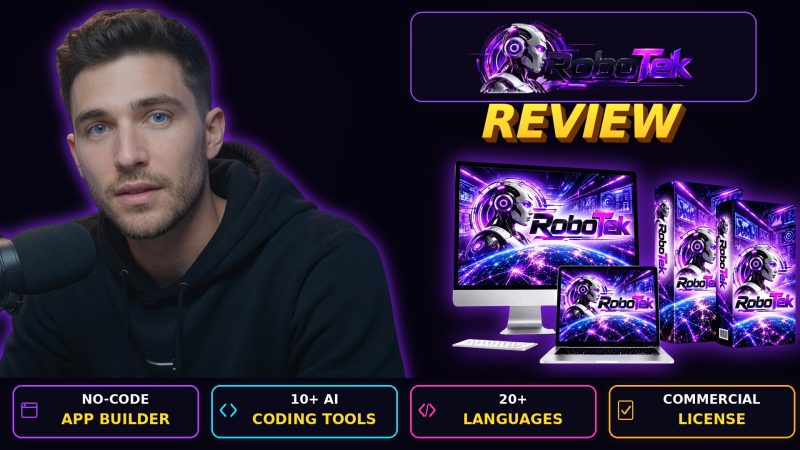
RoboTek is a cloud-based AI app creator from Mike McKay, Radu Hahaianu and Calin Ioan. You describe an app, its AI developers build it in one of 20+ programming languages, and you can publish or sell the result under a built-in commercial license. It covers cloud apps, mobile apps, desktop software and WordPress plugins for a one-time $12 front-end price.
Product Brand: Mike McKay, Radu Hahaianu and Calin Ioan
Product Currency: USD
Product Price: 12
Product In-Stock: InStock
4

