
Syntra AI Review
Can One Dashboard Really Get ChatGPT And Gemini To Recommend Your Offer?
A friend asked me last month which running shoes to buy. I didn’t open Google. I asked an AI assistant, read one answer, and sent him two names. It took thirty seconds, and I never visited a single brand’s website.
That little moment is the whole idea behind Syntra AI. More people now ask ChatGPT, Gemini, Claude, or Grok what to buy, which tool to use, or which business to hire. If your brand shows up in those answers, you get considered. If it doesn’t, you’re invisible in that conversation.
Syntra AI is an AI visibility tool. It checks whether AI assistants mention your brand for the questions your buyers ask, shows which competitors they name instead, audits how readable your site is for AI crawlers, and hands you fixes such as schema markup, an LLMS.txt file, and AI-friendly content.
Why does this matter now? Because the path from question to purchase is getting shorter. A buyer who once compared ten tabs may now read one answer and act on it. For a small brand, that’s both a threat and an opening. If the assistant names three competitors and skips you, you lose that buyer before you ever knew they existed. If it names you, you get a warm introduction you didn’t pay for.
The pitch around it is loud. Very loud. So in this review, I’ll walk you through what the software actually does, step by step, what it costs with the coupon, what each upgrade adds, and where the big promises need a calm second look.
Overview Of Syntra AI

| Detail | Information |
|---|---|
| Product | Syntra AI |
| Vendor | Art Flair |
| Launch | November 3, 2026, 10:00 AM EST (10:00 PM UTC+7); launch closes November 7, 2026, 11:59 PM EST |
| Sold through | LaunchPad |
| Sales Page | https://grabsyntra.com/live |
| Category | AI visibility and generative engine optimization software |
| Type | Cloud-based web app, nothing to install |
| AI engines scanned | ChatGPT, Claude, Gemini, Grok |
| Main tools | AI prompt engine, visibility scanner, LLM readiness audit, optimization hub, schema automation, AI content generator, website SEO audit, keyword and AI shopping tracking |
| Front-end price | $12 one-time at checkout ($9.80 plus LaunchPad service and delivery charges) |
| Coupon | SYNTADMIN ($6 off, front-end total $5.33) |
| Upsells | 7 OTOs: PRO, Enterprise, DFY, 10x, Platinum, Diamond, Reseller |
| Bundle | ROYAL version with all 7 upgrades, offered as a checkout add-on for $97 plus fees |
| Bundle Link | https://grabsyntra.com/live |
| Commercial license | Included |
| Refund | 30-day refund policy |
What Exactly Is Syntra AI?
Syntra AI is a cloud app that tracks how your brand appears inside answers from ChatGPT, Claude, Gemini, and Grok, then gives you tools to improve that presence. Think of it as SEO software rebuilt for the age of AI assistants.
You start by telling it about your brand, your market, and the keywords you want AI to recommend you for. It then writes realistic questions your buyers might ask, sends those questions to each AI engine, and records whether your brand was mentioned, how positively, and which rivals came up instead.
From there, it shifts from watching to fixing. An LLM readiness audit checks your LLMS.txt, robots.txt, crawler access, sitemap, meta tags, and schema markup. An optimization hub turns scan results into a prioritized to-do list. Schema automation writes JSON-LD structured data. An AI content generator drafts articles built to be quoted. There’s also a classic on-page SEO audit, keyword tracking, and an AI shopping module for product sellers.
Everything lands on a single overview with an AI visibility score, total mentions, LLM readiness, and a trend chart. You pay once during the launch, and a commercial license lets you run it for clients too.
What Makes Syntra AI Different?
Most SEO tools still measure one thing: where you rank on a page of blue links. That number tells you nothing about what happens when someone asks an AI assistant for a recommendation.
Syntra AI focuses on that gap.
- It measures AI answers directly. It asks the AI engines the questions your buyers ask and records the response, rather than guessing from search rankings.
- It shows the competition by name. Each answer lists the other brands the AI mentioned, so you see who’s winning the recommendation you want.
- It scores sentiment, not just mentions. A mention can be positive, neutral, or negative, and the score reflects that, plus a bonus for list position.
- It connects tracking to fixes. The same dashboard writes schema, drafts content, generates an LLMS.txt file, and can push files to your site through FTP.
- It’s a one-time payment. Dedicated AI visibility trackers usually bill monthly. Syntra AI charges once during the launch.
It also differs in tone. Many AI tools hide failures behind a tidy score. Syntra AI labels failed requests, flags sites it can’t reach, and explains how every point in the score is earned. For a beginner, that honesty makes the data far easier to act on.
In short, it bundles monitoring and basic optimization into one beginner-friendly app. That’s genuinely useful for small businesses and freelancers who can’t justify a monthly enterprise tool.
Who’s Behind Syntra AI?
Syntra AI comes from Art Flair, a digital product vendor who sells through LaunchPad and runs regular software launches for online marketers.
His recent releases include AI tools for video creation, such as CineClaw, and his launches typically follow the same pattern of a low front-end price, a long upgrade funnel, and a commercial license, with Syntra AI applying that formula to the fast-growing field of AI search visibility.
The Features And Benefits Of This Software
Here’s what you get inside, and why each piece matters.
Brand Setup And Market Definition
You enter your brand name, website, and a short description, then define your industry, niche, target market, and primary region. This context shapes every question Syntra writes later.
Benefit: scans reflect your real market instead of generic queries.
Keyword Targeting
You add the keywords your audience asks AI assistants about, with handy tips shown below the field.
Benefit: you decide which recommendations you’re chasing, such as best running shoes for flat feet rather than a vague category.
AI Prompt Engine
It generates realistic buyer questions, from discovery prompts to comparison prompts. You can edit, add, or regenerate them before scanning.
Benefit: you test the way real people phrase questions, not just bare keywords.
AI Visibility Scanner
It sends every prompt to every engine and streams results live. Each result shows the engine, the prompt, and whether your brand appeared. Failed requests are marked clearly so you can rerun them.
Benefit: a fast, side-by-side snapshot across four assistants.
Answer Detail, Sentiment, And Competitors
Open any result to read the full AI answer, along with a sentiment rating, a score, and the other brands the AI named.
Benefit: competitive intelligence straight from the answer itself.
Transparent Scoring
Syntra explains the math: points for a mention, a bonus for list position, and adjustments for sentiment. Benefit: the score isn’t a black box, so you know what moves it.
LLM Readiness Audit
It checks LLMS.txt, robots.txt, crawler access, sitemap, meta tags, and schema markup, and returns a readiness score for a live site. You can also generate an LLMS.txt file or import your sitemap.
Benefit: you catch technical blocks, such as a robots.txt that stops AI crawlers.
Optimization Hub
One click on Generate Insights produces prioritized recommendations across content optimization, technical SEO, AI signals, and competitor analysis. Each comes with concrete steps, and you tick them off to raise a completion rate.
Benefit: a clear action plan instead of a pile of data.
Schema Automation
Pick a schema type and a page, and Syntra writes the JSON-LD markup.
Benefit: structured data without learning the syntax.
AI Content Generator
Choose a content type, topic, target keyword, and tone, and include FAQs and schema if you like. It writes a full article with headings, a comparison table, an FAQ section, and ready-to-paste markup, exportable as Markdown or HTML.
Benefit: a solid first draft of content built to answer buyer questions.
Website SEO Audit
A traditional on-page audit checks titles, meta descriptions, headings, and more across up to 50 pages.
Benefit: classic SEO hygiene, which still feeds the sources AI assistants read.
Keywords And AI Shopping
Keywords tracks which engines mention you for each target keyword and how often each keyword appears on your pages. AI shopping lets you add products with a name, page, and price, writes the shopping questions a buyer would ask, and checks whether AI recommends your product.
Benefit: product-level tracking for ecommerce sellers.
Settings And FTP Deployment
Update brand details and keywords any time, and connect FTP deployment so Syntra can upload LLMS.txt, robots.txt, and schema markup directly to your site.
Benefit: fewer copy-and-paste steps.
Overview Dashboard
An overall AI visibility score, total mentions, LLM readiness, prompts ready, a score for each engine, and a trend chart.
Benefit: one screen to track progress over time.
And that’s not all – with Syntra AI, you’ll also receive these fantastic bonuses:
Coupon: SYNTADMIN ($6 off, front-end total $5.33)
Breaking Down The Mechanics Of Operation
To see how it all fits, I ran the full workflow with a sample brand called Fergal Shoes. Here’s each step in order.
Step 1: Set Up Your Brand
Setup starts with the brand. I entered the brand name, the website, and a short description of what the business offers.
Step 2: Define Your Market
Next, I chose an industry, added a category of shoes and footwear, then picked a target market and primary region. This helps Syntra understand the space and the audience.
Step 3: Add What AI Should Recommend You For
Then came the key question: what should AI recommend you for? I added keywords like best shoes in the world, best male shoes, and best female shoes. Handy keyword tips appeared right below the field.
Step 4: Confirm Your Setup And Click Start Tracking
Syntra confirmed my setup and explained what happens next: it generates the prompts people ask, scans ChatGPT, Claude, Gemini, and Grok, runs an LLM readiness audit, and prepares auto-fix files to deploy on the site. I clicked Start Tracking.
Step 5: Review The 10 AI Prompts
Within seconds, the AI prompt engine created 10 realistic questions, from discovery to comparison prompts, such as What are the best shoes in the world for everyday wear? I could edit, add, or regenerate them. I confirmed them and started the scan.
Step 6: Watch The AI Visibility Scanner Run
The scanner sent every prompt to every AI engine, the way a real customer would ask: 10 prompts across four engines, for 40 checks in total. Results streamed in live, showing the engine, the prompt, and whether the brand was mentioned. Any request that didn’t complete was marked as failed, so I could run it again later.
Step 7: Open A Result To Read The Full AI Answer
I clicked a result to read the full answer. Grok had been asked whether Fergal Shoes is a good brand for high-quality men’s footwear. Syntra showed the brand was mentioned, rated the sentiment as neutral, gave a score, and listed the other brands named: Allen Edmonds, Alden, and Crockett & Jones. Another answer, from ChatGPT, described the brand’s women’s range, and Syntra rated that mention positive. Below the results, it explained the scoring: points for a mention, a bonus for list position, and adjustments for sentiment.
Step 8: Check The AI Prompts Page
Back on the AI Prompts page, all 10 prompts were confirmed and ready for future scans.
Step 9: Run The AI Audit
The AI audit checks how ready a site is for AI crawlers: LLMS.txt, robots.txt, crawler access, sitemap, meta tags, and schema markup. Because the sample brand uses a placeholder domain, the audit couldn’t reach the site. On a live website, this is where the LLM readiness score appears. I could also generate an LLMS.txt file or import a sitemap.
Step 10: Generate Insights In The Optimization Hub
In the optimization hub, I clicked Generate Insights. Syntra produced prioritized recommendations across content optimization, technical SEO, AI signals, and competitor analysis, each with concrete steps, like creating content that answers key product questions or adding structured data for reviews. As each one gets done, you mark it complete and watch the completion rate climb to 100%.
Step 11: Create Markup With Schema Automation
Next, I picked a schema type and a page, and Syntra wrote the JSON-LD markup. Since the placeholder site couldn’t be read, it built the markup from the brand details instead. From there, you copy it into your page or deploy it.
Step 12: Write An Article With The AI Content Generator
I chose product description as the content type, added a topic and a target keyword, set the tone, and included FAQs and schema. In about a minute, Syntra wrote a complete 768-word article with headings, a comparison table, an FAQ section, and ready-to-paste schema markup. I could copy it as Markdown or HTML, download it, or mark it as published.
Step 13: Run The Website SEO Audit
Website SEO runs a traditional on-page audit of titles, meta descriptions, headings, and more for up to 50 pages. Again, the placeholder domain couldn’t be loaded, and Syntra reported that clearly as a critical issue.
Step 14: Track Your Keywords
The Keywords section tracks how AI answers each target keyword, which engines mention you, and how often each keyword appears on your own pages.
Step 15: Add Products In AI Shopping
In AI shopping, you add products with a name, product page, and price. Syntra writes the shopping questions a buyer would ask, then checks whether AI recommends the product.
Step 16: Update Settings And Connect FTP
In Settings, I could update brand details and keywords at any time and connect FTP deployment, so Syntra can upload LLMS.txt, robots.txt, and schema markup directly to the site.
Step 17: Read The Overview
Finally, the overview pulled everything together: an overall AI visibility score, total mentions, LLM readiness, and prompts ready, plus a score for each AI engine and a visibility trend chart. For the sample brand, the first scan showed a score of 10 out of 100, a clear starting point to improve from.
My Take On The Workflow
The flow is logical and easy to follow. Setup takes a few minutes, the prompts read like real questions, and the scan results are clear about what worked and what failed. I especially like that Syntra admits when it can’t reach a site instead of inventing a score. The fixing side is a toolkit, not magic: you still publish the content, place the markup, and wait for AI engines to notice.
For a closer look at all the features, be sure to watch the demo video below:
Coupon: SYNTADMIN ($6 off, front-end total $5.33)
Who Is Syntra AI Intended For?
Syntra AI suits people who want to see how AI assistants talk about a brand and get a starter toolkit to improve it.
- Small business owners curious whether ChatGPT or Gemini mentions them when locals ask for a recommendation
- Ecommerce sellers who want product-level checks through the AI shopping module
- Freelancers and SEO consultants who want to add an AI visibility audit to their services, using the commercial license
- Bloggers and content creators looking for AI-friendly article drafts and schema
- Affiliate marketers who want to understand which brands AI recommends in their niche
- Coaches and course creators checking whether their name comes up for their specialty
- Local service businesses such as dentists, plumbers, and salons, where one assistant recommendation can mean a booked appointment
If you’re a beginner, you’ll appreciate the guided setup. If you’re an experienced SEO, you’ll value the competitor names and the prompt-level data, even if you already know how to write schema yourself.
It’s a weaker fit if you expect instant traffic, if you don’t have a real website to optimize, or if you won’t publish content and build a reputation outside your own site.
Why Is It Worth Checking Out?
Here’s why I think it deserves a look, speaking as someone who has watched search shift under my feet.
First, the problem is real. People really do ask AI assistants for recommendations now, and most small brands have no idea what those assistants say about them. Syntra AI answers that question in minutes.
Second, the competitor view is gold. Seeing the exact brands an assistant names instead of you tells you who to study, what they publish, and where they’re cited.
Third, it’s cheap to try. At $12, or about $5.33 with the coupon, it costs less than lunch. Dedicated AI visibility tools tend to charge monthly, so a one-time price is a low-risk way to learn the field.
Fourth, the fixes are practical. Schema markup, a clean robots.txt, a sitemap, and helpful content answering buyer questions are all solid web practices. Even if AI answers move slowly, those improvements help your site in regular search too.
Fifth, it builds a habit. Running a scan every couple of weeks and watching the trend chart turns a vague worry about AI search into a simple routine. You see which prompts you win, which you lose, and whether your changes move the needle.
And finally, the commercial license opens a side door. A simple AI visibility report, done honestly, is an easy conversation starter with local business clients.
User Experience
Using Syntra AI feels smooth and beginner-friendly. The setup wizard asks for only what it needs, the keyword tips help newcomers, and the live scan stream is satisfying to watch.
I appreciate the honesty baked into the interface. Failed requests are labeled as failed. A domain that can’t be reached shows up as a critical issue. Scores come with an explanation. That transparency makes the data easier to trust.
The content generator is fast and tidy. A 768-word draft with a comparison table and FAQ is a useful starting point, though I’d still edit it for accuracy and voice before publishing. The schema tool saves real time for anyone who has wrestled with JSON-LD.
Navigation is straightforward. Each module sits in its own section, from AI Prompts and the audit to the optimization hub, schema, content, Website SEO, Keywords, AI shopping, and Settings. I never had to hunt for a feature, and the overview always brought me back to the big picture.
The main limits are structural, not cosmetic. The scanner covers four engines, so you’re seeing a sample of AI answers, not every assistant on the market. And a single scan is a snapshot; AI answers can change from one run to the next, so the trend over several scans matters more than any one result.
Syntra AI Pricing
The front end costs $9.80, and LaunchPad adds a $1.20 service charge and a $1.00 delivery charge, so the checkout total is $12.00, paid once.
With coupon SYNTADMIN, $6 comes off the subtotal, and the total drops to $5.33. An early-bird code, SYNTVIP, takes $5 off instead, for a total of $6.44, so SYNTADMIN is the better pick.
What the front end includes:
Is it good value? For what it costs, yes. A one-time payment for a tracker, an audit, a schema writer, and a content generator is hard to beat, especially when dedicated AI visibility platforms usually charge every month. Just remember that the value comes from using it regularly and acting on the fixes, not from owning the login.
A few things to know: the price is a launch deal and is expected to rise, and the checkout offers the ROYAL add-on described in the bundle section. Leave it unticked if you only want the core app.
Coupon: SYNTADMIN ($6 off, front-end total $5.33)
The Upsells
Syntra AI has seven upgrades. Remember this first: you must buy the front end before any upgrade. Each one adds to your existing Syntra AI account and doesn’t work on its own. Every upgrade also has a lower-priced downsell if you pass on the first offer. Prices below are checkout totals, including LaunchPad charges.
| Upgrade | Name | Price | Downsell |
|---|---|---|---|
| OTO 1 | Syntra AI PRO | $65.82 | $45.82 |
| OTO 2 | Syntra AI Enterprise | $35.82 | $25.82 |
| OTO 3 | Syntra AI DFY | $35.82 | $25.82 |
| OTO 4 | Syntra AI 10x | $35.82 | $25.82 |
| OTO 5 | Syntra AI Platinum | $65.82 | $45.82 |
| OTO 6 | Syntra AI Diamond | $95.82 | $65.82 |
| OTO 7 | Syntra AI Reseller | $195.82 | $95.82 |
OTO 1: Syntra AI PRO
PRO is the unlimited tier. It promises lifetime unlimited usage plus done-for-you leads, a website builder, and extra traffic features. My take: consider it only if the front end’s usage feels tight once you start scanning many brands.
OTO 2: Syntra AI Enterprise
Enterprise pitches extra business tools, such as selling hosting, business emails, and other services to clients from your own storefront. My take: aimed at agencies, not solo users.
OTO 3: Syntra AI DFY
The DFY upgrade adds done-for-you campaigns, including affiliate, CPA, email, and social promos, plus squeeze pages and ready-to-sell websites. My take: handy templates, but they don’t improve your AI visibility.
OTO 4: Syntra AI 10x
10x is a traffic add-on that promises recurring clicks to a link you provide. My take: treat any bought traffic with caution and test it small.
OTO 5: Syntra AI Platinum
Platinum adds a text-to-audiobook and podcast creator, with a whitelabel license promised to early buyers. My take: a separate content tool bolted onto the funnel.
OTO 6: Syntra AI Diamond
Diamond is a multi-tool AI content app that creates websites, sales copy, social posts, articles, SEO content, and AI images in 35 languages. My take: useful for content-heavy agencies, unrelated to the core tracker.
OTO 7: Syntra AI Reseller
Reseller gives you rights to sell Syntra AI and keep the profits, along with the sales materials. My take: only for marketers with an audience ready to buy.
The Bundle Offer
The ROYAL version packs all seven upgrades into one add-on at checkout: PRO with unlimited use, Enterprise, DFY, 10x Traffic, Platinum, Diamond, and Reseller. It’s listed as usually $933.
Ticking the ROYAL add-on adds $97 to the order. With LaunchPad’s charges, the total for the front end plus ROYAL comes to $119.78, or $113.11 with coupon SYNTADMIN. Buying all seven upgrades separately at full price would cost far more, so the bundle is the cheaper route if you want everything.
Here’s how the math works out. The seven upgrades add up to more than $500 at full checkout prices, and even the cheaper downsell versions run past $300. Against that, $97 is a big discount. The catch is simple: a discount only saves money on things you were going to use anyway.
To claim it, open the checkout, tick the ROYAL box before you pay, and enter the coupon. The add-on is unticked by default, so nothing gets added unless you choose it.
My take: most buyers don’t need everything. Several upgrades are unrelated to AI visibility. Start with the front end, use it for a week, and come back only if a specific upgrade solves a problem you actually have.
Good And Bad Points
Good Points
- Tracks brand mentions across ChatGPT, Claude, Gemini, and Grok in one place
- Writes realistic buyer prompts that you can edit or regenerate
- Shows sentiment, scores, and competitor names from each answer
- Explains its scoring instead of hiding it
- Audits LLMS.txt, robots.txt, crawler access, sitemap, meta tags, and schema
- Turns scan data into a prioritized action list
- Writes JSON-LD schema and AI-friendly articles
- FTP deployment saves manual uploads
- Very low one-time price, especially with SYNTADMIN
- Commercial license and a 30-day refund policy
Bad Points
- Scans four engines, not every AI assistant on the market
- AI answers change, so single scans are snapshots
- Fixes still need publishing, time, and outside reputation to work
- Generated articles need editing before they go live
- Upgrade pages describe tools unrelated to AI visibility
- LaunchPad service and delivery charges sit on top of the listed price
- The sales pitch promises far more than any visibility tool can
None of these points is a deal-breaker at this price. They’re simply the trade-offs that come with a low-cost tool in a young and fast-moving field.
Where The Pitch Gets Ahead Of Reality
I like Syntra AI as a tracker and starter toolkit. But the pitch around it makes some big claims, and a few deserve a calm look before you buy.
No Tool Can Make AI Recommend You On Command
The headline talks about making your brand the answer AI gives, automatically. No outside tool controls what ChatGPT, Gemini, Claude, or Grok say. These assistants build answers from their training data, live web results, and their own ranking choices, and those answers can change between runs and between users.
What to expect: Syntra AI shows you where you stand and suggests improvements. Whether AI mentions you depends on how well-known, well-reviewed, and well-cited your brand becomes across the web.
Tracking Is Not Traffic
The pitch promises floods of pre-sold buyers, consistent targeted traffic, and results that start almost instantly. But the core of the app measures mentions; it doesn’t send visitors. Even when an assistant names you, many people read the answer and never click.
What to expect: a clear picture of your AI presence and a to-do list. Any traffic comes later, if the fixes work.
One Button Doesn’t Do The Work
The page talks about pressing one button while the AI does the rest, with no effort from you. In practice, I still had to confirm prompts, review insights, publish content, add markup, and mark tasks complete.
What to expect: a guided workflow that saves time, not a hands-off machine.
Six Engines On The Page, Four In The Scanner
The sales copy names ChatGPT, Google AI, Grok, Claude, Perplexity, and Gemini. The scanner runs on four engines: ChatGPT, Claude, Gemini, and Grok.
What to expect: a useful sample of AI answers, with Google’s AI features and Perplexity not part of the scan.
LLMS.txt And Schema Are Helpers, Not Switches
The audit and fixes focus on files like LLMS.txt and schema markup. Those are tidy technical steps. But Google’s own guidance says you don’t need special AI text files or extra markup to appear in AI Overviews or AI Mode, and that regular SEO best practices still apply.
What to expect: cleaner technical foundations that help, but won’t flip AI answers on their own.
Quick Fixes Can Backfire
Sample fixes in the pitch include adding citations on Wikipedia and boosting Reddit mentions. Both communities push back on self-promotion, and Wikipedia’s rules discourage editing articles where you have a conflict of interest.
What to expect: earn mentions through real reviews, press, and genuinely helpful content, not planted links.
The Success Stories Aren’t Typical
The page tells a story of a coach who went from zero visibility to dozens of clients in a week, alongside claims of a near-perfect beta success rate. The vendor’s own disclaimer says testimonials are exceptional and results aren’t typical.
What to expect: slow, uneven progress that depends on your brand and niche.
The Upgrades Drift Off Topic
Several upgrade pages describe domain selling, audiobook creation, and traffic packages that have little to do with AI visibility.
What to expect: judge each upgrade on its own merits, and skip anything that doesn’t serve your goal.
My Final Thoughts
Syntra AI tackles a real and growing question: what do AI assistants say when buyers ask about your market? For a few dollars, it gives you a clean way to find out across four major engines, see which competitors get named, and work through a sensible list of fixes.
I like the honest interface, the transparent scoring, and the practical tools for schema, audits, and AI-friendly content. The sample run showed exactly what a beginner needs: setup, prompts, a 40-check scan, readable answers, and a clear starting score.
Just ignore the noise around it. No tool owns AI answers, tracking isn’t traffic, and the fixes take time and real reputation to pay off. If you treat Syntra AI as a visibility tracker and starter toolkit, the front end with SYNTADMIN is an easy, low-risk buy. If you expect a traffic machine, you’ll be disappointed.
Who should skip it? Anyone hoping for overnight sales, anyone without a real website or brand to improve, and anyone who won’t spend time publishing content and earning mentions elsewhere. For everyone else, it’s a low-cost way to stop guessing about AI search and start measuring it.
My advice: grab the front end with the coupon, run a scan for your brand, fix the basics, and track the trend for a month before you think about any upgrade.
Frequently Asked Questions
What is Syntra AI?
It’s a cloud app that checks whether ChatGPT, Claude, Gemini, and Grok mention your brand for buyer questions, then helps you improve with audits, schema, and content.
Who created Syntra AI?
Art Flair, a software vendor who sells through LaunchPad.
How much does it cost?
The checkout total is $12, which includes LaunchPad’s service and delivery charges.
Is there a coupon code?
Yes. SYNTADMIN takes $6 off, bringing the front end to $5.33.
Which AI engines does it scan?
ChatGPT, Claude, Gemini, and Grok.
Does it guarantee AI will recommend me?
No. It tracks and suggests fixes, but no tool controls what AI assistants say.
Do I need technical skills?
No. The setup wizard is simple, and it writes schema and content for you. Basic site access helps when you deploy files.
Can it upload fixes to my site?
Yes. Connect FTP deployment in Settings, and it can upload LLMS.txt, robots.txt, and schema markup.
Can I use it for clients?
Yes. A commercial license is included.
Is there a bundle?
Yes. The ROYAL add-on at checkout includes all seven upgrades for $97 plus LaunchPad charges.
What is the refund policy?
The checkout lists a 30-day refund policy.
Get Syntra AI With My Exclusive Bonuses
If Syntra AI feels like the right fit for your plans, I want to make your start a little easier. When you grab it through the link on this page, you’ll also get my exclusive bonus pack at no extra cost. I picked each one to help you land your first clients, track your AI visibility, and get more out of the AI Visibility Scanner:
1. Viral Content Creation With AI
2. Google Veo 3 AI Expertise
3. Digital Domination – 15 Complete Business Systems
4. The Essential AI Tool Box
5. Pinterest and Profit with AI
6. Pinster
7. Prompts Profit Pack
8. Prompt Cash Machine
9. Nano Banana AI Expertise
10. AI Web Traffic Mastery
11. AI Stock Photo Builder v2
12. AI Powered Digital Product Creation
13. Nano Banana Side Hustles
14. Perfect JSON Prompts for Coloring Books
15. YouTube AI Prompt and Template Pack
16. ChatGPT 5 Mastery
17. Zero Cost Side Hustles
18. Make Money with ChatGPT
19. AI League
20. AI Landscape Photo Toolkit
Here’s how to claim them:
1. Buy Syntra AI through the link on this page.
2. After your purchase, your bonuses will show up in your LaunchPad member area, or you can email me your receipt and I’ll send them over.
3. Download them and put them to work alongside Syntra AI and its Optimization Hub.
These bonuses are only for Tika Review readers, so check them out below.
Syntra AI Review: How The 40-Check AI Scan Really Works
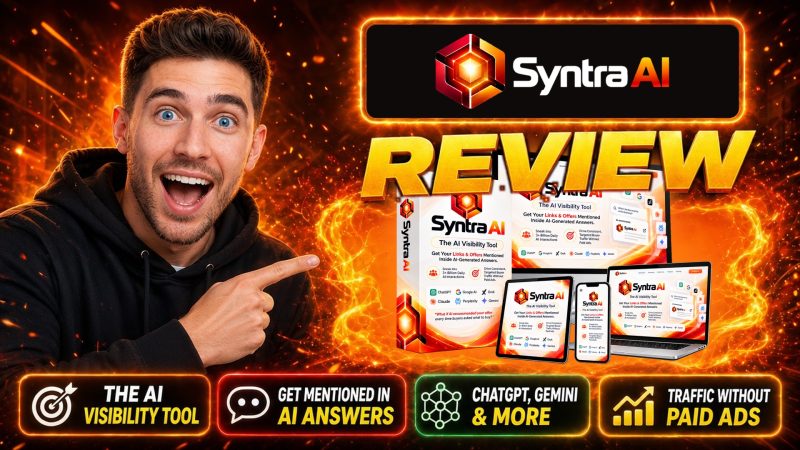
Syntra AI is a cloud-based AI visibility tool from Art Flair. It writes realistic buyer questions for your brand, sends them to ChatGPT, Claude, Gemini, and Grok, and shows whether each answer mentions you, how positively, and which competitors it names instead. It also audits your site's AI readiness (LLMS.txt, robots.txt, crawler access, sitemap, meta tags, schema), builds a prioritized fix list, writes JSON-LD schema and AI-friendly articles, and can deploy files over FTP. The front end is a one-time $12 at checkout on LaunchPad, or $5.33 with coupon SYNTADMIN, with a commercial license and a 30-day refund policy.
Product Brand: Art Flair
Product Currency: USD
Product Price: 12
Product In-Stock: InStock
4.2

