
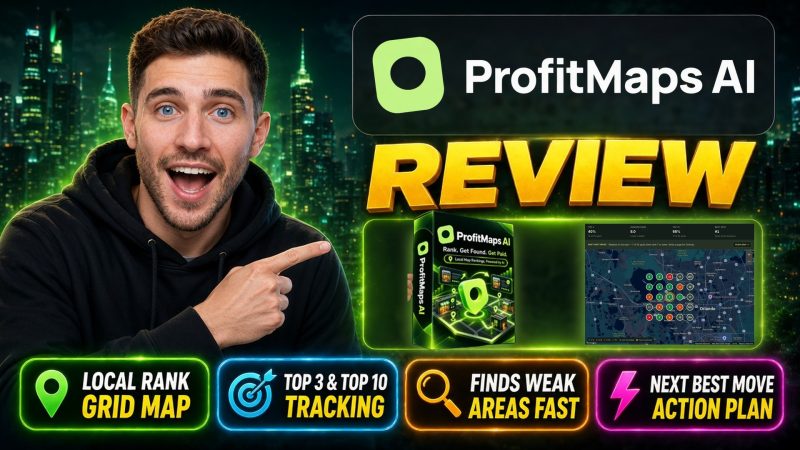
ProfitMaps AI Review
Can One Google Maps Scan Really Turn A Local Business Into Your Next Client?
Here’s something most local business owners never see. They type their own business name into Google, spot themselves near the top of the map, and relax. I’m fine, they think.
But they’re not always fine.
Google shows different businesses to different people, depending on where those people stand. A plumber can sit at #1 right outside his shop and vanish completely two miles away. Customers on the other side of town search, don’t find him, and call someone else. He never hears those calls. They simply never happen.
That gap is exactly where ProfitMaps AI lives. It scans a local business from a grid of spots around town, colors each spot by its Google Maps ranking, and turns the result into a picture any owner understands. Then it builds the fix: a local website, SEO articles, Google Business Profile posts, and lead capture.
I’ve pitched local businesses before. Long SEO emails make owners’ eyes glaze over. A map of their own town, with red dots where customers can’t find them, is different.
ProfitMaps AI comes from Karthik Ramani and Chad Nicely, and it launched on October 21, 2026. In this ProfitMaps AI review, I’ll walk you through what it is, what sets it apart, how I used it step by step, who it suits, and what everything costs, including the upsells, the two bundles, and the one date you really shouldn’t miss.
Overview Of ProfitMaps AI

| Detail | Information |
|---|---|
| Product | ProfitMaps AI |
| Vendor | Karthik Ramani and Chad Nicely (Nicely Media LLC) |
| Launch | October 21, 2026, 11:00 AM EDT (10:00 PM UTC+7) |
| Sold through | JVZoo |
| Sales Page | https://profitmapsai.com/sales |
| Category | AI local SEO, Google Maps rank tracking, and local client prospecting software |
| Type | Cloud-based web app that also works on your phone |
| Core tools | Google Maps grid scans, competitor view, AI action plan, branded PDF reports and share links, AI site planner and website builder, lead capture, page article writer, GBP post writer, keyword finder, ranking history, recurring scans, CSV export, MCP connection |
| Basic limits | 10 businesses, 2 keywords each, 5×5 scan grid (25 spots), 10 websites and 50 AI articles and pages a month for the first 500 buyers |
| Credits | 2,500 starter credits for the first 500 buyers (1,250 after), never expire; one credit per map point |
| AI access | Built-in AI, no ChatGPT or Claude account needed |
| Front-end price | $37 one-time during launch, until October 27, 11:59 PM EDT (10:59 AM UTC+7, October 28); monthly for new buyers after that |
| Bonuses | Google Business Profile course and a one-day live session with Chad in launch week; fast-action for the first 500 buyers: 2X websites, 5X AI writing, 2X starter credits |
| Upsells | Pitch Pack order bump plus 5 upgrades and 2 downsells: Pro, Business Finder, Agency, 3-Day Live Workshop, White Label |
| Bundle | Gold Bundle $297 one-time; Platinum Bundle $797 one-time, $697 with coupon profit100 |
| Bundle Link | https://profitmapsai.com/bundle |
| Refund | 30-day money-back guarantee, upgrades and bundles included |
What Exactly Is ProfitMaps AI?
In plain words, ProfitMaps AI is a local SEO and Google Maps marketing platform. It shows you where a local business ranks across its whole town, explains what to do about it, and gives you the tools to do that work.
First, it’s a map scanner. You pick a business and a keyword, like hair extensions Las Vegas. ProfitMaps AI checks real Google Maps results from a grid of points around that business and shows the position at each one. Green means customers find them. Gray or red means they don’t.
Second, it’s a report maker. Every scan turns into a clean picture, a short numbered AI action plan, a PDF report, and a read-only share link with your company name and logo on it.
Third, it’s a fix-it workshop. ProfitMaps AI picks keywords, plans and builds a website around them, and lets you keep adding local articles and Google Business Profile posts. Each site also captures leads.
So the loop looks like this:
- Scan a local business on Google Maps
- Show the owner where customers can’t find them
- Plan a site built to rank for the right keywords
- Build that site with AI, page by page
- Grow it with articles, GBP posts, and lead capture
In one line? ProfitMaps AI turns a ranking problem into a picture, then helps you fix it.
What Makes ProfitMaps AI Different?
There are plenty of rank trackers out there, and plenty of AI website builders. So why does this one stand out?
It speaks the owner’s language. Most SEO reports are walls of numbers. ProfitMaps AI shows colored dots on a map of the owner’s own town. No jargon needed.
It checks the map the way a stranger would. Owners searching for themselves see a flattering version. A grid scan checks from spots all around town, like real customers.
It doesn’t stop at the report. Many tools hand you a diagnosis and leave you alone. ProfitMaps AI connects the scan straight to a site plan, a built website, page articles, and GBP posts. The keywords from the scan flow into everything that comes after.
The AI is built in. You don’t need a ChatGPT or Claude subscription, and building websites or writing articles doesn’t use credits, up to your plan’s limits.
It’s honest about the work. The tool writes, but you check. Articles flag claims an owner must confirm, and nothing promises rankings or income.
The costs are shown up front. Every scan shows its credit cost first. One credit covers one map point, so a 5×5 scan uses 25 credits.
In short, ProfitMaps AI covers the whole local SEO job, from the first scan to the leads.
Meet The Creative Minds
Karthik Ramani is a well-known digital marketer who has launched and promoted software for online marketers for years, and Chad Nicely, co-founder of Nicely Media LLC, builds practical marketing tools for local businesses; together they’ve released OpenClaw Cracked and Local Media Empire, and with ProfitMaps AI they’ve packed what they know about finding local clients into one platform, with Chad leading the live sessions himself.
What Will You Explore?
Here’s each piece in the Basic plan.
Google Maps Grid Scans
You scan a business across many points within a chosen area. On Basic, each scan checks 25 spots in a 5×5 grid. The visual grid shows the real ranking at every point, so you can see where customers find the business and where it fades away.
Competitor View
ProfitMaps AI looks past the business’s own rankings. It shows which competitors appear above it across the map, and how often.
The benefit: your conversation with the owner gets concrete.
AI Action Plan
One click turns a scan into a short, numbered to-do list in plain English, written from that scan’s own numbers.
Branded SEO Reports
Present your findings as a PDF report or a shareable, read-only link. Add your company name and logo. Share links can expire after 7, 30, or 90 days, or never, and you can revoke one any time.
AI Website Planner And Generator
ProfitMaps AI plans and builds local business websites, then lets you edit every page. Basic includes 10 websites for the first 500 buyers, one for each business.
Lead Capture On Every Site
Every site can collect enquiries. They land in your leads inbox, so you can review and manage new opportunities in one place.
Page Article Writer
Create location-focused articles that help a business strengthen its local presence. The AI also highlights claims that need confirmation and details to check before publishing.
GBP Post Writer
Generate Google Business Profile posts without writing them yourself. Pick the post type, the target keyword, and the call to action, and the AI prepares the post for you to review.
Contact Page Check, Scans History, And Notifications
If a site plan lacks a Contact page, ProfitMaps AI adds one with a click. All your scans sit on one page with the keyword, the share of top-three rankings, and the last scan date, and a bell tells you when a scan finishes or an enquiry arrives.
Keyword Finder
Type a business website and its town, and see which keywords it already ranks for. It’s a handy starting point before you plan anything.
Ranking History And Recurring Scans
Compare old and new scans to show an owner what changed. You can also set scans to repeat on a schedule. Each run uses credits, and a run gets skipped if your balance is too low.
CSV Export And MCP Connection
Download every scan point and the top competitors as a spreadsheet. You can also connect your own AI assistant through the Model Context Protocol (MCP).
Two Bonuses
Both live inside the Training page of the app. First 500 buyers also get 2X websites, 5X AI writing, and 2X starter credits as a fast-action extra.
Step-by-Step Guide: How to Use ProfitMaps AI?
When I logged in, the first thing I saw was the onboarding screen, which walks you through the whole process. But first, here’s why it matters.
For my test, I used a Google Business Profile, also called GMB, for Connie Joe, a hair stylist in Summerlin, Nevada. The profile was brand new. It had only 27 customer interactions. July showed zero. August showed zero. Things only started moving in mid-September, and October finally brought some activity. Reviews and photos were coming in, but the profile was nowhere near where it could be.
My goal was simple. When anyone searches for hair extensions or hair stylist around the city, Connie should pop up No. 1. If she does, she gets calls, chat clicks, bookings, directions, and website clicks. That’s what this software is built to chase.
Step 1: Add A Business
I clicked Businesses in the menu. I didn’t have a business yet, so I clicked Add business.
Here you can enter either the business name or the website. Connie didn’t have a ranking website yet, so I typed Connie Joe, added hair stylist, and clicked Save.
ProfitMaps AI went out and found her GMB listing right away. It showed me the match, I confirmed that was the one, and clicked Save again. That dropped me straight into the setup.
Step 2: Fill In Business Details
The setup opened on the business details screen. When I scrolled down, I saw that the software had already grabbed everything it could from her profile.
Under basic business details, it filled in what the business does: a Las Vegas hair extension studio run by stylist Connie, offering personalized consultations, color matching, and installation of premium hair extensions. Under services offered, it listed hair extension consultations, custom color matching, and more.
This is where I made it personal. Connie doesn’t do typical haircuts. She does premium hair extensions, where she earns anywhere from $2,000 to $3,000 at the top tier for the work she’s certified for. So I trimmed the services to premium work only.
The phone number was already there. Then I moved to the field for details that make it stand out:
- Services you don’t offer. This isn’t part of a Google profile, so I added it myself: no haircuts, no Brazilian blowouts.
- Area served. I put both Las Vegas and Summerlin, even though most people consider Summerlin part of Las Vegas.
- What makes it different. The AI suggested a VIP one-on-one salon experience, 100% human luxury hair, and damage-free installation methods. That was already good, but I added my own personal touches.
- Years in business. 15 years.
- Owner’s name. Connie Joe.
Connie does have a simple booking page, which is mainly for appointments. It won’t help her rankings, but the new site can link to it. I left the notes as they were, scrolled up, and clicked Continue.
Step 3: Find Keywords And Scan Rankings
Next, the setup moved on to finding keywords for the business. It reads the business details and the Google profile, then recommends the keywords to scan.
I clicked Search for keywords. The screen showed each stage as it worked: reading the business details, checking the Google profile, looking at the service areas, and picking keywords to scan.
It came back with five keywords to start with, including hair extensions Las Vegas, hair extensions near me, and best hair extensions Las Vegas. You don’t have to use all five. You can start with just one. I liked the whole list, so I clicked Scan rankings.
Now the software went through every keyword and filled every spot on the grid. Because the profile was so new, I expected mostly gray dots and 0% top 3. The progress counter ticked up until it hit 24 out of 25 on the last keyword. The whole scan took about two to three minutes, and then the setup was complete.
Step 4: Read The Map On The Keywords Tab
That’s when I landed on the map, on the Keywords tab, with my five keywords listed.
The panel showed red, because Connie wasn’t ranking in the top three for any of them. The scan used a 5 by 5 grid within a five-mile radius. Nothing was in the top three yet, and the average rank was 20.7.
When I scrolled through the grid for that keyword, something interesting popped up. Near her business, she was already showing at 19 in one spot, 19 in another, and 17 in a third. And I hadn’t done anything yet.
So the job became clear: turn all those circles green, not just for this keyword, but for all five. Now that ProfitMaps AI knew what we were trying to rank for, the next move was to build a site that could actually rank.
Step 5: Create The Site Plan
I clicked Create site plan. The software grabbed the keywords and the rankings, then started shaping the site.
It laid out the main pages for me. Connie Joe sat at the top level. Under it came the main page, the hair extensions pages, and an areas we serve section, with every keyword we wanted to rank for mapped underneath. Looking at that plan, I could see how big a win this would be for her if she dominated even two of those keywords.
From here, I could view the plan by pages and add more pages if I wanted. Instead, I clicked Build site.
Step 6: Build The Site And Review The Pages
Less than a minute after I clicked Build site, all the pages were written, each with its word count beside it. I could click the eyeball icon to read the content, or edit it directly.
I clicked Review to see the full picture. So far, the site had nine pages, four menus, and two areas served, with 6,409 words written. The review screen also explained why it grouped the menus the way it did, and what every page was for. That made the whole structure easy to understand.
Then I clicked Generate the site.
Step 7: Generate The Site
Now ProfitMaps AI built the actual site. The progress list showed each stage: preparing the plan, creating the site, designing the pages, setting up the site map, approving the layout, and finally writing the pages. The first round handled the copy. This round handled the design.
At one point, it showed six out of 12 pages done, with an overall progress bar below. The whole process took just a couple of minutes, and then everything was finished.
Step 8: View Your Site
I clicked View your site, and there it was: Connie Joe Las Vegas Hair Extensions, with About us, Common questions, Hair extensions, and Areas we serve in the menu.
It looked like a site a business would pay real money for, and I hadn’t designed a thing. Every image and line of text can be changed.
Still, I kept one thing in mind. This isn’t really about the website. It’s about using the website to get ranked.
Step 9: Edit The Site In Business Sites
I closed the preview, went back to the main menu, and clicked Business sites. Connie’s site was waiting there. I opened it, and that took me inside the editor.
Changing things was simple. I swapped a word in the text just to test it. I could change the background image or put a video there instead. I already know Connie will want to replace every picture with her own work, and the editor makes that easy.
But here’s my advice: don’t change many of the words. They’re written to help the site rank.
Step 10: Go Back To Businesses (Now Active)
Next, I went back into Businesses. Connie’s business no longer needed setup. It now showed as Active, with five keywords, zero articles, zero posts, and zero leads.
I clicked inside again. Everything I’d done was there, including the site plan. And as I bring in more keywords, I can add more pages to that plan.
Step 11: Create A New Page Article
Then I opened Page articles and clicked New article.
The business was already set to Connie Joe, the target was Las Vegas, and her phone number was filled in. I entered a different keyword, one we hadn’t tried to rank for yet. For additional keywords, I could pull in some of the unused ones ProfitMaps AI had found earlier, or type my own.
I clicked Create article, and the progress bar started climbing. It had hit 80% while I was still looking around, and soon the article was ready.
The article screen showed the business name, the call to action, the target area, the target keyword, the additional keywords, the title, and an SEO preview of how it would look in search. Below that sat the full article, around 700 words. I could edit it, but it read well as it was.
Step 12: Publish And Add To Website
I clicked Publish. ProfitMaps AI asked whether I wanted to put this article on the website. I clicked Add to website.
From there, I could update the website or preview the page. I chose the preview, and up came Invisible Bead Extension Studio in Las Vegas, Nevada, looking clean and polished. Small changes are easy here too, but again, the plan was built to rank, so I left most of it alone.
Step 13: Create A GBP Post
I closed the preview and clicked GBP Post. These are posts you attach to the Google My Business listing.
The form holds the business, the target area, and the post type, such as updates, offers, events, and tips. Connie runs specials and promotions all the time, like product sales and discounts, so this is perfect for her. A simple post takes moments to create, ready to attach to her Google listing.
Step 14: Check Leads
Finally, there’s a place to capture all the leads that come in from every page on the site.
My Take On The Workflow
Looking back, the flow felt natural: set up the business, discover the keywords, pull in the rankings, create a plan, build the website, then keep scaling with more keywords, articles, and posts. Each button says exactly what it does.
The tool doesn’t call owners for you. But the slow, technical work is mostly handled, and that’s where the hours go.
For a comprehensive walkthrough of the platform, check out the demo video below:
Who Stands To Gain From This?
ProfitMaps AI suits anyone who wants a visual, honest way to start conversations with local businesses, and the tools to deliver the work afterwards. Here’s who I think gets the most from it:
- Freelancers who want a local SEO service they can explain in one picture
- Local marketing consultants looking for a strong first-contact hook
- Web designers who want to build local sites that are planned to rank, not just look nice
- Agency owners who manage several local clients and need reports with their own brand
- Beginners who don’t know SEO yet but are happy to send messages and follow up
- Small business owners who want to check their own business
Here’s how different people might use it:
| Who You Are | How You Might Use It |
|---|---|
| Beginner | Scan three local businesses you already know and send one report a day |
| Web designer | Add a planned, ranking-focused website to every package you sell |
| SEO freelancer | Use the grid scans and ranking history to show monthly progress |
| Agency owner | Put your logo on every report and give clients a read-only view |
| Business owner | Scan your own business and fix the weak spots yourself |
| Consultant | Lead with the map, then offer the fix as a one-time or monthly job |
Who should pass? Anyone who wants guaranteed rankings or income, won’t contact a single business, or expects software to close clients for them.
What Makes This System Worth Trying?
I’ll be honest with you. For me, the answer is yes, and here’s why.
My hardest moment in local marketing was always the first message. Explaining SEO to a busy owner rarely worked. Now I lead with a map of their own town. The red dots do the talking, and the next question comes from them: can you fix that?
The first time I ran a scan on a brand-new profile and saw it already sitting at 17 and 19 in a few spots, I got genuinely excited. That’s a business on the edge of being found. And the plan to push it over that edge was one click away.
Then there’s the website builder. Building local sites by hand takes me days. Here, ProfitMaps AI planned the pages, wrote over six thousand words, and designed the site in minutes, all around the searches I wanted to win.
I also love that the work keeps going. New articles and GBP posts turn a one-time job into a monthly client.
The price makes it an easy call. During launch, Basic is $37 one-time for the scanner, reports, website builder, writing tools, and two bonuses. After October 27, new buyers pay monthly.
And if it doesn’t click? The 30-day money-back guarantee lets me test everything for real and still change my mind.
Will it make the sale for me? No. But it hands me the picture, the plan, and the tools before the conversation starts. Once you’ve watched an owner stare at their own red map, you won’t go back to explaining SEO in words.
Is ProfitMaps AI Legit?
Setup was painless. The software pulled most business details from Google for me.
The scans felt real. The grid checks actual Google Maps results at each point, and the positions made sense for a brand-new profile.
The site plan impressed me. It used the scanned keywords to shape the pages, rather than throwing out a generic layout.
The articles and posts are solid first drafts. I’d still read each one before publishing.
Now, the honest caveats:
- Scans use credits. One credit per map point adds up if you scan big grids often. Top-ups start at $10, or you can connect your own map-data account.
- Basic limits are modest. 10 businesses, 2 keywords each, and 5×5 grids. Bigger grids up to 9×9 need Pro or a bundle.
- The website and AI numbers shrink after the first 500 buyers. Basic drops to 5 websites and 10 AI articles a month.
- You choose prospects yourself on Basic. Business Finder is an upgrade.
- GBP posts aren’t pushed to Google for you. The tool writes them ready to copy in, so you or the owner pastes them into the profile.
- White-label client accounts switch on later, from November 26, 2026.
- One-time pricing ends with the launch. After that, every plan becomes a monthly bill.
Is ProfitMaps AI legit? From what I saw, yes. It’s sold through JVZoo, a long-running marketplace with secure checkout, and supplied by Nicely Media LLC. The refund terms are plain, with no reason required. It makes no ranking or income guarantees and reminds you to follow anti-spam and privacy laws. It’s a genuine, working tool, with the usual launch-week excitement around it.
How Much Will The Entire Payment Be?
During launch, the front end is a one-time payment of $37. No monthly fee.
There’s no coupon for the front end, so the price you see is the price you pay.
Your payment covers:
One-time launch pricing ends on Tuesday, October 27, at 11:59 PM EDT (10:59 AM UTC+7, Wednesday, October 28). After that, new customers pay monthly.
Your purchase comes with a 30-day money-back guarantee. Contact support within 30 days of your purchase, or request it through JVZoo, and you get a full refund. You don’t have to give a reason. Upgrades and bundles are covered on the same terms, counted from each purchase date.
The Upsells
ProfitMaps AI has an order bump, five upgrades, and two downsells. Before anything else, remember this: you must buy the front end first. Every upgrade builds on your Basic account and doesn’t work on its own.
| Step | Product | Price | Billing |
|---|---|---|---|
| Order bump | Pitch Pack | $17 | One-time |
| OTO 1 | ProfitMaps AI PRO Edition | $67 | One-time |
| OTO 1 downsell | ProfitMaps AI Pro Starter | $47 | One-time |
| OTO 2 | ProfitMaps AI Business Finder | $97 | One-time |
| OTO 2 downsell | ProfitMaps AI Finder Lite | $47 | One-time |
| OTO 3 | ProfitMaps AI Agency Edition | $147 to $297 | One-time |
| OTO 4 | 3-Day Live Workshop | $197 | One-time |
| OTO 5 | ProfitMaps AI White Label | $297 to $497 | One-time |
Order Bump: Pitch Pack ($17)
From each scan, the Pitch Pack writes a branded one-page PDF on why the business is invisible, a cold email, a text, and three follow-ups for days 3, 7, and 14. Every pack is checked for invented claims and ranking promises before you send it.
OTO 1: ProfitMaps AI PRO Edition ($67, Downsell Pro Starter $47) >>More Details<<
Pro takes you to 50 businesses, 5 keywords per business, and 50 websites. It unlocks larger scans up to 9×9, fully white-label reports with your name, logo, and colors, automatic email follow-ups for new leads, and extra scan credits.
Pro Starter is the lighter version: 25 businesses, 3 keywords each, 25 websites, and white-label reports, without the full Pro limits or the email follow-ups.
My take: the upgrade I’d grab first.
OTO 2: ProfitMaps AI Business Finder ($97, Downsell Finder Lite $47) >>More Details<<
Stop guessing who to scan. Type a niche and a town, and Business Finder lists the businesses there with a visibility score from 0 to 99. You can filter for businesses with no website or no rankings, then scan them, build sample sites, or send reports. You get 30 searches a month.
Finder Lite offers the same tools with 10 searches a month.
My take: great if finding prospects is your bottleneck.
OTO 3: ProfitMaps AI Agency Edition ($147 To $297) >>More Details<<
Agency gives each client a workspace, a read-only login, and room for team members. Agency supports 10 client workspaces and 3 team members. Agency Plus removes those limits and adds Stripe payment collection through client portals, which rolls out after launch.
OTO 4: 3-Day Live Workshop ($197) >>More Details<<
Three live days on Zoom with Chad Nicely, from Monday, November 2, to Wednesday, November 4. Day one covers finding and scanning, day two sending reports and handling replies, and day three turning one fix into a monthly job, plus a 30-day plan.
OTO 5: ProfitMaps AI White Label ($297 To $497) >>More Details<<
Launch your own branded version of ProfitMaps AI on your domain. Clients log in at your address and use the software under your business name. White Label 10 covers 10 client accounts, and White Label 100 covers 100. Client accounts switch on from November 26, 2026.
For most beginners, Basic plus Pro or Pro Starter is plenty to start.
The Bundle Offer
If you know you want most of the funnel, the ProfitMaps AI Bundle is the cleanest route. It comes in two levels, and the link is in the overview table near the top. Both bundles include Basic, the Pitch Pack, Pro, Business Finder, Agency, the 3-Day Live Workshop, White Label, and the bundle-only claim-your-site pages, where an owner can request the site you built or ask for a callback.
| Feature | Gold Bundle | Platinum Bundle |
|---|---|---|
| Price | $297 one-time | $797 one-time, $697 with profit100 |
| Businesses | 50 | Unlimited (fair use) |
| Keywords per business | 5 | Unlimited (fair use) |
| Websites | 50 | Unlimited (fair use) |
| Scan grid | Up to 9×9 | Up to 9×9 |
| Business Finder | 30 searches a month | Unlimited (fair use) |
| Agency | 10 client workspaces, 3 team members | Agency Plus, no caps |
| White-label client accounts | 10 | 100 |
| AI articles and pages a month | 500 | Unlimited (fair use) |
| Prospects a month | 100 | 1,000 |
| 3-Day Live Workshop | Included | Included |
ProfitMaps AI Gold Bundle ($297)
Gold gives you the complete toolkit with generous limits, for far less than buying the parts one by one. For most freelancers, it’s the sweet spot.
ProfitMaps AI Platinum Bundle ($797, Or $697 With Coupon)
Platinum removes the caps on businesses, keywords, websites, searches, and client workspaces, adds Agency Plus, and lifts you to 100 white-label client accounts. Use coupon profit100 to take $100 off, bringing it to $697 one-time.
One honest note: unlimited doesn’t mean unlimited free scans. Map scans still use credits on every plan.
After launch, both bundles become monthly, with Platinum moving to $297 a month. So if a bundle fits your plans, launch week is the moment.
Merits & Demerits
Merits
- Visual Google Maps grid scans that owners understand in seconds
- Competitor view showing who wins each area of town
- AI action plan in plain English
- Branded PDF reports and share links with expiry options
- AI site planner and builder shaped around the scanned keywords
- Page articles and GBP posts that keep the work growing
- Lead capture on every site
- Built-in AI, with no outside subscription needed
- One-time launch price with a live session and a GBP course
- Honest positioning and a clear refund policy
Demerits
- Scans use credits, and big grids use more
- Basic limits are small: 10 businesses, 2 keywords, 5×5 grids
- Fast-action allowances shrink after the first 500 buyers
- No automatic prospecting on Basic
- GBP posts must be pasted in by you or the owner
- White-label accounts start later, from November 26
- One-time pricing ends on October 27
My Final Thoughts
So, after scanning a business, building its site, and adding an article and a post, where do I land?
ProfitMaps AI solves the hardest part of local marketing: getting an owner to care. It doesn’t ask them to imagine a problem. It shows them, on a map of their own town. Then it gives me everything I need to fix it, from the site plan to the finished website to the articles and posts that keep it climbing.
For $37 one-time during launch, you get the scanner, branded reports, an AI website builder, writing tools, two bonuses, and 30 days to change your mind.
It isn’t perfect. Scans use credits, Basic limits are tight, and no software can guarantee rankings, replies, or income. That part depends on you.
Still, if you want a local SEO service you can start this week, the value is clear. Grab Basic before October 27, scan three businesses you know, and send one report to a real owner. Build a site for the first one who asks, can you fix that? If it clicks, add Pro or a bundle. If not, the refund window has your back.
Frequently Asked Questions
What does ProfitMaps AI do?
It scans a local business on Google Maps from a grid of points, shows where customers can’t find it, and gives you reports, websites, articles, and GBP posts to fix it.
Who created ProfitMaps AI?
Karthik Ramani and Chad Nicely, through Nicely Media LLC. Their earlier launches include OpenClaw Cracked and Local Media Empire.
How much does ProfitMaps AI cost?
Basic is $37 one-time during launch. After October 27, 11:59 PM EDT, new customers pay monthly.
Is there a coupon code?
There’s no coupon for the front end. The Platinum Bundle takes coupon profit100 for $100 off, bringing it to $697.
Do I need SEO skills?
No. The tool writes the next steps, pages, and posts in plain English.
Do I need access to the owner’s Google account?
Not to scan or make a report. Scans use public Google Maps results. You need the owner’s permission to change their account, and GBP posts are written for you or the owner to paste in.
Do websites and articles use credits?
No. Building websites and AI writing are included up to your plan’s limits. Credits are mainly used for map scans and Business Finder searches.
Does Platinum really include unlimited scanning?
No. Platinum removes caps on businesses, keywords, websites, and searches, under fair use, but map scans still use credits.
What is the refund policy?
You get a 30-day money-back guarantee on the front end, upgrades, and bundles, counted from each purchase date. No reason is required.
ProfitMaps AI is a local SEO and Google Maps marketing platform from Karthik Ramani and Chad Nicely. It scans a local business from a grid of points around town, shows where customers can and can't find it on Google Maps, and turns the result into an AI action plan and a branded PDF report or share link. Then it helps you fix the problem: it finds keywords, plans and builds a local website with AI, writes local page articles and Google Business Profile posts, and captures leads from every site. Basic is $37 one-time during launch, with a 30-day money-back guarantee.
Product Brand:
Karthik Ramani and Chad Nicely
Product Currency:
USD
Product Price:
37
Product In-Stock:
InStock ProfitMaps AI Review: My Hands-On Step-By-Step Tutorial
4.4
Bonus 1: How To Crowdfund Anything
Bonus 2: Coffee Karma
Bonus 3: PLR Business Kickstart
Bonus 4: EBook Cash Bundle
Bonus 5: Build Your Store With Shopify
Bonus 6: Dropshipping Success
Bonus 7: Business Automation Blueprint
Bonus 8: Affiliate Masterclass
Bonus 9: AI Hacks for Fast ClickBank Profit
Bonus 10: Sell Digital Videos On Amazon – Advanced Edition
Bonus 11: Grafisa – Whitelabel -3000+ Premium Graphic and Video Templates
Bonus 12: Childrens Video Channel
Bonus 13: Educational Poster Prompts for Kids
Bonus 14: Google Veo 3 AI Expertise
Bonus 15: Nano Banana AI Expertise
***3 STEPS TO CLAIM THIS BONUSES***
Step 1: Purchase ProfitMaps AI through my ProfitMaps AI Review page.
Step 2: Complete your order successfully using my affiliate link.
Step 3: That’s it! Your exclusive bonuses will be automatically delivered to you after your purchase is successfully completed.
No need to send your receipt or contact support. Simply complete your order and get instant access to your bonuses.

