
Click Action AI Review
Can One Prompt Really Send An AI Browser To Do Your Web Work?
Before We Begin
Picture a Monday morning. You need twenty local businesses with a phone number and an email. You open Google Maps, copy a name, open the website, hunt for a contact page, paste it into a sheet, and repeat. An hour later you have six rows and a sore wrist.
That kind of clicking is what Click Action AI wants to take off your plate. You type what you want done in plain English. A real browser opens in the cloud. An AI agent plans the steps, visits the sites, reads the pages, and hands back a table you can export.
The software comes from Yogesh Agarwal and launches on November 10, 2026 through JVZoo. The front end costs $36.95 one-time, or $30.95 with the coupon CAAI6.
Big promise, so let’s slow down. In this Click Action AI review I’ll cover what it is, how the dashboard works step by step, what the funnel costs once the upgrades and add-ons appear, and which claims deserve a raised eyebrow. Then you can decide with clear eyes.
Overview Of Click Action AI

| Detail | Information |
|---|---|
| Product | Click Action AI |
| Vendor | Yogesh Agarwal |
| Launch | November 10, 2026, 10:00 AM EST |
| Sold through | JVZoo |
| Sales Page | https://clickactionai.com/fe/ |
| Category | AI browser agent for web research, lead lists, data entry and posting |
| Type | Cloud web app with a live browser view |
| Front-end price | $36.95 one-time (listed final price $30.95 with the coupon) |
| Coupon | CAAI6 for $6 off the front end |
| Order form add-ons | VIP Pack from $14.95, All Access Pack $197, Gold Membership $77 per month |
| Upsells | PRO $67, Automation $97, Agency $147, plus extra apps and bundle-path offers |
| Bundle | Premium Bundle $367 list, Ultimate Bundle $467 list; code CAAI100 takes $100 off |
| Bundle Link | Click Action AI Bundle |
| Refund | 30-day money-back guarantee, handled by the vendor |
What Is This App?
Click Action AI is a cloud-based AI web worker. Most chatbots answer a question and leave you with homework. This one does the homework. You describe the outcome, and the agent opens a live browser, searches, clicks, types, scrolls, and moves between websites until the job is finished.
Think of it as a very patient intern who works in a browser. You say what you want. The agent works out the steps. You can watch every move, pause it, or take over when it hits something that needs a human, like a login or a verification code.
The results come back organized. You get a table, plus export options like CSV and Copy JSON, and the vendor lists Google Sheets and PDF exports as well. Each run keeps its screenshots and step log, so you can see what the agent actually did.
The pitch lists a wide range of jobs:
- Local lead lists from Google Maps
- Prospect research and competitor pricing reports
- Directory submissions and CRM data entry
- Form filling and moving data between web apps
- WordPress and CMS posting
- Online listing audits and client-ready research reports
Everything runs on the vendor’s cloud, not on your own computer. That means no install and no browser extensions. It also means your tasks and any saved logins live on someone else’s servers, which is worth keeping in mind.
What Makes Click Action AI Different?
Browser automation is not new. Old scraper bots follow a fixed click path, and they break the moment a page changes. Click Action AI takes a different route. A few things set it apart.
1. It reads the page. The agent looks at what is on screen and decides what to open or click next. If the expected button is missing, it tries another path instead of crashing.
2. You watch it work. A live browser panel and an activity log show each action. There is no black box, and that makes the output easier to trust and easier to correct.
3. You describe the result, not the clicks. A prompt like find local roofers with an email is enough. You set rules, such as which businesses to skip and when to mark a lead as hot, and the agent follows them.
4. It stays in control. When the agent needs a login, a code, or your approval, it pauses and asks first. You can take over and hand control back.
5. It has memory of the mission. What it learns early in a job gets used later, so changing websites does not mean starting over.
6. One-time pricing. The front end has no monthly bill, unlike many AI agents that charge every month. The catch is a monthly mission allowance, which I cover in the pricing section.
In short, it aims to be a worker, not a chatbot. Whether it lives up to that depends on the job you hand it.
Who Brought This To You
Yogesh Agarwal is a software vendor and digital marketer who runs his launches under the ProWebVentures brand and sells mostly through JVZoo, with earlier products including Comic Videos AI, Click Staff AI, Cinematic Sites AI and Claw Agents AI, a catalog that shows he knows how to package an AI tool for online marketers and freelancers, though a long list of launches says little about how well any single tool performs, so I would judge Click Action AI on what it does in your hands and on how fast support answers when something breaks.
What Are The Significant Components?
Let me break the front end into the parts that matter in daily use.
The Dashboard
Your home screen. At the top sits one box, Tell your agent what to get done. Under it are one-click starters for common jobs, and below those you find run stats, a list of running jobs, scheduled automations, activity charts, and recent runs with real screenshots.
New Task Editor
Here you type your prompt and choose how the answer comes back, how hard the agent works, and a few extra controls. It is simple on purpose. The defaults work, and the advanced options stay out of your way.
Live Browser And Activity Log
This is the part that makes it feel different. While a task runs, you see the cloud browser and a running log of each action. If something goes sideways, you can spot it early.
Results, History And Replay
Every finished run stores its table, its screenshots, and its steps. You can export the data, run the task again, save it as a reusable workflow, or put it on a schedule.
50 Ready-Made Missions
The front end includes a library of 50 gig-style missions. You pick one, fill in the blanks, such as city and niche, and start it. These are handy when you are not sure what to ask the agent.
Saved Logins And Proxies
You can store a login once and let the agent work inside that account later. You can also route the browser through a proxy to see results from a chosen location. Both matter for local work, and both call for care, which I come back to in the tips.
Commercial License And Training
The front end lists a commercial license for client work, plus step-by-step training and support. A license gives you permission to sell results. It does not give you clients.
Front-End Bonuses
Seven vendor bonuses come with the front end. They are mostly command lists, niche lists, listing templates, outreach messages, report layouts and a 30-day first-client plan. Useful as starting material, but treat them as templates to adapt, not finished products.
Coupon: CAAI6 for $6 off the front end
What’s The Operational Process Like?
Here is how I use it, in the order the app presents things. I keep the steps in sequence and add nothing in between.
Step 1: Open The Dashboard
I log in and land on the dashboard. Right at the top is one box: Tell your agent what to get done. Under it sit the one-click starters: Find local leads, Compare prices, Competitor report, Collect reviews, Fill a web form and Job listings. One click writes the prompt for me.
Below that is a row of stats: runs completed, success rate, rows of data collected, time the agent spent working and gig value delivered. The last one is an estimate of what similar work might cost on freelance marketplaces, so I treat it as a reference tag, not as money earned.
Further down I see Running Now, Upcoming Automations, Activity, Results, Recent Runs with screenshots, and Popular Missions with a Start button. The main menu lives on the left.
Step 2: Click New Task And Type The Prompt
I click New Task and write my prompt in plain English. For a lead list, I ask the agent to search Google Maps for local contractors in a city, skip any business with no website, collect the name, star rating, number of reviews, phone number and website, then open each site to find an email. I tell it to keep only businesses where it finds an email, stop at a set number, and mark a hot lead when the review count is low.
Step 3: Pick The Output Format And Speed
Under the prompt I choose Result as: table, list, short answer or paragraph. Then I set Speed: Quick, Normal or Deep. Quick suits small jobs. Deep gives the agent up to 60 steps, so I pick it for a task that visits many websites.
I also look at More options. They include watching the run live, setting a step limit, using a saved login or proxy, allowing only certain websites, and sending the result to my own tools through a webhook. I can leave all of it alone, since the defaults work.
Step 4: Press Run Task And Watch The Cloud Browser
I press Run task. A real browser opens in the cloud, so my own computer does none of the work. The agent opens Google Maps, types the search and scrolls the results. It skips businesses without a website, saves the rows to a file, then opens each site, checks the homepage, and visits the contact page if the email is not there.
It does not follow a fixed script. It reads each page and decides what to do next.
Step 5: Review The Results
When the run finishes, I get a clean table with the hottest leads first. I can click CSV to download it or Copy JSON to reuse the data. I also open the step list and screenshots to check how the agent got there. Above the results I see three buttons: Run again, Save as workflow and Schedule this.
Before I use or sell any list, I check a few rows by hand.
Step 6: Run Other Jobs The Same Way
The pattern repeats for other jobs. I can send the agent to audit a set of local websites for HTTPS, the copyright year in the footer, and an online quote or booking button. I can ask it to read a Google Maps results list and note which cards show Order Online, Reserve a Table or Join Waiting List, using the Deep speed so it double-checks each row. I can also point it at YouTube search results to collect titles, channels, views, upload dates and lengths, then ask for topic gaps and new video ideas, with a rule not to invent any data.
Each job is the same loop: type the prompt, choose a speed, press Run task, review the table and export it.
Step 7: Add A Saved Login In Sessions
Some useful pages sit behind a login. For those, I open Sessions and add a new saved login. I paste in the site’s login page and click Open Browser. Then I sign in myself, once. The app saves the session privately to my account, so no password ever goes into a prompt.
Back in New Task, the app recognizes the site and points me to my saved login. I pick it under More options and write the prompt as read-only: read profiles, no follows, no likes, no messages. Then I press Run task.
Step 8: Schedule It
When a task works, I click Schedule this. I give the schedule a name, choose a daily time, such as 9:00 in the morning, select the saved login if the task needs it, and click Save. The fresh list then waits for me in History instead of me running it by hand.
Step 9: Explore The Rest Of The Toolkit
The left menu holds the remaining tools:
- Missions for the ready-made gig jobs
- History for every run, step and screenshot
- Workflows for jobs built once and replayed in one click
- Schedules for timers on tasks or workflows
- Sessions for saved logins
- Proxies for browsing from a chosen location
- Agency for adding team members, depending on your plan
For a closer look at all the features, be sure to watch the demo video below:
Coupon: CAAI6 for $6 off the front end
Who Is It The Most Suitable For?
Not every buyer needs a browser agent. A few groups stand to gain the most.
Freelancers And Virtual Assistants
If you already sell lead lists, research or data entry, the agent can speed up the repetitive part. You still own quality control, pricing and client talks.
Small Agencies
Competitor checks, listing audits and prospect research eat agency hours. A tool that drafts the first pass in minutes can free your team for strategy.
Local Marketers And Consultants
Prospect research before a call, or a quick audit of a prospect’s website, is exactly the kind of job this fits.
Online Store Owners
Price checks and competitor research across several sites suit the agent well, as long as you review what it collects.
Who Should Skip It
If you rarely do repetitive web work, the value drops fast. The same goes for anyone who wants guaranteed income, a hands-off business, or a tool that never needs checking. Click Action AI saves clicks. It does not create demand.
Why Is It Worth Checking Out?
Here is how I think about it as a buyer. I keep a list of small web chores that I never get to. Pulling competitor pricing. Building a list of local businesses with weak websites. Checking whether a set of pages still shows the right info. None of these chores is hard. They are just boring, and boring work gets postponed forever.
An AI browser worker changes that math. For one payment, I can type a plain-English request, press Run task, and watch the agent do the clicking. If the table comes back clean, I just saved an afternoon. If it comes back messy, I adjust the prompt and run it again.
I also like the transparency. A live view and saved screenshots mean I can see where a result came from instead of trusting a black box. For client work, that matters more than speed.
My plan would be simple. Start with the front end and the coupon. Run three small, public-site tasks in the first week. Check every table by hand. Only then would I think about PRO or Automation. That keeps the risk low and lets the tool prove itself before I spend more.
Tips To Get The Most Out Of Click Action AI
A few habits make a big difference with any browser agent.
- Be specific. Name the site to start on, the exact fields you want, how many rows to collect, and when to stop. Vague prompts waste steps.
- Start small. Test with a handful of rows before you ask for fifty.
- Pick the right speed. Quick for simple jobs, Deep for long ones. Deep uses more steps, so save it for tasks that need it.
- Check the output. A run marked complete means the agent finished. It does not prove every row is right. Compare the table with the screenshots.
- Keep logins read-only. When you use a saved login, tell the agent to read and nothing else. Do not let it post, follow or message from your account.
- Respect site rules. Some sites block automation, and some terms of service, including those of big social platforms, limit automated access. Read them first, and use public pages where you can.
- Handle data with care. Business contact details can fall under privacy and anti-spam laws. Know the rules where you and your audience live.
Jobs Worth Trying First
If you buy it, start where the risk is low and the result is easy to check. These are safe, public-page jobs that show you quickly whether the agent earns its keep.
- A small local lead list. Ask for a handful of businesses in one niche and one city, with name, phone, website and email, and compare each row with the screenshots.
- A website check. Send the agent to a short list of local sites and ask for HTTPS status, the footer copyright year and whether an online quote or booking button exists. These are clear yes-or-no facts, so errors are easy to spot.
- A Google Maps button check. Read only the results list and note which listings show ordering, reservation or waiting-list buttons. The agent never has to open anything else.
- A competitor price sweep. Give it three or four competitor pages and ask for the price and offer on each, with a rule to write not found when it cannot see one.
- A YouTube topic scan. Collect the top results for a keyword and ask for gaps that none of the titles cover. This one pairs well with a rule against inventing numbers.
- A ready-made mission. Open Missions, pick a lead or research job, fill in the blanks and press Start. It is the quickest way to learn how a good prompt looks.
Notice the pattern. Every job has a clear stop rule, a clear list of fields and a result you can verify. That is the recipe for good prompts with any agent.
Is Click Action AI Legit?
Short answer: yes, it is a real, working product with a real vendor behind it, but the marketing is louder than the facts.
On the positive side, the sale runs through JVZoo, a long-established marketplace, and the front end carries a 30-day money-back guarantee handled by the vendor. The product is a live cloud app rather than a PDF, and the tool shows its work with a live view, an activity log and screenshots.
On the cautious side, launch day means very little independent user feedback exists yet. Take any star badge on a sales page as a claim, not as proof. The income stories on the page are individual claims, and the vendor’s own disclaimer says results are not typical.
My advice is to judge it on a small test inside the refund window.
How Much Do You Need To Pay?
The front end is a one-time payment of $36.95. There is no monthly fee on the front end. Add the coupon CAAI6 and the listed final price drops to $30.95.
| Item | Price |
|---|---|
| Front end, no coupon | $36.95 one-time |
| Front end with CAAI6 | $30.95 one-time |
The pitch also warns that the price rises every 60 minutes. I would not panic-buy because of a timer. Check the real price on the order form and decide from there.
What The Front End Includes
- Live AI-controlled cloud browser and one-prompt missions
- Multi-site tasks, lead finder and research tools
- Data entry, form and publishing tasks
- 50 ready-made gig missions
- CSV exports, task history and one-click replay
- A mobile-friendly dashboard
- 100 browser missions every month
- Commercial license, training and support
- Seven vendor bonuses
That monthly mission limit is the part to watch. One mission equals one job run, and heavy use can burn through 100 faster than you expect.
Add-Ons On The Order Form
The order form shows extra offers before you pay. Read each box before you check it.
| Add-on | Price | What it is |
|---|---|---|
| VIP Pack | $14.95 (add-on line shows $16.95) | Prompt library, gig swipes, outreach templates, niche playbooks, report templates |
| Gold Membership | $77 per month | All-access membership; charged now, then every month until canceled |
| All Access Pack | $197 one-time | PRO, Automation, Agency and Growth editions with bonuses |
The Gold Membership is the one to look at twice. It is a monthly charge, not a one-time payment, which is the opposite of the front-end pitch. Skip it unless you want a subscription.
The Upsells
After the front end, Click Action AI has several one-time offers. You must buy the front end first before any of these upgrades are available.
| OTO | Name | Price |
|---|---|---|
| OTO 1 | PRO | $67 |
| OTO 2 | Automation | $97 |
| OTO 3 | Agency | $147 |
| OTO 4 | Cinematic Sites AI | $37 |
| OTO 5 | Claw Agents AI | $37 |
OTO 1: PRO
PRO turns one agent into a team. It adds multiple agents working side by side, an AI Supervisor that coordinates the job, deeper research, longer missions, and the ability to feed supported files into a mission. It comes with five bonuses. This is the upgrade most likely to matter once you hit the limits of the front end.
OTO 2: Automation
Automation adds schedules that run daily, weekly or monthly, mission chains where one task triggers the next, notifications when missions finish or need approval, and recurring monitoring. It suits anyone who repeats the same research every week. It also comes with five bonuses.
OTO 3: Agency
Agency adds client workspaces, branded reports, ready-made service packages and pricing guides, proposal templates and intake forms. It makes sense only if you already sell services to clients.
OTO 4 And OTO 5: Extra Apps
Cinematic Sites AI builds 3D-style websites from a prompt. Claw Agents AI offers a library of 250+ ready-made AI agents. Both are separate products at $37 each, and the bundle includes them free.
Which Upgrades Are Worth It?
For most buyers, the front end is enough to test the idea. If you keep hitting the monthly cap or need parallel jobs, PRO is the logical step. Automation helps with repeat work. Agency is for client businesses. The extra apps are optional and unrelated to the core job.
The Bundle Offer
The bundle packs the front end and the main upgrades into one purchase, so you skip the separate checkouts.
| Bundle | List price | With CAAI100 | Includes |
|---|---|---|---|
| Premium Bundle | $367 | $267 | Click Action AI, PRO, Automation, Agency, two extra apps, 22 bonuses in total |
| Ultimate Bundle | $467 | $367 | Everything in Premium, plus Comic Videos AI, Click Staff AI, higher mission and browser limits |
Do the math before you commit. Buying the front end, PRO, Automation and Agency one by one adds up to $347.95 at list price. The Premium Bundle at $267 with CAAI100 costs less and adds two extra apps. At the $367 list price, it costs more than buying those four separately.
The bundle path also leads to further offers, including a DFY pack of 400 ready-made client jobs at $167 and a Mega Bundle of extra missions at $127. Both are optional.
Use my code CAAI100 to get $100 off the Click Action AI Bundle.
Pros And Cons
No tool is all upside. Here is the balance.
What I Like
- Low entry price. One payment, and less with CAAI6.
- It shows its work. Live view, activity log and screenshots.
- Plain-English prompts. No coding or scripting.
- Human checkpoints. The agent pauses for logins, codes and approvals.
- Ready-made missions. Fifty starting points for beginners.
- Exports and replay. CSV, JSON, saved workflows and schedules.
- Refund window. Thirty days to test it.
What Gives Me Pause
- Monthly mission cap. The front end allows 100 missions a month.
- Upgrade stack. PRO, Automation and Agency together cost far more than the front end.
- Monthly add-on. Gold Membership bills every month.
- Results need review. An AI agent can finish a task and still get rows wrong.
- Third-party site rules. Some sites block automation or restrict it in their terms.
- Hype-heavy page. Big income stories and countdown timers add pressure, not facts.
Hype Versus What The Software Can Prove
Every launch page sells a dream. My job is to point out where the dream runs ahead of reality. Here are the claims I would read twice.
Without Lifting A Finger
The pitch says you can sell done-for-you services without lifting a finger. Yet the same pitch says the agent pauses for logins, verification codes and approvals. That is good design, but it means you stay involved. Expect to review, correct and sometimes rerun.
Autopilot Is A Strong Word
Scheduling lives in the Automation upgrade, and even then the agent can stall on a login or a changed page. Treat autopilot as a convenience for tasks you have already tested, not as a promise of work that never needs a glance.
Running Many Jobs In Parallel
The pitch talks about running a large number of jobs at the same time. The front end runs one agent. Parallel work belongs to PRO, and the bundle plans I can see cap browsers at 5 or 10 at once. Check the exact limit before you plan around parallel runs.
One-Time Price, Monthly Limits
The pitch stresses no monthly fees. That is true for the front-end payment. But the front end also carries a monthly mission allowance, and higher limits sit in the bundles. A one-time price with a monthly cap is a different deal from unlimited use.
The Cost Comparison Table
A table compares the one-time price with the monthly fees of other AI agents. It is a fair point about subscriptions, but the tools are not identical, and the table skips the front-end mission limit and the cost of upgrades. Compare features and limits, not only price tags.
Gig Value Is Not Income
The dashboard counts a gig value, an estimate of what similar work might cost on freelance marketplaces. The pitch insists it is not a vanity number. I would call it a reference tag. It tells you nothing about what a client will pay you, or whether you will find one.
Income Stories And Easy Clients
The pitch shows big earnings stories about AI agents in general, then says your agent works the same way. The legal disclaimer at the bottom says results are not typical and no income is guaranteed. Read that disclaimer, not the headlines. Software gives you speed. Clients still need a pitch, a price and trust.
Completed Does Not Mean Correct
An agent that reads the page and adapts can still pick the wrong listing, miss an email or return a row with gaps, and a run can say complete either way. Always compare the table with the screenshots, especially for lead lists you plan to hand over.
Logins, Social Sites And Your Own Risk
Saved logins sound handy, and the vendor says logins are stored encrypted. Even so, using an agent inside a social account is your responsibility. Platform terms often limit automated access, and a read-only prompt lowers the risk without removing it. Public pages are the safer place to start.
Lifetime Access
The footer explains that lifetime means the life of the product, which the vendor puts at about five years. That is honest, but it is not forever, so do not read it as a promise of access for life.
Where The Pitch Holds Up
To be fair, plenty of the pitch is reasonable. The one-time front-end price is real. The live browser and screenshots are genuine conveniences. The refund window is stated clearly. And a tool that handles repetitive browser work with human checkpoints is a useful idea on its own, without the hype.
Click Action AI Compared With The Usual Alternatives
It helps to place the tool next to the other ways people get web work done.
- Doing it yourself. Free, accurate if you pay attention, and slow. Click Action AI trades your time for a first draft you still need to review.
- Hiring a virtual assistant or freelancer. You get judgment, communication and accountability, but you pay for hours and wait for delivery. The agent is faster on repeatable tasks and weaker on anything that needs common sense about a client.
- Old scraper bots and macro tools. They follow a fixed script and break when a page changes. This agent reads the page and adapts, though it can still misread one.
- Subscription AI agents. Many charge every month and meter your usage. Click Action AI is a one-time payment for the front end, but it limits missions per month, and bigger limits cost extra.
- General chatbots. They explain how to do a job and leave the doing to you. Click Action AI opens a browser and tries to finish the job itself.
The honest summary is that it sits between a script and a human assistant. It is cheaper and faster than a person for repetitive work, and more flexible than a script, but it needs your eyes on the output.
My Final Thoughts
Click Action AI is an interesting AI browser worker with a loud sales page. At its core, it does something useful. You describe a web job, a live cloud browser does it, and you get a table you can check, export and repeat. For $36.95, or $30.95 with CAAI6, that is a low-risk way to see what an AI agent can do for your own chores.
The pitch goes further than the product can promise. Without lifting a finger meets approval pauses. Autopilot meets a monthly cap. Parallel jobs sit behind an upgrade. Income stories are not proof.
If you go in with clear eyes, it can earn a place in your toolkit. Start with the front end, test on public pages, review every result, and add upgrades only when the limits get in your way.
Frequently Asked Questions
What is Click Action AI?
Click Action AI is a cloud-based AI web worker. You type a task in plain English, and an AI agent opens a live browser, works through the websites and returns the results in a table you can export.
Does it run on my computer?
No. The browser runs in the cloud, so your computer stays free. You can watch the run from the dashboard.
Is there a Click Action AI coupon?
Yes. CAAI6 takes $6 off the front end, bringing the listed final price to $30.95. For the bundles, the listed code is CAAI100, which takes $100 off.
Is there a monthly fee?
Not for the front end. It is a one-time payment. The order form does offer a Gold Membership at $77 per month, which is optional, so read the checkboxes before you pay.
How many tasks can I run?
The front end includes 100 browser missions every month. Higher limits come with the bundles. Check the dashboard for your own allowance.
Do I need technical skills?
No coding is needed. You do need to write clear prompts and check what the agent returns.
Can it use my logged-in accounts?
Yes. In Sessions you add a saved login, sign in yourself once, and pick it in More options. Keep prompts read-only, and check each site’s terms first, since some limit automated access.
What kinds of jobs can it do?
Lead lists, prospect and competitor research, price checks, website audits, form filling, data entry and posting to dashboards such as WordPress. Results vary by site, so test each type of job before you rely on it.
Does it work on every website?
No. Some sites block automation or require human verification, and the vendor says the tool follows those rules. Expect some sites to work better than others.
Can I use it for client work?
The front end includes a commercial license, so you can deliver results to clients. You still need to find clients, price the work and check the data.
What is the refund policy?
There is a 30-day money-back guarantee, handled by the vendor. Upgrade pages say refunds follow the refund terms, so read them before you buy extras.
Get Click Action AI With My Exclusive Bonuses
If Click Action AI fits your plans, grab it through the link on this page and I will add my exclusive Tika Review bonus pack at no extra cost. Use CAAI6 for $6 off the front end.
1. Buy Click Action AI through the link on this page.
2. Find your bonuses in the member area, or email me your receipt.
3. Download your bonuses and put them to work.
Here is everything you get when you buy through my Click Action AI review below:
Bonus 1: How To Crowdfund Anything
Bonus 2: Coffee Karma
Bonus 3: PLR Business Kickstart
Bonus 4: EBook Cash Bundle
Bonus 5: Build Your Store With Shopify
Bonus 6: Dropshipping Success
Bonus 7: Business Automation Blueprint
Bonus 8: Affiliate Masterclass
Bonus 9: AI Hacks for Fast ClickBank Profit
Bonus 10: Sell Digital Videos On Amazon – Advanced Edition
Bonus 11: Grafisa – Whitelabel -3000+ Premium Graphic and Video Templates
Bonus 12: Childrens Video Channel
Bonus 13: Educational Poster Prompts for Kids
Bonus 14: Google Veo 3 AI Expertise
Bonus 15: Nano Banana AI Expertise
Click Action AI Review: Does The AI Browser Agent Work?
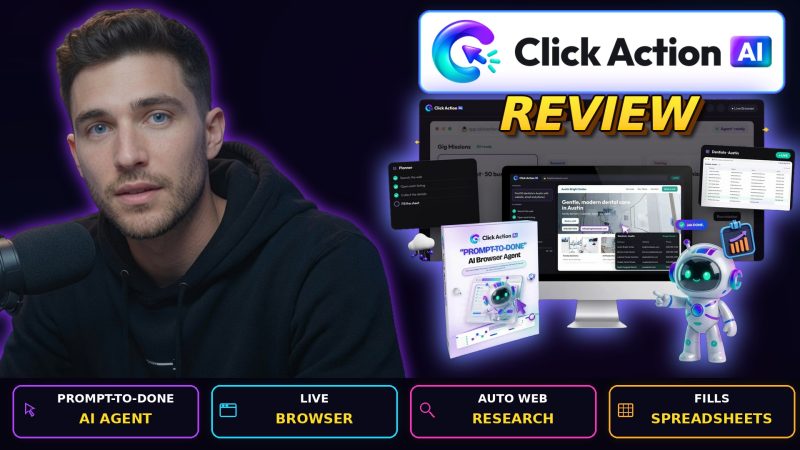
Click Action AI is a cloud-based AI web worker from Yogesh Agarwal. You type a job in plain English, and an AI agent opens a live browser, works through the websites, and returns a table you can export. It handles lead lists, research, website checks and data entry for a one-time front-end price of $36.95.
Product Brand: Yogesh Agarwal
Product Currency: USD
Product Price: 36.95
Product In-Stock: InStock
4.4

