
ViralSpeak AI Review
Street Interviews, Podcasts, Standup And Avatars From One Typed Idea, And The Rules Behind Them
Why Faceless Video Still Eats Your Week
Think about making one short video the old way. The script feels flat. Somewhere there’s a quiet street, and you set up a camera and hope nobody honks. Then somebody flubbed a line, so you film it again. After that you spend an evening cutting, syncing and cleaning audio, and the clip lasts forty seconds.
Plenty of creators quit right there, and not because they lack ideas, but because production swallows the whole week before the clip even exists to be judged.
ViralSpeak AI aims at that wall. Rudy Rudra launches it on November 13, 2026 on Launchpad as a browser app that turns one typed idea into a finished video in four formats: street interviews, two-person podcasts, standup comedy clips and talking avatars. The live order form asks $14.94 one time.
It’s a lively promise, and a risky one in a few ways that I’ll lay out as we go. Realistic AI people raise real questions about labels, likeness and platform rules, and the sales letter goes loud on viral and empire language. I like the product idea more than I like the pitch, so I’ll keep the two apart.
This ViralSpeak AI review covers what the app makes, how its three steps work, what the coupon did at checkout, what eight upgrades cost, where the pages disagree, and which platform rules matter before you post anything. You won’t find earnings figures here, on purpose.
ViralSpeak AI Quick Facts

| Detail | Information |
|---|---|
| Product | ViralSpeak AI |
| Vendor | Rudy Rudra |
| Launch | November 13, 2026, 11:00 AM EST; the launch window runs to November 18 |
| Sold through | Launchpad |
| Sales Page | https://viralspeakai.live |
| Category | AI video creation for short-form platforms |
| Type | Cloud web app, works in any browser |
| Front-end price | $14.94 one-time launch price |
| Order form add-on | “VSPEAK3” Instant $3 Discount |
| Coupon | Eight, from $47 to $297 |
| Refund | 30 days, with a usage condition |
Four Video Formats From One Typed Idea
Picture a tiny studio with a scriptwriter, a casting director, a voice actor, an animator and an editor, all sharing one browser tab.
ViralSpeak AI is an AI video generator for short-form creators. You type a topic, paste a script or give it a keyword. The app writes the script, casts AI people, generates the voices, brings the avatars to life, syncs the lips and renders a finished video, which the page says takes under ninety seconds.
Four formats sit at the center.
- Street interviews: two AI people react, debate or argue on a realistic city street, built from a single line of text.
- Two-person podcasts: natural back-and-forth conversation with synced lips, from the same idea.
- Standup comedy clips: the built-in writer drafts the jokes and an AI performer delivers them on stage.
- Cinematic avatars: a face from a prompt, in any age or style, that talks for you.
Around them come hundreds of AI voices with emotions and accents, multi-speaker conversations, support for a claimed 120-plus languages, a cloud asset library and automatic audio mastering. Output comes in vertical, square or horizontal ratios, with one-click export for YouTube Shorts, TikTok, Instagram Reels and Facebook. A commercial license is included.
What it doesn’t do matters too, so here’s the short list: it doesn’t post for you, it doesn’t promise views, and it can’t tell you which of its clips a platform will later treat as spam or label as synthetic.
How It Compares With Stacking Separate AI Tools
You can already build this from parts. One tool writes scripts, another makes voices, a third animates faces, a fourth edits. What does one login change?
One login joins the steps: a topic goes in and a rendered MP4 comes out, without moving files between five apps.
Formats come built in: interview, podcast, standup and avatar layouts are built in, so you don’t design each scene.
Scripting is covered: the writer drafts hooks, debates and punchlines, which is the part many beginners find hardest.
It exports for platforms: ratios and formats are ready for the four big short-form sites.
It carries a license: selling videos to clients is part of the offer.
Depth is the trade-off. Specialist tools often do one job better than an all-in-one, so expect a tool that is broad and good enough for most clips rather than best in class at every single step, and judge it on whether the finished video is something you’d post.
Meet Rudy Rudra
Rudy Rudra is the founder and the face of the sales letter, which tells the story of a viral-video channel that burned him out after a handful of posts and led him to build the tool he wished he’d had. The letter claims a long and expensive development, a beta that generated well over a million videos and a long list of fast results. I can’t check any of those figures, and a few of them don’t sit comfortably together, so I’d read the story as background and judge the app by what it does in your first two weeks and by the refund terms.
What The Launch Price Gets You
Here’s the front end in plain terms.
The Core Tool
- Street interview generator: two AI people on a realistic city street, with natural dialogue and lip-sync, written and cast from a single line of text that you type or paste in.
- AI podcast studio: two hosts, one idea, synced lips.
- Standup comedy engine: jokes written and performed by the app.
- Avatar creator: faces with expressions, gestures and eye contact from a prompt.
- Voice library: hundreds of voices with emotions, accents and pauses.
- Language engine: the same idea in several languages.
- Export: MP4 in vertical, square or horizontal, ready for four platforms.
- Commercial license: sell videos you make to clients.
The Claims Around It
The page says no monthly fees, no hidden credits and no per-render charges. It also says generation is unlimited. The refund policy, however, mentions a usage limit, and I’ll come back to that, because the two statements don’t fit together.
What It Doesn’t Include
It doesn’t include real footage, and it doesn’t include distribution. You still need your own accounts, a posting routine, and ideas that are worth a stranger’s thirty seconds, because the app can build a clip but it can’t make anyone care about the topic.
Three Steps From Idea To Finished Video
Here’s the workflow in the order the app runs it.
Step 1: Drop Your Idea
I type a topic, paste a script or feed the AI a single keyword, like street reactions on money, an AI versus humans debate or gym bro comedy, and I pick which of the four formats I want it to build. That’s all the input it needs, which is why the first minute feels so light compared with setting up a shoot.
Step 2: AI Builds Everything For You
I watch the app write the full script, cast the people, generate the voices, bring the avatars to life, sync the lips and render a finished video, all in one pass and without me touching a timeline. The page says this takes under ninety seconds, so I’d time it myself on a real project before believing the number.
Step 3: Publish & Profit
I download the finished video as an MP4 in the ratio I need and upload it to YouTube, TikTok, Reels or Facebook myself, or I deliver it to a client under the commercial license. The page says I keep everything I earn from it, though the app posts nothing for me, and the label on a realistic clip is still my job.
Discover all the platform’s features by watching the demo video below:
Coupon: “VSPEAK3” Instant $3 Discount
Who Will Get Real Use Out Of It
Faceless Creators
If you want a channel without appearing on camera, this removes the biggest barrier. Expect to keep working on topics, scripts and editing taste anyway, since those decide whether anyone stays past the first two seconds.
Meme And Entertainment Pages
Short comedy and reaction clips fit the format well. Quality of the joke still decides the result, and an AI performer can’t rescue a flat punchline.
Agencies And Freelancers
The commercial license suits people who make video for small businesses, coaches and influencers.
Marketers Who Need Fast Clips
A debate or street interview on a trending topic can be drafted in minutes, though speed matters less than accuracy.
Who Should Skip It
Skip it if you want views without effort, because nothing here brings an audience. Skip it if you’d be uneasy labeling synthetic people as synthetic. And think twice if you plan to mass-produce near-identical clips, since that’s the pattern platforms target.
Street Interviews, Podcasts, Standup And Avatars Compared
Not every format carries the same risk or the same reward, and a new user shouldn’t treat the four as equals. Here’s how I’d rank them for someone starting out this week.
Avatars: the safest start. A consistent talking face for a coach, a brand or an explainer series is easy to check and easy to label.
Podcasts: two AI hosts talking about a topic you know. Good for explainers, but watch for confident mistakes in the script.
Standup: the hardest to get right. Jokes are subjective, and a weak punchline looks worse with a confident synthetic performer.
Street interviews: the riskiest. A fake man-on-the-street clip can look like a real one, and that’s where disclosure rules bite hardest.
If I had a free weekend, I’d make one avatar explainer and one short podcast clip, read every line, label both and stop there.
Realistic AI People And The Disclosure Rules
This is the section I’d read twice.
YouTube asks creators to disclose AI-generated or meaningfully altered content that looks realistic. Its examples include a realistic scene that didn’t happen and making a real person appear to say something they didn’t. It can also add a label automatically when its systems detect AI, or when the file carries content credentials.
TikTok asks creators to label AI-generated content with realistic images, audio and video, and it treats synthetic faces and voices as a case where disclosure matters most. It also says false labeling is a violation, so don’t tick the box to be safe if no AI was used.
What does that mean for a street-interview clip with two invented people on a street that may not exist? Put plainly, the clip shows people who don’t exist saying things nobody said, on a street that may not exist either. A viewer could take it for real. So:
- Label it: use the platform’s AI toggle and say so in the caption or on screen.
- Don’t pass it off as real: a fake reaction to a real event is where trouble starts.
- Avoid real events and real people: keep topics general and invented characters clearly fictional.
- Expect automatic labels: platforms may add one anyway.
- Re-read the rules before each batch: they change often.
Disclosure isn’t a free pass, either. Platform guidelines still apply to AI content in full, and misleading or harmful material can come down whether or not you labeled it, so the label protects you from one problem and leaves the rest of the rulebook in force.
YouTube’s Mass-Production Rule And Faceless Channels
The pitch includes channels that run themselves. YouTube’s spam policy sets a limit on that idea. It bars using automated tools or AI to churn out high volumes of similar content with minimal changes, and it gives repeated AI imagery with the same music and a machine-read script as an example. Testing a few variations is fine.
Faceless channels aren’t banned. Repetitive ones are the target, and a template that swaps one topic for another every day, with the same voices, the same street and the same joke rhythm, sits close enough to that line that I’d worry about it.
Here’s what I’d do.
- Vary the structure: mix formats, lengths and openings across the week.
- Add your own angle: a real opinion, a checked fact or a sharper script separates your channel from a template.
- Edit the script: don’t post the first draft the app writes.
- Keep a human in the loop: review each clip before upload.
- Start small: a handful of strong videos beats fifty copies.
Monetization on any platform also depends on its own rules and thresholds, and those change. Don’t plan around them until you’ve read the current terms.
Likeness, Voices And Jokes: Staying Out Of Trouble
Three other areas deserve a thought before you publish anything that looks and sounds like a real person.
Likeness: the page mentions podcast-style shows with AI guests and avatars in any face. Never design a character to resemble a real person, whether a celebrity, a politician or a neighbor. Platforms and courts take impersonation seriously, and YouTube lets people request removal of synthetic content that simulates an identifiable person.
Voices: the voice library is presented as original voices. Don’t use the tool to imitate a real person’s voice, and read the license terms on what you may do with the audio.
Jokes and scripts: AI-written jokes can echo existing material. Run a quick search on any punchline you plan to publish, and drop anything that looks borrowed.
None of this is unusual for AI video, and the same cautions apply to every avatar and voice tool I’ve seen. It just matters more when the people on screen look real enough that a viewer might believe them.
Selling Videos To Clients Without Overselling
The commercial license lets you sell the videos you make, and the page pitches client work hard, with talk of local businesses, coaches and influencers who can’t make video themselves. That can be a real service, with conditions.
- Find clients first: the tool makes video. It doesn’t bring customers.
- Be clear about AI: tell clients how the video was made and let them approve it.
- Write down who handles disclosure: clients posting realistic synthetic video on their own channels need to label it.
- Keep prices honest: your client will compare you with a freelancer, not with a template.
- Review every deliverable: a confident mistake in a client’s video is your problem.
I’m leaving out the package prices the page floats, because they’re the vendor’s guesses and not market data. Time a real project first, then set your own rate.
What To Check In Every Video Before You Post
Fast output makes careless posting easy, so I’d run the same short list on each clip.
- Watch it start to finish with sound. Odd phrasing and glitches show up fast.
- Check the facts. The script writer can sound sure about something wrong.
- Look at the faces and lips. Sync problems and strange hands lose viewers.
- Confirm nobody real is imitated. Characters, voices and names should be invented.
- Add the AI label. Use the platform toggle, and say it in the caption when the clip looks realistic.
- Check the ratio and captions. Vertical for Shorts and Reels, and captions for silent viewing.
- Read the caption twice. Don’t promise results the video can’t deliver.
Seven checks take a few minutes per clip. They also save an account from the most common AI video mistakes, which are posting something false, something copied, or something that should have carried a label.
Price, One Coupon And A Refund With Strings
The live Launchpad order form charges $14.94 one time, with lifetime access.
The sales page also says the price moves to $97 monthly after launch, with a countdown timer. Treat that as marketing and look at what you pay today.
| Item | Price |
|---|---|
| Front end | $14.94 one-time |
| 1,000 DFY Viral Scripts add-on | $9 |
| Eight upgrades at their listed prices | $1,216 combined |
Coupon
The code is VSPEAK3, listed as an instant $3 discount, and it appears on the main page and the exit pop-up. I tried it at the public Launchpad order form against a made-up control code. It applied, and the control did nothing. The total to pay moved from $14.94 to $11.94. The code worked in upper and lower case.
One more code deserves a mention. The order form carries a banner for a 30 percent Black Friday code, LPBF30. When I tried it, nothing changed, so it didn’t apply to this product. If you see that banner, don’t count on it.
Refunds
There’s a 30-day money-back guarantee, and the sales page calls it no-questions-asked and says you keep your videos. The refund policy page adds a condition: no refund if you’ve used more than half of your allocated word or usage limit. That’s a real string, and it matters because the page also sells unlimited generation with no credits.
The policy also mentions another product’s name in its closing line, so it looks copied from a template. Ask the vendor to explain the limit in writing before you buy.
Coupon: “VSPEAK3” Instant $3 Discount
What The Sales Page Throws In Besides The App
Beyond the software, the page stacks five launch bonuses and puts big dollar values on them. The titles give you the flavor.
- A live event: its title carries a daily income claim, so I won’t repeat it.
- A script library: one hundred ready-made scripts and niches.
- An agency kit: proposals, a website template, contracts and pricing sheets for selling video services.
- A traffic blueprint: tactics for getting views.
- A monetization vault: training on turning views into revenue.
The page puts the whole stack at thousands of dollars and totals its overall value in five figures. I’d ignore every one of those totals. Bonus values on launch pages are set by the vendor. The script library and the agency kit may help a beginner. The traffic and monetization items depend on what they actually teach, and I haven’t seen them.
Speaking Spanish, French Or Hindi Without Speaking Them
One feature gets more attention than it should in my view: the language engine. The pitch is one idea in many languages, with no translator and no voice actor.
That’s a real convenience. Producing the same clip in several languages used to mean hiring translators and voice actors for every version, and now it means choosing a language and pressing a button, so small channels can test new audiences cheaply.
There are limits, though.
- Translation errors: AI can sound fluent and still get a phrase wrong, or choose an awkward register.
- Humor travels badly: a joke that works in English may fall flat or offend in another language.
- Accents and voices vary: quality differs from one language to the next, and you can’t judge a language you don’t speak.
- Local rules apply: labels and platform rules differ by region.
If you plan to publish in a language you don’t read, ask a native speaker to watch each clip before it goes out. One mistranslated line in a confident synthetic voice can damage a young channel.
The Subscription Math The Page Wants You To Do
The sales letter argues that the app replaces a stack of monthly tools. It lists an avatar service, a voice service and an editor with an AI script add-on, and it adds the bills up to a few hundred dollars a month.
The comparison is fair as a starting point, since one purchase beats several subscriptions on paper. I haven’t checked those tool prices and they change often, so treat the figures as the vendor’s.
Two points complicate the math. First, the specialist tools usually offer more depth, more voices and more control. Second, a one-time price only wins if the service stays online, and a vendor who sells lifetime access has to keep paying for video and voice generation. That cost is probably why a usage limit exists at all.
So don’t ask whether it’s cheaper than five subscriptions. Ask whether the output is good enough for what you make, and whether the vendor will still run the service in two years. At $14.94, the risk is small, which is the best argument for trying it.
The $9 Script Add-On At Checkout
The order form offers 1,000 DFY Viral Scripts for $9, described as ready-to-use scripts for street interviews, podcasts, standup and avatars across fifty-plus niches. You copy, paste and generate.
It’s cheap, and scripts are a fair starting point for a beginner who stares at a blank page. Still, a few cautions apply. Ready-made scripts are shared scripts, and if hundreds of buyers post the same lines, you’re feeding the sameness that platforms penalize. Quality varies too, and a thousand scripts aren’t a thousand good ones.
The sales page also shows a different add-on, a Business Edition at $9.97 limited to the first twenty-five buyers, with longer videos, premium characters and 4K rendering. I didn’t see it on the order form I loaded, so I can’t tell you how it’s offered.
If you add the scripts, treat them as raw material, rewrite the hooks in your own voice and drop anything that sounds like every other channel in the niche.
Eight Upgrades And How To Read The List
Eight upgrades follow the front end. You must buy the front end first, because every upgrade adds to that account. I couldn’t open the upgrade pages without buying, and the JV page shows names and prices as separate rows without matching labels, so the pairing below follows the order the page lists them. Treat it as a best reading, and ask the vendor to confirm it.
| Offer | Name | Price |
|---|---|---|
| OTO 1 | Unlimited | $47 |
| OTO 2 | Template pack | $97 |
| OTO 3 | Done-For-You | $67 |
| OTO 4 | Traffic Engine | $197 |
| OTO 5 | CMS Engine | $297 |
| OTO 6 | Agency | $147 |
| OTO 7 | Reseller | $67 |
| OTO 8 | Whitelabel | $297 |
The vendor’s public pages describe none of these in detail, so the notes below rest on the names alone.
OTO 1: Unlimited, $47
By name, this removes limits. Since the front end already claims unlimited generation, ask exactly which limits this one lifts.
OTO 2: Template pack, $97
A template upgrade whose official name carries an income claim I won’t repeat. Ask what the templates contain and whether other buyers get the same ones.
OTO 3: Done-For-You, $67
Likely ready-made content or setups. Ask whether it’s unique to you, since shared files make weak posts.
OTO 4: Traffic Engine, $197
Probably about getting views. No tool controls what platforms show, so ask what it actually does.
OTO 5: CMS Engine, $297
The most expensive of the early upgrades, with the least obvious purpose. Ask for a plain description.
OTO 6: Agency, $147
Presumably for client work. Only worth it if you already have paying clients.
OTO 7: Reseller, $67
Presumably lets you sell the app. Check the terms and each platform’s rules on reselling.
OTO 8: Whitelabel, $297
Presumably lets you rebrand the app. That’s a software business, quite separate from making videos.
Which Ones Make Sense?
For most buyers, none on day one. Use the front end for two weeks, see what limits you actually hit, and then ask support what the matching upgrade adds. Skip anything you can’t get described in writing.
Unlimited Versus A 50 Percent Usage Rule
The word unlimited does a lot of work on this page. It says generate as many videos as you want, with no credits and no render fees. The refund policy says refunds stop once you’ve used more than half of your allocated usage limit.
Both can’t be fully true. If usage is unlimited, there’s no allocation to consume. If there’s an allocation, usage isn’t unlimited.
Here’s a charitable reading. Many AI services keep a fair-use cap behind the word unlimited, because video and voice cost money to generate. A quiet cap wouldn’t be unusual. The problem is that the buyer can’t see it.
So I’d ask three things. What is the allocation, and how is it measured? What happens when you reach it? And does a refund really stop at fifty percent of it?
Until you have an answer, don’t plan a high-volume channel around the word unlimited, and don’t run the app hard in your first week if you might want your money back.
The Strong Points And The Soft Spots
What I Like
- A clear three-step flow: idea, build, publish is easy to follow.
- Four formats in one place: interviews, podcasts, standup and avatars cover a lot of ground.
- Script writer included: it helps beginners get past the blank page.
- Low entry price: under fifteen dollars is easy to test.
- Coupon that works: the code applied and the control didn’t.
- Platform-ready exports: vertical, square and horizontal formats.
What Gives Me Pause
- Realistic fakes: synthetic people on a street can mislead viewers.
- Spam rules: repetitive AI content is a known target.
- Unclear limits: unlimited and a usage rule don’t match.
- Template leftovers: the refund policy and support link mention other products.
- A long upsell list: eight upgrades for a $14.94 tool.
Where The Viral Video Empire Promise Needs A Reality Check
Every launch page sells a dream. This one sells an empire that runs while you sleep. Here’s where I’d slow down.
Viral videos: the app makes videos. Whether any of them spread depends on the idea, the platform and luck, and no tool controls that.
Under ninety seconds: the render may be quick. Reviewing, correcting, labeling and posting take longer.
Beta numbers: the page cites a huge video count and a few dozen users. Those numbers don’t sit comfortably together, and I can’t verify either.
Beta testimonials: one quotes overnight views and another a quick sale. I can’t check them, so I ignore them.
Creator income figures: the page quotes earnings for faceless creators and client prices. I’m leaving every number out, and they don’t predict your results.
Replaces all your tools: the app covers many jobs. Specialist tools often do one job better.
Pay once, own forever: the page says the price becomes monthly after launch. It also says the product is yours for life. Lifetime access depends on the vendor continuing to run the service.
Unlimited and no credits: the refund policy hints at a usage limit, as I covered above.
The vendor’s bonuses: the page lists several launch bonuses with big values and big promises. Judge the product without them.
To be fair, the page includes an earnings disclaimer and a clear refund promise, even if the fine print complicates it. Keep your expectations modest, and you’ll get a fair test.
Questions For The Vendor Before You Pay
Launch week is a good moment to ask, because replies tend to be quick. These are my questions.
- How long does the launch price last?
- What exactly is the usage limit? And does the refund stop at fifty percent of it?
- Which add-on is offered at checkout? The order form and the sales page show different ones.
- What does each upgrade include, and which price goes with which name?
- How should I label realistic videos? Ask for the vendor’s guidance.
- What are the license terms? Especially for client work and for reselling.
- Are the voices and faces original?
- Which platform rules does the vendor update the app for?
Clear replies are a good sign, and vague ones tell you something too.
A Slow First Fortnight With ViralSpeak AI
If I bought ViralSpeak AI today, I’d keep the plan small and treat two weeks as a test.
Days one to three: log in and make one avatar explainer on a topic you know. Watch it with sound, fix the script and check the voice.
Days four to six: make one two-host podcast clip. Check every claim in it, and add a label.
Days seven to nine: try one standup clip and one street interview as private tests, and think hard before posting either.
Days ten to twelve: post one or two labeled videos on the platform you care about. Watch how people respond and what the platform does.
Days thirteen and fourteen: decide. Was the output good enough to put your name on? Did you hit any usage limit? Would you still want an upgrade, or do you want the refund?
Be careful about using more than half your usage if you might want the money back, since the refund policy mentions that threshold. By day fourteen I’d know whether the videos are good, whether the labels and rules feel manageable and whether the tool earns its price.
Is ViralSpeak AI Worth $14.94?
ViralSpeak AI is a busy video factory wrapped in a very loud sales letter. Strip away the empire talk and you get four video formats, a script writer, a voice library, language support, platform-ready exports and a commercial license for $14.94.
I wouldn’t buy it expecting viral clips on a timer. I’d buy it to find out whether the videos are good enough to post under my name, and whether the usage limit leaves room for the way I’d work.
If you want to try it, use the coupon, buy the front end, make one avatar video and one podcast clip, and read each platform’s AI rules before you post. Keep every upgrade for later. And if the output doesn’t meet your standard, use the 30 days, and keep the usage condition in mind.
Frequently Asked Questions
What is ViralSpeak AI?
ViralSpeak AI is a cloud app that turns a typed idea into AI street interviews, two-person podcasts, standup comedy clips and talking avatar videos, with voices, lip-sync and export for short-form platforms.
How much does ViralSpeak AI cost?
The live order form charges $14.94 one time. A $9 add-on and eight upgrades follow.
Is there a coupon?
Yes. VSPEAK3 gives $3 off. It applied when I tried it, and a made-up code did nothing.
Do I need to label the videos as AI?
Often, yes. YouTube and TikTok ask for disclosure when AI content looks realistic, and they can add labels themselves.
Can I run a faceless channel with it?
You can, but YouTube targets high volumes of similar AI content. Vary your videos and add your own angle.
Can I sell the videos to clients?
The license says yes. Tell clients how the videos were made, and check each platform’s rules.
Does it post for me?
No. You download the MP4 and upload it yourself.
Is generation really unlimited?
The page says so, but the refund policy mentions a usage limit. Ask the vendor to explain it.
What is the refund policy?
A 30-day money-back guarantee, with a condition: no refund if you’ve used more than half your usage limit.
Do I have to buy the upgrades?
No. The front end works alone. You must buy it before any upgrade, though, and every upgrade is optional.
Get ViralSpeak AI With My Exclusive Bonuses
If ViralSpeak AI fits your plans, grab it through the link on this page, use coupon VSPEAK3 at checkout, and I will add my exclusive Tika Review bonus pack at no extra cost.
1. Buy ViralSpeak AI through the link on this page.
2. Find your bonuses in the member area, or email me your receipt.
3. Download your bonuses and put them to work.
Here is everything you get when you buy through my ViralSpeak AI review below:
Bonus 1: 50 Productivity Videos – Time Management
Bonus 2: 50 Productivity Videos – Productivity Hacks
Bonus 3: 50 Productivity Videos – Procrastination And Motivation
Bonus 4: 50 Productivity Videos – Motivation
Bonus 5: 50 Productivity Videos – Life Balance
Bonus 6: 50 Productivity Videos – Focus And Concentration
Bonus 7: Sell Digital Videos On Amazon – Advanced Edition
Bonus 8: Grafisa – Whitelabel -3000+ Premium Graphic and Video Templates
Bonus 9: Video Marketing Traffic Using AI
Bonus 10: Build Your Store With Shopify
Bonus 11: Dropshipping Success
Bonus 12: Business Automation Blueprint
Bonus 13: Improve Your Online Sales
Bonus 14: Improve Your Online Sales Upgrade Package
Bonus 15: Personal Branding Bible
Bonus 16: Personal Branding Bible Upgrade Package
Coupon: “VSPEAK3” Instant $3 Discount
ViralSpeak AI Review: Is It Worth $14.89? Pros And Cons
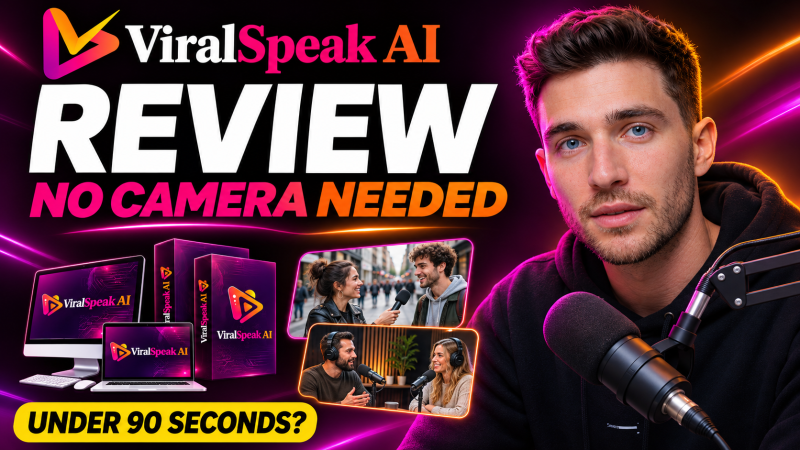
ViralSpeak AI is a browser app from Rudy Rudra that turns one typed idea into AI street interviews, two-person podcasts, standup comedy clips and talking avatar videos, starting at a one-time launch price of $14.89.
Product Brand: Rudy Rudra
Product Currency: USD
Product Price: 14.89
Product In-Stock: InStock
4

