BookBloom Review
One Amazon Link In, A Month Of Pinterest Promotion Out, And What To Check Before You Pay
Why Book Promotion Is The Part Authors Skip
You hit publish. You refresh the KDP dashboard on day one, then day two, then day ten. Two sales come in, both from people who already know you. The book sits somewhere on page forty of its category, and no reader has ever scrolled that far.
Most authors know the feeling. Writing was the fun part, and promotion is a second job nobody trained them for. Deciding what to post, designing it, writing a caption, picking a date and pointing it somewhere sensible takes real hours, and the hours rarely survive a busy week.
That gap is what BookBloom goes after. Demetris Papadopoulos launches it on November 13, 2026 on WarriorPlus as a browser tool that takes a book’s Amazon link and builds a month of Pinterest promotion around it. You get pin artwork, captions, a dated calendar, a Pinterest account blueprint and a landing page for the book. The front end costs $17 one time.
I like the target, because promotion really is where most books stall. A few of the louder lines make me less sure, like a month of readers without ads and a whole campaign in under six minutes, so I’ll sort the solid parts from the hopeful ones as we go.
This BookBloom review covers what the software does, how its workflow runs step by step, what Pinterest and Amazon expect from you, what the five upgrades and the VIP bundle cost, and where the pitch runs ahead of what any tool can promise. You won’t find earnings figures here, on purpose.
BookBloom Quick Facts

| Detail | Information |
|---|---|
| Product | BookBloom |
| Vendor | Demetris Papadopoulos (DPAPA), sold by LimitlessPassion Ltd |
| Launch | November 13, 2026; the launch window runs to November 18 |
| Sold through | WarriorPlus |
| Sales Page | https://bookbloom.net/sales-v4 |
| Category | AI book promotion for Pinterest and free channels |
| Type | Cloud web app, works in a browser |
| Front-end price | $17 one-time launch price |
| Upsells | Five, from $37 to $97 |
| Bundle | VIP bundle, $197, covers all five upgrades but not the front end |
| Refund | 30 days, a first-campaign guarantee that asks for proof you used it |
One Amazon Link In, A Month Of Pins Out
Picture a small marketing assistant who only does one job. You hand over a book link, and it hands back a month of finished pieces.
BookBloom is an AI promotion engine for published authors. You paste an Amazon listing, or you type the title, genre and ideal reader and add your cover. The software learns the book, meaning who it’s for, what it teaches and what a reader gets from it. It then plans thirty days of pieces, each with its own angle: reader match, practical help, a look inside, curiosity, gift and occasion.
Each piece gets artwork in a style you picked from previews built with your own cover. It also gets a caption, a keyword-minded headline and a link that points at a page you own. At the end you download the pins as images, and the whole month as one CSV file that Pinterest can import in a single upload.
Here’s what it doesn’t do, and it matters. The app doesn’t post to Pinterest for you. It prepares, you import, and you decide what goes live. The vendor says so plainly, which is refreshing, since some tools hide that detail until after checkout and let you discover it the hard way.
How BookBloom Differs From Posting Pins By Hand
You could do all of this alone. Open a design tool, write captions, build a spreadsheet. Plenty of authors have tried. What changes when software handles the plan?
It starts from the book. The AI reads your listing, your sample pages or your opening chapters, so the pins draw on what the book actually says, and doesn’t lean on the cover alone.
It varies the message. Thirty pieces with thirty different angles look less like spam than one image reused with new captions, and they give readers more than one reason to stop.
It plans the calendar. Every piece is dated, with its caption ready to copy, and you can mark each one off as it goes live.
It gives the traffic a destination. Each pin points at a landing page for the book, with your cover, your words and the stores that sell it.
It reports clicks. Page views and click-throughs show up per piece, so you can see which angle gets opened.
None of that guarantees a reader. It does remove the blank-calendar problem, which is the real reason most promotion never starts.
Meet Demetris Papadopoulos
Demetris Papadopoulos, who goes by DPAPA online, is the founder behind BookBloom and the owner of LimitlessPassion Ltd, the company that sells it. His sales letter tells a familiar story: an author whose books sat at zero for years until he built a system to promote them. It also admits that his own account only started moving after long quiet stretches, that no bestseller is promised and that results vary. I’d read the personal story as background and not as proof, and I’d weigh the product by what it does in your first campaign and by the refund terms.
What Comes In The $17 Front End
Here’s the front end in plain terms.
The Campaign Tools
- Book Content Engine. Upload a PDF or paste opening chapters, and the software pulls out what’s worth promoting: the sample, a challenge, a bonus, an occasion.
- AI Promotion Strategist. One book becomes a month of different angles.
- Artwork Studio. Pick three to five styles from previews with your own cover, then create the set in one pass.
- AI Copywriter. Hooks, headlines, captions, calls to action and the phrases a reader might type. Edit a line and it stays edited.
- 30-day calendar. Dated pieces, captions ready to copy and a CSV export.
- Pinterest account blueprint. Name options, a bio built from keywords, ten boards with their own keyword sets, a four-week start-up plan and profile and banner artwork.
The Extras Included
- A hosted book page. One real page per book, yours to edit and download.
- Promotion Finder. Free promotion spots your book qualifies for, with submission materials written for you.
- Basic click tracking. Page views and clicks per piece.
- A free channel catalog and KDP Research. Rules for free places to promote, plus a look at what competitors list on Amazon.
- Guided walkthroughs. An in-app guide for every section.
- A bonus called KDP AI CRACKED. Training on building a book from scratch and driving free traffic to it.
What The Front End Doesn’t Include
It doesn’t write your book, it doesn’t post to Pinterest and it doesn’t cover your AI provider’s bill. It also caps you at ten books at a time on the front end.
From New Campaign To Pinterest Import, Step By Step
Here’s the workflow in the order the software runs it. I’ve merged similar actions to keep it short.
Step 1: Build a new campaign
I start a new campaign and find the book I want to promote. Any published book works, whether it’s a KDP title or another ebook, and the vendor aims the tool at anyone with a book to promote or sell.
Step 2: Paste the book link into the Amazon book URL box
I copy my book’s link and drop it into the Amazon book URL field. That prefills the book with the details the campaign needs. Then I choose how many pins a day I want, and click Continue.
Step 3: Set up the Pinterest account blueprint
If I’ve never had a Pinterest account, or I want a new niche, the tool sets me up. It suggests a display name and a handle I can copy, and I choose Save and continue or skip. It also generates a profile image and a banner from the book, and a list of boards built on the keywords people search for. Then I copy the details and create the account.
Step 4: Add my website or landing page
A hosting area shows what my book page will look like, already mostly done. I can move it to my own domain, add a page to an existing site, or save the page and download the files to upload to Netlify. With the automatic upgrade, I can build and deploy the site from inside the app.
Step 5: Add promotional ideas
The AI reads my book and suggests headlines for tips, mistakes, checklists or whatever fits. This step is optional, and the pins get built from the book either way.
Step 6: Choose my styles
I pick three of five styles, or all five. Each one gives the campaign a different look.
Step 7: Add a sample and a bonus
If my book has a Read Sample option on Amazon, I copy the share link into the app and add a bonus, such as a free chapter. Check boxes show what’s missing. I save it.
Step 8: Click Generate the campaign
I scroll down, improve the promotion notes if I want, and click Generate the campaign. The app builds each image with its description and my website links. I can edit, fix and download pins as they appear, and I can stop at three pins, export them and finish later.
Step 9: Export the CSV and import it into Pinterest
Spacing, timing and schedule come first, and then I download the CSV file. In Pinterest I import my content, upload the file and click Open. It reports success, and the pins post on the dates I set, to the boards I chose.
Step 10: Find places to promote
In stage three, Promotion Finder shows where my book might fit, and I prepare a submission in the Submission Studio that follows each platform’s rules. I can also type a genre phrase, like cozy mystery and bakery, and research competitors on Amazon.
Step 11: Add my AI provider
Next come my AI provider details, where I pick one of four.
Step 12: Explore the catalog, history and guide
I can create a website straight from a link, browse a channel catalog of up to 14 platforms with their rules, check my submission history and my content library, and open the guide with video training.
For a closer look at all the features, be sure to watch the demo video below:
Which Authors Get The Most Out Of It
Fiction And Series Writers
Genre readers save covers and books-like-this lists. Book one on a pin can pull a reader into the series.
Nonfiction And How-To Authors
A reader searching a practical question is one click from your book, and practical pins meet them mid-question.
Journal, Planner And Puzzle Authors
Visual books sell on what’s inside. A real page from the book makes a better pin than a quote.
Children’s Authors
The buyers are parents, grandparents and teachers, and they browse visually.
Who Should Skip It
Skip it if you don’t have a published book yet. Skip it if you hate social platforms and won’t touch a Pinterest account, or if you want something that posts for you, and think twice if a few dollars of AI usage bothers you, since that bill lands on your own card every month you run a campaign.
Why Pinterest, And Why Not Everyone Should Bother
The pitch for Pinterest is sensible. It works more like a search engine than a feed, people go there to plan things, and a pin keeps answering a search long after you made it. A backlist title can keep getting found while you write the next one.
Relevance also matters more than follower count. A keyword-rich pin on a keyword-rich board can be found on day one, from an account nobody follows.
Still, a few honest limits apply.
- Not every genre fits. Visual and practical books do well. A dense literary novel may struggle to look interesting on a small image.
- It’s slow. Pins build up over weeks and months, and one week of posting tells you very little.
- Clicks aren’t sales. A click gets a reader to your listing. The listing, price, cover and reviews still do the selling.
- Your audience may live elsewhere. If your readers gather on another platform, a month of pins won’t reach them.
- You have to keep going. A calendar only works if you import and publish it.
For anyone who already enjoys Pinterest, this is a real head start, but the tool can’t make you like a platform you’d rather avoid.
Pinterest Rules For AI Pins And Bulk Uploads
Pinterest allows AI-made pins, but it asks for honesty. Based on its help pages, it can add an AI modified label to pins it detects as generated or edited with AI, using file metadata and its own classifiers, and the upload form has toggles where you can mark content as made with AI. Mark the pins that apply.
Spam is the bigger risk. Pinterest’s community rules go after repetitive, deceptive or irrelevant content made to earn money, and after unapproved automation. Pinterest hasn’t published a safe number of pins, so be wary of anyone who quotes one.
That’s where BookBloom‘s design helps and hurts.
Where it helps. It builds varied angles and a unique link for each pin. It also leaves publishing to you, through Pinterest’s own bulk import, which is a supported route for business accounts and takes up to 200 images per file on desktop.
Where it can hurt. Thirty or ninety pins for one book is a lot of similar material. If the artwork and wording look alike, they can read as repetition. Edit the copy, vary the styles and spread posts out.
My advice is simple. Use a Pinterest business account, label AI pins when the form asks, read the current community rules before your first import, and don’t mass-post the whole calendar in one afternoon.
Amazon Listings, Reviews And The Traffic You Send
This tool never touches your Amazon account. It sends readers to your listing, which Amazon doesn’t object to in itself, and the vendor says it includes no review-swapping or paid-review tactics. That’s the right line to draw.
A few cautions still apply.
- Your listing has to be ready. Traffic to a weak cover or a thin description wastes the click.
- Don’t buy or trade reviews. Amazon’s rules are strict, and no promotion tool can excuse a breach.
- Mind each site’s rules. The Promotion Finder points to free places where you submit your book, and each has its own terms.
- Keep claims honest. Pins that promise results a book can’t deliver invite complaints.
The front end also includes a bonus on building books from scratch with AI. If you use AI to write, KDP asks you to disclose AI-generated content when you publish, and it limits how many new titles you can create each week. Read the current KDP content guidelines first.
Your Own AI Key And What It Really Costs
The page says there’s no subscription, and that’s true of BookBloom itself. The artwork and copy come from an AI provider you pay directly, through a key you add to your account. A free Google AI Studio key is said to cover both copy and artwork, and you can pick Claude, OpenAI or Grok instead. The in-app guide walks you through getting a key in about two minutes.
So the real cost has two parts. The first is the $17. The second is whatever your provider charges for images and text, which the vendor puts at a few cents a pin.
Is that a problem? Not really. It’s how many AI tools avoid monthly fees. But a month of ninety pieces isn’t free, and free tiers have limits, so check your provider’s pricing and watch your usage in the first week. The refund terms also say that provider charges aren’t refunded.
One more point: keep your key private. Don’t share it, and set a spending cap if your provider lets you.
What You Pay Today And What Comes Later
The front end is a one-time payment of $17 on WarriorPlus, with lifetime access and no subscription. The vendor calls it a launch price and says it goes up afterward, though the sales page names no end date or later figure, so treat any urgency as soft.
| Item | Price |
|---|---|
| Front end | $17 one-time |
| Five upgrades bought one by one | $265 combined |
| VIP bundle, all five upgrades | $197 |
Refunds
There’s a 30-day first-campaign guarantee, and it isn’t a no-questions refund. To qualify, you set up your first campaign, save your own AI key, publish pins to your own Pinterest account, give it a fair run and tell the vendor what you did and saw. You send the request through the support page before day 30 with your receipt, a link or screenshot of the campaign and the board your pins went to.
Some cases aren’t covered: asking on the day of purchase before setting anything up, pins that were planned but never published, requests after day 30, a chargeback raised before asking, and your AI provider’s own charges. Once a refund is issued, access to the paid packages ends.
That’s a fair deal if you intend to use the tool, and a hard one if you only want to peek. Read it before you buy.
Five Upgrades And The VIP Bundle
Five upgrades follow the front end, and each is a separate one-time purchase. You must buy the front end first, because every upgrade adds to that account. The vendor’s page describes the funnel as six upgrades, though it lists five plus the bundle, and I’ll cover that below.
| Offer | Name | Price |
|---|---|---|
| OTO 1 | BookBloom Pro | $37 |
| OTO 2 | BookBloom Traffic | $47 |
| OTO 3 | BookBloom Reader Builder | $37 |
| OTO 4 | BookBloom Amazon Ads | $47 |
| OTO 5 | BookBloom Agency | $97 |
| Bundle | VIP bundle, all five | $197 |
OTO 1: BookBloom Pro, $37
This one covers more active books, batch workflows, premium editable layouts, brand presets, next-month campaigns and a Video Studio with unlimited storyboards. It also adds one-click publishing to your own Netlify account. If you run several books, it’s the most obvious upgrade.
OTO 2: BookBloom Traffic, $47
Two traffic tools in one package. A free-promotion planner picks the channels a book fits and gives a seven-day plan with a lesson on each step. You also get a reusable promotion pack, guided publishing, and ad images, carousels, outreach plans and video on the provider you choose.
OTO 3: BookBloom Reader Builder, $37
A companion-bonus creator, opt-in pages, a bonus delivery workflow, email sequences and subscriber export with email integration. It suits authors who want to build a mailing list around a book.
OTO 4: BookBloom Amazon Ads, $47
An Amazon Ads Studio. It builds a campaign structure, keywords and product targets with starting bids, negatives, a break-even cost per click from your own royalty, a demo ad and a bulk file Amazon accepts in one upload. Ads can lose money, so check the break-even figure before you spend.
OTO 5: BookBloom Agency, $97
Client records, onboarding and approval links, proposals, deliverables from a brief, monthly reports and permission to sell. It’s for people who plan to promote other authors’ books for a fee, and for nobody else.
The VIP Bundle, $197
The bundle carries all five upgrades in one purchase, without the front end, and it raises capacity to thirty books at once. Bought one by one, the five cost $265, so the bundle saves $68. Since you need the front end anyway, the full path with the bundle comes to $214.
The vendor’s pages disagree about where it appears. One line says it’s offered fourth, another says it’s an inline upsell before OTO 1. I couldn’t open the checkout to see the order, because WarriorPlus said the offer wasn’t yet available. Treat the order as unconfirmed.
Which Ones Make Sense?
For most buyers, none at first. Run the front end for a month, see whether you keep publishing pins, then decide. Pro fits multi-book authors. Agency only fits service sellers. I’d leave the rest until a real need shows up.
Where BookBloom Earns Its Place And Where It Slips
What I Like
- A specific job. It promotes a published book, and doesn’t pretend to do everything.
- A clear workflow. Link in, styles chosen, month out, CSV imported.
- Honest limits. The vendor says it doesn’t post for you and doesn’t promise sales.
- No subscription. One payment, with your own AI key.
- A landing page you own. Traffic goes to a page you control.
- Useful extras. The account blueprint and Promotion Finder help beginners.
- A fair guarantee. It’s conditional, but it’s written down.
What Gives Me Pause
- Pinterest dependence. The core method rests on one platform and its rules.
- Similar-pin risk. Volume can look repetitive if you don’t edit.
- Hidden running cost. AI usage is billed separately.
- Fuzzy funnel details. Counts and ordering don’t match across pages.
- Big marketing lines. A month of readers and six-minute builds are optimistic.
- A conditional refund. It needs proof of use.
Promotion Finder And The Free Channel Catalog
This is the part I’d try even if I never touched Pinterest.
Promotion Finder lists the spots your book actually qualifies for, answers each eligibility question from your own book’s facts and writes the submission materials. The channel catalog records the rules each free channel states, such as formats, links, AI policy and review copies. The vendor says an entry is marked verified only after its page has been read.
That sounds careful, and it’s a good idea. Free promotion sites often have narrow rules, and a wrong submission wastes your time.
I’d still check each channel’s current page before submitting, because rules change, lists go stale and a verified mark is only as fresh as the last check. Treat the catalog as a shortlist, and keep a note of what you submitted and when.
The Landing Page Every Pin Points At
Each book gets a page with the cover, your words, every store that sells it, your sample or bonus and a place for readers to join your list. It lives at its own address, and you can edit it, download it and host it on your own domain.
That matters for two reasons. You keep the traffic’s destination, so a campaign ending doesn’t end the page. And a link to your own page lets you see which pin gets opened, since each pin carries its own link.
A page isn’t a sale, though. Readers still have to click through to a store, and every extra step loses some of them. Keep the page short, put the buy link near the top and test it on a phone.
Tracking is basic by design. The vendor says it uses no cookies and builds no visitor profiles, and that a click is never dressed up as a sale. Good. It also means you won’t get deep analytics, so use Pinterest’s own numbers alongside it.
Reading The Testimonials Without Squinting
The page shows three beta users with screenshots, and I like that it avoids earnings claims in that part. One puzzle-book author posted three pins and reported a single outbound click, with no sale. Another author built about fifty pins and imported a schedule. A third praised the landing page and the workflow.
That’s modest, and modest is believable. The screens show work done: pins built, plans scheduled, accounts filling up. They don’t show readers bought anything, and the page says as much.
Two oddities stand out. One testimonial says the tool handles creating, scheduling and posting pins, while the vendor’s own FAQ says it doesn’t post for you. She probably means the export and import. A social-proof pop-up on the page announces that someone just bought, which I’d ignore, since a pop-up proves nothing.
Where The Month Of Readers Promise Needs A Reality Check
Every launch page sells an outcome. This one sells readers. Here’s where I’d slow down.
A month of readers. The tool builds a month of content. Readers come only if Pinterest shows the pins to people who click them, and that takes time and testing.
Without ads and without a following. True in the sense that you don’t need a budget or an audience to start. It doesn’t mean results arrive fast, and a new account starts from zero.
Under six minutes. The AI build may be quick. Choosing styles, editing copy, creating the account, importing the file and publishing take longer, especially the first time.
Free traffic. The traffic is free of ad spend. Your time isn’t free, and neither is your AI usage.
No monthly fees. BookBloom takes none. Your provider might.
Nothing publishes without you. That’s a feature and a chore. It keeps you in control, and it means the calendar only works if you keep importing.
Safe from flags. The plan is built around varied angles and unique links, which is wise. No tool can promise a platform won’t flag an account.
Findable in Google and AI search. The page hints at this. Search visibility depends on many things outside the tool’s control, so treat it as a hope.
The founder’s story. The page walks through one author’s long climb. It’s his account and not a forecast for yours, which the page itself admits.
To be fair, the page works hard to stay honest in places. It says no sale is claimed, and it separates clicks from revenue. Keep your expectations modest and you’ll get a fair test.
Ask The Vendor Before You Pay
Launch week is a good time to ask, because replies tend to be quick. These are my questions.
- How many upgrades are there? The page says six, and lists five plus a bundle.
- Where does the VIP bundle appear in checkout? The pages give two different positions.
- Is the $17 price rising, and when? The page names no later price.
- When does the cart open? The pages give different times for launch.
- Does any upgrade post to Pinterest? The vendor says nothing posts for you, but one description mentions posting from the app.
- How many pieces a day does the front end plan? The page mentions both one a day and three a day.
- Does the refund cover upgrades? Ask in writing.
- What happens to my pages if I stop using the tool? The vendor says they’re yours to keep.
Clear answers are a good sign, and vague ones tell you something too.
A Sensible First Month With BookBloom
If I bought BookBloom today, I’d keep the plan small and treat one month as a test.
Days one to three. Pick one book, paste the link, add the sample and bonus and choose three styles. Read every caption and rewrite anything that sounds generic.
Days four to six. Set up the Pinterest business account from the blueprint, create the boards and build the landing page. Check the page on your phone.
Days seven to ten. Import the first week of pins, with the AI label switched on where the form offers it. Keep the pace modest.
Days eleven to twenty. Watch the clicks per piece. Note which angles get opened and which don’t.
Days twenty-one to thirty. Try Promotion Finder and submit to a couple of good-fit channels. Then decide: keep going, buy Pro for more books, or claim the refund with your proof of use.
By day thirty I’d know whether the content was good enough, whether Pinterest suits my genre and whether the routine fits my week. That’s worth more than any promise, and it fits inside the guarantee window.
Is BookBloom Worth $17?
BookBloom is a focused promotion assistant with a loud sales letter. Strip away the readers-in-a-month talk and you get a book-based content planner, an artwork and caption studio, a Pinterest blueprint, a landing page, a CSV for bulk import and Promotion Finder for $17.
I wouldn’t buy it expecting traffic on a timer. What I’d buy it for is a fair answer to two questions: does a month of structured pins bring readers to one of my books, and is the routine one I can actually keep up once the launch excitement fades?
If you want to try it, buy the front end, run one book and read Pinterest’s current rules before importing. Leave every upgrade for later. And if you did the work and it didn’t deliver, use the guarantee, with your proof of use ready.
Frequently Asked Questions
What is BookBloom?
BookBloom is a cloud app that turns a book’s Amazon link into a month of Pinterest pins, captions, a dated calendar, an account blueprint and a landing page for the book.
How much does BookBloom cost?
The front end is $17 one-time. Five upgrades cost between $37 and $97, and a VIP bundle covers all five for $197.
Does it post to Pinterest for me?
No. It prepares the pins and a CSV file, and you import and publish from your own account.
Do I need an AI key?
Yes. You add your own key and pay your provider directly. A free Google AI Studio key is said to cover copy and artwork.
Does it write my book?
No. It promotes books you’ve already published. A separate bonus covers building a book from scratch.
Is AI-made content allowed on Pinterest?
Yes, with labels. Pinterest may mark pins as AI modified, and its form lets you flag them yourself. Spam and unapproved automation are the real risks.
Will it guarantee sales?
No. The vendor says so too. It aims to put your book in front of readers, and sales depend on the book, the listing and the audience.
How many books can I run?
Ten at a time on the front end. The VIP bundle raises that to thirty.
What is the refund policy?
A 30-day first-campaign guarantee. You must set up and use the tool and show proof.
Do I have to buy the upgrades?
No. The front end works alone. You must buy it before any upgrade, though, and every upgrade is optional.
Get BookBloom With My Exclusive Bonuses
If BookBloom fits your plans, grab it through the link on this page and I will add my exclusive Tika Review bonus pack at no extra cost.
1. Buy BookBloom through the link on this page.
2. Find your bonuses in the member area, or email me your receipt.
3. Download your bonuses and put them to work.
Here is everything you get when you buy through my BookBloom review below:
1. Brainy Kids Mega Adventure Pack
2. Kiddz Stories
3. Kiddz Game Station
4. Kiddz Art Coloring
5. Childrens Video Channel
6. Educational Poster Prompts for Kids
7. Inspirational Audiobooks for Kids
8. How To Self Publish Your E-Book on Amazon
9. PLR Business Kickstart
10. EBook Cash Bundle
11. 25 Ebooks – Artificial Intelligence Traffic
12. Zero-Code Profits
13. AI Side Hustle Success Profitable Prompts
14. AI-Proof
15. Video Marketing Traffic Using AI
16. AI Person Appearance Builder
BookBloom Review: Is It Worth $17 To Promote Your Book?
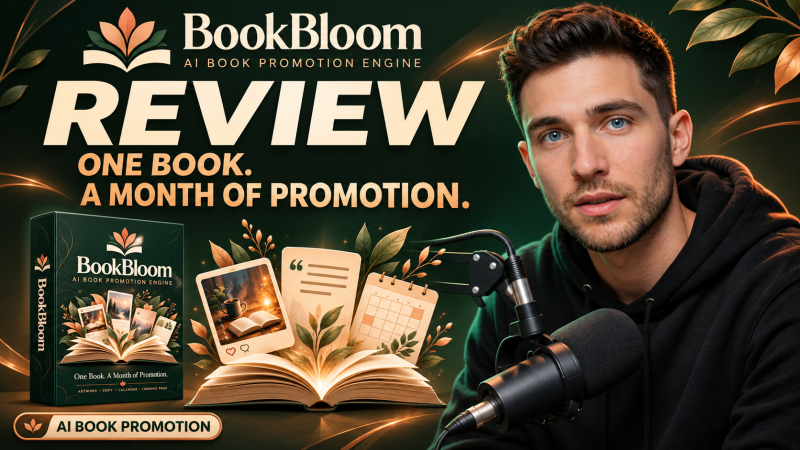
BookBloom is a browser app from Demetris Papadopoulos that turns a book's Amazon link into a 30-day Pinterest promotion plan with pin artwork, captions, a dated calendar, a Pinterest account blueprint and a landing page for the book, starting at a one-time launch price of $17.
Product Brand: Demetris Papadopoulos
Product Currency: USD
Product Price: 17
Product In-Stock: InStock
4.4

