
AffiliateSpark Review
Paste A Product Link, Get Buyer Keywords, Then Decide Which Video To Make
Why AffiliateSpark Made Me Look Twice
You know the feeling. It’s late, you’ve got a dozen browser tabs open, and you’re trying to decide which software to review on camera. One tab says the niche is gold. Another shows a channel with a huge audience already sitting on the exact phrase you wanted. You close the laptop and tell yourself you’ll pick a topic tomorrow.
Most affiliates I talk to lose weeks that way. They choose the topic first and find out afterward whether anyone was searching for it.
AffiliateSpark flips that order. You paste in a product’s sales page address, and the app reads the page, pulls out phrases buyers might type, adds search numbers, checks how crowded YouTube is for each phrase and writes title ideas for you. David Mills launches it on November 11, 2026 on WarriorPlus for a $37 one-time front end.
It sounds neat. It also sounds like the kind of promise that deserves a closer look, so in this AffiliateSpark review I’ll go through what the tool does, how the workflow runs step by step, what the upgrades and the order bump cost, and where the sales claims run ahead of what anyone can verify, from rankings to scan limits to the rules affiliates have to follow.
AffiliateSpark Quick Facts

| Detail | Information |
|---|---|
| Product | AffiliateSpark |
| Vendor | David Mills |
| Launch | November 11, 2026, 8:00 AM CST; the launch closes November 15, 11:59 PM CST |
| Sold through | WarriorPlus |
| Sales Page | https://davidlaunches.com/p/affiliatesparkfe |
| Category | Keyword research and YouTube planning software for affiliates |
| Type | Cloud web app, runs in a browser |
| Front-end price | $37 one-time, with 100 lifetime scans |
| Order form add-on | Tube Niche Miner, $17 |
| Upsells | Four, from $37 to $67, all one-time |
| Refund | 14 days |
A Keyword Tool Built Around Sales Pages
Picture a research assistant who reads a product’s landing page the way a buyer would, then hands you a list of searches those buyers might make before they ever hear the product’s name.
AffiliateSpark is a cloud-based keyword and competition tool for affiliate video creators. You paste a product URL and press scan. It gets back buyer pain points, a list of keywords with search volume, cost per click, an intent label and a difficulty score from 0 to 100, plus a short list of starter ideas such as review, tutorial, pricing and alternatives videos.
The second half is YouTube. From your saved keywords you can analyze the top 20 YouTube results for a phrase and see how many titles actually contain it. Then the app drafts five titles for each phrase, keeps your keywords and titles in one place and exports them as files.
The pitch also includes a Faceless AI Video Masterclass, a training course on making review videos without appearing on camera.
Here’s what the app does not do. It doesn’t make your videos, it doesn’t upload them and it doesn’t rank them. It tells you what to make. Everything after that is your job, and it’s a lot of job.
How It Differs From Standard Keyword Tools
Most keyword tools hand you a spreadsheet and wish you luck. Where does AffiliateSpark take a different road?
It starts from a product. Instead of typing a seed word, you paste a sales page, and the tool reads it for buyer language. That’s a smart angle for affiliates, because the product is already chosen.
It cares about intent. Each keyword gets a label so you can tell a browser from a buyer. A person asking why a laptop is slow isn’t shopping. A person asking for the best laptop under a budget probably is.
It checks YouTube as well as Google. The competition check looks at the top 20 YouTube results for your phrase and counts the titles that contain it. A low count can point to a gap.
It writes titles with the keyword up front. Five options per phrase, each capped at 70 characters.
It keeps everything in one hub. Saved keywords, saved titles and scan history live in the app, and you can export them.
None of that guarantees a view, let alone a commission. It trims the research. What happens after you press record is up to you.
Meet David Mills
David Mills runs LearnWire, a YouTube channel that reviews software and AI tools, and he describes himself as a full-time online marketer and affiliate since 2020 after almost two decades in a corporate career. He has also built other tools, including Tube Niche Miner and ProductSpark AI. His pages quote earnings figures that I can’t check from the outside, so I’d read the biography as background rather than proof, and I’d judge AffiliateSpark by what it gives you during the 14-day refund window.
What’s Packed Into The $37
Let me separate the front end from the extras, because the funnel has several layers.
The Core Tool
- Deep URL Opportunity Inspector. Scrapes the sales page for buyer personas, pain points and commercial angles.
- Live Search Intelligence Engine. Adds search volume, Google and YouTube cost per click, intent classification and a 0 to 100 organic difficulty score.
- Analyze YouTube Competition. Audits the top 20 YouTube results for a phrase and counts competing titles.
- SEO Title Studio. Five titles per viable opportunity, each capped at 70 characters, with the keyword at the front.
- Saved keywords and saved titles. A persistent hub with filters, deletion and export to CSV or TXT.
- Scan history. Every earlier scan stays available.
- 100 lifetime scans. The page says each scan analyzes up to 700 keywords.
- Faceless AI Video Masterclass. Training on scripting, voicing and assembling videos with AI tools.
What The $37 Doesn’t Include
Extra scans, for one. When the 100 run out, more are sold separately, pay as you go. Competitor tools and the Browse and Suggested video features sit in a paid upgrade. Publishing management, script and graphic creation and product monitoring each sit in their own upgrade too.
The license shown at checkout is personal use, so don’t plan to resell the software.
From Product Link To Saved Titles, Step By Step
Here’s the flow in the order the app runs it.
Step 1: Pick A Product And Copy Its Page URL
I start with a product to promote. I use an AI research tool to find a recently launched product with plenty of community votes, visit its website and copy the page address.
Step 2: Paste It In And Press Scan
Back in AffiliateSpark, I paste the page and press the Scan button. A counter always shows how many scans I have left. The front end comes with 100, and extra scans are bought one-off, pay as you go, since every scan pulls real SEO data.
Step 3: Read The Buyer Keywords
The app first lists the buyer pain points, then sorts through the page for what a potential customer who doesn’t know the product might search. It starts me with four ideas, a review video, a tutorial video, a pricing video and an alternatives video. Below that comes the keyword list, with search volume, cost per click, intent and difficulty. Brand-new products show no volume yet. In my example the list held 62 keywords, all tied closely to that one product.
Step 4: Save Keywords And Filter The List
I save the ones I like. A filter lets me cap the maximum difficulty and set a minimum search volume, and keywords with no data drop out of the list.
Step 5: Check Your Scan History
Any earlier scan is one click away in the scan history, with its keywords still attached.
Step 6: Analyze YouTube Competition
In my saved keywords I choose Analyze YouTube competition. It runs a search for that exact phrase and looks at the top 20 YouTube results to count titles that contain it. I can double-check by searching YouTube myself and pressing Control F. A green result marks a high-opportunity, low-competition phrase.
Step 7: Create YouTube Titles
Next I press Create YouTube titles. The app writes titles built around the keyword, such as a pricing guide, a pros and cons list, an honest review, a beginner tutorial and a comparison. I can regenerate them, uncheck the ones I dislike and save the rest. It also lists the top channels for that search term. A comparison title could become a top-five listicle.
Step 8: Copy, Delete Or Export As CSV
In the saved titles section I copy a title, make the video, then press delete. If I’m researching in bulk, I choose Export as CSV and work in a spreadsheet.
Step 9: Send It To Calendar
The Send it to calendar button belongs to the upgrade. It adds the video to a queue, lets me set how many videos to make per day and lets me drag and drop them around.
To see the platform in action, be sure to check out the full demo video below:
Who Gets The Most Out Of It
It’s built for a particular person: someone who wants to make review videos and keeps stalling at the topic stage, staring at a blank page while the weeks slip by.
Beginner Affiliates
If you’ve posted a few reviews that got fifteen views, you probably picked topics by gut. A data-backed shortlist is a fair fix, as long as you then publish the videos instead of filing the list away with all the others.
YouTube Review Creators
If you already run a channel, the competition check and title drafts could speed up your planning.
Bloggers And Pin Makers
The keyword research applies beyond YouTube, since a blog page or a pin can target the same phrases.
Who Should Skip It
If you want ready-made videos or guaranteed traffic, this isn’t it. If you hate publishing consistently, a research tool won’t fix that, and if you want deep enterprise-grade keyword databases, a focused tool like this won’t replace a full suite.
Reading Intent: Browsers, Researchers And Buyers
The intent label is the part of the tool I’d study first, because it decides which phrases deserve your evening.
Think of three kinds of searchers. The browser types a loose question and wants an answer, nothing more. Next comes the researcher, who compares options and reads reviews. The buyer already knows what they need and is checking price, fit and trust. Each one lands on a different kind of video.
Browsers want a quick explainer. For researchers, a comparison or a pros and cons list works better. Buyers want a pricing guide, a bonus page or a straight answer to whether it’s worth the money. Your affiliate link works best in front of the last two.
That doesn’t mean you ignore the first group. A good explainer builds trust, and trust is what converts the researcher later. But if your goal is commissions, start where buyers gather. I’d rather publish three comparison videos aimed at people with their wallets nearly open than ten loose explainers that flatter my view count and pay me nothing.
One small warning. Intent labels are a machine’s guess. A phrase tagged commercial might come from a student writing a paper, and a phrase tagged informational might come from a manager with a budget. Use the label as a nudge, then read the actual results on YouTube before you commit.
How To Judge The Data Without Taking It On Faith
Any tool can show you numbers. The skill is knowing how far to trust them.
Start with a product you know well. Scan its page and look at the keywords. Do they match the things its real customers ask? If the list reads like a fair summary of the buying conversation, good. If it’s full of vague phrases that could belong to any product, the page reading is shallow.
Next, spot-check search volume. Type a phrase into YouTube and watch the autocomplete. Phrases that people search often appear as suggestions. It’s rough, but it’s free and it takes thirty seconds.
Then test the competition check by hand. Pick a saved keyword, run the analysis, then search the phrase on YouTube yourself and look through the top 20. Count how many titles really contain the words. If your count matches the app’s, that’s a good sign. If the app’s number is higher because it counted partial matches, you’ve learned something about how strict it is.
Last, compare two products. Run one crowded product and one obscure one. The crowded one should show tougher difficulty scores and more competing titles. If both look identical, be suspicious.
None of this takes long. An hour of checking in the refund window tells you more than any sales page can.
A Sensible First Week With AffiliateSpark
Here’s how I’d spend the first seven days if I bought it today. I’d keep the plan small.
Day one. Read the member area and run a scan on a product I already understand. I’d look at the keyword list, the difficulty colors and the four starter ideas. No videos yet, only learning how the screens behave.
Day two. Run two more scans on products in different price ranges. Save the keywords that look worth filming. Use the filter for difficulty and minimum search volume to cut the list down.
Day three. Analyze YouTube competition on my saved list. Check one result by hand, as a test of the tool.
Day four. Generate titles for the three best phrases. Save the ones I’d actually click and drop the rest.
Day five. Start the masterclass, or at least skim it, and decide whether the faceless method suits my style.
Day six. Write and record the first video, even if it’s rough.
Day seven. Publish, add my affiliate link and a disclosure, and write down what I’d change next time.
By the end of that week I’d know three things. Whether the data feels honest, whether the workflow fits my habits and whether I’m the sort of person who finishes videos. That’s worth far more than the $37, and it all happens before the refund window closes.
Search Phrases That Make Good First Videos
The classic first-video list is review, tutorial, pricing and alternatives, and those four are fine. After that, think about what a buyer who doesn’t know the product might type into the search bar.
- Problem phrases: a pain point described in plain words, such as a task someone wants to automate and can’t figure out how.
- Comparison phrases: product A against product B, or the best tools for a particular job.
- Pricing phrases: is it worth it, how much does it cost, and whether a cheaper way exists.
- Beginner phrases: how to get started, step by step, for people with no experience.
- Alternative phrases: cheaper options, free options and replacements for something the searcher already dislikes.
Notice the pattern. Each phrase tells you how close the searcher is to buying, and that distance should shape the video. A beginner phrase is early, a pricing phrase is late, and a channel that covers the whole path gets more of the traffic that actually converts. Mix them.
Habits That Keep Research From Going To Waste
A research tool is only useful if the research turns into videos, and here are the habits I’d build around it.
- Pick one product per week: one scan, one shortlist and one video plan keeps the work small enough to finish.
- Save only what you’d really film: a long list of maybes turns into homework you never get around to.
- Check the top results yourself: open YouTube, type the phrase and look at who ranks, because numbers help but your own eyes help too.
- Match titles to the video: a title that promises a comparison needs an actual comparison inside it, or viewers leave early.
- Watch your scan count: a hundred scans last a good while, but only if you don’t scan on impulse.
- Keep a simple publishing rhythm: one video a week beats ten in a burst followed by three months of silence.
- Export now and then: a backup of your keywords and titles costs nothing and saves you if something changes.
What Happens After The Title Is Picked
Finding a keyword is the easy bit, so here’s the rest of the road.
Scripting. Review videos work best when they show honest use of the product. The included masterclass teaches an AI-driven way to script, voice and assemble videos. If you plan to use AI voices and video tools, check what those tools cost, since subscriptions are separate.
Recording. A faceless video still needs screen footage or visuals. You’ll need access to the product you’re reviewing, which is why many affiliates ask the vendor for a review account.
Publishing. Upload with a clear title, a helpful description, your affiliate link and a disclosure, then add chapters and a pinned comment if they fit the video.
Waiting. The vendor’s own page says search videos build over months, not days, so plan for slow early views, because ranking is never promised.
Repeating. One video won’t make a channel, but a pile of useful ones might.
Affiliate Rules, Disclosure And Platform Policies
Affiliate video has rules, and ignoring them can cost you a channel.
Disclose your link. In the United States the FTC expects a clear disclosure when you earn from a link, and other countries have similar rules. Say it out loud while you’re recording and put it in the description, near the top, where people will actually see it.
Be honest about use. If you haven’t used a product, don’t pretend you have. A review built from a sales page is a summary, not a test.
Read each program’s terms. Some affiliate programs restrict how you use the brand name, bid on brand terms or describe the product. A keyword with a brand name in it may or may not be allowed in your title.
Mind YouTube’s policies. YouTube has rules about repetitive or mass-produced content, misleading metadata and undisclosed synthetic media. A faceless AI video made carelessly can run into them. Read the current policy before you publish a batch.
Trademarks. Using a product’s name in a title is common for reviews. Implying you’re the official channel isn’t.
Claims. Don’t promise income, rankings or results you can’t back up. That includes the claims on the vendor’s own page.
I’m not a lawyer, and this isn’t legal advice. Rules vary by country and platform.
Checking The Vendor Behind It
The short version: it’s a real product from a named creator, and launch-day proof is limited.
Good signs first. WarriorPlus handles the checkout, and the vendor has a public channel, a JV page, a refund policy page and a contact page. The page offers a 14-day money-back guarantee and admits that results build over months, not days, which I appreciate, and the vendor is also open that scans carry ongoing costs behind the scenes because each one pulls live data from paid providers.
On the cautious side, the page carries earnings screenshots and big commission claims that nobody can verify from the outside, and I’m leaving every figure out of this review. Rankings in screenshots show what happened to the vendor, with his channel, his history and his videos. Yours will differ. There’s no independent user feedback yet, either. And the refund policy page the vendor links to belongs to a general courses site that says some products may be marked non-refundable, so I’d confirm with support that the 14-day guarantee covers your exact purchase before you spend a cent more.
My advice is the usual one. Test early, run a few scans on products you know and check the results against what you see on YouTube.
Price, Scans And Refund Terms
The front end is a one-time payment of $37. Checkout adds a small order-form extra, and the license is personal use.
| Item | Price |
|---|---|
| Front end | $37 one-time |
| Tube Niche Miner (order form checkbox) | $17 one-time |
| All four upgrades | $198 combined |
Scans
The front end includes 100 lifetime scans. The page says each scan analyzes up to 700 keywords, and a scan runs the whole pipeline of URL inspection, live metrics, YouTube competition and titles. When the scans run out, more are sold pay as you go, and the vendor explains that every scan costs real money because it uses paid data. Ask support what extra scans cost before you buy so you can budget.
Refunds
The guarantee runs 14 days from purchase. Contact the vendor directly, since WarriorPlus passes refund requests to him. Within those two weeks you can run scans on real products and decide. Use some of the scans on products you know well, so you can judge the results.
Four Upgrades And One Order Bump
Four upgrades follow the front end, and they’re all one-time. You must buy the front end first, because each upgrade adds to that account. At full price, the whole funnel with the bump comes to $252.
| OTO | Name | Price |
|---|---|---|
| OTO 1 | AffiliateSpark Pro | $67 |
| OTO 2 | AffiliateSpark Content Engine & Calendar | $47 |
| OTO 3 | AffiliateSpark Video Studio | $37 |
| OTO 4 | AffiliateSpark Product Radar | $47 |
I didn’t see any cheaper downsell versions listed on the vendor’s JV page.
The Order Bump: Tube Niche Miner
A checkbox on the order form adds a ready-made vault of more than 800 YouTube niche ideas, each rated with an Opportunity Score. It costs $17, which is handy if you haven’t picked a niche yet and pointless if you already know yours, since a list of eight hundred ideas won’t help someone who already has a clear lane.
OTO 1: AffiliateSpark Pro
The vendor says it expands overall account capacity and opens access to Browse Features and Suggested Videos, two big YouTube traffic drivers, and adds a competitor remix tool, so the real question is how much capacity you actually get and whether the front end’s limits would ever bother you in the first place.
OTO 2: Content Engine & Calendar
This one bridges research and publishing. It’s the calendar system, where you queue videos, set how many to make per day and drag and drop them around. Useful if you plan to publish on a schedule, and unnecessary if a spreadsheet works for you.
OTO 3: Video Studio
It automates the steps after the title, meaning drafting video scripts and designing marketing graphics. Check the output quality before relying on it for review videos, since scripts that read like templates don’t build trust.
OTO 4: Product Radar
It watches major digital and software marketplaces for trending affiliate offers, so you don’t have to hunt for what to promote. A neat idea, though a trending product also means more video makers chasing the same phrases, and that crowd shows up in the competition numbers.
Which Upgrades Make Sense?
For most buyers, none on day one. Run your scans, make a few videos and see what slows you down. Hit the capacity limits? Think about Pro. When publishing consistently is the struggle, the calendar makes sense, and if you can’t find products worth promoting, Product Radar is the one to study. Each is a business decision, not a must-have.
I didn’t find a real bundle that combines the front end and the upgrades.
Strengths And Soft Spots
What I Like
- A clear idea: you start from the product you want to promote, find the phrases buyers use, check how crowded the field is and walk away with titles, which is a tidier path than most keyword tools offer.
- A low entry price: thirty-seven dollars is easy to test, especially with a refund window attached.
- Buyer intent labels: a useful filter for affiliates, because it separates people who are browsing from people who are ready to pay.
- A YouTube competition check: it targets something creators genuinely wonder about before they spend a weekend filming.
- Exports: CSV and TXT files mean your research isn’t trapped inside one app.
- A clear refund window: fourteen days from purchase, which is enough time to run real tests.
- Honest about timing: the page admits that results take months, a rare thing on a launch page.
What Gives Me Pause
- Scans are finite: the front end includes 100, and extra scans cost money, so heavy users will hit the ceiling sooner than they expect.
- Upgrades fill in gaps: capacity, the calendar, scripts and product tracking all sit behind more purchases.
- Earnings claims: screenshots and totals on the page can’t be checked from outside, and I’d ignore them when deciding.
- Data quality is unknown: the numbers come from third-party databases, and I can’t audit them.
- Beginners still need to publish: the tool doesn’t make videos, and the hardest part of this business stays the same.
- Thin launch-day proof: there are no independent users yet, so early opinions, mine included, rest on the vendor’s description and a short look.
Where The Pitch Outruns The Proof
Every launch page sells a dream. Here’s where this one gets ahead of itself.
Income and ranking proof. The page shows screenshots, earnings totals and number-one rankings, and lets you assume the tool produced them. Those results came from one creator with years of experience, an established channel and a lot of videos. I’m leaving the figures out. A tool can help you pick topics. It can’t hand you the audience, the skill or the patience behind someone else’s results.
Rank number one. No software can promise a ranking. YouTube and Google weigh watch time, channel history, relevance and plenty more. A low-competition phrase improves your odds. It doesn’t decide them.
Real data. Search volume, cost per click and difficulty are estimates from third-party databases. Different tools give different numbers. Treat them as direction, not truth, and cross-check with what you see in search.
The competition check. It counts titles in the top 20 that contain your phrase. That’s a decent signal, but it doesn’t measure channel strength, video quality or watch time. Five channels competing could still be five very strong channels.
100 scans, 700 keywords. The page says each scan analyzes up to 700 keywords. The example scan in the walkthrough above produced only a few dozen focused keywords. That’s probably the point of filtering, but ask support what the numbers mean in practice.
Lifetime. The scans are called lifetime, yet each one costs the vendor money for data. A lifetime allowance depends on the vendor continuing to run the service. Ask what happens if the data providers change or the product is retired.
Free traffic. The page calls this free traffic, and it can be, but your time isn’t free. The vendor himself says videos build over months.
No camera. The faceless method needs AI voices and video tools, and some audiences trust faces more. A faceless channel can work. It isn’t automatically easier.
Beginner friendly. True for research. Making, editing and publishing still take skills you pick up as you go.
Trending products. The radar upsell finds popular offers, and popular offers draw crowds. Being late to a hot product can mean competing with every other channel that noticed it the same week.
To be fair, the underlying idea is sound. Choosing topics by buyer phrase and competition beats choosing by gut, and the vendor is more candid than most about the slow burn.
Ask Support Before You Spend More
Launch week is a good time to ask, since replies tend to be quick, and these are the answers I’d want in writing.
- What do extra scans cost? And is there a discounted pack for people who burn through the first hundred quickly?
- Where does the keyword data come from? How fresh is it, and how often does it update?
- What does 700 keywords per scan mean in practice? Does the list shrink once the app filters out weak phrases?
- What does Pro add to capacity? I’d want actual numbers, not adjectives.
- Does the 14-day refund apply to every part of the funnel? That includes the upgrades and the order-form extra.
- Is the license personal use only? If I want to use it for clients, I need to know before I pay.
- What happens to my scans if the service closes? A lifetime promise is only as good as the company keeping the lights on.
Clear answers are a good sign. Vague ones tell you something too.
AffiliateSpark Next To Other Ways To Pick Video Topics
How does it sit next to what people already use?
- Guessing and gut feel. Free and fast, and the reason many videos get fifteen views.
- Free keyword tools. Fine for basics, thin on intent and competition.
- Big paid SEO suites. Deep data and steep prices, aimed at professionals.
- YouTube search suggestions and browser extensions. Good for ideas, weak at telling you whether a phrase is worth your time.
- Copying what competitors make. Quick, and it leaves you behind.
My honest summary: it’s a focused middle option. It trims the first hour of research for a modest price, with strings attached about scans and data.
Where I Land On AffiliateSpark
AffiliateSpark is a sensible research tool wearing a loud sales page. Strip away the screenshots and you get a page reader, buyer keyword lists, a YouTube competition check, title drafts, exports and a faceless video course for $37, which is a fair bundle of research help at that price.
I wouldn’t buy it hoping for the results in the screenshots. I’d buy it to stop guessing topics, and I’d treat the first week as a test of whether the keyword suggestions match what I see on YouTube.
If I were buying, I’d pick up the front end, scan three products I know, check the YouTube competition by hand and compare the suggestions with the real search results. Should the data hold up, I’d keep it and publish. Should it not, I’d ask for the refund within the 14 days.
Frequently Asked Questions
What is AffiliateSpark?
AffiliateSpark is a cloud keyword and YouTube planning tool. You paste a product page and it returns buyer keywords, search metrics, competition checks and title ideas.
How much does AffiliateSpark cost?
The front end is $37 one-time. A $17 order-form add-on and four upgrades from $37 to $67 follow.
How many scans do I get?
The front end includes 100 lifetime scans. When they run out, extra scans are sold pay as you go.
Do I need to be on camera?
No. The included Faceless AI Video Masterclass teaches a camera-free method using AI tools.
Does it make the videos for me?
No. It finds keywords and writes titles. Video Studio, an upgrade, helps with scripts and graphics.
Does it work for platforms besides YouTube?
The keyword research can apply to blogs, pins and other content, though the competition check is built for YouTube.
Can it guarantee rankings or sales?
No tool can. Rankings depend on your content and the platform.
What is the refund policy?
There’s a 14-day money-back guarantee. Contact the vendor directly for refunds.
Do I have to buy the upgrades?
No. The front end works alone. You must buy it before any upgrade, though, and every upgrade is optional.
Get AffiliateSpark With My Exclusive Bonuses
If AffiliateSpark fits your plans, grab it through the link on this page and I will add my exclusive Tika Review bonus pack at no extra cost.
1. Buy AffiliateSpark through the link on this page.
2. Find your bonuses in the member area, or email me your receipt.
3. Download your bonuses and put them to work.
Here is everything you get when you buy through my AffiliateSpark review below:
Bonus 1: Viral Content Creation With AI
Bonus 2: Google Veo 3 AI Expertise
Bonus 3:Digital Domination – 15 Complete Business Systems
Bonus 4:The Essential AI Tool Box
Bonus 5:Pinterest and Profit with AI
Bonus 6: Pinster
Bonus 7: Prompts Profit Pack
Bonus 8: Prompt Cash Machine
Bonus 9: Nano Banana AI Expertise
Bonus 10: AI Web Traffic Mastery
Bonus 11: AI Stock Photo Builder v2
Bonus 12: AI Powered Digital Product Creation
Bonus 13: Nano Banana Side Hustles
Bonus 14: Perfect JSON Prompts for Coloring Books
Bonus 15: YouTube AI Prompt and Template Pack
AffiliateSpark Review: Is The $37 Keyword Tool Worth It
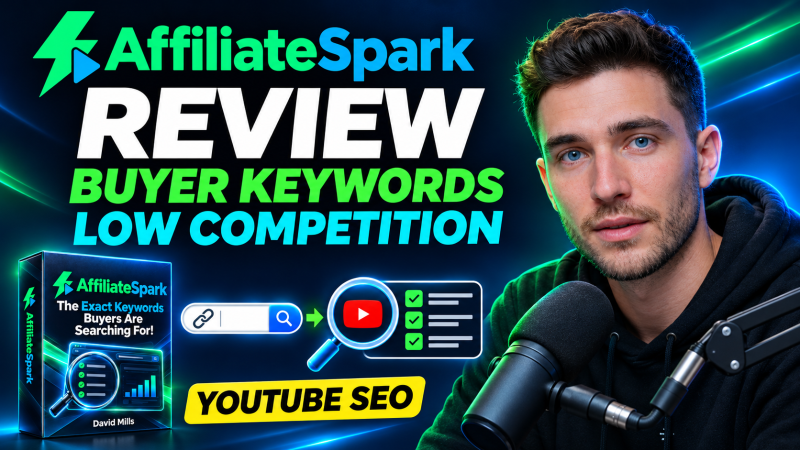
AffiliateSpark is a cloud keyword and YouTube planning tool from David Mills. You paste a product page and it returns buyer keywords with search volume, cost per click, intent and difficulty, checks the top 20 YouTube results for each phrase and writes five titles per keyword, all for a one-time front-end price of $37 with 100 lifetime scans.
Product Brand: David Mills
Product Currency: USD
Product Price: 37
Product In-Stock: InStock
4.4

