FilmOyo Review
AI Films That Find Their Own Clients, Plus A Few Warnings Worth Hearing
Why FilmOyo Caught My Eye
Most AI video apps stop at the download button. You type a prompt, you get eight seconds of something, and then you’re alone with a folder of clips and no idea who’d pay for any of them.
FilmOyo goes after that second problem. Yes, it makes films. It also claims to find the businesses that need one, build each a short preview film from its own website, and tell you the moment someone presses play. A bakery, a Shopify store, a podcaster, a band. Find, film, send, watch.
That’s a big pitch, and Andrew Darius launches it on November 11, 2026 through JVZoo with a $37 one-time front end as the entry ticket, which sounds simple until you notice that the client-finding half isn’t in that price at all. Here’s the catch I want you to hear early. The client-finding half isn’t in that $37. It lives in a yearly upgrade called the Client Engine, and in the All-Access Bundle that wraps everything together.
So this FilmOyo review does two jobs. It explains what the studio does, and it sorts out which parts of the pitch cost what. I’ll walk through the click-by-click workflow, price every upgrade, test the coupon and spend real time on the awkward topics: cold email rules, tracking, using someone’s website without asking, and the extra accounts you may need to pay for.
FilmOyo Quick Facts

| Detail | Information |
|---|---|
| Product | FilmOyo |
| Vendor | Andrew Darius (Explaindio LLC) |
| Launch | November 11, 2026, 11:00 AM EST |
| Sold through | JVZoo |
| Sales Page | https://filmoyo.com/fe/ |
| Category | AI film studio with a client-finding add-on |
| Type | Cloud web app, runs in a browser |
| Front-end price | $37 one-time (FilmOyo Director with the Commercial license) |
| Coupon | FILMOYO50OFF takes $50 off the All-Access Bundle and the Studio tier; it does not apply to the $37 front end |
| Order form add-ons | Cinematic Look Pack $27, Voice Starter Pack $17 |
| Upsells | Seven, from $67 one-time up to $297 a year |
| Bundle | All-Access Bundle, $297 a year (All-Access Studio is $497 a year) |
| Bundle Link | https://filmoyo.com/bundle/ |
| Refund | 30 days per purchase, with exceptions for credit packs and renewals |
What Is FilmOyo, Exactly?
Picture a small production company squeezed into a browser tab. One person writes the storyboard. Another casts the actors. A third shoots, a fourth edits, a fifth records the voice. FilmOyo plays all five.
FilmOyo is a cloud-based AI film studio you direct by typing. You describe the film a client needs, and an AI Director drafts the storyboard, casts the characters and blocks each shot. You approve the frames. FilmOyo stitches the finished film, watermark-free, and the Commercial license says you may sell it.
The second half is the Client Engine. It searches for businesses, lets you make a preview film from a prospect’s own website, and sends it through your own outreach tool. The vendor calls the whole loop QUARV, and calls it proprietary. I’ll treat that as a brand name.
Four kinds of leads can show up in the search:
- Local businesses in a city you pick
- Online stores on Shopify
- Podcasters and authors
- Independent musicians
Add a sentence of honesty from the page itself. FilmOyo makes AI-generated films. It isn’t a film crew on a movie set, and the vendor says so plainly. I appreciate that, because a lot of launches blur the line.
How FilmOyo Differs From Clip Apps
Plenty of tools turn a prompt into a short clip. Where does FilmOyo take a different road?
It holds the cast steady. A feature called Character Lock keeps the same face, build and clothes in every shot. Anyone who has watched an AI character change faces between cuts knows why that matters to a paying client.
It lets characters speak. A character talks on screen, lip-synced to a line you write. One character speaks per scene, which is worth remembering.
It asks you to direct. You pick angle, shot type and lighting for each shot. You see the still frame before anything animates, so you aren’t rolling dice and hoping.
It tries to find the buyer. That’s the Client Engine, and it’s the real difference. I’m not aware of another video app that bundles lead search, a personalized sample and a watch signal under one login. Whether the loop works for you is a different question.
It hands you a license. The front end already carries the Commercial license, so selling what you make is allowed from day one.
None of this guarantees a single sale. It gives you a studio and a pipeline. What you do with them is up to you.
Meet Andrew Darius
Andrew Darius describes himself as an AI expert and the creator of Explaindio Video Maker, and FilmOyo comes from Explaindio LLC, the company behind the Explaindio animation software that has been on sale since 2014 and the Vidoyo app that shares the same support desk. He also says he spent twenty-odd years as a copywriter before building AI apps. A long history like that is useful, since it suggests the company will still answer tickets next year, but a track record doesn’t prove this particular studio will deliver, so I’d judge FilmOyo by what it makes for you inside the refund window.
What You Get Inside FilmOyo
Let me separate the front end from the extras, because the page mixes them in places.
The $37 Director
This is the studio itself, and the Commercial license is part of it.
- AI Director. A brief goes in, and a storyboard with scenes, cast and shot blocking comes out.
- Character Lock. Same cast, every shot, every film.
- Characters that talk. Lip-synced to your line.
- Narration voices. Voice-over on any shot.
- A casting vault. More than 9,500 character images, built from 1,230 avatars, or describe your own.
- Shot-by-shot directing. Angle, shot type and lighting, with frame previews.
- Vertical or widescreen. Pick 9:16 or 16:9 when a film starts.
- Micro-Drama mode. Short vertical episodes that end on a cliffhanger.
- One-click stitch. The finished film comes out watermark-free.
- Starter credits. 600 Core plus 600 PRO.
Core credits run everyday work such as drafts, frames, animation and stitching. PRO credits power talking characters and the premium engines. The page says a talking shot costs roughly 15 to 45 PRO credits, depending on length, and the app shows the cost before you make a shot.
Two launch bonuses ride along, a set of cinematic loglines and a shot-book of angle and lighting recipes. Those leave when the cart closes.
What The $37 Doesn’t Include
Finding clients. The page says so in plain words. No lead search, no preview films from a website, no tool sending and no watch signal. Those belong to the Client Engine, and everything I describe in the click-by-click section below needs it.
Order Form Add-Ons
The $37 order form offers two extras. First is the Cinematic Look Pack ($27), which adds seven film looks such as Noir and Teal and Orange, and switching a look never costs credits. Then there’s the Voice Starter Pack ($17), with eight designed narrator voices and 200 Core credits thrown in.
Walking Through FilmOyo, One Click At A Time
Here’s the loop in the order it runs. It uses the Client Engine, which comes with All-Access or as the yearly add-on.
Step 1: Find The Businesses That Need A Film
FilmOyo finds the businesses that need a film, and there are four kinds: local businesses in any city, Shopify stores, podcasters and independent musicians. I open a few. Each one comes with its website and contact info, and none of them has a video on it. One click makes a lead mine to pitch.
Step 2: Make A Preview Film
I pick one and click Make A Preview Film. FilmOyo reads their website and makes a short film just for them, with their name on screen and a line written for them.
Step 3: Let Them Watch It On Their Own Page
They get a private page with their name on it, and the film plays there.
Step 4: Click Send
I click Send. The pitch is written for me, and I can change a word or two. I connect my GoHighLevel, Instantly or Smartlead account once, and the message goes out in my name.
Step 5: Watch For The Signal, Then Make The Full Film
The lead shows Watched the moment they look. When a business wants more, I click Make The Full Film, pick 30 seconds, then hit Make My Film right on the lead. FilmOyo makes every shot and the voice.
To see the platform in action, be sure to check out the full demo video below:
Who FilmOyo Fits Best
Picture three buyers.
Side-Hustlers Who Want A Service To Sell
If you’ve been hunting for a service people pay for, a video offer with a built-in lead list is tempting. You don’t need film skills. You do need patience, because outreach is a skill of its own.
Freelancers And Small Agencies
Already doing writing, design or marketing? Video is an easy extra. Same cast across a client’s videos, a vertical cut and a wide cut from the same brief, and a monthly episode retainer through Series Studio.
Creators With Their Own Channel
Not into client work? Fine. Micro-dramas for your own channel, short films that pitch the offers you promote, and trailers for a book or a podcast all work without a single client.
Who Should Skip It
Hate sending messages to strangers? The lead engine won’t change that. Want a camera in your hands? There’s no shoot here. And anyone expecting clients to appear on their own will be disappointed.
First Films And Niches To Try
Pick one kind of lead and stay there. The vendor suggests making your first five preview films for a single kind before you add another, and I agree. Some starting ideas, with the film each tends to buy:
- Bakery or restaurant. A spokesperson film with one friendly line about the place.
- Dentist or plumber. Short explainer, calm narrator.
- Coffee roaster or skincare store. Product film with one spoken line.
- Business podcast. Trailer where the host speaks the week’s hook.
- Singer with a new release. Their name and picture on screen, set to the song.
- Touring band. Dates, the sound and one line from the stage.
Notice the pattern. Each film is short, specific and small enough to judge in one sitting. Start there, not with a ninety-second epic.
Habits That Make The Films Better
A few things I’d do from the first day.
- Write the brief like you’d brief a friend. Plain words, one tone, one audience.
- Keep the line short. A spoken line of one sentence lip-syncs better than a paragraph.
- Cast once, then reuse. A saved character keeps a client’s spokesperson consistent next month.
- Look at every frame before you animate. Fixing a still costs less than fixing a moving shot.
- Check the website facts. A preview film reads a business’s own page, but names, services and spelling still deserve a human glance.
- Watch your credits. Talking shots eat PRO credits fast, so try short films first.
- Read the pitch before it goes out. It’s written for you, and it still needs your voice.
A Sensible First Week With FilmOyo
Here’s a plan that keeps risk low. Day one, log in, read the credit costs and make one short film for a made-up business, just to feel the workflow. Day two, make a film for a real niche you know, and compare it with what a local studio’s sample reel looks like.
Midweek, decide whether the lead loop is for you. If you’ve added the Client Engine, search one niche in one city and choose five leads that aren’t greyed out. Read each site yourself. Does it really lack a video? Is the contact a business address? Skip anyone who looks like a private individual.
Then make a small batch of preview films and read each pitch aloud before you send. Include your postal address and a plain opt-out line. Send from a domain you’ve warmed up, a few at a time.
By the weekend you’ll know three things: what a film costs in credits, how the leads look in practice, and whether you enjoy outreach at all. If the answers are no, the refund window is still open.
Cold Outreach, Privacy And Permission: Read This First
This is the part the sales page treats lightly, so I won’t.
The Client Engine hands you business contacts and a one-click way to message them. That makes you a sender. Senders have legal duties, and FilmOyo‘s own terms put those duties on you.
Email rules. In the United States, CAN-SPAM requires honest sender details and subject lines, a physical postal address and a working opt-out that you honor promptly. Other countries are stricter. Under GDPR and similar laws, an email address that names a person can count as personal data even when it sits at a company, and some places require consent for tracking. Rules differ by country and by who you contact, so ask a professional if you’re unsure. This isn’t legal advice.
The opt-out is non-negotiable. FilmOyo’s terms say you may contact businesses only, not private individuals for personal reasons, and that you must honor every opt-out. The vendor can suspend outreach for accounts that send spam.
Use their website carefully. A preview film is built from a business’s own page, with their name on screen. Sending it privately as a sample is one thing. Posting it in your portfolio, using their logo as artwork or implying a partnership is another. Photos, logos and product names belong to them. Get permission before any public use, and read the terms, which bar content that infringes someone else’s rights.
Voices and faces. Voice cloning needs the speaker’s consent, and the terms demand a record of it. Don’t clone anyone who hasn’t agreed, and don’t imitate a real person’s likeness.
Tracking. The sent link opens a tracked player, which is how you see who watched, and that means you’re collecting information about a person who never agreed to it, so say so in your privacy notice and check what your country requires before you lean on the signal.
Say it’s AI. The page itself notes that sites and mailboxes have rules about saying AI was used. Be upfront. A short line in the message does it.
Does FilmOyo Hold Up Under Scrutiny?
The short version: it looks like a real product from a company with a long track record, and the marketing is bigger than the proof.
Good signs first. The vendor behind Explaindio has sold software since 2014, JVZoo handles payment and refunds, and a refund policy page spells out the 30-day window, the credit-pack exception and the yearly renewal rules in more detail than most launches bother with. An earnings disclaimer says plainly that there’s no promise of income and no promise about replies. The terms page covers outreach, voice cloning and fair use. I wish every launch published that much.
Now the cautious side. The films on the page were made by the vendor’s team for fictional businesses, which is normal but means you haven’t seen a customer’s film yet. On launch day there’s no independent feedback. Several upgrade pages repeat marketing lines that the terms and disclaimer then soften. And one detail made me smile. The page says its only urgency is the real cart-close date, yet a small countdown sits next to the coupon in the sticky bar. I can’t tell whether that timer resets, so treat November 15 as the real deadline and don’t rush for the clock.
My advice is the usual one. Test it early with a small project, keep notes and use the refund window.
Pricing, Coupon And Refund Terms Explained
Think of the price list as three doors, and keep in mind that only one of them is a one-time payment while the other two renew every year until you cancel.
| Door | What it is | Price |
|---|---|---|
| Director | The film studio with the Commercial license | $37 one-time |
| All-Access Bundle | Director plus every upgrade, including the Client Engine | $297 a year |
| All-Access Studio | All-Access with double the credits and three times the daily searches | $497 a year |
Bought one at a time, the parts add up to $833 on the vendor’s math, which makes the bundle the cheaper route if you truly want all of it.
The Coupon
The code is FILMOYO50OFF. The links for the bundle and the Studio tier on the sales page already carry it, and it took the bundle’s first-year price from $297 to $247 and the Studio’s from $497 to $447 when I tried it on the order form. A made-up code changed nothing. On the $37 front end the coupon did nothing, so don’t expect a discount there. The refund policy says yearly renewals keep the price you paid in year one, discount included, though I’d confirm that with support before relying on it.
Cheaper Path To The Client Engine
If you only want the client-finding half, the math is plain. Director at $37 plus the Client Engine at $97 a year is $134 in year one. The coupon bundle is $247. The bundle adds Talking Characters, Cinema Engines, Series Studio, Agency, Director’s Cut PRO and extra credits, so decide what you’d really use.
Credits And Searches
Everyday credits run out. The bundle starts you with 9,000 Core and 6,450 PRO credits, then refills 3,600 Core and 850 PRO on each anniversary. The page lists daily search caps for the business finder too, ten a day on All-Access and thirty a day on Studio. Extra credits are sold separately as top-up packs.
Refunds
Every product in the funnel carries a 30-day money-back guarantee counted from purchase, or from the first payment on a yearly product. Credit top-up packs aren’t refundable, credits used before a refund are gone, and renewal payments aren’t refunded. Each purchase is covered on its own date, so refunding one upgrade leaves the rest. You cancel yearly plans from your JVZoo subscription page.
The Upgrade Ladder, Rung By Rung
Seven upgrades follow the $37 front end. You must buy the front end first, because each upgrade attaches to that account. The first offer after checkout is a bundle-style one, the Fast Pass.
| OTO | Name | Price |
|---|---|---|
| OTO 1 | Fast Pass | $247 a year |
| OTO 2 | Client Engine | $97 a year |
| OTO 3 | Talking Characters | $67 a year |
| OTO 4 | Director’s Cut PRO | $67 one-time |
| OTO 5 | Cinema Engines | $127 a year |
| OTO 6 | Series Studio | $97 a year |
| OTO 7 | Agency | $297 a year |
I didn’t find a cheaper downsell version of any upgrade. The vendor says there’s one front-end price and nothing cheaper to drop to, so if you pass on a page, the funnel moves to the next offer.
OTO 1: Fast Pass
Every upgrade below, plus both order-form add-ons, in a single step. The account lands with 9,000 Core and 6,450 PRO credits, refilled yearly. It’s the same list as the bundle minus the Director you just bought. If you want more than one or two of the later upgrades, this is the one to price against the rest.
OTO 2: Client Engine
The lead search, the preview films, tool sending with a tracked player, the Post this film option through your own Buffer or Postiz account, and the Gig Kit with five ready listings, sample films, a pricing sheet and a delivery checklist. This is the upgrade that makes the click-by-click loop possible.
OTO 3: Talking Characters
More PRO credits, voice cloning with the speaker’s consent, voice design and a large built-in voice library. Handy if clients want their own voice, as long as they agree in writing.
OTO 4: Director’s Cut PRO
Control for client revisions. It adds first-and-last-frame control, several takes at once, magic edit and faster rendering, plus extra credits. It’s one-time, which makes it the cheapest upgrade to keep.
OTO 5: Cinema Engines
Premium video engines you can choose per shot, with extra PRO credits. The sales page names two engines, and the order form names a third. Ask support which ones are live.
OTO 6: Series Studio
Episodes that carry the cast and locations forward, in widescreen or as vertical micro-dramas. It’s built for a monthly client channel.
OTO 7: Agency
Your brand instead of FilmOyo‘s on client films, a portal with logins for each client and a brand kit per client. It makes sense only if you already run several clients.
Which Upgrades Make Sense?
For most beginners, maybe none on day one. Make a few films with the front end. If you want the client search, add the Client Engine or take the bundle. Add Talking Characters if clients ask for their own voice. Leave Agency and Cinema Engines until you have paying work.
The All-Access Bundle Explained
The page puts the bundle front and center, and it’s the offer most buyers will see first. All-Access is $297 a year and includes Director, every upgrade listed above, the Client Engine and the starter credits.
It also carries seven bonuses only bundle buyers get. They include finished films to show as samples, twenty-seven niche briefs, a first-forty-eight-hours plan, a business kit with an offer page and a contract checklist, a reply pack for watched leads, a recorded setup session and a year of weekly episode ideas. Useful, if you’d follow them. A template doesn’t send a message for you.
The Studio tier at $497 a year doubles the credits and gives you three times the daily searches. I’d only look at it if you’re running films for several clients at once.
One more point. A bundle that renews yearly is a subscription, not a one-time purchase, and although the vendor is open about that and you can cancel any time, I’d still put the renewal date in my calendar the day I buy so the second payment never arrives as a surprise.
Where FilmOyo Wins, Where It Wobbles
What I Like
- A clear studio. One brief in, one finished film out, same cast throughout.
- Talking characters in the front end. Not locked behind an upgrade.
- A real license. Commercial rights come with the $37.
- A published refund policy. Thirty days, written down in detail.
- An honest earnings disclaimer. No promise of clients.
- A working coupon. It applied cleanly on the bundle.
- The pitch loop. A personalized sample is smarter than a bare email.
What Gives Me Pause
- The best part costs extra. Client finding isn’t in the $37.
- Yearly renewals. Most upgrades renew every twelve months.
- Credits are finite. Heavy use means top-up packs.
- One speaker per scene. Dialogue between two characters isn’t there.
- Outreach is your job. The tool finds leads. You carry the legal and reputational risk.
- Extra accounts. Sending needs a separate outreach tool.
- Launch-day proof is thin. No customer films yet.
Promises I’d Read Twice
Every launch dresses itself up. Here’s where the dress runs ahead of the facts.
Clients on tap. The pitch is that FilmOyo finds the client. It finds names and contact details. Whether a business replies, hires you or pays is up to them and up to you. The vendor’s own earnings disclaimer says it makes no promise about how many businesses will reply or pay. Believe that sentence over the headline.
Income talk. The page quotes public job budgets from freelance sites as market context. Those are numbers other people posted, not a forecast for you. I’m leaving them out, because a posted budget isn’t a paid invoice.
No other app has it. The page says QUARV is proprietary and unmatched. I can’t verify that. Lead tools, email tools and video tools all exist separately, so what’s new is the combination. Judge the combination by how it runs for you.
None of them has a video. The leads in the walkthrough had no film on their site. Don’t assume every lead will. Look at the site yourself before you tell someone they’re missing a video.
Watched. The signal is helpful, but it’s not a purchase signal. Some mail systems and security scanners load links automatically, which can fake a view, and even a real person watching to the end isn’t a buyer yet. Treat it as a reason to write a thoughtful follow-up. Follow up with a human note, not a pushy one.
Cold outreach. The tool makes sending effortless, and effortless is how people end up in spam folders and in legal trouble. Warm a sending domain, send small batches, include an opt-out and honor it. Cold email isn’t free just because the film is.
Deliverability. Messages with links to a tracked player can trip filters, especially from a fresh domain. FilmOyo doesn’t send from a shared address, so your own domain’s reputation is on the line. Test with a few messages to your own inboxes first.
A website’s content in a film. A preview film uses a business’s own page. That doesn’t give you permission to republish it, use their logo in public or claim an association. Ask first.
Extra tools and costs. The Send button hands the message to your own GoHighLevel, Instantly or Smartlead account. Those are separate products with their own monthly bills, and the page doesn’t price them. If you connect nothing, your own email opens with the pitch written, and you press send yourself. Ask support whether the Watched alert still works on that route.
Hollywood-style. The page admits these are AI-generated films. Quality varies by brief, and a premium client may spot the difference from live action. Show a sample first and set expectations.
One click. Make My Film does plan and render everything. You’ll still edit briefs, approve frames and handle revisions. One click starts the job. It doesn’t finish the relationship.
The clock. I mentioned the countdown beside the coupon. The only deadline I’d trust is the cart close on November 15.
In fairness, the loop is a sensible idea. A sample with someone’s name on it beats a generic email, and the page is more careful than most about earnings.
Things To Ask Support Before You Buy
Launch week is a good time to ask, since replies tend to arrive faster. I’d want answers to these first.
- Does the Watched alert work without a connected tool? If I use the plain email route, do I still see views?
- How many credits does a 30-second film cost? And a 60-second one?
- How many leads can I search per day on the bundle? The page says ten for businesses.
- Can I post a preview film in my portfolio? And what permission do I need?
- What happens when a yearly product lapses? The terms say upgrades switch off but Director stays.
- Which engines are in Cinema Engines? The page and the order form list different ones.
- How does contact data get sourced? And how fresh is it?
Clear, plain answers are a good sign. Vague ones tell you something too.
FilmOyo Compared With Other Ways To Get Video Done
How does it stack up against what people already do?
- Hiring a production studio. You get craft, strategy and a person to call. You also pay far more and wait weeks. FilmOyo is faster and cheaper, and the result looks AI-made.
- Freelance marketplaces. Clients are there, but so is a crowd of competitors. FilmOyo tries to bring you leads outside those marketplaces.
- Plain clip apps. Cheap for one shot, weak for a multi-shot film with a consistent cast.
- Template video editors. Good for quick promos from stock footage. Not a way to make a spokesperson film.
- Manual outreach. Free, slow and tiring. A lead list and a sample film save time, if you use them with care.
So here’s my honest summary. It’s a convenient middle route. It gets you to a decent film and a ready lead list quickly, with strings attached about credits, renewals and your own responsibility as a sender.
My Verdict On FilmOyo
FilmOyo is a promising studio with a very ambitious loop on top. For $37 you get a capable film studio with talking characters and a license to sell what you make. For the client-finding half you need the Client Engine or the All-Access Bundle, and with FILMOYO50OFF the bundle’s first year comes to $247.
I wouldn’t buy it for a promise of clients. I’d buy it because I wanted to make films, and then find out whether the lead loop suits me by sending one small test batch with honest emails and plenty of care, all before the refund window closes and while the whole thing is still cheap to walk away from.
If I were buying, I’d start with the front end, make three short films in one niche, check what the credits cost, then decide on the Client Engine. If the films don’t impress me, I’d ask for the refund and move on.
Frequently Asked Questions
What is FilmOyo?
FilmOyo is a cloud AI film studio. You type a brief, an AI Director drafts the film, and the finished result comes out watermark-free. The Client Engine adds lead search, preview films and tool sending.
How much does FilmOyo cost?
The front end is $37 one-time. Two order-form add-ons cost $27 and $17. Seven upgrades follow, and the All-Access Bundle is $297 a year.
Is there a FilmOyo coupon?
Yes. FILMOYO50OFF takes $50 off All-Access and the Studio tier. It did nothing on the $37 front end in my test.
Does the $37 front end find clients for me?
No. Client search, preview films and tool sending come with the Client Engine, which is in All-Access or sold as its own yearly upgrade.
Do I need film or editing skills?
No. You type the brief and approve frames. Judgment about what a client wants still helps.
Do I need GoHighLevel, Instantly or Smartlead?
For tool sending, yes. You connect your own account once. Without one, your own email opens with the pitch written and you send it yourself. Those tools have their own costs.
Can the characters really talk?
Yes. A character speaks on screen, lip-synced to your line. One character speaks per scene.
Can I sell the films I make?
Yes. The Commercial license comes with the front end. What you charge is up to you.
Can I use a business’s website for a film without permission?
A preview film is built from the business’s own page, but you still need permission for any public use of their content, logo or brand. Treat it as a private sample.
What is the refund policy?
Thirty days from purchase, or from the first payment on a yearly product. Credit packs aren’t refundable, and renewals aren’t refunded.
Do I have to buy the upsells?
No. The front end works alone. You must buy it before the upgrades, though, and every upgrade is optional.
Get FilmOyo With My Exclusive Bonuses
If FilmOyo fits your plans, grab it through the link on this page and I will add my exclusive Tika Review bonus pack at no extra cost. Use FILMOYO50OFF for $50 off the All-Access Bundle or the Studio tier.
1. Buy FilmOyo through the link on this page.
2. Find your bonuses in the member area, or email me your receipt.
3. Download your bonuses and put them to work.
Here is everything you get when you buy through my FilmOyo review below:
Bonus 1: 50 Productivity Videos – Time Management
Bonus 2: 50 Productivity Videos – Productivity Hacks
Bonus 3: 50 Productivity Videos – Procrastination And Motivation
Bonus 4: 50 Productivity Videos – Motivation
Bonus 5: 50 Productivity Videos – Life Balance
Bonus 6: 50 Productivity Videos – Focus And Concentration
Bonus 7: Sell Digital Videos On Amazon – Advanced Edition
Bonus 8: Grafisa – Whitelabel -3000+ Premium Graphic and Video Templates
Bonus 9: Video Marketing Traffic Using AI
Bonus 10: Build Your Store With Shopify
Bonus 11: Dropshipping Success
Bonus 12: Business Automation Blueprint
Bonus 13: Improve Your Online Sales
Bonus 14: Improve Your Online Sales Upgrade Package
Bonus 15: Personal Branding Bible
Bonus 16: Personal Branding Bible Upgrade Package
FilmOyo Review: Price, Upsells, Coupon, And Bundle Deal
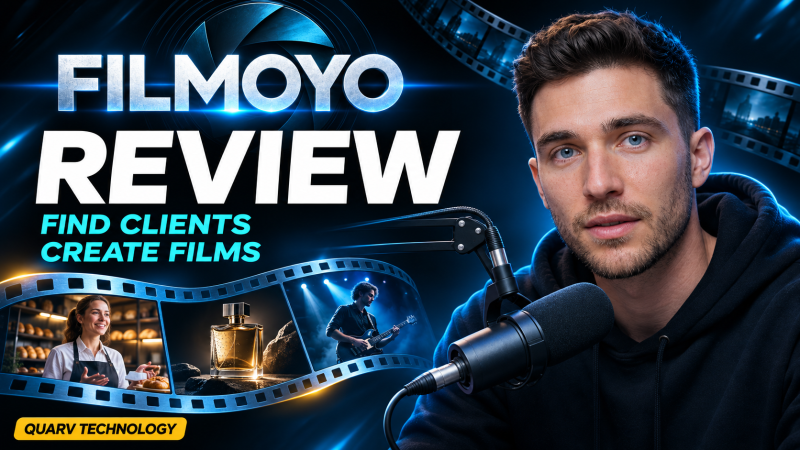
FilmOyo is a cloud AI film studio from Andrew Darius. You type a brief, an AI Director drafts the film with the same cast in every shot and a character who speaks, and the finished film comes out watermark-free with a Commercial license, all for a one-time front-end price of $37. An optional Client Engine adds lead search, preview films and sending.
Product Brand: Andrew Darius
Product Currency: USD
Product Price: 37
Product In-Stock: InStock
4.4

