
Local Commerce Agency Studio Review
Ten Ready-Made WordPress Stores You Can Pitch, Install And Hand Over
Why This One Got A Second Look
Picture a bakery on a Saturday morning. Someone’s boxing cakes, the phone keeps buzzing, and a customer on Instagram wants to know if the lemon one is still available for Friday pickup. The owner has great products and eager buyers. What’s missing is one tidy place to send them.
That gap is the whole idea behind Local Commerce Agency Studio. It’s a WordPress system built for people who’d like to sell websites to shops and showrooms, and it comes with ten niche designs, a one-click installer and an agency site you can show prospects. Dawn Vu launches it on November 11, 2026 through WarriorPlus for a $27 one-time front end.
I’ve seen plenty of website packs, and most of them hand you a theme and wish you luck. This one tries to cover the awkward middle, which is the pitch, the install, the personalizing and the handover, and whether it manages that is a fair question with a partly yes for an answer and a few asterisks I’d rather spell out now than bury.
So in this Local Commerce Agency Studio review I’ll cover what’s in the box, walk through the install click by click, price the six upgrades and the three order-form extras, and take a hard look at the claims, the legal bits and the costs the sales page doesn’t dwell on, such as hosting and WordPress know-how.
Local Commerce Agency Studio Quick Facts

| Detail | Information |
|---|---|
| Product | Local Commerce Agency Studio |
| Vendor | Dawn Vu |
| Launch | November 11, 2026, 11:00 AM EST; the vendor lists the close as November 14, 11:59 PM EST |
| Sold through | WarriorPlus |
| Sales Page | https://localagencystudio.com/commerce/ |
| Category | Done-for-you WordPress website system for local ecommerce and showroom sites |
| Type | WordPress installer plugin plus agency site and portfolio; needs your own WordPress hosting and WooCommerce |
| Front-end price | $27 one-time (the page crosses out a regular price of $97) |
| Coupon | COMMERCESTUDIO for $2 off |
| Order form add-ons | Three optional builders at $16.95 each, offered at different steps of the funnel |
| Upsells | Six, from $47 one-time to $497 one-time, plus a yearly hosting plan |
| Refund | 30 days, with a condition about support |
The Studio In Plain Terms
Think of a shop-fitting crew that arrives with the shelves already built. You still decide what goes on them, but you aren’t sawing planks first.
Local Commerce Agency Studio is a done-for-you WordPress system for building ecommerce stores, product catalogs and showroom websites. You upload an installer plugin to a WordPress site, choose a niche design, and the plugin puts the design, starter pages and sample products in place. Then you swap in the merchant’s name, logo, products and details.
Ten niches come in the front end:
- Bakery and cake shop
- Gift and gift basket shop
- Florist and flower shop
- Pet supply store
- Candy and chocolate shop
- Flooring showroom
- Kitchen cabinet showroom
- Countertop and stone supplier
- Outdoor furniture showroom
- Shed and portable building dealer
Each store can sell three ways. Some take direct orders with a cart. Others offer pickup or local delivery. A few simply show products and invite questions, which suits businesses that quote by hand.
The package also includes an agency website and a portfolio covering all ten niches, so you can show a merchant a relevant example before you quote anything.
Here’s the reality check, straight from the vendor’s own FAQ. You need compatible WordPress hosting, a domain for each client site, WooCommerce and enough WordPress comfort to run a basic install. The studio shortens the build. It doesn’t remove the technical chores.
What Sets It Apart From A Plain Theme Pack
A theme gives you a look. This tries to give you a repeatable process. Where does it differ?
It starts from a niche, not a blank page. A bakery site reads like a bakery site, and a flooring showroom reads like a showroom. Pages, product sections and imagery are already coordinated.
It handles the pitch too. The included agency site and portfolio let you open a relevant example on a sales call, which saves you building a custom mockup for every prospect.
It covers more than one buying path. Checkout, pickup, delivery, showcase-only browsing and product inquiries sit in one foundation. A merchant who quotes by phone isn’t forced into a cart.
It leans on tools you already know. The stores run on WordPress and WooCommerce, so products, pages and orders live in places any WordPress person recognizes. That’s a plus for handover, since a client isn’t locked into some private dashboard.
It bundles shopping features. Search, filters and product variations are listed as built in, with no premium plugins needed for those advertised features.
None of that guarantees a client. It shortens the production side of a website service. The selling side stays with you.
Meet Dawn Vu
Dawn Vu is the creator behind the DFY Fortune line of WordPress agency tools, which includes sibling products such as Digital Profit Stack AI and Local Template Store Fortune, and in the sales letter she says she has maintained customer support since 2014 and answers support email personally every day. That’s a pleasant promise. I can only judge it by how fast she replies to you during the refund window, so I’d send a real question on day one and see what comes back.
What’s In The Box For $27
Let me separate the front end from the extras, because the funnel is long.
The Front End
- Installer plugin. Upload it, click through guided setup and deploy a niche store in minutes, depending on your hosting.
- Ten niche packs. Niche pages, imagery, sample products and presentation for each.
- Agency website. A standard Local Studio agency site to introduce your service.
- Ten-site portfolio. A homepage and one representative product preview for each niche, ready to show prospects.
- Selling paths. Direct purchase, pickup, delivery, showcase-only browsing and product-specific inquiries.
- Catalog tools. Categories, search, filters and product variations.
- Business information in one place. Name, contact details, location and branding set centrally.
- WordPress editing. Change logos, colors, images and page content with the normal block editor.
- Commercial rights. Unlimited completed client sites.
- Support. Personal email support.
The Fine Print On Rights
The rights cover finished client websites, but they don’t cover reselling or redistributing the studio, the source assets or the niche packs, which in plain words means you can sell the sites you build and you can’t sell the plugin itself to anyone else.
What The Front End Doesn’t Include
Hosting, domains, payment gateway setup, taxes, store policies and the merchant’s real catalog. The vendor lists all of those as yours or the merchant’s to arrange. AI helpers sit in a paid upgrade, and a few other offers I’ll cover in the upgrade section.
From Fresh WordPress To A Delivered Store, Click By Click
Here’s the flow in the order it runs. I’m describing it from my side of the keyboard.
Step 1: Tour The Niche Sites
I start by looking at the finished niche sites, because that’s what a prospect would see. The bakery arrives with products, imagery and page sections already laid out. The shed and portable building site lets visitors browse models, compare details and request a quote. Outdoor furniture has room to showcase each collection, and the stone showroom lets customers explore materials and ask about a project.
I open a cabinet product to see the photos and specifications, then add it to a quote list. Related products sit nearby. Back on the homepage there are more collections, sample products and helpful articles. The florist feels different again, with its own colors, flower categories and layout, and a customer can add an arrangement to the cart.
Step 2: Upload The Installer Plugin, Click Install Now And Activate
I begin with a fresh WordPress site. I upload the installer plugin, click Install Now, then activate it.
Step 3: Pick A Design On The Setup Screen
Activating opens the setup screen. I can browse the niche previews or search for the one I want. I choose the bakery.
Step 4: Click Install this site
With the design selected, I click Install this site and let it work. It can take a few minutes, depending on the hosting. The design, starting pages and sample products all land in place, and I can follow the progress on screen.
Step 5: Change The Store Name And Add A Logo
When the installation finishes, I change the store name and add a logo, then check the new name at the top of the site.
Step 6: Personalize The Site And Deliver It
From there I swap in the client’s branding, real products and business details. The bakery design, product sections and supporting content stay in place, and I can open an article for starting content to rewrite in the client’s voice. When I’m done customizing, the site is ready to hand over.
Want a deeper understanding of the platform? Watch the demo video below:
Coupon Code: COMMERCESTUDIO for $2 off
Who Should Pick This Up
It suits people who already like WordPress, or at least aren’t afraid of it.
Freelancers And Web Pros
You get faster starting points and still keep room to personalize. If you already build WordPress sites, this could trim your first-draft time.
Small Agencies
A repeatable niche workflow means fewer one-off builds. You can show a relevant example, win the job and install the matching starter.
Local Marketers
If you already help businesses get found, a store or catalog gives you a second service to pitch. Think of a florist you run ads for. A page for each bouquet beats a contact form.
Beginners With Patience
You don’t need to code or design from scratch. You do need to learn basic WordPress administration, and the vendor says so. If that sounds like a hurdle, give yourself a weekend.
Who Should Skip It
Want a fully hosted platform with no WordPress involved? This isn’t it. Expecting clients to appear on their own? Skip it. And anyone who needs a deeply custom enterprise store should know a starter niche won’t stretch that far.
Ten Niches And What Each Could Sell
Not every business sells the same way. Here’s how I’d think about each niche, with the buying path that probably fits.
| Niche | Likely path |
|---|---|
| Bakery and cake shop | Cart for standard items, pickup, inquiry for custom cakes |
| Gift and gift basket shop | Cart with pickup or local delivery, inquiry for custom baskets |
| Florist and flower shop | Cart with delivery, inquiry for events |
| Pet supply store | Cart, categories, filters, pickup |
| Candy and chocolate shop | Cart for boxes, inquiry for bulk favors |
| Flooring showroom | Showcase and product inquiry |
| Kitchen cabinet showroom | Quote list and inquiry |
| Countertop and stone supplier | Showcase and inquiry |
| Outdoor furniture showroom | Showcase, cart for accessories |
| Shed and portable building dealer | Browse models, request a quote |
I’d pick one niche for your first few pitches. The vendor lists ten, but a single niche lets you learn the products, the questions owners ask and the quirks of their trade.
Choosing Between Cart, Pickup And Inquiry
The selling path is the decision that shapes everything else, so it’s worth slowing down here.
Take a florist. A standard bouquet is a fixed item with a fixed price, so a cart with delivery and pickup settings makes sense. A wedding is different. The owner needs dates, colors and headcount before naming a price, so a product inquiry fits better. One shop, two paths, and the starter lets you mix them.
Now a flooring dealer. Hardly anyone buys flooring with a click. A visitor browses samples, picks a few they like and wants someone to call about measurements. Showcase mode with product-specific inquiries gives the salesperson the exact products the visitor selected, which beats a vague email about that oak sample.
A chocolate shop sits in between. Boxes off the shelf can go through checkout with pickup. Bulk favors for a wedding need a conversation. Same store, two buttons.
The practical lesson? Ask the owner how they take orders today, before you open the installer, and then match the site to that habit, because a shop that quotes by phone and gets forced into a cart tends to hate its new website and you’ll be the one who hears about it for the next six months.
My quick rule: fixed price and the item ships or gets picked up, use the cart. Price depends on a conversation, use inquiry. Owner only wants people to visit, use showcase.
Ways To Package The Work
The tool gives you the build. How you package it is up to you, and a few options come naturally from the feature list.
- Store setup. Install the niche, replace the samples, load the real catalog and configure the selling path.
- Catalog entry. Many merchants have photos in a phone gallery and prices in a notebook. Turning that into clean product pages is real work.
- Branding pass. Logo, colors and imagery through the WordPress editor, so the store looks like the business.
- Policy and page cleanup. Shipping, returns, privacy and contact pages written for the merchant.
- Care plan. Updates, backups, seasonal promotions and catalog changes, billed on whatever schedule you agree.
I’m deliberately not putting prices on any of these. What you charge depends on your market, your skill and the client, and nobody can promise you a number. Write each service down with clear boundaries so a store build doesn’t turn into free maintenance forever.
One more tip. Keep the pitch simple. Show the niche example, ask what customers ask for, and describe the store in the merchant’s own words. A florist cares about orders on Mother’s Day, not about plugins.
Smart Habits Before You Pitch A Client
A few things I’d do from the first day.
- Pick one niche and learn it. Know what a florist worries about on Mother’s Day before you open the portfolio.
- Show the example, then ask questions. Which products matter most? What do customers ask by message?
- Agree the buying path before you install. Cart, pickup, delivery or inquiry only? Changing it later costs time.
- Replace every sample. Names, prices, photos and policies all need the merchant’s real details.
- Test an order and an inquiry yourself. Place a pickup order and send a quote request, then show the owner what arrives.
- Write the scope down. Say what you’ll build, what the merchant supplies and what ongoing care costs.
- Keep a copy of your install steps. Note hosting quirks so the second site goes faster.
A Sensible First Week With The Studio
Here’s a plan that keeps risk low and costs almost nothing beyond the purchase.
Day one, set up a throwaway WordPress site on a host you might use for clients. Don’t use a live site. Install the plugin, pick the bakery or whichever niche you know best, and time the install from click to finish.
Day two, personalize it for a made-up shop by changing the name, adding a logo, replacing three products with your own photos and prices and rewriting one article, and pay attention to how much of the starter you actually want to keep once you start editing.
Day three, test the buying paths. Place a pickup order. Send a product inquiry. Check what lands in the merchant’s inbox and whether the messages are clear.
Day four, open the agency site and portfolio. Would you be comfortable showing it to a real prospect? Edit anything that doesn’t sound like you.
Day five, contact support with a real question and see how fast you get an answer. By the weekend you’ll know the install time, the amount of editing each niche needs and whether you enjoy this work at all. If the answers are no, the refund window is still open, and you haven’t built anything for a client yet.
What You Still Have To Bring Yourself
This section matters because a cheap front end can hide real costs.
Hosting and a domain. The vendor says plainly that each client store needs its own domain and compatible hosting. Hosting prices vary a lot, and some clients will expect you to arrange it.
WordPress and WooCommerce. You’ll install the plugin, keep WordPress updated and manage WooCommerce. If your host is slow, installs take longer.
Payments and fulfillment. Payment gateways, shipping, pickup rules and taxes are the merchant’s to configure, with your help. A starter site doesn’t connect a bank account.
Products and photos. The sample products are placeholders. A real store needs real photos, descriptions, prices and stock details from the client.
Security, backups and maintenance. The vendor’s disclaimer puts these on the site owner. If you sell care plans, price them honestly.
Clients. The pitch gives you examples to show. Finding, calling and closing is your job.
Using Prospect And Client Content Responsibly
Websites touch the law in boring but important ways, and the vendor’s fine print says you’re responsible for the content you publish.
Product photos and text. A merchant’s catalog images belong to whoever owns them. Supplier photos may come with licensing rules. Don’t scrape pictures from other sites, and check what a manufacturer allows.
Claims and prices. A florist saying flowers last two weeks, or a shed dealer quoting delivery times, is making claims. Make sure they’re true and current.
Privacy. Inquiry forms collect names, emails and phone numbers. Add a privacy policy and, depending on where visitors live, a cookie notice. Rules differ by country, so ask a professional if unsure. This isn’t legal advice.
Store policies. Shipping, returns and pickup terms should be written down and visible. Customers and card processors expect them.
Taxes. The merchant sets up sales tax or VAT. Don’t guess.
Demos using a real business. If you show a prospect a mockup in their branding, keep it private. Don’t publish a copy of their logo or content in your portfolio without asking.
Reselling the tool. The commercial rights cover finished client sites only. Don’t pass the plugin, the source assets or the niche packs to others.
Accessibility. Good alt text, readable colors and keyboard-friendly forms help everyone and reduce legal risk. A starter design is a start, not a guarantee.
Checking The Vendor And The Fine Print
The short version: it looks like a real product from a long-running vendor, and the launch-day evidence is thin.
On the plus side, the sale runs through WarriorPlus, which handles payment, the vendor lists both a support page and a direct email address, and a refund guarantee is stated right on the page where you’d expect it. The fine print is open about the buyer’s duties: hosting, security, backups, content review and legal compliance. An earnings disclaimer says plainly that no income is guaranteed and that this is not a get-rich-quick scheme. I appreciate that candor.
On the cautious side, it’s launch day. No independent users have reported on real installs, the niche pictures on the vendor’s partner page are labeled illustrative concepts, and one upgrade sells future niches with no firm delivery dates. Also, a few names don’t match between pages. The sales FAQ names a Local Template Store Bundle among the upgrades, while the funnel list shows a Local Studio Bundle in that slot. It’s probably a naming slip, but ask support which one you’d actually buy.
My advice is the usual one. Test early. Install a niche on a staging site and see how long it really takes on your host.
Price, Coupon And Refund Details
The front end is a one-time payment of $27, and the page crosses out a regular price of $97. I can’t verify that regular price ever existed, so judge $27 on what you’d use.
| Item | Price |
|---|---|
| Front end | $27 one-time |
| Front end with COMMERCESTUDIO | about $25 |
| Optional order-form builders | $16.95 each |
The Coupon
The vendor’s code is COMMERCESTUDIO, and it takes $2 off. WarriorPlus orders have a Have a Coupon link above the payment fields. Click it, type the code, press Apply and read the new total before you pay. I couldn’t confirm the discount at the live order form from here, so treat $25 as the expected total and check it yourself.
Order-Form Builders
Three optional extras show up at different points in the funnel, each for $16.95. The first prepares client conversations, with emails, messages, phone scripts and objection replies. Another handles catalogs and marketing materials for commerce clients. The third covers client documentation for commerce projects. They’re small add-ons. I’d skip them on day one, since you can write your own scripts once you know your niche.
Refund Terms
The guarantee runs 30 days. The wording matters: the vendor promises a refund if you have issues with the product that she can’t help you resolve. So contact support early, describe the problem and keep the emails. That’s different from a no-questions refund, so read the vendor’s refund page before you rely on it.
Costs Beyond The Price
Hosting, domains and any paid plugins you choose to add are separate. If a client’s store sells online, payment processor fees apply too. Budget for those before you quote.
Coupon Code: COMMERCESTUDIO for $2 off
Six Upsells And Three Order-Form Extras
Six upgrades follow the front end. You must buy the front end first, because each upgrade attaches to that account. The prices below are the funnel prices.
| OTO | Name | Price |
|---|---|---|
| OTO 1 | Premium | $47 one-time |
| OTO 2 | Pro Commerce Addon | $67 one-time |
| OTO 3 | 30-Niche Expansion Roadmap | $97 one-time |
| OTO 4 | Bright Cloud Fortune | $297 a year (one site) or $497 a year (two sites) |
| OTO 5 | Local Studio Bundle | $497 one-time |
| OTO 6 | Local Alchemist AI Bundle | $247 one-time |
I didn’t find any cheaper downsell versions. Each of the first three upgrades also carries one of the $16.95 builders mentioned above.
OTO 1: Premium
Twenty more niche designs and matching portfolio designs, which takes you to thirty niches with the front end. A fair buy once you’ve sold a few sites and want more markets.
OTO 2: Pro Commerce Addon
AI help for product content. It turns existing product facts into draft suggestions that you review and apply field by field. The vendor notes that AI provider access and usage are separate, so there may be an extra cost. Handy if clients have long catalogs.
OTO 3: 30-Niche Expansion Roadmap
A roadmap for thirty more niches beyond the front end and Premium. The vendor says delivery dates and release timing are to be confirmed. Buying a promise of future niches means waiting, so I’d pass until dates are firm.
OTO 4: Bright Cloud Fortune
Managed WordPress hosting for one or two sites, with installation or migration, security, backups and speed work. It’s yearly, not one-time. Useful if you want to sell hosting as part of care plans, but compare it with your current host first.
OTO 5: Local Studio Bundle
Adds two sibling products, Home Service Agency Studio and Restaurant Agency Studio, under their own edition and license terms. It’s a bigger purchase for people who want other industries.
OTO 6: Local Alchemist AI Bundle
A product bundle for AI-driven local marketing services on WordPress, used under its own scope and terms. It’s a different business from selling stores, so treat it as a separate decision.
Which Upgrades Make Sense?
For most buyers, none at first. Install a niche, build a site and see where you get stuck. If you want more markets, look at Premium. If clients have huge catalogs, look at Pro Commerce. Hosting is worth comparing only if you plan to resell it.
I didn’t find a real bundle of the front end plus upgrades.
Coupon Code: COMMERCESTUDIO for $2 off
What Works, What Needs Work
What I Like
- A cheap entry. Twenty-seven dollars is easy to test.
- A clear process. Install, choose, personalize, deliver.
- Niche designs. Ten starting points that feel relevant.
- Flexible selling paths. Cart, pickup, delivery, showcase or inquiry.
- Familiar tools. WordPress and WooCommerce, so handover is simple.
- An agency site included. Handy for pitching.
- Commercial rights. Unlimited finished client sites.
- A candid disclaimer. No income promised.
What Gives Me Pause
- You need hosting and know-how. The vendor says so.
- Long funnel. Three extras and six upgrades.
- Future-niche upsell. No firm delivery dates.
- Refund condition. Tied to support not solving the problem.
- Thin launch-day proof. No independent installs yet.
- Client work is still work. Products, photos and policies come from the merchant.
Where The Pitch Gets Ahead Of Itself
Every launch page sells a dream. Here’s where this one runs ahead of what I can verify.
Effortlessly. The page says you can build and sell stores effortlessly. The install is quick. Everything after it, from product uploads to payment setup and client chats, is real work.
No coding, design or copywriting ever needed. That’s mostly true for the starter, but you’ll still edit copy, replace photos and make choices. Someone has to write the merchant’s product descriptions.
Minutes. A niche can deploy in minutes, depending on the host. A cheap or slow host may take longer, and a finished store takes days.
Complete system. The package gives you designs, an installer and an agency site. It doesn’t give you leads, a contract, a payment processor or a maintenance plan.
Revenue calculator. The page includes a calculator that projects monthly and yearly revenue from services you choose and clients you expect. It’s marked illustrative, and I’m leaving the figures out. Your prices, your close rate and your churn are unknown, so any projection is a guess dressed as arithmetic.
Regular price. The page crosses out $97. I can’t tell whether it was ever sold at that price. Don’t let a crossed-out number decide for you.
Unlimited client sites. True in the sense that there’s no stated cap on finished client sites. It’s still limited by your hosting, your time and the rights terms, which exclude reselling the tool.
AI. The front end doesn’t include AI features. The AI helper lives in a paid upgrade, and AI provider usage can cost extra.
Future niches. One upgrade sells niches that don’t exist yet, with timing to be confirmed.
Business-in-a-box. Nothing here finds clients for you. Local outreach, trust and follow-up decide whether a merchant hires you.
Ownership. Handover terms are between you and the client. Agree who owns what, who pays for hosting and who handles updates.
To be fair, the core idea is sound. A niche starter, a pitch portfolio and an installer can shorten the first draft of a store, and the page is more candid than most about duties and income.
Questions For Support On Day One
Launch week is a good time to ask, since replies tend to be quick. I’d want answers to these.
- Which hosting plans work well? Any minimum PHP or memory needs?
- Which components are required? The FAQ mentions Local Studio components and WooCommerce.
- What happens on a slow host? Does the install resume if it times out?
- What can I show in my portfolio? Are the ten previews free to publish on my agency site?
- How do the rights read? Can a client’s developer edit the site later?
- Which upsell is the sixth one? The FAQ and funnel list use different names.
- When do the future niches arrive? Ask for dates in writing before buying that upgrade.
Clear, plain answers tell you plenty. Vague ones tell you something too.
How It Compares With Other Ways To Build Client Sites
Where does it sit next to what people already do?
- Building from scratch. Total control and a steep time cost. Fine for one-off projects, slow for repeat work.
- A generic theme and page builder. Cheap, flexible and blank. You still design the niche structure yourself.
- Hosted store platforms. Fast to launch and fully hosted, but clients rent the platform and you give up some design freedom.
- Hiring a developer. Strong results, higher cost and slower delivery.
- Other niche website packs. The category is crowded. Compare niches covered, installer quality and rights terms.
My honest summary: this is a convenient middle option for people who like WordPress. It speeds up the first draft of a local store. It still needs your hands on the rest.
Final Thoughts On Local Commerce Agency Studio
Local Commerce Agency Studio is a sensible little toolkit wrapped in a very enthusiastic sales letter. Strip the capital letters and you get ten niche stores, a one-click installer, an agency site, a portfolio and commercial rights for $27, or about $25 with COMMERCESTUDIO.
I wouldn’t buy it believing that clients will appear or that the work is effortless. I’d buy it as a way to shorten first drafts of local websites, test it on a staging site and decide with the 30-day guarantee in mind.
If I were buying, I’d pick up the front end, install one niche on a test site, time the whole process, replace the samples with real products for a friendly merchant and see how the handover feels. A build that matches the page earns a keep from me. Anything else, and I’d contact support early and ask for the refund.
Frequently Asked Questions
What is Local Commerce Agency Studio?
It’s a done-for-you WordPress system with an installer plugin, ten niche store and showroom designs, an agency website and a ten-site portfolio.
How much does it cost?
The front end is $27 one-time. Three optional builders cost $16.95 each, and six upgrades run from $47 to $497, with one yearly hosting plan.
Is there a coupon?
Yes. COMMERCESTUDIO takes $2 off the front end. Apply it at the order form and check the total.
Do I need hosting and a domain?
Yes. Each client store needs compatible WordPress hosting, a domain and WooCommerce.
Do I need WordPress skills?
You don’t need to code, but you’ll need basic WordPress administration, plus the ability to set up products, payments and fulfillment.
Which niches are included?
Bakery and cake shop, gift basket shop, florist, pet supply store, candy and chocolate shop, flooring showroom, kitchen cabinet showroom, countertop and stone supplier, outdoor furniture showroom, and shed and portable building dealer.
Can I sell the websites I build?
Yes. The commercial rights cover unlimited finished client sites. They don’t cover reselling the studio or niche packs.
Can I build stores that don’t take online payments?
Yes. Showcase-only catalogs and product inquiries are supported.
Does it include AI tools?
Not in the front end. The Pro Commerce upgrade adds AI help for product content, and AI provider usage is separate.
What is the refund policy?
There’s a 30-day guarantee. The vendor promises a refund if you have issues she can’t help you resolve, so contact support first.
Do I have to buy the upsells?
No. The front end works alone. You must buy it before any upgrade, though, and each upgrade is optional.
Get Local Commerce Agency Studio With My Exclusive Bonuses
If Local Commerce Agency Studio fits your plans, grab it through the link on this page and I will add my exclusive Tika Review bonus pack at no extra cost. Use COMMERCESTUDIO for $2 off the front end.
1. Buy Local Commerce Agency Studio through the link on this page.
2. Find your bonuses in the member area, or email me your receipt.
3. Download your bonuses and put them to work.
Here is everything you get when you buy through my Local Commerce Agency Studio review below:
Bonus 1: Viral Content Creation With AI
Bonus 2: Google Veo 3 AI Expertise
Bonus 3:Digital Domination – 15 Complete Business Systems
Bonus 4:The Essential AI Tool Box
Bonus 5:Pinterest and Profit with AI
Bonus 6: Pinster
Bonus 7: Prompts Profit Pack
Bonus 8: Prompt Cash Machine
Bonus 9: Nano Banana AI Expertise
Bonus 10: AI Web Traffic Mastery
Bonus 11: AI Stock Photo Builder v2
Bonus 12: AI Powered Digital Product Creation
Bonus 13: Nano Banana Side Hustles
Bonus 14: Perfect JSON Prompts for Coloring Books
Bonus 15: YouTube AI Prompt and Template Pack
Coupon Code: COMMERCESTUDIO for $2 off
Local Commerce Agency Studio Review: Upsells And Coupon
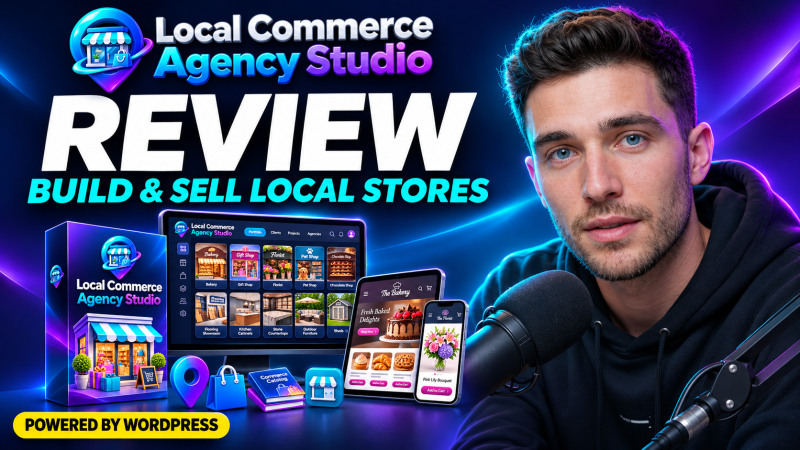
Local Commerce Agency Studio is a done-for-you WordPress system from Dawn Vu for building and selling online stores, product catalogs and showroom websites to local businesses. It includes ten niche designs, a one-click installer plugin, an agency website and a ten-site portfolio, all for a one-time front-end price of $27.
Product Brand: Dawn Vu
Product Currency: USD
Product Price: 27
Product In-Stock: InStock
4.2

