
WellnessClaw AI Review
One Keyword, A Full Wellness Program, And The Fine Print You Should Read First
Why One Keyword Became A Whole Wellness Business Pitch
Think about how a yoga challenge usually gets made. Someone writes thirty days of lessons, films each session, records a guided cooldown, designs a printable tracker, builds a sales page and wires up checkout. That’s weeks of work, and most people quit around day four of the filming.
WellnessClaw AI says it can skip all of it. Loveneet Rajora launches it on November 13, 2026 on Launchpad as a browser app where you type a topic, like 30-day beginner yoga or 7-day better sleep, and it builds a program around it. You get daily lessons, an AI avatar coach who teaches each session on video, meditation and sleep audio, meal plans, planners and a sales page with checkout. The live order form asks $14 one time.
It’s an appealing idea, and I’m also a little wary, because wellness is a field where a sloppy product can hurt a buyer and where a launch page can get loud about autopilot income, so I’ll take the product apart carefully and slowly.
This WellnessClaw AI review covers what it creates, how its three steps work, what the coupons did at checkout, what the six upgrades cost, where the pages disagree with each other, and which marketplace and health-content rules you need to know before you sell anything. You won’t find earnings figures here, and that’s on purpose.
WellnessClaw AI Quick Facts

| Detail | Information |
|---|---|
| Product | WellnessClaw AI |
| Vendor | Loveneet Rajora |
| Launch | November 13, 2026, 11:00 AM EST; the launch window runs to November 17 |
| Sold through | Launchpad |
| Sales Page | https://wellnessclawai.com/exclusive/ |
| Category | AI wellness program and audio creator |
| Type | Cloud web app, works in any browser |
| Front-end price | $14 one-time launch price |
| Coupon | WELLNNESS for $5 off, EARLYWELL for 10% off, or WELLNESSVIP for $3 off |
| Order form add-on | Quick-Start Profit Kit, $9.95 |
| Upsells | Six, from $37 to $497 |
| Refund | 30 days |
What A Wellness Product Factory Actually Produces
Imagine a small studio with a program designer, a video coach, a meditation narrator, a nutritionist’s assistant and a page builder, all squeezed into one tab.
WellnessClaw AI is an AI wellness product creator. You pick a topic from a library of fifty-plus ready-made ideas, or type your own. The app builds a program of seven, fourteen, twenty-one or thirty days, or any length you choose, with a lesson for each day. Each lesson has goals, steps, tips and tracking prompts, and you can edit or regenerate any day with one click.
Around the lessons sit the other pieces.
- AI coach videos. An avatar teaches each session, in wide format for courses and vertical format for Reels and Shorts. The page lists ten-plus coaches, twenty-plus voices and ten-plus languages.
- Audio. Guided meditations, sleep stories, breathing sessions and affirmations, in sessions from five to sixty minutes, with rain, ocean, forest or piano soundscapes.
- Printables. Meal plans, recipe books, grocery lists, habit trackers, workout logs and journals as PDFs in A4 and US Letter.
- A sales page. One for each product, with Stripe and PayPal checkout and a members area that delivers to buyers.
- Export packs. Files and listing copy prepared for Etsy, Gumroad and Udemy.
- Extras. Covers, mockups, a free Day 1 lead magnet and an automatic wellness disclaimer.
What it doesn’t do is just as important. It won’t qualify you as a coach, it won’t vouch for the advice it writes and it won’t get you approved on any marketplace.
How It Differs From Making Each Piece Yourself
You can already do this in parts, since a chatbot writes lessons, another tool makes voices and a third builds pages, so what does one dashboard actually change?
It builds the set. Lessons, video, audio, printables and a page come from one topic, so the pieces match each other.
It handles delivery. The members area gives buyers their files automatically, and payments go to your own Stripe or PayPal account.
It prepares the listings. Export packs include covers and listing copy, which is the dull part most people skip.
It adds a disclaimer. A general wellness note goes onto programs automatically, which is a sensible touch.
None of that tells you whether anyone will buy. What it removes is production work, and selling stays your job, which is the part that decides whether a product earns a cent.
Meet Loveneet Rajora
Loveneet Rajora is the vendor behind WellnessClaw AI, and the JV page says he has launched products and promoted other vendors’ launches since 2021. The pages sign off with his name and a friendly note about reciprocation, which is common in launch circles. Four named testimonials appear on the main page with no screenshots of payouts, while the JV page still carries a few words from another product’s launch template, which suggests a quick build, though none of that sinks a product by itself, so I’d judge this one by how it behaves in your first fortnight and by the 30-day refund and not by anyone’s launch history.
What The $14 Launch Price Includes
Here’s the front end in plain terms.
The Core Tool
- AI Program Builder. Day-by-day programs from one topic, fully editable.
- AI Avatar Coach Videos. Wide and vertical formats, with choices of coach, voice and language.
- Meditation and Sleep Audio Studio. Calm voices, soundscapes and MP3 downloads.
- Nutrition and Planner Kit. Meal plans, recipe books, trackers and journals as print-ready PDFs.
- Sales Pages and Checkout. A page per product, Stripe and PayPal, coupons for your own sales and a members area.
- Marketplace Export Packs. For Etsy, Gumroad and Udemy.
- Commercial License. Sell to customers and clients, and keep what they pay you.
- 200 Reseller Licenses. Included free for launch buyers, which I’ll look at closely below.
The Monthly Allowance
The page lists what the front end covers each month: twenty programs, thirty minutes of avatar coach video, three hundred minutes of meditation and sleep audio and three sales pages. It also says there’s no monthly fee for launch buyers. Both statements can be true, and I’ll explain why that matters in a later section.
What It Doesn’t Include
The upgrade notes sell the paid membership builder inside PRO, so I wouldn’t count on it in the front end, whatever the JV page implies. The app also doesn’t write medical guidance, and the page says plainly that programs are general wellness content and not medical advice.
Pick, Build, Sell: The Three Steps
Here’s the workflow in the order the app runs it.
Step 1: Pick a topic
I choose from fifty-plus ready-made wellness topics, or I type my own. A line like 30-day beginner yoga or 7-day better sleep routine is enough to start.
Step 2: AI builds the program
The app builds everything in one go. I get the lessons, the avatar coach videos, the meditation audios, the meal plans and the planners, and I can edit or regenerate any day before I move on.
Step 3: Sell it
I publish a sales page, launch a paid membership, or export ready packs for Etsy, Gumroad and Udemy. Payments from my own page go straight to my Stripe or PayPal account.
Curious about how it works? Watch the demo video below for an in-depth overview:
Coupon: WELLNNESS for $5 off, EARLYWELL for 10% off, or WELLNESSVIP for $3 off
Who Should Buy WellnessClaw AI
Beginners Who Want A First Product
If you’ve never made anything to sell, a guided topic list is a gentle start. Expect to learn the selling side anyway.
Coaches, Trainers And Yoga Teachers
If you already have expertise, the tool can draft programs you then correct. That’s a much safer use than handing a stranger’s advice to buyers unchecked.
Etsy, Gumroad And Udemy Sellers
Planners, trackers and audio packs fit marketplace habits. The export packs save some preparation.
Freelancers And Small Agencies
The commercial license is aimed at people who make branded programs for gyms, studios and clinics.
Who Should Skip It
Skip it if you want hands-off income, because nothing here sells itself. Skip it if you’re uneasy about publishing health content you don’t understand. And think twice if you hate reviewing generated material line by line, since this product depends on you doing exactly that.
Programs, Audio And Printables Worth Making First
Not every format carries the same risk or the same amount of review work, so here’s how I’d rank them for a new user who wants to start safely.
Printable trackers and journals. Habit logs, water and mood trackers, and self-care planners make the lowest-risk start. They contain little advice and easy-to-check content.
Audio. Short meditations and focus soundscapes are easy to review by listening. Keep claims modest and avoid promises about treating anxiety or insomnia.
Video programs. These carry more weight. A coach telling buyers how to move their bodies is giving instructions, so check every session for safety.
Meal plans and recipe books. Useful, but watch out for allergies, calorie advice and diet claims.
Anything medical. Skip it. Pain, injury, pregnancy, mental health conditions and weight loss are for qualified professionals.
If I had a free weekend, I’d make one tracker and one short meditation, read and listen to every word, and stop there.
Health Content Needs Extra Care
Wellness isn’t like a clip-art pack. Buyers act on what you sell them, and some of them will have conditions you can’t see.
The app adds a disclaimer that programs are general wellness and educational content and not medical advice, and it tells buyers to consult a qualified professional. That’s good practice. A disclaimer, though, doesn’t make unsafe instructions safe.
So here’s what I’d do.
- Read every lesson. Look for exercises that could hurt a beginner, an older adult or someone with an injury, and rewrite or remove them.
- Cut cure language. Never say a program treats, heals or fixes a condition, and don’t hint at it either.
- Check meal plans. Flag allergens, strict calorie targets and fasting advice, and keep anything that sounds like a diet prescription out of your listings.
- Have a professional review it. A trainer, dietitian or yoga teacher can catch what a generator misses, and a short review costs far less than a complaint.
- Keep the disclaimer visible. Put it on your sales page and inside the members area, where buyers will actually see it before they start.
- Mind consumer rules. Health claims draw attention from advertising regulators in many countries.
The vendor’s JV rules forbid medical claims and weight-loss promises in promotions, which tells me even the launch team knows where the risk sits. Follow the same rule in your own copy.
Etsy, Gumroad And Udemy: Read Each Rulebook
The page says each marketplace has its own approval rules, and that’s true. Going by their help pages, here’s what stood out.
Etsy. It allows some AI-assisted items, but it asks sellers to disclose AI use, expects a human to direct each item and doesn’t allow bot-generated listings. It also restricts AI-generated functional content such as recipes and instructions. Meal plans and workout guides sit close to that line, so read the current seller handbook before listing them.
Gumroad. It doesn’t ban AI-made digital products as a class. It does prohibit selling access to AI tools, content-generation services or AI subscriptions, and it bans reselling private label rights products. That matters for anyone planning to sell WellnessClaw AI accounts there.
Udemy. It allows AI-assisted courses, including quality AI voices and video, but asks instructors to disclose AI use in the course description, and an AI avatar standing in for a human instructor counts. Courses made entirely by AI face a harder road on quality review.
Rules change often, and approval isn’t automatic. Treat the export pack as a head start, not a pass.
Selling To Gyms And Studios With The Commercial License
The commercial license lets you create programs under a client’s brand and charge for the work, which is a real service idea, since gyms, yoga studios, trainers, spas and companies often want online programs and have no time to build them.
It can work, with conditions.
- You need clients first. The tool makes content and doesn’t find customers, although the agency upgrade mentions a lead finder you’d have to test yourself.
- Quality is your name. If a studio’s members get a bad program, your name is on the invoice, and so is the complaint that follows.
- Contracts help. Write down who is responsible for the advice and who reviews it.
- AI use should be disclosed. Tell clients how the material was made, and let them approve it.
- Keep prices realistic. Your client will compare you with a local trainer, not with a template.
The page offers example package prices and says they’re suggestions and not promises, so I’d ignore the numbers and write your own only after testing how long a real client project actually takes you from start to finish.
The 200 Reseller Licenses, Looked At Closely
Every launch buyer gets 200 Reseller Licenses free, which lets you sell WellnessClaw AI accounts to your own customers, clients or list and keep the money. The page pitches it as another income stream. It’s also the part of this offer I’d read twice.
What it is. Permission to hand out or sell accounts to the app, with the vendor handling delivery.
What it isn’t. A customer list. You still have to find the people who want an account.
Where it gets awkward. Selling access to an AI tool is a different business from selling wellness programs. Gumroad, for one, prohibits selling AI tool access on its platform, so you’d need your own channel and your own terms.
Why the number is soft. The page says licenses are included free for launch buyers only, while an upgrade sells unlimited reseller rights. A free bundle of 200 is a sweetener, and the paid upgrade shows where the vendor hopes you’ll end up.
I’d treat the licenses as a nice extra and not as a reason to buy, and before you count on them, ask what a license grants, what limits apply and what happens to the accounts you’ve sold if the vendor ever changes its terms.
Coupon: WELLNNESS for $5 off, EARLYWELL for 10% off, or WELLNESSVIP for $3 off
AI Coach Videos And What Buyers Will Think
The avatar coach is the headline feature, and it’s also the one that decides whether buyers trust you.
Some people won’t mind a synthetic coach, but others will feel misled if they thought a real instructor made the course, and honesty is the easy fix. Say that an AI coach guides the sessions, and let the quality of the program do the persuading.
A few practical points follow.
- Watch every video. Check form, timing and any odd phrasing, because synthetic coaches can say strange things with total confidence.
- Mind the allowance. The front end covers thirty minutes of avatar video a month, and a thirty-day program with a ten-minute session every day would use that up in the first week.
- Keep sessions short. Five- to ten-minute sessions suit beginners, and they also stretch your monthly video allowance much further.
The tool makes video easy, but it doesn’t make good coaching, and judging whether a session is safe, clear and kind to a nervous beginner remains a human job that no avatar can do for you.
Making Programs Feel Different From Everyone Else’s
Here’s a problem the launch page skips. Fifty ready-made topics means every buyer starts from the same menu. If a few hundred people pick 30-day beginner yoga in launch week, you’ll have a lot of near-identical programs chasing the same shoppers.
Sameness hurts in two ways, because marketplaces tend to bury listings that look alike and buyers can usually tell when a program reads like a template that a few hundred other people also downloaded.
So give yours an angle. A few ideas follow.
- Narrow the audience. Yoga for desk workers who sit all day beats yoga for everyone, because a specific reader recognises themselves in the title.
- Add a personal note. A short intro in your own words changes the tone of a whole program, and it costs you ten minutes.
The tool gives you a draft in minutes, and what makes it yours is the hour you spend reshaping that draft afterwards, which most buyers will be tempted to skip and shouldn’t.
Pricing Your Products Without Guessing
The page carries a long list of sample products, each with an example price. It says those are examples and that you set your own, which is the sensible part. I’d treat the list as a menu of ideas and ignore the numbers.
Start with the market instead. Look at what similar programs, audio packs and planners sell for on your chosen marketplace, and note how many reviews they have. A product with no reviews rarely earns the price of an established one.
Then think about what you’re selling. A one-page tracker, a ten-minute meditation and a month of video lessons aren’t the same thing, and buyers feel the difference. Price the larger pieces higher, bundle smaller ones and test.
A few habits help. Change one thing at a time, offer a free sample first, which the Day 1 lead magnet is built for, and keep notes on what each listing earned.
The Free Day 1 Lead Magnet And Your Buyer List
One feature I like is the free Day 1 lead magnet. The app lets you give away the first day of a program to collect an email address, and then you can offer the full program to the same people.
That’s a sound way to sell, because a reader who has tried day one knows what the program feels like, and a list belongs to you in a way that a marketplace audience never does, since the marketplace can change its rules overnight.
A few cautions apply, though, because collecting emails brings legal duties, and in many countries you need consent, a clear unsubscribe link and a privacy notice, and the rules differ between regions. The app delivers the lead magnet, but it doesn’t make you compliant.
You’ll also need an email service to send follow-ups, and I didn’t see one built in, so plan for that extra cost before you promise your list a weekly newsletter.
Today’s Price, Three Coupons And The Refund
The live order form charges $14 one time, with lifetime access and no monthly fee for launch buyers. The page shows a crossed-out regular price of $97 billed monthly and a countdown saying the price rises. Some vendor material still quotes $17, but the order form I loaded showed a $14.00 total, and that’s the figure I’d trust.
| Item | Price |
|---|---|
| Front end | $14 one-time |
| Quick-Start Profit Kit add-on | $9.95 |
| Six upgrades at the file’s lower prices | Several hundred dollars combined |
Coupons
Three codes turned up. WELLNNESS is listed for $5 off, EARLYWELL for 10% off, and WELLNESSVIP for $3 off on the exit pop-up. I tried all three at the public Launchpad order form against a made-up control code. They worked, and the control did nothing. The total to pay moved from $14.00 to $8.44 with WELLNNESS, to $12.44 with EARLYWELL and to $10.67 with WELLNESSVIP.
One catch: WELLNNESS has a double N in the middle. The correctly spelled version, WELLNESS, didn’t apply. Copy the code exactly as written, and confirm the total before you pay, since codes can expire.
Refunds
There’s a 30-day money-back guarantee. The page tells you to contact support and you’ll be refunded in full, with no forms, and the order form repeats a 30-day refund policy. That’s enough time to build a program, listen to the audio and test an export pack. I’d use it fully before buying any upgrade.
The $9.95 Quick-Start Profit Kit
The sales page offers an add-on called the Quick-Start Profit Kit at $9.95, listed as normally $97. It promises a shortcut called Fully-Loaded Coach in 10 Minutes, a swipe file of wellness niches, a commercial license, an extended license and extra coach credits. The copy says nine out of ten members add it.
I’d be careful here for three reasons. That claim is easy to write and impossible to check. The kit mentions a commercial license, though the front end already includes one, so ask what an extended license adds. And when I loaded the Launchpad order form, I didn’t see this add-on listed as a box, so I couldn’t confirm how it’s offered.
At under ten dollars, it’s a low-risk impulse buy. Still, I’d skip it until I’d used the front end, and I’d ask support for a plain description first.
Six Upgrades And What The Pages Disagree On
Six upgrades follow the front end. You must buy the front end first, because each upgrade adds to that account. The list below comes from the vendor’s upgrade notes, and I couldn’t open the upgrade pages without buying.
| Offer | Name | Price |
|---|---|---|
| OTO 1 | PRO | $37 |
| OTO 2 | Unlimited | $47 |
| OTO 3 | DFY | $97 |
| OTO 4 | Agency | $97 or $127 |
| OTO 5 | Unlimited Reseller | $97 |
| OTO 6 | White-Label | $497 |
OTO 1: PRO, $37
A paid membership site builder, unlimited programs, audio and sales pages, premium voices, coaches and templates, plus twenty extra PRO add-ins. It’s the natural next step if you want monthly billing for your programs.
OTO 2: Unlimited, $47
Unlimited coach video, regenerations, members and storage, a Bulk Program Creator, 4K export and team seats. It targets anyone who hits the monthly allowance.
OTO 3: DFY, $97
Ten done-for-you wellness businesses, fifty programs, two hundred meditation audios, three hundred printables and five done-for-you memberships. Ask whether other buyers receive the same content, because identical products make poor listings.
OTO 4: Agency, $97 or $127
Client licenses, a white-label client portal, client billing, a local lead finder and agency training, for one hundred clients or unlimited. The two prices likely match the two client tiers, but I can’t confirm that.
OTO 5: Unlimited Reseller, $97
Unlimited reseller rights at full commission, with the sales page, delivery and support handled. It builds on the free 200 licenses.
OTO 6: White-Label, $497
Rebrand the whole app as your own software, with your own domain, plans and prices. It’s a software business, quite separate from selling wellness programs, and the most expensive step by a wide margin.
Where The Pages Disagree
The upgrade lists don’t match. The JV page shows a different order, with Unlimited first, then DFY, Agency, Reseller and White-Label, and no PRO. It also skips a fourth upgrade, and the sales page calls the reseller offer the fourth. The JV page lists a membership builder among the front end features, though the upgrade notes sell it in PRO. Agency is described as up to twenty-five client accounts on one page and as a hundred or unlimited on another. The JV page also mentions a Complete Access Bundle but gives no price, so I can’t say what it costs or whether it exists in the checkout.
Until the vendor settles this, ask for a written list of what each upgrade includes.
Which Ones Make Sense?
For most buyers, none on day one. Use the front end for two weeks, and if you hit the allowance, ask about Unlimited, or if you want monthly billing for your programs, ask about PRO. Agency, Reseller and White-Label only suit people running those businesses.
Monthly Caps Behind The No Monthly Fees Line
The page repeats a line about no monthly fees for launch buyers, and that’s accurate as far as payment goes, but the same page lists monthly allowances of twenty programs, thirty minutes of avatar video, three hundred minutes of audio and three sales pages.
Is that a problem? Not necessarily, since most AI tools meter usage because video and voice cost real money to generate. Still, it changes how you’d plan a catalog.
- Video runs out first. Thirty minutes a month covers only a few short programs, so plan your video carefully.
- Audio goes further. Three hundred minutes is plenty for several packs, as long as you don’t regenerate every session three times.
- Three sales pages is tight. If you plan to build a real catalog of programs, packs and planners, you’ll reach that limit quickly.
- Regenerating costs allowance. Every experiment with a new voice or a rewritten day eats into the monthly budget, so test small.
So the real question is what happens when you hit a cap, and whether the tool stops, queues the work or asks you to buy an upgrade, which is what the upgrade list suggests. Ask before you plan a big catalog.
The Good, The Shaky And The Unclear
What I Like
- A clear three-step flow. Pick, build, sell is easy to follow.
- A complete package. Lessons, audio, printables and a page come together.
- A health disclaimer. The app adds one automatically.
- A low entry price. Fourteen dollars is easy to test, with a 30-day refund window.
- Coupons that work. All three codes applied when I tried them.
- Payments go to you. Stripe and PayPal accounts are yours.
What Gives Me Pause
- Health risk. Generated advice needs expert review.
- Marketplace rules. Etsy, Gumroad and Udemy each have their own limits.
- Monthly allowances. Usage caps sit behind the no-fees line.
- Mismatched pages. Prices, upgrades and bundles don’t line up.
- A heavy upsell ladder. Six upgrades and an add-on for a $14 tool.
- A new product. There’s no track record yet.
Where The Wellness Business In Three Clicks Promise Needs A Reality Check
Every launch page sells a shortcut, and this one sells a finished product in three clicks plus money every week on autopilot, so here’s where I’d slow down and look twice.
Three clicks to a finished product. The build may be quick. Reviewing, correcting, recording extra material and setting up your sales channel take much longer, especially for health content.
Get paid every week on autopilot. Nothing here brings buyers by itself. A page with no traffic earns nothing, and a marketplace listing competes with thousands of others.
No camera and no qualification. True of the production work. It doesn’t remove your responsibility for what you tell buyers about their bodies.
The wellness market is huge. The page quotes a very large market figure. A big market doesn’t mean your product gets noticed, and I’m leaving the numbers out.
Example prices and sales. The page shows sample products with prices and sample totals, and says they aren’t promises. I agree, and I’d ignore them.
Regular price comparison. A crossed-out monthly price makes a one-time fee look small. Judge it by what you’d pay for a similar tool, not by an anchor.
Nine out of ten buy the add-on. I can’t check that, and neither can you.
Replaces eight tools. The app covers many jobs, but depth varies, and some of those tools do their one job better.
Membership that keeps paying. The add-on copy talks about members who stay subscribed. Retention depends on your content and your service, not on the software.
To be fair, the page includes a clear earnings disclaimer and a wellness disclaimer, and it states the refund plainly. Keep your expectations modest, and you’ll get a fair test.
Questions To Put To The Vendor
Launch week is a good moment to ask, because replies tend to be quick. These are my questions.
- What is the real price? The order form shows $14, and other material says $17.
- How long does the launch price last?
- Which coupon is official? One code has a spelling quirk.
- What does each upgrade include? The lists differ between pages.
- Is there a Complete Access Bundle, and what does it cost?
- What happens when I reach the monthly allowance?
- Is the Quick-Start Profit Kit offered at checkout?
- What does a reseller license allow, and what are the terms?
- Which marketplaces accept the export packs, and who handles disclosure?
- Does the refund cover upgrades and the add-on?
Clear replies are a good sign, and vague ones tell you something too.
A Low-Risk First Fortnight With WellnessClaw AI
If I bought WellnessClaw AI today, I’d keep the plan small and treat two weeks as a test.
Days one to three. Log in, pick one low-risk topic like a habit tracker or a short meditation, and generate it. Read or listen to every piece.
Days four to six. Edit what needs editing, add your own voice to the copy and check the disclaimer. Build the sales page and look at it on a phone.
Days seven to nine. Test one export pack. Read the marketplace’s current AI and content rules before you list anything.
Days ten to twelve. Try a short avatar video and watch your allowance. Note how much of it one program used.
Days thirteen and fourteen. Decide whether the output was good enough to sell under your name, whether the allowance fitted your plans, and whether you’d still want an upgrade or would rather have the refund.
By then I’d know whether the content is safe and useful, whether the workflow fits my week and whether the tool earns its price. That’s worth more than any promise, and it fits inside the refund window.
Is WellnessClaw AI Worth $14?
WellnessClaw AI is a busy, ambitious product factory wrapped in a loud launch page. Strip away the autopilot talk and you get a program builder, an avatar coach, an audio studio, printable kits, sales pages with checkout and export packs for $14.
I wouldn’t buy it expecting weekly income without effort. I’d buy it to find out whether the programs it writes are good enough to put your name on, and whether the monthly allowance fits the way you’d work.
If you want to try it, use a coupon, copy the code exactly, buy the front end, make one low-risk product and read each marketplace’s rules before you list. Keep every upgrade for later. And if the output doesn’t meet your standard, use the 30 days and ask for your money back.
Frequently Asked Questions
What is WellnessClaw AI?
WellnessClaw AI is a cloud app that turns one wellness topic into lessons, AI coach videos, meditation audio, meal plans, planners and a sales page with checkout.
How much does WellnessClaw AI cost?
The live order form charges $14 one time. A $9.95 add-on and six upgrades follow.
Is there a coupon?
Yes. WELLNNESS gives $5 off, EARLYWELL gives 10% off and WELLNESSVIP gives $3 off. All three applied when I tried them, and a made-up code did nothing.
Do I need to be a wellness expert?
No, the app doesn’t ask for it. You’re still responsible for what you sell, so have a qualified person check health content.
Can I sell on Etsy, Gumroad and Udemy?
The app prepares export packs. Each marketplace has its own approval and AI rules, and approval isn’t automatic.
What are the 200 Reseller Licenses?
They let you sell WellnessClaw AI accounts to your own customers. They’re included free for launch buyers. Check the terms and each platform’s rules first.
Is it a monthly subscription?
Not for launch buyers. The page does list monthly allowances for programs, video and audio.
Is this medical advice?
No. The page says programs are for general wellness and education only.
What is the refund policy?
There’s a 30-day money-back guarantee. Contact support within 30 days.
Do I have to buy the upgrades?
No, the front end works alone, though you must buy it before any upgrade, and every upgrade is optional.
Get WellnessClaw AI With My Exclusive Bonuses
If WellnessClaw AI fits your plans, grab it through the link on this page, use coupon WELLNNESS, EARLYWELL or WELLNESSVIP at checkout, and I will add my exclusive Tika Review bonus pack at no extra cost.
1. Buy WellnessClaw AI through the link on this page.
2. Find your bonuses in the member area, or email me your receipt.
3. Download your bonuses and put them to work.
Here is everything you get when you buy through my WellnessClaw AI review below:
1. Brainy Kids Mega Adventure Pack
2. Kiddz Stories
3. Kiddz Game Station
4. Kiddz Art Coloring
5. Childrens Video Channel
6. Educational Poster Prompts for Kids
7. Inspirational Audiobooks for Kids
8. How To Self Publish Your E-Book on Amazon
9. PLR Business Kickstart
10. EBook Cash Bundle
11. 25 Ebooks – Artificial Intelligence Traffic
12. Zero-Code Profits
13. AI Side Hustle Success Profitable Prompts
14. AI-Proof
15. Video Marketing Traffic Using AI
16. AI Person Appearance Builder
Coupon: WELLNNESS for $5 off, EARLYWELL for 10% off, or WELLNESSVIP for $3 off
WellnessClaw AI Review: Honest Look At Price And Refund
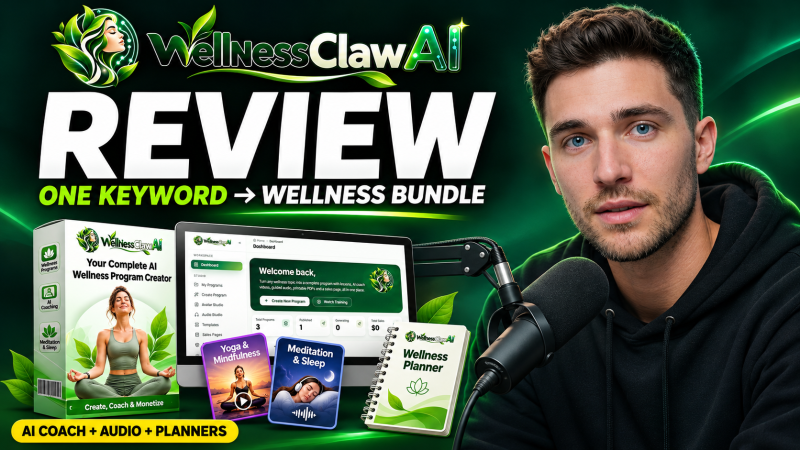
WellnessClaw AI is a browser app from Loveneet Rajora that turns one wellness topic into day-by-day lessons, AI avatar coach videos, meditation and sleep audio, meal plans, planners and a sales page with checkout, starting at a one-time launch price of $14.
Product Brand: Loveneet Rajora
Product Currency: USD
Product Price: 14
Product In-Stock: InStock
4.4

