
GPTHub AI Review
One Dashboard For Every OpenAI Model, Lifetime Access And The Questions It Raises
Why Paying For Five AI Plans Feels Silly
Open your card statement and count. A chat plan here, an image tool there, a writing app, maybe a separate coding assistant, and one more subscription you forgot about in March. None of them is expensive alone, but together they add up to a number you’d rather not say out loud.
Now picture one dashboard that reaches the newest OpenAI models, charges once, and never asks for a renewal.
That’s the pitch behind GPTHub AI. Anirudh Baavra and Amit Gaikwad launch it on November 14, 2026 through Launchpad, and the live order form asks $14.94 one time for lifetime access to a browser dashboard that connects to GPT-6 Astra, the GPT-5.6 family and older models, plus an image mode.
It’s a tidy idea, and a loaded one, because the cheapest-looking part of any AI bundle is usually the part somebody else is quietly paying for. Somebody has to pay OpenAI for every token you send through that dashboard, and a one-time fee of fifteen dollars doesn’t obviously cover that bill. Most of this review lives in the gap between the pitch and that arithmetic.
You’ll find the three steps, the model lineup, a plain look at what a one-time price can and can’t support, the name and trademark issue, the order form math with two working coupons, eight upgrades, and the platform rules that matter when you sell AI-written work. I’m leaving out every income figure on purpose.
GPTHub AI Quick Facts

| Detail | Information |
|---|---|
| Product | GPTHub AI |
| Vendor | Anirudh Baavra and Amit Gaikwad |
| Launch | November 14, 2026, 11:00 AM EST; the cart closes November 21 |
| Sold through | Launchpad |
| Sales Page | https://gpthub.live/vip |
| Category | AI model access and chat dashboard |
| Type | Cloud web app, works in any browser |
| Front-end price | $14.94 one-time launch price |
| Coupon | GPTVIP for 35% off, GPTHUB for $5 off |
| Order form add-on | GPTHub AI VIP, $9 |
| Upsells | Ten, with prices not published |
| Refund | 30 days |
One Dashboard, Six Models: What It Actually Is
Think of GPTHub AI as a front door, the kind with a single lock that opens onto several rooms, each run by someone else. You log in, pick a model from a list, type a request, and read the answer. Behind the door sits OpenAI, reached through its official API, which the vendor’s own FAQ confirms. The product isn’t affiliated with OpenAI, and the page says so twice.
That detail shapes everything else. GPTHub doesn’t run these models. It resells access to them inside its own interface, so what you get depends on what OpenAI exposes, at what cost to the vendor, and for as long as the vendor keeps paying for it.
What does the front end promise?
- Model access: GPT-6 Astra, the GPT-5.6 models called Sol, Terra and Luna, and older GPT versions, with new releases added automatically.
- Long-context mode: feed the flagship whole books, reports and big documents in one go, using a context window the page puts above a million tokens.
- Reasoning modes: choose how hard the flagship thinks, from Fast through Deep to Max.
- Multi-model workspace: switch models, compare outputs side by side and keep the better answer.
- Prompt engine: ready-made prompts for sales copy, emails, scripts, ads and funnels.
- Image mode: a bonus GPT image model for pictures.
- Commercial license: use the output for client work, agency services and freelancing.
- Works anywhere: no install, no API keys, any browser.
The page also says the first hundred buyers get two extras switched on, a code studio and an agent mode. It doesn’t explain either, so I’d treat them as unknowns until a buyer reports back.
Meet Anirudh Baavra And Amit Gaikwad
Anirudh Baavra and Amit Gaikwad present GPTHub as a joint launch and appear together on the sales page and the partner materials, while the support links point to a separate company called Hypersoft Labs. The page offers no personal story, no company history and no product track record, so I can’t tell you much about the two of them beyond their names and the fact that they’re running the launch on Launchpad. Judge them by the refund terms and by how quickly support answers a plain question, not by the sales letter.
What The Front End Includes
Here’s the front end in plain terms, grouped by what you’d actually touch.
The Models
The headline model is GPT-6 Astra, which OpenAI released on September 3, 2026. The page pairs it with the GPT-5.6 models, older versions and a promise of automatic access to anything OpenAI ships next. Check the names against what the vendor shows you inside the dashboard, because the page itself uses several different lists, and I’ll cover that mismatch in its own section.
The Workspace
You get a chat window, a model switcher, a side-by-side compare view, reasoning levels and a prompt library. It’s closer to a simple multi-model chat app than to a full ChatGPT replacement, which is fine if that’s what you expected and disappointing if the page convinced you otherwise.
What It Isn’t
It isn’t ChatGPT. OpenAI’s paid plans bundle features beyond raw model access, including its own tools, memory and agent products, and the page says nothing about copying any of those. A dashboard that reaches a model through the API gives you the model, not the whole plan.
The Fine Print
The disclaimer says results aren’t typical and vary with your market and effort. It also says the product isn’t endorsed by or affiliated with OpenAI. Both statements are worth reading before the headline.
Three Steps From Login To Output
Here’s the workflow in the order the page lays it out.
Step 1: Login To GPTHub
I open the dashboard from any device with a browser. There’s no install, no API headaches and no technical setup, which is the main thing the page leans on for beginners.
Step 2: Choose GPT-6 Astra (Or Any GPT Model)
Next comes the model for the job, picked from the list: the flagship for heavy work, or one of the lighter models when speed matters more than depth. I can also set how hard the flagship thinks before it answers.
Step 3: Generate Anything In Seconds
Then I type the request, whether that’s content, research, a script, an ad or a block of code, and the model answers in the chat window. If one answer isn’t right, I switch models, compare the two side by side, and copy the better one out into whatever I’m working on, which is a smoother loop than juggling separate tabs for separate tools.
To see the platform in action, be sure to check out the full demo video below:
Coupon: GPTVIP for 35% off, GPTHUB for $5 off
Which Model For Which Job
Models differ, and GPTHub’s best argument is that a multi-model dashboard lets you match the tool to the task instead of using one model for everything.
| Job | Sensible starting point |
|---|---|
| Deep analysis, long documents, hard problems | The flagship, GPT-6 Astra |
| Everyday drafting and routine questions | A mid-tier model such as Sol or Terra |
| High-volume, simple tasks like extraction or short edits | The light model, Luna |
| Pictures | The image mode |
The page itself is blunt on one point, in a section it calls honest. The flagship is premium-priced, lighter models are faster and cheaper for quick chats, and some rival AI models still edge ahead on certain benchmarks. I give it credit for saying so.
My own habit would be to start every task on the cheapest model that might work and move up only when the answer disappoints. That saves time on any platform, and on a lifetime plan that someone else pays for in the background, it may also keep you well clear of whatever limits exist, because a model that burns less of the vendor’s budget is less likely to be the one that gets throttled when traffic spikes.
How It Stacks Up Against ChatGPT Plans And The Raw API
The page frames three alternatives: ChatGPT plans, business seats and OpenAI’s pay-per-token API. Its argument is that every one of them keeps charging you month after month.
That’s true as far as it goes. OpenAI’s Pro plans sit at $100 and $200 monthly, with a higher tier above them, and plans carry usage allowances. API use is billed by the token. A one-time purchase is cheaper than any of those on paper.
Three differences deserve more weight than the price tag.
- Features: a ChatGPT plan includes OpenAI’s own apps and tools. GPTHub offers a chat window over the API, so some features of the plan won’t carry over.
- Limits: OpenAI states plain usage limits on its plans. GPTHub’s page states none, which is either generosity or an omission.
- Longevity: a ChatGPT plan comes from the company that makes the models. GPTHub depends on a small vendor keeping its API account alive.
So the comparison isn’t fifteen dollars against two hundred. It’s a basic chat front end of unknown limits against a full product with clear rules, and which one wins depends on what you do all day. If you mostly draft emails, summarize documents and brainstorm, the front end may be plenty. If you lean on agents, memory, voice or heavy daily usage, it may feel like a toy within a week.
The Cost Question Nobody Answers On The Page
This is the center of the review.
OpenAI publishes API prices. For the flagship, the standard rate is ten dollars per million input tokens and fifty dollars per million output tokens. Do the arithmetic on the features the page advertises. Filling a million-token window once costs about ten dollars of input at that rate. One response that maxes out the 128,000-token output limit costs roughly six dollars and forty cents. A single heavy session could cost the vendor about as much as you paid for lifetime access, and a buyer who runs a few of those a day would cost far more than the fee covers within a week.
Now multiply by thousands of buyers who each want the flagship at its deepest setting.
So how can the numbers work? Here are the honest possibilities.
- Hidden caps: a daily or monthly message limit that the page never mentions.
- Throttled models: the flagship might be limited, slower or swapped for a lighter model under load.
- Breakage: many buyers will barely use it, and light users subsidize heavy ones.
- Upgrade pressure: the real access sits in paid tiers, and the front end is a taster.
- Short life: the service runs while launch money lasts and fades afterward.
I’m not saying any of those is certain. Several are common in this kind of product, and the page’s own FAQ hints at the structure by saying optional upgrades exist and the core system works on its own.
What would settle it is a written answer to three questions. What’s the usage allowance on the front end? What happens when I hit it? And how long will the vendor commit to running the service?
Until you have that, treat lifetime as a launch word and not a contract term. At fifteen dollars the risk is small, so the sensible move is a short test, not a long plan.
Model Names That Don’t Match Each Other
Read the sales page slowly and the model lists drift.
The top of the page names GPT-6 Astra, then GPT-5.6 Sol, Terra and Luna, plus all previous versions. It also says you access six OpenAI models. Further down, a timeline lists GPT Live, GPT-6 Astra, an image model numbered 2.5, GPT-6 Luna, GPT-6.1 Sol and GPT-6.1 Terra. The bonus mode, though, is called a GPT image model numbered 2, not 2.5.
Then the add-on popup lists GPT-6.1 Sol, GPT-6.1 Terra, GPT-6 Luna, GPT Image 2.5 and GPT Live under a Business upgrade described as Turbo GPT Models.
Put those side by side and a question appears. Are the newest models in the front end, or do they sit behind a paid upgrade? The page never says so plainly.
Names matter here for a practical reason, beyond tidiness. OpenAI’s own help pages split models across different products, and some are offered in certain apps and through the API only on certain terms. A dashboard that reaches the API can only offer what the API offers, which may not include every model the page lists. Voice, for one, isn’t the same thing as a text model.
Before you pay, ask the vendor for the exact model list on the front end, written out, with the model names exactly as they appear inside the app.
Putting Your Own Data Through A Middleman
When you type into GPTHub, your text goes to the vendor’s servers and then on to OpenAI. The page calls the setup secure and private and says your data stays protected. It doesn’t name a data policy, a retention period or where the servers sit, and the privacy link in the page footer opens a not-found screen.
That matters if you handle anything sensitive. Client contracts, financial figures, health details and unpublished work shouldn’t pass through a service until you’ve read its terms. This is true of any third-party AI front end, and it’s more pointed here because there are two companies between you and the model.
My rule would be simple. Use GPTHub for public or low-risk material until the vendor gives you a clear privacy statement, and keep confidential client work somewhere with documented terms.
The Name, The Trademark And The Supply Line
The product’s name contains GPT, and its own disclaimer says GPT is OpenAI’s trademark. OpenAI’s brand guidelines don’t appear to allow third parties to use GPT in product, app, site or company names. They allow descriptions such as powered by a named model, and they say the rules exist to stop users thinking a partner or endorsed product is official.
I’m not a lawyer, and I can’t tell you what OpenAI will do about this product. What I can say is that a business built on OpenAI’s API depends on staying in good standing with OpenAI, and a brand that breaks its guidelines carries a risk. If access is cut, the dashboard goes dark, and lifetime access ends with it.
It’s a supply line risk, not a scandal. Ask whether the vendor plans to rename the product, and keep that in mind when you picture using it for years.
Using GPTHub For Client Work Without Getting Burned
The commercial license says you can use GPTHub for client work, agency services and freelancing and keep what you earn. The page lists many service ideas, from copywriting and research reports to small coding jobs and email campaigns.
AI can help with all of those. Here’s how I’d keep it honest.
- Edit everything: models make confident mistakes, and the page itself cites a reported error rate that’s low but not zero.
- Check facts and references: research reports built on unchecked output can hurt a client.
- Protect client data: see the privacy section above before pasting anything private.
- Respect client wishes: some clients ban AI use, and freelance marketplaces say you must honor that.
- Disclose when asked or required: policies differ by platform and client, so read them.
- Don’t promise results: a good draft isn’t a guaranteed outcome.
- Price your judgment: clients pay for your review and expertise, not for raw model output.
Also remember that the output rules come from OpenAI’s terms, and a license from a reseller can’t override them.
AI Writing, Blogs, Ebooks And Platform Rules
The page suggests ebooks, courses, authority blogs, SEO articles and affiliate content. Those are sensible uses of a text model, and each comes with a rule.
Search engines. Google’s spam policy targets scaled content abuse, meaning many pages generated mainly to manipulate rankings without helping readers. Using AI isn’t the problem. Publishing mass copies with no added value is. Add your own research, experience and editing, and fact-check every claim.
Ebook stores. Amazon’s publishing program asks you to tell it when a book contains AI-generated text, images or translations, and it treats AI-assisted editing differently from AI-generated content. Read the current wording before you publish.
Freelance marketplaces. Policies vary. Some say AI use is fine when disclosed or when the client hasn’t banned it, and some require you to tell clients upfront. Check the platform and the client brief each time.
Your own audience. Readers notice generic writing. A page that reads like every other AI article has a short future in search results.
The tool can produce a lot of words quickly. That’s exactly why a human pass matters, since the fastest way to waste a cheap model is to publish its first draft under your name and let readers, search engines or clients find the weak spots for you.
Two Coupons, One Order Form And The Real Total
The live Launchpad order form charges $14.94 one time for lifetime access. The page itself shows $14.95, and a file I was given says $14.95 too. A one-cent gap isn’t a scandal, but it’s the second place the same number varies, so I used the order form.
The total is built from three lines. The product line is $12.45, a processing line adds $1.49, and a $1 delivery line brings it to $14.94. VAT showed as zero in my test order.
The page also shows a crossed-out real price of $597, described as a monthly figure, and says the price may rise and monthly plans may be introduced after launch. I’d treat that anchor as marketing.
| Item | Price |
|---|---|
| Front end | $14.94 one-time |
| VIP add-on on the order form | $9 |
| Eight upgrades | from $47 to $297 |
Coupons
The file gave me GPTVIP as a 35 percent code. The vendor’s partner document lists a second code, GPTHUB, worth $5 off the full funnel. I tried both at the public Launchpad order form against a made-up control code.
- GPTVIP: applied. The product line fell from $12.45 to $7.22, the processing line to $0.91, and the total from $14.94 to $9.13. That saves $5.81, and it works in lower case too.
- GPTHUB: applied. The product line fell to $7.45, processing to $0.94, and the total to $9.39, a saving of $5.55.
- Control code: changed nothing.
I could only reach two order forms, the front end and the Business offer. GPTVIP applied on both. The Business total went from $26.06 to $16.36. I couldn’t open the upgrade order forms without buying, so I can’t confirm that GPTVIP covers every upgrade, even though the code is described that way.
The order form also carries a banner for a 30 percent Black Friday code, LPBF30. It did nothing on either order form I tried.
Use GPTVIP on the front end, since it saves more. If a code ever fails, try the other one before you assume the offer is gone.
Refunds
There’s a 30-day money-back guarantee, described as hassle-free and no questions asked. Launchpad’s order form repeats the 30-day promise. The sales page links to its own refund policy, though, and that link leads to a page-not-found screen.
The privacy and terms links in the footer fail the same way. That’s a small thing with a large implication, because the written terms are the part of a guarantee that you can actually enforce. Ask the vendor for the written terms, and keep your receipt. I’d also test the product in the first week, so you know early whether to ask.
Coupon: GPTVIP for 35% off, GPTHUB for $5 off
The $9 VIP Add-On And The Business Popup
Both order forms offer a GPTHub AI VIP add-on at $9, described as ten times faster generation, VIP support and faster creative output than a normal account. The page says it would cost far more if bought over time and calls it a one-time offer.
Faster than what? The page doesn’t say, and the front end claims no limits, so a speed tier implies the front end is slower or capped. That’s the cost question again, from a different direction.
A separate popup offers a Business upgrade to the first 19 buyers at $9.95, normally $397, with turbo models, a premium creation dashboard and round-the-clock support. It also claims ninety-eight percent of customers chose it and got fast results, which can’t be true for a product that launched the same day. I’d ignore that line.
The Business order form I could reach totals $26.06, with a list price of $24.94. That looks like the front end plus roughly ten dollars, but I can’t confirm it, so ask what a buyer actually pays.
Eight Upgrades And Their Price Points
Eight upgrades follow the front end. You must buy the front end first, because every upgrade adds to that account. The list below gives the names and prices for each one.
| Offer | Name | Price |
|---|---|---|
| OTO 1 | GPTHub AI Unlimited Edition | Silver $67, Gold $147 |
| OTO 2 | GPTHub AI – Work Edition | Silver $77, Gold $97 |
| OTO 3 | GPTHub AI – GPT Agent Mode Edition | $67 |
| OTO 4 | GPTHub – AI Codex Edition | Silver $67, Gold $147 |
| OTO 5 | GPTHub AI Enterprise Edition | $47 |
| OTO 6 | GPTHub AI Agency Edition | $197 |
| OTO 7 | Franchise Partner Program | $97 |
| OTO 8 | GPTHub AI – White Label Edition | $297 |
OTO 1: GPTHub AI Unlimited Edition, $67 or $147
The name suggests removing limits. If the front end is already described as limitless, ask exactly which limits this one lifts. The answer will tell you a lot about the front end.
OTO 2: GPTHub AI – Work Edition, $77 or $97
The name points to a work or production workspace. Ask what it actually includes, and what the $77 and $97 options each add.
OTO 3: GPTHub AI – GPT Agent Mode Edition, $67
Likely an agent mode that carries out multi-step tasks. The page already promises an agent mode to the first hundred buyers, so ask how the two relate.
OTO 4: GPTHub – AI Codex Edition, $67 or $147
The name suggests a coding or build tool. Ask what you can make with it, and what the $67 and $147 options each include.
OTO 5: GPTHub AI Enterprise Edition, $47
Likely team or business features. Check the seat counts, the support terms and the data handling.
OTO 6: GPTHub AI Agency Edition, $197
For serving client accounts. It only pays off if you already have clients.
OTO 7: Franchise Partner Program, $97
Presumably a reseller or partner license. Read its terms, and check OpenAI’s rules on reselling model access.
OTO 8: GPTHub AI – White Label Edition, $297
Presumably lets you rebrand the dashboard. That’s a software business with API costs of its own, and quite different from using the app.
Which Ones Make Sense?
For most buyers, none on day one. Use the front end for two weeks, note which limits you hit, and ask support in writing what a matching upgrade changes. Skip anything the vendor can’t describe.
Credit Where It’s Due, Doubts Where They Belong
What I Like
- A low entry price: under fifteen dollars is easy to test.
- Two working coupons: both codes applied and the control didn’t.
- Honest comparison section: the page admits the flagship is pricey and lighter models are better for quick chats.
- Clear three-step flow: log in, choose a model, generate.
- Side-by-side compare: a useful way to learn which model suits which task.
- Independence disclosed: the page states it isn’t affiliated with OpenAI.
What Gives Me Pause
- No stated limits: lifetime and unlimited-style claims sit beside real API costs.
- Mismatched model lists: the front end, the timeline and the popup disagree.
- Brand and supply risk: GPT in the name, and a business that depends on one supplier.
- Thin privacy detail: two companies between you and the model, with no data policy named.
- Dead footer links: the refund, privacy and terms pages all return not found.
- Eight upgrades: that’s a long upsell list for a $14.94 product.
Where The One Dashboard, Zero Bills Promise Needs A Reality Check
Every launch page sells a clean fantasy. This one sells a single dashboard that replaces every plan forever. Here’s where I’d slow down.
Pay once, use forever. The product depends on a supplier that charges the vendor per token. Lifetime lasts as long as the vendor’s arrangement does.
Plus, Pro, Business and Enterprise-level power. The page repeats this phrase constantly. Model access isn’t the same as those plans’ apps, limits, admin controls and support terms.
The same power ChatGPT keeps behind its top plans. Raw model access through the API is real, but a plan is a product, and the two aren’t interchangeable.
Every future model, automatically. That promise has a price attached, and the vendor carries it. I’d ask how long it lasts.
Benchmark numbers. The page quotes impressive scores and calls them reported by OpenAI. They belong to the model, not the dashboard, and I haven’t audited them.
A money-making machine. The page suggests many income streams and gives prices for client work. I’m leaving every figure out. A model can produce work, but clients, quality and trust are still yours to supply.
Replace your whole content team. A model writes drafts. Editors, researchers and developers do more than draft.
No technical skills needed. True for logging in. Getting good results still takes judgment about prompts, facts and risk.
Real price of $597 monthly. Nobody bought it at that price, so it’s an anchor.
Ninety-eight percent chose the add-on. The launch was hours old, so that number is decoration.
In fairness, the page includes an earnings disclaimer, an independence statement and a 30-day refund. Treat them as the true terms and the headline as the advertisement.
Questions To Put To The Vendor First
Launch week is a good time to ask, because replies tend to come quickly. These are the questions I’d send.
- What is the usage allowance on the front end? A daily cap, a monthly cap, or a limit per model.
- What happens at the limit? A pause, a slower model, or an upgrade prompt.
- Which exact models are in the front end? Written out by name, as they appear inside the app.
- Do the newest models sit behind the Business upgrade?
- How is my data handled? Retention, location and whether it trains anything.
- How long will lifetime access last? Ask for a commitment in writing.
- Is the product being renamed? Given OpenAI’s brand rules for GPT.
- What do the eight upgrades include, and which price applies?
- Where are the refund, privacy and terms pages? The links on the page don’t open.
Clear answers are a good sign. Vague ones tell you something too.
A Careful First Fortnight With GPTHub AI
If I bought GPTHub AI today, I’d keep the plan small and treat two weeks as a test.
Days one to three. Log in and try the cheapest model on five ordinary tasks. Note speed and quality, and read the usage screen if there is one.
Days four to six. Run the same tasks through the flagship and compare them side by side. Ask yourself whether the gain justifies the likely cost.
Days seven to nine. Push the long-context mode with a real document, and watch for errors, cutoffs or slowdowns.
Days ten to twelve. Try one small piece of paid-style work, such as a draft article or a summary, edit it hard and check every fact.
Days thirteen and fourteen. Decide. Did you hit a limit? Did the models match what the page promised? Would you rely on this for client work? If the answers worry you, ask for the refund while the window is open.
I’d also keep my confidential material out of it for the whole test, and I’d save anything I care about elsewhere, since a service that may change terms isn’t a safe archive.
Is GPTHub AI Worth $14.94?
GPTHub AI is a simple chat dashboard over OpenAI’s API, wrapped in a loud sales letter. Strip away the money-machine talk and you get a model switcher, a compare view, reasoning levels, a prompt library and an image mode for $14.94, with a commercial license.
I wouldn’t buy it as a lifetime replacement for a paid AI plan. I’d buy it as a cheap experiment to find out how much real access fifteen dollars buys, and whether the vendor is still answering questions in a month.
If you want to try it, use a coupon, buy the front end, run the two-week plan above and keep every upgrade for later. If the limits turn out to be tight, or the models don’t match the page, use the 30 days.
Frequently Asked Questions
What is GPTHub AI?
GPTHub AI is a cloud dashboard that connects to OpenAI models through the official API, with a model switcher, side-by-side compare, reasoning levels, a prompt library and an image mode.
How much does GPTHub AI cost?
The live order form charges $14.94 one time. A $9 add-on, a Business popup and eight upgrades follow.
Is there a coupon?
Yes. GPTVIP takes 35 percent off and GPTHUB takes $5 off. Both applied when I tried them, and a made-up code did nothing.
Is it the same as ChatGPT Plus or Pro?
No. It reaches models through the API, and a ChatGPT plan includes OpenAI’s own apps, tools and usage rules. The page says GPTHub isn’t affiliated with OpenAI.
Does it have usage limits?
The page states none. Because API access costs the vendor money per use, ask the vendor for the written allowance.
Can I use it for client work?
The license says yes. Edit everything, protect client data and follow each client’s and platform’s AI rules.
Does it include every future model?
The page says so. Treat it as a promise the vendor has to keep paying for, and ask how long it lasts.
Is my data private?
The page calls it secure and private but names no data policy. Keep confidential material out until you’ve read the terms.
What is the refund policy?
A 30-day money-back guarantee. The refund, privacy and terms links on the page return not-found screens, so ask for the written terms.
Do I have to buy the upgrades?
No. The front end works alone. You must buy it before any upgrade, though, and every upgrade is optional.
Get GPTHub AI With My Exclusive Bonuses
If GPTHub AI fits your plans, grab it through the link on this page, use coupon GPTVIP at checkout for 35% off, and I will add my exclusive Tika Review bonus pack at no extra cost.
1. Buy GPTHub AI through the link on this page.
2. Find your bonuses in the member area, or email me your receipt.
3. Download your bonuses and put them to work.
Here is everything you get when you buy through my GPTHub AI review below:
1. AI League
2. AI Landscape Photo Toolkit
3. AI Commission Sniper
4. AI Automation Secrets for Small Business Owners
5. My GPT Generator
6. AI Prompts Goldmine
7. ChatGPT Prompts – Income Ideas
8. AI Prompt Idea Factory
9. New Online Business Ideas With AI
10. Prompt To Profit
11. SEO Traffic Tricks Using AI
12. Sales Letter Boss
13. 25 Ebooks – Artificial Intelligence Traffic
14. Zero-Code Profits
15. AI Side Hustle Success Profitable Prompts
16. AI-Proof
17. Google Drive Free Traffic Loophole
GPTHub AI Review: Is It Worth $14.94? Pros, Cons, Risks
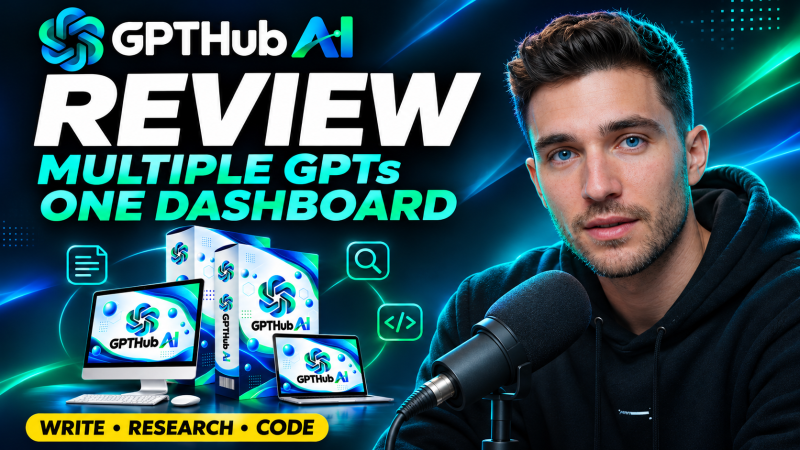
GPTHub AI is a browser dashboard from Anirudh Baavra and Amit Gaikwad that connects to OpenAI models through the official API, with a model switcher, side-by-side compare, reasoning levels, a prompt library and an image mode, starting at a one-time launch price of $14.94.
Product Brand: Anirudh Baavra and Amit Gaikwad
Product Currency: USD
Product Price: 14.94
Product In-Stock: InStock
4.5

