
EverPitch Review
A Webinar Written, Voiced And Hosted For You, And What You Still Have To Bring
Why Webinars Keep Getting Postponed
Everyone agrees a webinar would help. A talk holds attention for twenty minutes where a sales page gets ten seconds, and viewers can ask the questions a page can’t answer. Then the real work lands. A script to write, dozens of slides to design, a voice to record, and a time slot that suits nobody in the next time zone.
So the webinar sits on a to-do list for a year.
EverPitch tries to remove all of those chores at once. Todd Gross’s launch lands on November 16, 2026 through JVZoo, and the live order form asks $37 one time for an AI tool that writes the script, designs the slides, voices the talk, runs it on a daily schedule and answers viewers out loud. The front end has no required subscription, although credits refill monthly and some upgrades renew yearly.
It’s a neat idea with real costs tucked into the corners, and those corners fill most of this review. You’ll find an eleven-move walkthrough, what 3,000 monthly credits actually buy, how honest an automated webinar can be, the cap on spoken answers, the rules that apply once it runs without you, four upgrades, the $197 bundle and a batch of coupon guesses that all failed. I’m leaving out every earnings figure.
EverPitch Quick Facts

| Detail | Information |
|---|---|
| Product | EverPitch |
| Vendor | Todd Gross |
| Launch | November 16, 2026, 11:00 AM EST; the cart is listed to close November 21 |
| Sold through | JVZoo |
| Sales Page | https://everpitch.co/commercial |
| Category | AI webinar creator with automated evergreen hosting |
| Type | Cloud web app, works in any browser |
| Front-end price | $37 one-time for EverPitch Commercial, with 3,000 credits a month |
| Upsells | Four, from $47 to $97 |
| Bundle | EverPitch Bundle, $197 one-time for early buyers, listed to rise to $227 |
| Bundle Link | https://everpitch.co/commercial/bundle |
| Refund | 30 days, through JVZoo |
A Studio, A Host And The Pages Around Them
Picture three layers stacked on top of each other. The bottom layer makes a talk. Above it, a second one plays that talk on a schedule. The top layer catches the people who show up, answers their questions and sends them somewhere useful.
That’s EverPitch, an AI webinar creator that also hosts automated evergreen sessions. You hand it a topic, a document, a link or an old recording. It writes a script meant to be spoken, designs slides from 73 layouts in 11 visual styles, and voices the result with one of 30 natural voices across 87 languages.
What the front end includes:
- Creation: a script, slides and voiceover from a prompt, a short guided form, a recording or a kit.
- Slide Studio: ask for a change in plain words and the slide is rebuilt with the voice still lined up.
- Hosting: daily sessions on one shared clock, with every visitor seeing their own local time.
- Pages: 31 registration templates, 20 replay page templates and a join button in 10 styles.
- Messages: confirmation emails, reminders and calendar invites.
- Spoken Q&A: up to 20 free spoken answers per session, drawn only from your own webinar.
- Connections: your Stripe, PayPal, Lemon Squeezy or Razorpay account, and your own email tool.
- Bonuses: a seven-day playbook, a bank of 100 titles and hooks, and seven follow-up emails.
Finished talks run from about 5 minutes to about 60. Recordings you upload can be up to 2 GB. One point the page makes clearly: EverPitch doesn’t supply traffic or run ads. It gives the visitors you bring a presentation that answers back.
Meet Todd Gross
Todd Gross leads Team Todd, a group that says it runs webinars for all of its launch offers and knows the work behind each one. The order form lists the seller as Oliver Goodwin of Synthesys AI Studio, and the Terms and Privacy links in the footer open that studio’s general documents, so the voice and avatar side likely rests on its technology, though nothing I could see names the engines. I can’t verify earlier launches from here, so I’d judge him by how quickly support answers a plain question and by how the refund is handled.
Eleven Moves From Blank Page To Running Session
The page sums the process up in three steps: describe it, review and customize it, then publish and share it. The full walkthrough runs finer than that, so here are all eleven moves in order.
Step 1: Create Page
Everything starts on the Create page, and it offers four ways in. I can describe the webinar in my own words, fill in a short guided form, turn an old Zoom recording into an evergreen webinar, or begin from a finished done-for-you webinar or one of 24 fill-in-the-blank kits. I go with the prompt.
Step 2: Describe The Webinar
My example business is StudioFlow, booking software for independent yoga studios. I say who the talk is for, what it teaches and what I’m offering, which here is a free 14-day trial. I can attach a deck, a PDF or a sales page, and EverPitch reads it for the product, the proof and the brand. A product demo already on YouTube can be pasted as a link, and it plays at the right moment with a spoken lead-in.
Step 3: Voice, Style And One Click
I can pin down the webinar type, the length and the host’s voice, choosing from 30. Then I pick one of 11 slide styles, each with its own fonts, shapes and colors, or let the AI choose for my topic. One click plans the talk, writes the script, designs every slide and records the voiceover. A 15-minute webinar is meant to build in a few minutes.
Step 4: Slide Studio
Here I ask for what I want, such as turning a slide into a before and after comparison. The slide is rebuilt in place and the voice still lines up. I can restyle the whole deck in one click or set my own brand colors, generate an AI image in the same style, edit every word of the script, import my own deck as a PDF, add a video slide and undo any change.
Step 5: Languages
The host’s voice speaks 87 languages. If I sell in more than one, I add a language and EverPitch translates and revoices the webinar as a linked copy. Each visitor automatically gets their own language.
Step 6: Schedule And Registration
I set the schedule once and sessions run every day, with each visitor seeing times in their own time zone. I choose a registration page from 31 templates, written for the topic and editable word by word, or I import the page I already have. Confirmation emails, reminders and calendar invites go out on their own.
Step 7: Offer, Payments And Lists
I set the offer and it appears on screen at the right moment. Payments go straight to my own Stripe, PayPal, Lemon Squeezy or Razorpay account. Registrants go to my email list, Mailchimp, ActiveCampaign, Kit, GoHighLevel and more, or anywhere through Zapier, Make and n8n.
Step 8: Join Button And Replay Page
I add a join button to any website in 10 styles. For people who’d rather watch later, there’s a replay sales page with 20 templates.
Step 9: The Viewer Room
Viewers register and they’re in. Everyone in a session shares one clock, so it’s the same moment for everybody, and late joiners land in sync. The chat is sorted before anything happens: a greeting gets a quick welcome, a comment doesn’t interrupt the talk, and a real question gets a quick note now and a spoken answer in the Q&A. Polls, my offer and my handouts appear right on cue.
Step 10: Spoken Answers
When the talk ends, the host answers every question out loud, by name, using only what’s in the webinar. When a viewer asks about multi-location studios and my content never covered that, the host says so and declines to make something up. I like that restraint.
Step 11: Ultra
Ultra takes it further. I upload one photo or pick a stock face, and EverPitch makes short clips of the host on camera for the moments that matter. Viewers can call the host and ask by voice, and when the webinar ends they can meet the host face to face as a live avatar. For a webinar built from a recording, answers can be spoken in the speaker’s own cloned voice, with their consent.
Get a closer look at how the platform works by watching the demo video below:
What 3,000 Credits Really Buy
Credits are the meter behind everything. Creating a webinar costs 40 credits for every finished minute. A 15-minute talk therefore uses about 600, and the 3,000 credits that refill each month cover roughly 75 minutes, or five webinars of that length.
The page gives two sample months. One has four 15-minute webinars plus a test angle. The other has a 30-minute flagship, the same flagship revoiced in Spanish for another 1,200, a 5-minute short version for 200 and ten extra AI images for 150. Notice that a translated copy costs the same as the original. A second language doubles the bill.
Three comforts come with it. Webinars you’ve already built keep running when credits run out. Spoken answers don’t draw on credits, up to 20 per session. Copying done-for-you webinars into your account costs nothing, though that one belongs to a paid upgrade.
Now the cautions.
- New builds wait: once credits are gone, nothing new gets made until the refill.
- Edits cost too: re-voicing a copy or changing the language spends credits again.
- Ultra draws on the same pool: each host clip uses 150 credits, and so does each avatar conversation.
- Rollover is unclear: the page says credits refresh, and it doesn’t say whether unused ones carry over.
- Rates may move: the Terms link opens the seller’s general studio document, which says credit costs per tool can change at its discretion. Whether that covers EverPitch credits is a question for support.
For one small business making a webinar or two a month, 3,000 is plenty. A person who tests angles, adds languages and works for clients will feel the ceiling within weeks.
Evergreen, Disclosed And Still Called Live
Here’s the honest bit, and I’m glad the page leads with it. Sessions are automated evergreen sessions, and the page says so. The talk is prepared ahead of time and played on a shared clock, so everyone in a session sees the same moment. Questions get answered on the spot from your content.
An optional simulated audience can fill the room, and when it’s switched on, the registration page tells viewers. The live room even labels it as a disclosed audience.
That matters because the temptation with a tool like this is obvious. A viewer who thinks 142 people are watching feels social pressure to stay. If those people are simulated and nobody says so, that’s deception, and regulators such as the US Federal Trade Commission treat invented audiences, fake countdowns and made-up scarcity as deceptive. So keep the disclosure on.
A few habits keep an automated webinar on the right side of that line.
- Say it’s a replay-style session: viewers shouldn’t be told they’re in a live event when they aren’t.
- Use real deadlines only: a countdown that resets for every visitor is a fake one.
- Use real testimonials: don’t let the script invent customers or results.
- Leave the simulated audience off at first: switch it on only if you’re comfortable explaining it.
The sales material is consistent on this point, and every mention of the simulated audience calls it optional and disclosed.
A Host That Answers Out Loud, Up To A Point
The headline feature is the host. Viewers type a question, and the host answers out loud, by name, in the webinar’s own voice. You choose when: at the end, at a minute you pick, or right away.
The chat sorting is smart. A greeting such as hi from Texas gets a welcome. Praise doesn’t stop the talk. Someone asking whether it works with Shopify gets an answer. A doubt about whether it suits a small shop gets an answer too. A request to talk to someone is tagged as a call request.
Two limits matter more than the clever sorting.
Content only. Answers come only from what’s in your webinar, plus any host knowledge and FAQs you add. That’s the right design. It stops invented claims about pricing or results, and it means a thin script produces thin answers. The more complete your content, the more questions get a real reply.
Twenty spoken answers. The page promises that the host answers every question out loud, and also says spoken answers are free up to 20 per session. Those two statements sit awkwardly together. A busy session could pass 20 questions. I couldn’t find what happens at the 21st, and I’d ask before building a webinar around a big audience.
Spam and abuse in the chat are screened before anything is read aloud, which is a sensible touch. Still, an AI that speaks to strangers under your name is your responsibility. Read the script, add the FAQs you know viewers will raise, and test the room yourself with awkward questions before you share the link.
Voices, Languages And Borrowed Faces
The voice list is generous. Thirty voices, 87 languages, and a promise that one webinar can reach every visitor in their own tongue. That’s a big claim, and a few things deserve a sanity check.
Translation quality. Machine translation reads fine for plain sentences and can stumble on idioms, product names and numbers. If you sell in Spanish or German, have a native speaker listen to the opening three minutes and the offer before you send traffic.
Pronunciation. A synthetic voice can mangle a brand name or a niche term. Listen for those and fix the spelling in the script.
Live mic sound. An optional effect makes the voice feel less polished. It’s a matter of taste, and it shouldn’t be used to suggest a real person is speaking.
Ultra adds faces and cloned voices, and those carry weightier duties.
- Consent for clones: the tool asks you to confirm the speaker agreed before it clones anything from a recording. Treat that box as a legal promise, not a formality.
- Stock or touched-up faces: a host clip can come from your own photo or a stock face. Don’t use someone else’s photo.
- Telling viewers: a growing number of laws, including EU transparency rules, expect people to be told when they’re talking to an AI or hearing a synthetic voice. A short line on the registration page costs nothing.
- Platform labels: if you cut clips for YouTube or TikTok, realistic AI voices and faces call for their AI labels.
Rules That Apply Once Your Webinar Runs Itself
An automated webinar sends emails, collects names and makes claims all day without you. That’s the whole point, and it’s also where small mistakes multiply.
Email consent. Registrants joined to hear about a webinar. Reminders are fine. Pushing them onto a promotional list needs the permission your region requires, whether that’s CAN-SPAM unsubscribe rules in the US or opt-in rules under GDPR in Europe. Use a clear checkbox and keep unsubscribe links working.
Claims. The script is only as honest as what you give it. If you feed it a sales page full of big promises, it will repeat them. Edit out anything you can’t prove.
Regulated topics. Health, money and insurance talks need extra care. The kits for those markets include cautions about guaranteed results, which is a good sign, and you still carry the responsibility.
Recordings. If you turn an old Zoom call into a webinar, anyone visible in it should have agreed to be reused, and anything quoted should still be true.
Payments and refunds. Your offer sells through your own account, so your customers’ refunds, taxes and support are yours. EverPitch isn’t the merchant for what you sell.
What The Order Form Asks, And Why No Coupon Applied
The live JVZoo order form for EverPitch Commercial totals $37.00, plus any applicable taxes. That matches the price in the file I was given. The form carries no processing or delivery line, which keeps the arithmetic simple. It lists a single payment in US dollars and a 30-day return policy.
The launch plan describes a Credit Boost order bump, 8,000 total credits for $77 a year. It wasn’t on the form I opened, so I can’t confirm it appears for every buyer. If it does, it renews yearly, so read the line before you tick anything.
| Item | Price |
|---|---|
| Front end, EverPitch Commercial | $37 one-time |
| Four upgrades after it | $47 to $97 each |
| Bundle | $197 one-time, listed to rise to $227 |
| Credit Boost, where offered | $77 a year |
Coupons
No coupon appears in the file I was given, on the sales page or on any order form. I still tried. I ran eight obvious guesses built from the product and creator names on the $37 form and six on the bundle form, each beside a made-up control code. Every total stayed put: $37.00 and $197.00. The same method did apply a real code on another vendor’s JVZoo order form, so the check itself works. As things stand, the order form price is the price.
Refunds
There’s a 30-day money-back guarantee. You email support within 30 days of buying, no reason is needed, and the money returns the way you paid, through JVZoo. The Terms link in the footer is a general studio document with no EverPitch refund wording, so the promise lives on the sales page and the order form. Keep your receipt and test early.
Four Upgrades After The $37 Door
Four upgrades follow the front end, one at a time. You must buy the front end first, because each one adds to that account. I opened each upgrade’s live order form and its page, so these prices and descriptions are confirmed, and the order they appear in comes from the page labels.
| Offer | Name | Price |
|---|---|---|
| OTO 1 | DFY Webinars | $67 one-time |
| OTO 2 | Kit Vault | $47 one-time |
| OTO 3 | Agency | $77 one-time |
| OTO 4 | Ultra | $97 a year |
OTO 1: DFY Webinars, $67
Ten finished webinars of about 15 minutes each, already designed and voiced, each with a registration page, emails, a poll and an offer card. They’re written neutrally, so your offer fits without re-voicing, and copying them in costs no credits. Building ten yourself would use about 6,000. The topics run from coaching and courses to fitness, real estate and freelancing. Ask whether every buyer gets the same ten, because shared content is shared.
OTO 2: Kit Vault, $47
Twenty-four fill-in-the-blank kits across 23 niches. Each sets the audience, the promise, the talk structure, the tone and the call to action, with marked blanks for your details. Browsing is free, and building from a kit spends credits at the normal 40 a minute. It’s a decent shortcut if the blank prompt box intimidates you.
OTO 3: Agency, $77
A client license. You can make, run and charge for webinars for clients, put their logo, colors, email list and checkout on every page, and drop Powered by EverPitch from registration, live room and replay pages. It adds rights, not credits, so client webinars still spend your own plan credits. Without it, the front end is for your own business and projects.
OTO 4: Ultra, $97 a year
This is the face-and-voice layer from Step 11: host clips from one photo, voice calls, an avatar Q&A at the end, cloned speaker voice with consent, and streaming to YouTube, Facebook or any RTMP destination, plus MP4 export. It renews every 12 months at the same price and can be cancelled in JVZoo, and your webinars keep working if you do. Clips and avatar chats draw 150 credits each. Each avatar chat lasts up to 10 minutes, and each viewer can start two per session.
Which Ones Make Sense?
For most buyers, none on day one. Build two webinars first. If blank prompts stall you, Kit Vault is the cheapest fix. If you serve clients, Agency is the one to price against your work. Ultra only makes sense once a webinar already has steady viewers.
The $197 Bundle Against Piecemeal Buying
The Bundle switches on four things at once: the Commercial front end, DFY Webinars, Kit Vault and Agency, with the credits raised to 8,000 a month, which is about 200 finished minutes. Bought one at a time, the first four items come to $228, and the credit boost would be extra at $77 a year. So at $197 the bundle is the cheaper way in for anyone who knows they want the lot.
Two things to hold in mind. The $197 price is for early buyers and is listed to move to $227. And the Bundle leaves out Ultra, which stays a separate purchase.
Bundle buyers then meet a yearly MegaBundle step. Gold costs $197 a year and brings 10,000 credits a month plus Ultra. Platinum costs $347 a year, with 25,000 credits, Ultra and up to 50 reseller accounts that each get 1,000 monthly credits. Only Platinum includes the reseller part, and Agency alone doesn’t create customer accounts.
Add it up and the paths differ. The front end plus all four upgrades costs $325 in the first year. The Bundle plus Gold costs $394, and with Platinum it costs $544. Those aren’t prices to panic about, but they’re the real ceiling, and the first door is only $37.
Labels That Haven’t Caught Up
A few names on the pages don’t line up, and they’re worth knowing before you email support.
- Pro: the Agency page refers to Pro for 8,000 monthly credits, which is what other pages call Credit Boost.
- Streaming: the file I was given ties streaming to Pro, while the live pages put it inside Ultra.
- One last offer: the DFY Webinars page says so, yet three more offers follow it.
- Ultra included: the Bundle page says Ultra is sold separately, while Gold and Platinum include it.
None of this hides a trap. It looks like a funnel that was reworked at speed, and it’s a reason to ask for the current feature list in writing.
Where The Pitch Is Strong, Where It Isn’t
What Worked
- A low first price: $37 is easy to test, and the 30 days back it up.
- Honest labelling: evergreen sessions and any simulated audience are disclosed.
- Content-only answers: the host declines to invent facts.
- Real structure: pages, emails, reminders, offer timing and analytics come together.
- Clear credit math: 40 credits a minute, and built webinars keep running.
- Fair bonuses: a playbook, a hook bank and follow-up emails are practical.
What Didn’t
- A 20-answer cap: it sits beside a promise that every question gets answered.
- Unclear rollover: nothing says what happens to unused credits.
- Generic legal links: the footer terms belong to the seller’s wider studio.
- Mismatched labels: Pro, Credit Boost and Ultra overlap in places.
- An upgrade ladder: four steps, and a yearly one at the end.
- No traffic: the tool makes the talk, and viewers remain your job.
Where Created, Customized And Presented For You Needs A Reality Check
The page leans on three verbs. Here’s where I’d slow down.
No scriptwriting, no slide design, no recording yourself. True for a first draft. You still read every line, because your name goes on it.
A 15-minute webinar in a few minutes. The page admits the waiting time in its own walkthrough was edited out, so the video length isn’t build time. Plan for it, then time your first one.
The host answers every question out loud. Up to 20 per session are free, and only from your content.
Live every day. It’s a prepared talk on a shared clock. That’s fine when it’s disclosed, and it isn’t the same as a person in the room.
One payment, no subscription. That holds for the front end. Credits refill monthly, Ultra and Credit Boost renew yearly, and the Bundle path ends at yearly MegaBundle offers.
Give viewers somewhere to learn more. Nobody arrives unless you bring them. Ads and emails cost money and time that this tool doesn’t replace.
Works for any pitch. A talk about a clear product with clear answers suits the format. A vague offer produces a vague webinar quickly.
Webinars still sell better than almost anything. That’s a marketing claim, not a measured one. Test your own audience.
In fairness, the pages carry a no-income-promise notice, a plain refund promise and honest disclosure rules. Read those as the real terms.
Things To Pin Down In Writing
Launch week is a good time to ask, because support tends to answer fast. My questions:
- What happens at the 21st spoken answer? A cutoff, a text reply or an extra charge.
- Do unused credits carry over? And what do edits and extra languages cost?
- Can credit costs change? The studio terms say they can for its own tools.
- Which engines make the voices and avatars? And what happens if one changes.
- How long is a 15-minute webinar’s build in practice?
- Does the front end carry Powered by EverPitch branding? On which pages.
- Is the Credit Boost bump offered at checkout? At what yearly price.
- Are the done-for-you webinars shared among buyers?
- How is registrant data stored and handled?
Clear answers are a good sign. Vague ones tell you something too.
A Fortnight With One Small Webinar
If I bought EverPitch, I’d keep the plan small and treat two weeks as a test.
Days one to three. Build one five-minute webinar from a single idea. Time the build and note the credits it used.
Days four to six. Edit the script by hand, ask Slide Studio for three changes and listen for mispronounced names.
Days seven to nine. Add FAQs, set the registration page, connect your email tool and register yourself with a spare address.
Days ten to twelve. Fire awkward questions at the host, including ones outside your content, and see how it copes.
Days thirteen and fourteen. Decide. Did credits drain faster than expected? Did the room feel honest? If the answers worry you, ask for the refund while the window is open.
I’d leave every upgrade alone throughout, and keep confidential material out of it.
Is EverPitch Worth $37?
EverPitch is a webinar factory with a built-in host, wrapped in confident marketing. Strip the slogans away and you get a script writer, a slide designer, a voice, a scheduler, a set of pages, a Q&A host with limits, and a commercial license for your own business, all for $37.
I wouldn’t expect it to fill rooms on its own. I’d buy it as an inexpensive way to find out whether a webinar suits your offer without losing a weekend to slides, and whether the host holds up under real questions.
If you want to try it, buy the front end, run the fortnight plan above and skip the upgrades until a real need shows up. If the credits feel tight or the answers fall short, use the 30 days.
Frequently Asked Questions
What is EverPitch?
EverPitch is a cloud tool that writes, designs and voices a webinar from your idea, then hosts it on a daily schedule and answers viewers out loud from your own content.
How much does EverPitch cost?
The live order form charges $37 one time for the Commercial edition, with 3,000 credits every month. Four upgrades and a $197 bundle follow.
Is there a coupon?
No. No code is advertised, and my guesses beside a made-up control code changed nothing. The order form total is the price.
Is it a subscription?
The front end isn’t. Credits refill monthly, but the base price is one payment. Ultra and the credit boost renew yearly if you add them.
Are the sessions really live?
No. They’re automated evergreen sessions, disclosed as such, with a talk prepared ahead and played on a shared clock.
Can it answer viewers’ questions?
Yes, out loud, using only what’s in your webinar, up to 20 free spoken answers per session.
Can I use it for clients?
Not with the front end alone. Agency, at $77, adds the client license, and it’s included in the Bundle.
Do I need to be on camera?
No. EverPitch writes, designs and voices the webinar. Ultra can add a host from one photo if you want a face.
What is the refund policy?
A 30-day money-back guarantee through JVZoo. Email support within 30 days and give a reason only if you like.
Do I have to buy the upgrades?
No. The front end works alone. You must buy it first, though, and every upgrade is optional.
Get EverPitch With My Exclusive Bonuses
If EverPitch fits your plans, grab it through the link on this page and I will add my exclusive Tika Review bonus pack at no extra cost.
1. Buy EverPitch through the link on this page.
2. Find your bonuses in the member area, or email me your receipt.
3. Download your bonuses and put them to work.
Here is everything you get when you buy through my EverPitch review below:
1. AI League
2. AI Landscape Photo Toolkit
3. AI Commission Sniper
4. AI Automation Secrets for Small Business Owners
5. My GPT Generator
6. AI Prompts Goldmine
7. ChatGPT Prompts – Income Ideas
8. AI Prompt Idea Factory
9. New Online Business Ideas With AI
10. Prompt To Profit
11. SEO Traffic Tricks Using AI
12. Sales Letter Boss
13. 25 Ebooks – Artificial Intelligence Traffic
14. Zero-Code Profits
15. AI Side Hustle Success Profitable Prompts
16. AI-Proof
17. Google Drive Free Traffic Loophole
EverPitch Review: Is The $37 Webinar Host Worth Buying?
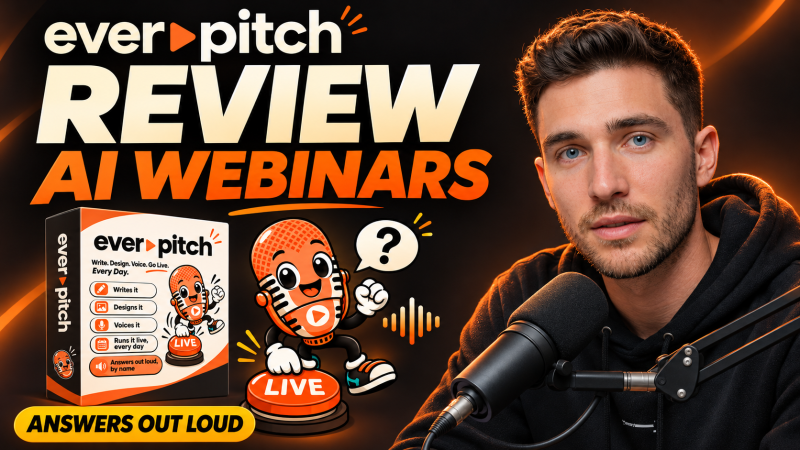
EverPitch is a browser-based AI webinar creator from Todd Gross that writes the script, designs the slides and voices the talk from your idea, then hosts it as automated daily sessions that answer viewers' questions out loud, starting at a one-time price of $37.
Product Brand: Todd Gross
Product Currency: USD
Product Price: 37
Product In-Stock: InStock
4.4

