
TubeBook AI Review
Turn YouTube Research Into KDP Books?
Turning research into a finished Amazon KDP book is rarely as simple as writing a few prompts.
Even when you already know what you want to publish, the process can involve topic research, collecting notes, cleaning source material, planning the structure, writing individual chapters, revising weak sections, designing a cover, formatting the interior, and preparing files that Amazon can accept.
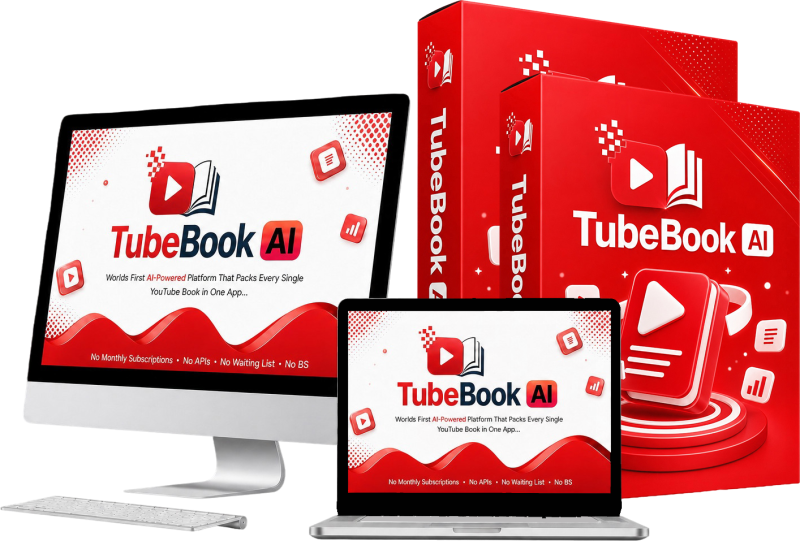
TubeBook AI is designed to bring those jobs into one research-to-book workflow.
Created by Justin Opay and launched on August 10, 2026, TubeBook AI combines YouTube-based research, book templates, transcript cleaning, AI-assisted outlining and writing, cover creation, and KDP-focused export tools. Instead of positioning itself as a simple AI text generator, the software is built around moving a project from research material to a manuscript and publishing package.
The idea is particularly relevant for aspiring KDP publishers who can find useful research but struggle with the many steps between collecting information and producing a properly organized book.
There is an important condition, though. TubeBook AI specifically states that users should gather material they own or are authorized to use. Turning somebody else’s copyrighted video into a book without appropriate rights would create obvious intellectual-property concerns. The tool can simplify a publishing workflow, but it does not remove the publisher’s responsibility to use source material lawfully.
In this TubeBook AI review, I will explain what the software does, how its publishing workflow works, what you actually get, the current pricing and upgrades, where the strongest value appears to be, and which users are most likely to benefit.
Overview Of TubeBook AI

| Product | TubeBook AI |
| Creator | Justin Opay |
| Product Type | AI-assisted research and Amazon KDP book creation platform |
| Launch Date | August 10, 2026 |
| Front-End Price | $9.50 at the documented launch offer |
| Coupon | TBVIP30 — 30% off full funnel |
| Alternative Coupon | TBAI3OFF — $3 off full funnel |
| Access Model | One-time payment / lifetime access stated for the front end |
| Commercial Rights | Included according to official product information |
| Guarantee | 30-day money-back guarantee |
| Main Use | Turning authorized YouTube research, transcripts, and notes into structured books and KDP-ready files |
Pricing for digital product launches can change, so check the current checkout page before purchasing.
What Is TubeBook AI?
TubeBook AI is a cloud-based AI book-production platform designed around an unusually specific starting point: research gathered from YouTube videos, transcripts, and related notes.
Rather than asking you to open a general-purpose AI writer and prompt it to “write a book,” TubeBook AI organizes the work into a publishing process.
You can begin with a book template or research material, clean the transcript, generate a book blueprint, adjust the chapter structure, generate the manuscript chapter by chapter, rewrite individual sections, create a cover, and export the final project in formats intended for Amazon KDP.
The software includes more than 45 book templates across eight Amazon categories. Documented examples include fiction, children’s books, crime, sleep stories, how-to guides, and self-help. Each template is set up with information such as its intended reader, approximate word count, chapter structure, and tone.
That structure is important.
A normal AI writing tool may generate text quickly, but the publisher still has to decide what the book should contain, how long the chapters should be, how the ideas should progress, what the cover should communicate, and how the final manuscript needs to be packaged.
TubeBook AI attempts to handle more of that surrounding workflow.
It is therefore better understood as a research-to-book production system than as a basic AI book writer.
Who Came Up With This Idea?
TubeBook AI is credited to Justin Opay.
Official product information also associates him with previous digital-product launches including Auron, TubeBook AI, True AI, and Topaz.
For this review, the more relevant point is the design philosophy visible in TubeBook AI itself. The software concentrates on a narrow practical workflow rather than presenting dozens of unrelated AI tools.
The user starts with research, organizes it into a book plan, develops the manuscript, and prepares the final publishing assets.
That focus should make the product easier to understand for someone whose main goal is publishing books rather than experimenting with general AI features.
The Features Of TubeBook AI
The feature set is where TubeBook AI becomes more interesting than a basic prompt-to-text application.
TubeBook AI Chrome Extension
The TubeBook AI Chrome Extension is designed to move subtitles from videos you are authorized to use directly into a project. That reduces the need to manually copy transcript sections between websites or clean up several different documents.
Research Keyword Engine
This connects naturally with the Research Keyword Engine. Each template includes six to ten suggested research searches that can open YouTube and help users explore a subject before beginning the manuscript.
The important distinction is that the platform says it does not simply scrape material indiscriminately. Users remain responsible for collecting material they own or have permission to use.
Transcript Cleaner
Once transcript material is available, the Transcript Cleaner removes common clutter such as timestamps, sequence numbers, duplicated caption lines, and obvious sponsor filler. It also displays the cleaned text together with character and word counts.
That may sound like a small feature, but it solves a common problem with video transcripts. Raw captions are rarely pleasant research documents. Cleaning them before they reach the planning stage makes the rest of the workflow easier to manage.
Book Blueprint Generator
Next comes the Book Blueprint Generator.
This creates the structural plan for the project, including a proposed title, subtitle, premise, book description, chapter-by-chapter breakdown, chapter summaries, target lengths, and a cover concept.
For beginners, this may be one of the most useful parts of TubeBook AI because it separates planning from manuscript generation.
Instead of committing immediately to thousands of words of generated content, you can first inspect the structure.
Outline Editor
The Outline Editor then lets you rename chapters, move them into a different order, remove unnecessary sections, and add your own chapters before approving the structure.
That editing stage gives the author more control than a single-click “write my book” process.
Chapter Engine
Once the outline is approved, the Chapter Engine generates the manuscript sequentially. Completed chapters are saved as the project progresses.
The system is also described as resume-safe. If generation is interrupted, completed chapters remain saved and the process can continue from the point where it stopped rather than beginning the entire book again.
That is particularly useful for longer projects.
Chapter Rewrite Options
Individual chapters are not locked after generation either. TubeBook AI provides rewrite options to Improve, Expand, Shorten, or Regenerate a chapter while retaining the previous version for comparison.
This is a much healthier workflow for AI-assisted publishing than assuming the first generated draft should be uploaded immediately.
Any AI-generated manuscript still deserves human proofreading, factual checking where applicable, consistency review, and editing for originality and voice.
Cover Generator
TubeBook AI also includes a Cover Generator designed to create genre-matched artwork while incorporating the book title, subtitle, and author name.
KDP-Focused Export System
The final stage is its export system.
According to the product information, TubeBook AI can prepare a 6×9 interior PDF with publishing elements such as appropriate margins, title page, copyright page, a table of contents where appropriate, and an about-the-author section.
The platform also creates a full-wrap paperback cover PDF, with spine width calculated from the final page count, as well as a front-cover JPG and plain-text manuscript export.
This matters because formatting is one of the points where first-time KDP publishers often leave a writing application and start assembling several additional tools.
TubeBook AI attempts to keep those steps in one environment.
My Book Projects Dashboard
Projects are managed through the My Book Projects Dashboard, where statuses can include Draft, Source Added, Outline Ready, Generating, Manuscript Ready, Cover Ready, and Ready To Export.
Projects can also be continued, duplicated, or deleted.
Background Processing
Background processing is another sensible inclusion. Book-generation jobs can continue through a queue while you move to other parts of the platform rather than forcing you to remain on one frozen generation screen.
Commercial Rights
Finally, official information states that front-end access includes commercial rights, allowing users to publish generated books under their real name or a pen name and retain their royalties. Buyers should still make sure their source material, generated content, images, and final publication comply with applicable copyright rules and Amazon’s current publishing policies.
Coupon Code
TBVIP30 – 30% off full funnel
TBAI3OFF – $3 off full funnel
How Does TubeBook AI Work?
The official workflow can be reduced to three main stages.
Step 1: Bring Authorized YouTube Research Into The Project
First, you bring authorized YouTube research into the project.
The documented workflow describes either working from a YouTube URL or using the available subtitle/research tools to collect usable transcript material.
The goal at this point is not to copy somebody else’s work. The source content acts as research that you can organize into your own publication.
Step 2: Turn The Material Into A Book Blueprint
Second, TubeBook AI turns that material into a book blueprint.
The generated plan includes the title, subtitle, premise, description, and chapter structure. Before producing the manuscript, you can review the outline and change chapters that do not fit your intended book.
This is the stage I would pay the most attention to.
A weak outline usually produces a weak book no matter how quickly the chapters can be generated. Removing duplicated ideas, changing the sequence, and adding missing topics before generation can save substantial editing later.
Once the structure is ready, the chapter-generation engine develops the manuscript sequentially.
Individual chapters can then be improved, expanded, shortened, or regenerated.
Step 3: Presentation And Export
The final stage is presentation and export.
You can generate a cover and prepare the KDP-focused publishing package, including the interior PDF, wraparound paperback cover PDF, front-cover image, and editable manuscript export.
The overall journey therefore looks like this:
Research → Clean source material → Build blueprint → Edit outline → Generate chapters → Revise manuscript → Create cover → Export KDP files
What makes this process appealing is not that each individual task is impossible with other software. It is that TubeBook AI attempts to connect them.
To see the platform in action, be sure to check out the full demo video below:
Coupon Code
TBVIP30 – 30% off full funnel
TBAI3OFF – $3 off full funnel
Who Is It The Most Suitable For?
TubeBook AI makes the most sense for people who already want to publish books but find the complete production workflow overwhelming.
A first-time KDP publisher is an obvious example.
You may understand the subject you want to cover yet have little experience deciding chapter lengths, formatting a paperback interior, calculating cover dimensions, or organizing the production process.
TubeBook AI provides more structure around those decisions.
It could also be useful for content creators and subject-matter researchers who regularly watch educational videos and maintain their own research notes. Instead of allowing that research to sit unused, they can organize authorized material into longer-form publishing projects.
Bloggers, marketers, and digital-product creators may also find the workflow useful when they want to repurpose their own educational material into books.
For example, a creator with a library of personal YouTube tutorials could gather transcripts from their own channel, clean the material, restructure it into a coherent guide, and develop it into a book rather than starting again from a blank page.
The platform may also appeal to publishers working under multiple pen names because the documented commercial-rights model permits publishing under a real name or pen name.
TubeBook AI is less compelling for authors who already have an established professional workflow using dedicated writing, editing, illustration, typesetting, and publishing tools.
Experienced fiction writers who want very granular control over character development and prose may also prefer a specialized writing environment rather than a template-driven publishing workflow.
Most importantly, it is not suitable for anyone looking for a shortcut to copy other creators’ videos into books.
The software repeatedly places responsibility on the user to work with material they own or are authorized to use.
Why People May Want It?
The biggest attraction is workflow consolidation.
Without a platform like this, a beginner could easily end up using one service to obtain a transcript, another to clean it, ChatGPT or another AI tool to plan and write the manuscript, a design application for the cover, word-processing software for editing, and additional formatting software for the KDP interior.
None of those individual tasks is necessarily difficult.
The friction comes from moving the same project through all of them.
TubeBook AI reduces that fragmentation by keeping research, planning, manuscript development, revisions, cover creation, project tracking, and export connected.
The template library is another practical advantage.
Starting from an appropriate structure is often more useful than starting from a completely blank AI prompt. Knowing the expected audience, tone, chapter structure, and approximate length provides clearer boundaries for the project.
I also like the separation between blueprint generation and manuscript generation.
It gives users a natural checkpoint where they can intervene before a large amount of text is produced.
The chapter rewrite tools continue that emphasis on control. A section does not have to be accepted simply because the AI created it.
The KDP export package could be especially valuable to newcomers. Preparing the interior and wraparound cover correctly can be more intimidating than writing the first draft. Bringing those tasks into the same workflow reduces the number of technical handoffs required.
The stated one-time pricing model is another reason the offer may attract occasional publishers who do not want another monthly software bill.
Still, expectations should remain realistic.
TubeBook AI can streamline the production process, but it cannot choose a profitable niche for you with certainty, guarantee that Amazon shoppers will find the book, prove that generated text is factually correct, or guarantee royalties.
Publishing still requires judgment.
You need suitable research, legal source material, a worthwhile book concept, careful editing, a compelling listing, and compliance with Amazon’s current rules.
The software is best viewed as a production assistant rather than an automated publishing business.
The Pricing
The documented front-end launch price for TubeBook AI is $9.50:
Two coupon codes are listed:
TBVIP30 provides 30% off the full funnel.
TBAI3OFF provides $3 off the full funnel.
Official information describes the core purchase as lifetime access without a monthly subscription and includes commercial publishing rights.
The purchase is also backed by a 30-day money-back guarantee.
At the launch price, the front end is inexpensive relative to the number of publishing stages it attempts to cover.
However, buyers should remember that the complete TubeBook AI funnel contains optional upgrades. The total amount you could spend is therefore considerably higher than the front-end price.
Launch pricing and discount codes may also change, so verify the current offer at checkout.
The OTO Details
TubeBook AI currently has seven documented optional upgrades.
OTO 1 — Unlimited: $47
This is positioned as the capacity-focused upgrade. It is most relevant to people who plan to use the system frequently rather than create only an occasional book.
OTO 2 — Premium: $67
This upgrade is listed at $67. The available product information does not provide enough reliable detail for me to make additional feature claims about what the Premium edition changes, so buyers should review its current checkout description before adding it.
OTO 3 — Niche Vault: $47
The Niche Vault is listed at $47 and appears intended to expand the research/niche side of the publishing workflow. The exact current contents should be confirmed on the upgrade page.
OTO 4 — Cover Design: $97
This is the documented cover-focused upgrade. It may be relevant to publishers who want additional help with the visual side of their publishing operation.
OTO 5 — KDP Launch: $97
This upgrade is positioned around the book-launch stage and is listed at $97.
OTO 6 — DFY: $67
The done-for-you upgrade is listed at $67 and appears intended for buyers who want more prebuilt assistance rather than constructing every publishing asset themselves.
OTO 7 — Top Earner Instant Portfolio: $197
At $197, this is the most expensive documented upgrade and appears aimed at users wanting a more extensive ready-made publishing portfolio approach.
These upgrades are optional rather than something every user automatically needs.
For many beginners, the sensible approach is to determine whether the front-end workflow fits the way they want to publish before adding more specialized packages.
Pros & Cons
Pros
- Connects research, outlining, manuscript generation, editing, cover creation, and KDP export in one workflow.
- Includes more than 45 structured book templates across eight documented Amazon categories.
- Transcript-cleaning tools reduce the clutter found in raw YouTube captions.
- Blueprint generation lets users review the book structure before committing to a full manuscript.
- Outline editor provides useful control over chapter order and content.
- Resume-safe sequential chapter generation helps protect work during longer projects.
- Individual chapters can be improved, expanded, shortened, or regenerated.
- Previous chapter versions are retained for comparison.
- Creates multiple publishing outputs, including a 6×9 interior PDF, full-wrap paperback cover, front-cover JPG, and manuscript file.
- Project dashboard makes it easier to manage books at different stages.
- Background processing allows generation tasks to continue while users work elsewhere.
- Commercial publishing rights are included according to the official product information.
- One-time front-end pricing avoids a documented recurring subscription fee.
- 30-day money-back guarantee provides a testing window.
Cons
- AI-generated manuscripts still require careful human editing, proofreading, and fact checking.
- Users must make sure any video transcripts or research material they use are legally authorized.
- The product does not eliminate the need to understand Amazon KDP rules and publishing responsibilities.
- A good workflow cannot guarantee book sales, rankings, royalties, or profitable niches.
- The complete funnel becomes substantially more expensive if several optional upgrades are purchased.
- Detailed information about some upgrades, supported integrations, and usage limitations is not sufficiently documented to make broader claims.
Is TubeBook AI Legit?
TubeBook AI presents a coherent software concept rather than a vague AI-income promise.
Its documented workflow addresses recognizable publishing tasks: gathering research, cleaning transcripts, creating a blueprint, editing the outline, generating and revising chapters, creating a cover, tracking projects, and exporting files for KDP.
That makes the core product proposition believable and easy to understand.
What I would not do is interpret that as proof that every generated book will be original enough, commercially successful, error-free, or guaranteed to meet every future Amazon requirement.
Those outcomes depend on the source material, AI output, human editing, publishing decisions, and Amazon’s current policies.
There is also an important ethical and legal distinction between researching a topic through YouTube and republishing someone else’s copyrighted work.
TubeBook AI itself acknowledges this by instructing users to work with material they own or are authorized to use.
Used responsibly, the product appears most valuable as an AI-assisted publishing workflow.
Used as an attempted shortcut for copying content or automatically generating large numbers of unchecked books, it would introduce risks that no software can remove.
The 30-day refund policy gives interested buyers a reasonable opportunity to evaluate whether the workflow matches their publishing needs before committing further to optional upgrades.
Conclusion
TubeBook AI addresses one of the less glamorous realities of Amazon KDP publishing: creating the words is only part of the job.
Research has to be organized.
The book needs a sensible structure.
Chapters need editing.
A cover has to fit the format.
The interior needs to be prepared.
Projects need to remain manageable as they move through different stages.
TubeBook AI’s strongest advantage is bringing those pieces into a single sequence.
The transcript cleaner and research tools help organize source material. The blueprint generator turns that information into a book plan. The outline editor gives you a chance to correct the structure. The chapter engine develops the manuscript gradually. Rewrite controls help refine individual sections. The cover and KDP export tools then carry the project closer to publication.
For beginners, creators repurposing their own material, and aspiring KDP publishers who dislike juggling multiple applications, that could be genuinely useful.
The low documented front-end price also makes the core platform easier to evaluate than many subscription-based publishing tools.
I would still approach TubeBook AI as an assistant, not an autopilot.
Review every manuscript.
Check factual statements.
Improve generic writing.
Make sure the finished book offers real value.
Verify rights to all source material.
And check Amazon’s current publishing requirements before uploading anything.
If that responsible publishing process already matches the way you want to work, TubeBook AI is worth considering because it removes several technical steps without taking all editorial control away from you.
Frequently Asked Questions
What does TubeBook AI do?
TubeBook AI helps users turn authorized YouTube research, transcripts, and notes into structured books. Its documented workflow includes transcript cleaning, blueprint generation, outline editing, chapter generation, revisions, cover creation, and KDP-oriented exports.
Who created TubeBook AI?
TubeBook AI is credited to Justin Opay.
How much does TubeBook AI cost?
The documented launch front-end price is $9.50. Launch pricing can change, so check the current sales page before purchasing.
Does TubeBook AI have a coupon?
The documented coupons are TBVIP30 for 30% off the full funnel and TBAI3OFF for $3 off the full funnel.
Is TubeBook AI a monthly subscription?
Official product information describes the front-end offer as lifetime access with no monthly fee.
Can TubeBook AI create KDP-ready files?
The documented export package includes a 6×9 interior PDF, a full-wrap paperback cover PDF, a front-cover JPG, and a manuscript export.
Can I edit the AI-generated book?
Yes. The outline can be changed before manuscript generation, and individual chapters can be improved, expanded, shortened, or regenerated afterward.
Can I use any YouTube video?
You should only use material you own or are authorized to use. TubeBook AI’s own product information explicitly emphasizes this requirement.
Does TubeBook AI guarantee Amazon KDP income?
No. Software can simplify book production, but sales and royalties depend on factors such as topic choice, content quality, competition, editing, positioning, marketing, and reader demand.
Does TubeBook AI include commercial rights?
According to the official product information, commercial rights are included and users can publish under their own name or a pen name. This does not override copyright obligations relating to third-party source material.
Is there a refund policy?
Yes. TubeBook AI is documented with a 30-day money-back guarantee.
Do I need the OTOs?
The upgrades are optional. The front-end product contains the core workflow, while the OTOs target additional capacity, publishing resources, launch help, covers, and done-for-you components.
TubeBook AI is an AI-assisted research-to-book platform designed to help Amazon KDP publishers move from authorized YouTube research and transcripts to a structured manuscript and publishing package.
Product Brand:
Justin Opay
Product Currency:
USD
Product Price:
9.5
Product In-Stock:
InStock TubeBook AI
4.2
(You will receive ALL Bonuses on Part 1 to Part 5)
PART 1
PART 2
PART 3
PART 4
PART 5
And you can pick 1 package (for each purchase) from the following packages that you think are the most useful for you:
***3 STEPS TO CLAIM THIS BONUSES***
Step 1: Order TubeBook AI through my site:
Step 2: After you complete the order, send [the receipt id] in a message to my email at: support@tikareview.com or complete your information on this page.
Step 3: I will send all bonuses for you within 24 hours. Please wait your bonus.

