
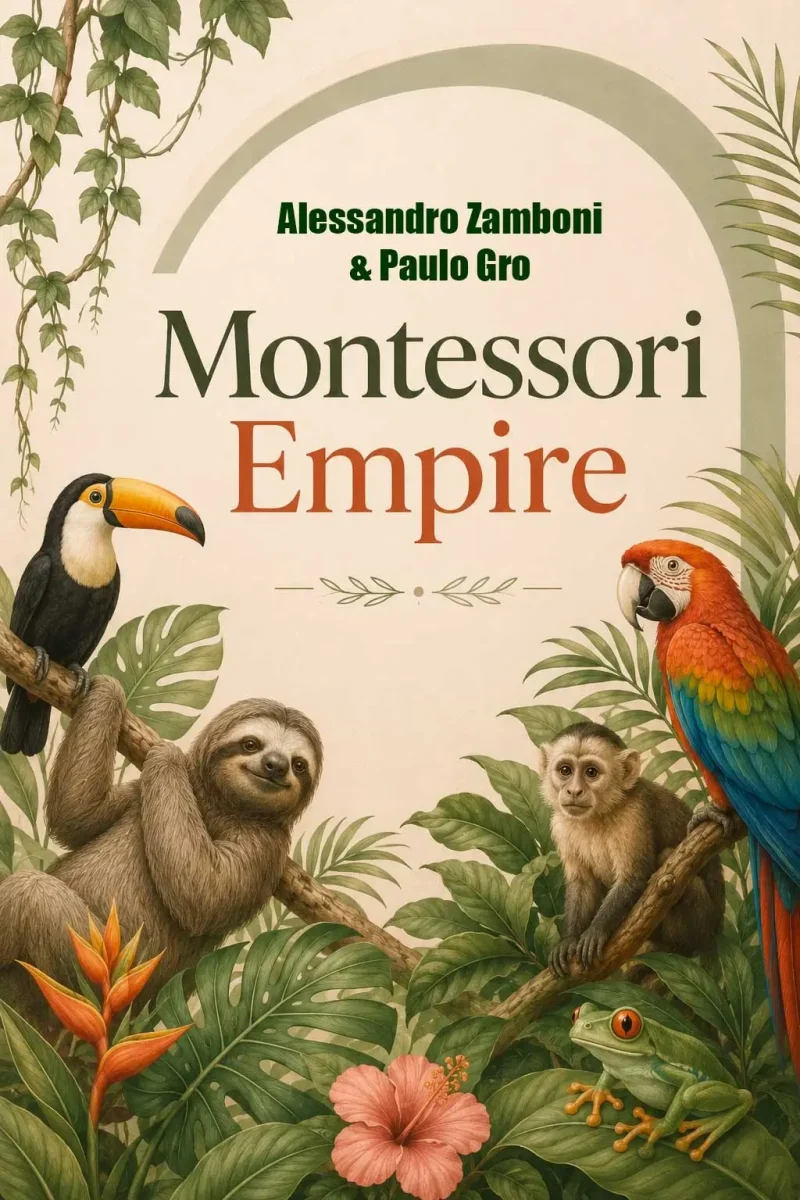
Montessori Empire Review
Is This 546-Prompt Library Worth Buying?
Affiliate disclosure: This review may contain affiliate links. TikaReview may earn a commission if you purchase through these links, at no additional cost to you. Affiliate compensation does not influence our editorial conclusions.
Creating an educational printable often requires considerably more work than the finished page suggests.
A seller might start with a simple idea, such as an animal life-cycle worksheet, a dinosaur activity packet, or a weather-themed workbook. Turning that idea into a product people can download and use involves choosing an age group, planning the activities, writing instructions, producing illustrations, checking educational accuracy, maintaining a consistent page style, creating answer sheets, formatting the PDF, and preparing a marketplace listing.
For beginners, planning the product can take longer than designing it.
Montessori Empire attempts to make that planning process easier through a collection of prepared ChatGPT prompts. Instead of developing every worksheet concept and prompt from the beginning, users select a topic, copy the relevant prompt into ChatGPT, and request a complete product blueprint.
The resulting output may include a title, target age range, packet structure, page ideas, image prompts, listing copy, and suggested keywords.
That sounds useful, but the product needs to be understood correctly.
Montessori Empire is not a standalone worksheet generator. It is not a certified Montessori curriculum, and it does not automatically create and publish a finished PDF. It is primarily a structured prompt library that depends on ChatGPT, external design tools, and substantial human review.
This Montessori Empire review examines what the package includes, how the documented workflow operates, who may benefit from it, its limitations, the complete OTO structure, and whether the $17 front-end offer provides reasonable value.
Montessori Empire Quick Verdict
Best for: New printable publishers who need help planning complete educational activity packets.
Not ideal for: Buyers expecting finished, professionally validated Montessori resources with one-click publishing.
Main strength: A large, organized collection of prompts that can reduce blank-page planning.
Main limitation: Users remain responsible for educational accuracy, design, editing, licensing, formatting, and marketplace compliance.
Overall recommendation: Montessori Empire may offer fair value as an inexpensive planning framework, provided you already understand that the prompts produce drafts rather than finished commercial products.
A cautious buyer should begin with the front end, complete one full packet, review the commercial license, and only then consider an upgrade.
Montessori Empire Overview

| Product: | Montessori Empire |
| Creators: | Alessandro Zamboni and Paulo Gro |
| Product Category: | ChatGPT prompt library |
| Primary Purpose: | Plan Montessori-inspired educational printable packets |
| Launch Date: | July 28, 2026 |
| Front-End Price: | $17 one-time during the stated launch period |
| Front-End Prompts: | 546 |
| Educational Categories: | 42 |
| Library Groups: | Seven |
| AI Platform: | ChatGPT |
| Final Layout Tools: | Canva, Word, Affinity, Book Bolt, or Kindle Create |
| Recurring Front-End Fee: | None stated |
| Refund Period: | Stated 14-day money-back guarantee |
| Commercial License: | Mentioned, but the complete license was not supplied for review |
The front-end package is represented as containing 546 ready-to-copy prompts organized into seven groups and 42 categories. It also includes a searchable prompt spreadsheet and a publishing best-practices guide.
What Is Montessori Empire?
Montessori Empire is a downloadable prompt collection intended to help users create Montessori-inspired educational worksheet packets with ChatGPT.
It does not appear to operate like conventional cloud software. There is no verified product dashboard that independently writes, designs, formats, exports, and publishes finished resources.
The main workflow revolves around prepared prompts.
A user chooses a subject from the library and pastes the corresponding prompt into ChatGPT. Depending on the prompt and the AI’s response, the output may contain:
- A proposed product title and subtitle
- A recommended age group
- A visual direction
- A packet structure
- A page-by-page activity plan
- A draft marketplace description
- Seven suggested keywords
- A separate image prompt for each page
- Answer sheets or extra activity ideas
The user must then generate or design the individual pages, inspect the material, arrange everything in a separate application, and export the final printable.
A more accurate description: Montessori Empire is a structured prompt and planning system for creating Montessori-inspired printable packets with ChatGPT.
It should not be presented as a fully automated printable-product business.
Who Created Montessori Empire?
Montessori Empire is associated with Alessandro Zamboni and Paulo Gro.
The supplied promotional material describes Alessandro Zamboni as a digital-product creator who has launched products since 2008. Paulo Gro is presented as a prompt specialist involved in several earlier prompt collections.
This background may provide some confidence that the package was assembled by people familiar with digital-product launches and prompt-based workflows.
However, creator experience does not independently prove:
- The quality of every included prompt
- The educational value of every resulting activity
- Commercial demand for the finished products
- Formal alignment with Montessori teaching standards
- The profitability of products created with the system
Claims about the creators’ commercial performance should be understood as vendor-provided context rather than independent evidence.
What Problem Does Montessori Empire Solve?
The main problem is not access to ChatGPT.
Anyone can ask ChatGPT to create a worksheet. The more difficult task is turning a broad topic into a complete, coherent, and commercially presentable resource.
Without a structured process, a publisher needs to decide:
- Which topic to cover
- Which age group to target
- How many pages to include
- What activity types belong in the packet
- How the learning sequence should progress
- Which instructions should appear on each page
- Whether an answer key is required
- How the illustrations should look
- How to maintain visual consistency
- What to call the product
- How to describe it
- Which marketplace keywords to investigate
Montessori Empire attempts to reduce that planning burden.
For example, instead of starting with the vague instruction “create an ocean-animal worksheet,” a prepared prompt may ask ChatGPT to develop a complete packet containing matching, sorting, tracing, labeling, observation, and sequencing activities.
This can provide a clearer production roadmap.
It does not remove the need for human judgment. The publisher remains responsible for accuracy, age suitability, originality, design quality, licensing, and marketplace compliance.
What Is Included in Montessori Empire?
1. 546 Ready-to-Copy ChatGPT Prompts
The front-end package reportedly includes 546 prompts based on complete educational-printable concepts.
The value of these prompts is not that ChatGPT becomes capable of something entirely new. The value comes from having detailed instructions prepared and organized in advance.
This may reduce the trial and error involved in developing a comprehensive prompt independently.
However, prompt quantity alone does not establish prompt quality. TikaReview has not independently tested all 546 prompts or compared the results across different ChatGPT accounts and models.
2. Seven Organized Library Groups
The prompts are divided into seven groups.
This organization should make the library easier to browse than a folder containing hundreds of unrelated prompt files.
The supplied materials mention broad subject areas involving:
- Animals
- Nature
- Science
- Seasonal learning
- Community topics
- Health and the human body
- Transportation and related themes
The exact structure and labels of all seven groups were not independently inspected.
3. Forty-Two Educational Categories
The front end covers 42 categories.
Examples mentioned in the supplied materials include:
- Animal life cycles
- Farm animals
- Ocean creatures
- Birds
- Insects
- Seasons
- Weather
- Space
- Dinosaurs
- The human body
- Healthy foods
- Transportation
- Community helpers
A broad topic library can help sellers create a larger product catalog without repeatedly researching new themes.
The number of categories should not be confused with verified demand. A subject being included does not mean customers are actively searching for it or that it will sell on a particular marketplace.
4. Complete Packet Blueprint Generation
Each main prompt is intended to ask ChatGPT for an organized product plan.
The blueprint may contain:
- A commercial title
- A subtitle
- A target age range
- A visual style guide
- A packet structure
- A detailed page sequence
- Listing copy
- Keyword suggestions
- Image instructions for individual pages
This is one of the package’s most useful elements.
Generating random worksheet pages is easy. Creating pages that fit together as one product is more difficult. The blueprint gives the project a sequence before the visual work begins.
5. Approximately 25 to 30 Pages per Packet
The product FAQ states that a generated packet may contain approximately 25 to 30 pages, including a cover.
This should be treated as an intended output rather than a guaranteed result.
A longer packet is not automatically more useful than a shorter one. Twenty-five repetitive or poorly designed pages may provide less educational value than ten carefully tested activities.
Users should prioritize progression, clarity, and usefulness over page count.
6. Individual Page and Image Prompts
After creating the blueprint, users can continue in the same ChatGPT conversation and enter the prompt for each page.
This process is intended to support:
- A matching front cover
- Individual worksheet pages
- Consistent illustrations
- Repeated design instructions
- Page-specific titles and labels
- Activity directions
- Answer or solution pages
Maintaining the same conversation may help ChatGPT retain some visual and thematic context.
It does not guarantee perfect consistency. AI-generated images can change characters, proportions, line thicknesses, fonts, colors, and layouts between generations.
7. Multiple Activity Formats
The library reportedly supports several activity types, including:
- Tracing
- Matching
- Sorting
- Counting
- Labeling
- Sequencing
- Observation exercises
This variety may help a publisher avoid creating a packet in which every page uses the same activity format.
Each exercise still needs to be reviewed for educational purpose. A visually attractive matching page can contain weak, confusing, or developmentally inappropriate learning tasks.
8. Product Descriptions and Keyword Suggestions
The prompts can ask ChatGPT to draft:
- A product title
- A subtitle
- A marketplace description
- Seven suggested keywords
These outputs can provide a convenient starting point for an Etsy, Amazon KDP, Gumroad, or Teachers Pay Teachers listing.
They should not be treated as verified marketplace research.
Unless a connected research tool is being used, ChatGPT does not automatically provide reliable live data for:
- Current keyword volume
- Etsy competition
- Amazon search demand
- Conversion rates
- Buyer trends
- Seasonal marketplace changes
Users should validate the suggested phrases and rewrite the listing in their own brand voice.
9. Searchable Master Prompt Spreadsheet
The package includes a spreadsheet containing the 546 prompts.
Users can reportedly filter the collection by category or group, find an appropriate subject, and copy the corresponding prompt from one file.
This is a practical organizational feature, especially for a large library.
The spreadsheet was not independently inspected, so several details remain unknown:
- How clearly the categories are labeled
- Whether filtering is intuitive
- Whether prompts are duplicated
- Whether links or instructions are included
- Whether updates will be supplied
- Whether the file works equally well in Excel and Google Sheets
10. Publishing Best-Practices Guide
A bonus guide reportedly includes a pre-publication checklist for:
- Etsy
- Amazon KDP
- Gumroad
- Teachers Pay Teachers
The document is also said to cover originality checks and considerations for AI-assisted products.
This may help beginners remember important publishing tasks. Marketplace policies can change, however, so users should confirm current rules directly through each platform before uploading a product.
A static guide should not be treated as permanent policy advice.
On top of that, you will receive these two amazing bonuses as a reward for taking action early:
How Does Montessori Empire Work?
The documented workflow has three main production stages. A professional publisher should add a fourth quality-control stage.
Step 1: Select a Topic and Generate the Blueprint
Open the prompt library or searchable spreadsheet and choose an appropriate subject.
Copy the corresponding prompt and paste it into ChatGPT.
The AI may then return:
- A product concept
- A title and subtitle
- A suggested target age
- A visual direction
- A packet structure
- A page-by-page outline
- A listing description
- Seven keyword ideas
- Individual page prompts
Why this step matters: It establishes the product structure before page generation begins. Without a blueprint, a user may create attractive activities that do not form a coherent packet.
Expected result: A draft production plan rather than a finished printable.
Common mistake: Accepting the proposed age level, instructions, and educational sequence without checking them.
Step 2: Generate the Cover and Worksheet Pages
Remain in the same ChatGPT conversation and submit the cover prompt first.
Then enter each page prompt individually.
Keeping the work in one conversation may help preserve the project’s general style and terminology.
Why this step matters: Generating one page at a time gives the user more control and makes errors easier to identify.
Expected result: Separate page concepts or generated images that can later be assembled.
Practical tip: Generate visual elements without embedded text when possible, then add final titles and instructions manually in a design application.
AI-generated text inside images can contain:
- Misspellings
- Distorted letters
- Incorrect labels
- Missing words
- Poor alignment
- Inconsistent capitalization
- Unreadable typography
Manual text placement is slower but generally gives a more professional result.
Step 3: Assemble and Export the Product
Import the generated content into a layout tool such as:
- Canva
- Microsoft Word
- Affinity
- Book Bolt
- Kindle Create
Arrange the pages, correct the text, add branding, check the margins, and export the finished product.
The supplied instructions recommend an 8.5 × 11-inch PDF at 300 DPI.
Possible publishing destinations mentioned in the product materials include:
- Etsy
- Amazon KDP
- Gumroad
- Teachers Pay Teachers
- A personal website
These are publishing options, not verified direct integrations. Montessori Empire does not appear to connect to or publish automatically on those platforms.
Step 4: Review, Test, and Correct Everything
This fourth stage is essential for a professional child-focused product.
Before publishing, check:
- Factual accuracy
- Spelling and grammar
- Clarity of instructions
- Age suitability
- Answer-key accuracy
- Visual consistency
- Print margins
- Font size
- Color contrast
- Page order
- Originality
- Licensing
- Marketplace requirements
- Copyright and attribution notices
Print at least one test copy.
A page may look acceptable on a monitor but produce cropped edges, weak contrast, or unreadably small text when printed.
For commercial educational resources, consider having a qualified teacher or educator review the packet before publication.
Is Montessori Empire Really Montessori-Based?
This remains unverified.
Montessori education is a defined educational approach. It should not be used merely as a general synonym for children’s worksheets.
The available materials mention activities such as sorting, matching, tracing, counting, sequencing, and observation. Some of these activities may be compatible with child-centered or hands-on learning.
However, the evidence reviewed does not confirm that:
- A certified Montessori educator created the prompts
- A Montessori school tested the activities
- The packets follow a recognized Montessori curriculum
- Authentic Montessori materials or sequences are used
- The proposed age ranges were professionally validated
- The product is affiliated with a Montessori organization
For editorial accuracy, the resulting products are better described as Montessori-inspired educational printables unless the vendor supplies formal validation.
Publishers should also consider whether using “Montessori” in a product title, branding, or marketplace listing creates additional legal or platform-policy considerations.
Who Is Montessori Empire For?
New Printable Publishers
Beginners often have ideas but struggle to turn them into complete products.
The library may provide a more structured starting point by showing what kinds of activities, page sequences, and supporting materials can be included in a packet.
Etsy Sellers
Etsy sellers may use the prompts to plan printable bundles and educational downloads.
The product is most likely to help sellers who already understand:
- Product mockups
- Listing creation
- Keyword validation
- Printable delivery
- Customer support
- Marketplace fees
- Licensing
Montessori Empire may help create the content plan, but it does not replace the rest of the Etsy workflow.
Amazon KDP Publishers
KDP publishers could use the prompts to develop:
- Activity books
- Educational workbooks
- Themed children’s resources
- Practice materials
The finished files still need to comply with Amazon’s current quality, formatting, trim-size, disclosure, and publishing requirements.
Teachers Pay Teachers Sellers
The prompts may provide ideas for classroom resources.
Teachers Pay Teachers customers may expect strong educational value and practical classroom usability. Every activity should be carefully reviewed, corrected, and preferably tested before sale.
Homeschool Creators
Parents and homeschool publishers may use the system to produce resources based on:
- A child’s interests
- A particular age range
- Seasonal topics
- Current lessons
- Specific subjects
Extra care is needed when adapting material for a child with a particular learning difficulty. General AI-generated recommendations should not replace professional educational guidance.
Digital-Product Sellers
The package may appeal to sellers who want to expand beyond planners, templates, and generic ebooks into educational downloads.
Busy Creators With Limited Planning Time
The clearest benefit is a reduction in blank-page planning.
Montessori Empire does not eliminate production work. It provides a repeatable starting sequence.
Who Should Avoid Montessori Empire?
Buyers Expecting Finished Products
The prompts do not independently produce a polished, upload-ready PDF.
Users Who Do Not Want to Edit AI Output
Every generated page should be reviewed, corrected, and customized.
Buyers Seeking a Certified Montessori Curriculum
No professional Montessori validation was supplied.
People Without Suitable ChatGPT Access
The documented workflow depends on ChatGPT. The precise plan or image-generation entitlement required was not specified.
Users Who Need Direct Publishing Automation
No verified one-click integration with Etsy, KDP, Gumroad, or Teachers Pay Teachers was documented.
Experienced Prompt Engineers
People who already build detailed prompt systems may be able to create a comparable workflow themselves.
Publishers Requiring Fully Verified Commercial Rights
The complete license was not available for review. Confirm the rights before selling generated products or creating client work.
Montessori Empire Pros and Cons
Pros
- Affordable stated $17 front-end price
- One-time payment for the main offer
- 546 organized prompts
- Seven prompt groups
- 42 educational categories
- Focuses on complete packets rather than isolated pages
- Provides page-by-page planning
- Includes individual image-prompt instructions
- Can generate draft product descriptions
- Can generate initial keyword ideas
- Includes a searchable spreadsheet
- Includes a publishing guide
- Compatible with familiar layout applications
- Optional upgrades are not required
- May reduce initial research and planning time
Cons
- Not standalone software
- Requires ChatGPT
- Requires a separate design or layout tool
- AI-generated text may contain errors
- AI images may lack visual consistency
- Embedded image text may be distorted
- Montessori alignment is not professionally verified
- The complete commercial license was not supplied
- Marketplace acceptance is not guaranteed
- Generated keywords are not verified live search data
- No independent performance testing was supplied
- No verified customer feedback was provided
- The complete funnel is substantially more expensive than the front end
- Prompt quantity does not prove prompt quality
- Child-focused educational materials require extensive human review
Montessori Empire Pricing
Front-End Offer: $17
The main package is listed at a one-time launch price of $17.
It reportedly includes:
- 546 prompts
- Seven groups
- 42 categories
- The master spreadsheet
- The publishing best-practices guide
No recurring front-end subscription was stated.
The introductory price may change after the launch period, so confirm the current checkout price before purchasing.
OTO 1: Prompt Vault Expansion — $27
This upgrade reportedly expands the library to:
- 1,495 prompts
- 115 categories
The additional content covers broader educational themes, including animals, science, nature, and space.
OTO 2: Mega Prompt Library — $37
This upgrade reportedly expands the collection to:
- 3,939 prompts
- 303 categories
It is intended for users who want a much larger range of packet concepts.
OTO 3: Bible and Faith Packets — $47
This upgrade reportedly includes:
- 3,990 prompts
- 100 Bible and faith categories
The themes include biblical stories, Christian activities, faith-based learning, and religious education.
OTO 4: Alphabet and Early Literacy Packets — $47
This upgrade reportedly contains:
- 4,201 prompts
- 200 categories
The collection focuses on:
- Alphabet recognition
- Phonics
- Vocabulary
- Letter practice
- Early reading
OTO 5: Numbers and Math Packets — $67
This option reportedly includes:
- 4,410 prompts
- 210 categories
Subjects include:
- Counting
- Number recognition
- Basic calculations
- Patterns
- Shapes
- Early mathematics
OTO 6: All About Me and Feelings Packets — $77
The final listed upgrade reportedly contains:
- 4,621 prompts
- 220 categories
Themes include:
- Identity
- Emotions
- Relationships
- Personal development
- Social-emotional learning
The prices and contents above come from the supplied Montessori Empire product material.
Complete Funnel Cost
Purchasing the front end and all six upgrades at the supplied prices would cost:
| Offer | Price |
|---|---|
| Front end | $17 |
| OTO 1 | $27 |
| OTO 2 | $37 |
| OTO 3 | $47 |
| OTO 4 | $47 |
| OTO 5 | $67 |
| OTO 6 | $77 |
| Total | $319 |
This total does not include possible:
- Sales tax
- VAT
- Transaction charges
- Downsells
- Coupons
- Bundle pricing
- Future changes
Do You Need the OTOs?
No.
The supplied FAQ presents all six upgrades as optional. The front end already contains 546 prompts across 42 categories.
A cautious buying approach would be:
- Start with the front-end package.
- Inspect prompts from several categories.
- Complete one entire packet.
- Record how much editing and design work it requires.
- Review the commercial license.
- Test the finished product with real users.
- Consider an upgrade only when its niche supports a clear publishing plan.
Thousands of unused prompts provide no practical value.
An upgrade should be purchased because you need its subject area, not because the prompt count sounds impressive.
Is the Front End Worth $17?
The answer depends on your expectations.
It may be worth $17 when:
- You are new to prompt development
- You need a prepared production structure
- You want a broad library of educational ideas
- You already use ChatGPT
- You can work in Canva, Word, or another layout tool
- You plan to create multiple products
- You are willing to edit every page
- The commercial license supports your intended use
It may not be worth $17 when:
- You already have an advanced prompting workflow
- You expect finished products
- You need professionally reviewed curriculum
- You do not want to correct AI output
- You lack access to suitable image-generation tools
- You only intend to create one worksheet
- The included categories do not fit your audience
- The licensing terms do not cover your business model
At the front-end price, the primary value comes from organization and convenience.
Buyers are not purchasing proprietary AI technology. They are paying for the prompt research, categorization, and structured workflow.
Commercial Rights and Licensing
The supplied material discusses commercial publishing opportunities, but the complete legal license was not included in the evidence reviewed.
Before selling any product, verify:
- Whether generated output may be sold commercially
- Whether client work is permitted
- Whether the original prompts can be shared
- Whether prompts can be resold
- Whether editable source files can be distributed
- Whether print-on-demand use is allowed
- Whether there is a product-quantity limit
- Whether third-party graphics are included
- Whether AI-generated assets have separate restrictions
- Whether the product name or “Montessori” wording can be used commercially
Until the full agreement has been reviewed, commercial-use claims should be treated as insufficiently verified.
Can You Make Money With Montessori Empire?
Montessori Empire may help users create products intended for sale. It cannot guarantee that those products will earn revenue.
Possible business models include:
- Etsy printable downloads
- Amazon KDP activity books
- Teachers Pay Teachers resources
- Gumroad bundles
- Homeschool activity packets
- Classroom materials
- Direct website sales
- Custom worksheet-design services
Actual commercial results depend on:
- Market demand
- Educational quality
- Originality
- Visual design
- Listing presentation
- Keyword competition
- Pricing
- Product previews
- Customer reviews
- Branding
- Marketplace policies
- Promotion
- Catalog size
- Customer support
A generic AI-generated packet with mistakes and weak educational value may fail even when it contains many pages.
Montessori Empire can support product development. It cannot establish demand or guarantee sales.
Montessori Empire Alternatives
1. Creating Your Own ChatGPT Prompts
Experienced users can develop a custom prompt workflow without buying a prepared library.
Advantages:
- Complete creative control
- More distinctive outputs
- Easier curriculum customization
- No separate prompt-library purchase
- Better alignment with a specific audience
Disadvantages:
- Requires more planning
- Involves additional trial and error
- May be difficult for beginners
- Maintaining consistency can be challenging
DIY prompting is a better fit for experienced prompt writers. Montessori Empire may be more convenient for users who prefer a prepared structure.
2. Canva Educational Templates
Canva provides editable worksheet and activity-page templates.
Advantages:
- Reliable text editing
- Flexible layouts
- Easy branding
- Consistent visual design
- Print-ready export
- Large template selection
Disadvantages:
- Does not plan a complete educational sequence
- Product ideas still require research
- Common templates may look generic
- Some assets and tools require a paid plan
Canva is better suited to final design. Montessori Empire is focused more on content planning. The two tools can be used together.
3. Book Bolt
Book Bolt provides research, design, and formatting tools for Amazon KDP publishers.
Advantages:
- KDP-focused workflow
- Interior-design tools
- Publishing research features
- Better support for book formatting
Disadvantages:
- May involve recurring fees
- Does not replace educational expertise
- Requires original content
- Can be more complex than a prompt library
Book Bolt may suit established KDP publishers. Montessori Empire may appeal to beginners looking for inexpensive planning assistance.
4. Established Teacher-Resource Libraries
Finished educational-resource libraries can provide materials created for direct classroom or homeschool use.
Advantages:
- Immediate access
- Less production work
- Some resources are educator-created
- Products may have classroom feedback
Disadvantages:
- Usually do not include resale rights
- Limited customization
- Not designed for building a commercial catalog
Choose established resources when you need teaching materials for personal use. Choose a creation framework when you intend to develop original products.
5. Hiring an Educator and Designer
A trained educator and professional worksheet designer can develop a custom resource.
Advantages:
- Stronger educational accuracy
- Better age targeting
- Greater originality
- Professional visual quality
- Better brand differentiation
Disadvantages:
- Higher cost
- Longer production time
- Requires project management
Human specialists are a better option for premium educational brands. Montessori Empire may be more appropriate for testing ideas and producing early drafts.
Montessori Empire Frequently Asked Questions
What is Montessori Empire?
Montessori Empire is a collection of 546 ChatGPT prompts intended to help users plan and create Montessori-inspired educational worksheet packets.
Is Montessori Empire software?
It is better described as a downloadable prompt library and publishing workflow than standalone software.
How many prompts are included?
The front-end package reportedly contains 546 prompts organized into seven groups and 42 educational categories.
What can I create?
The prompts may be used to plan educational packets involving animals, nature, science, seasons, weather, transportation, community helpers, the human body, and other subjects.
How many pages can a packet contain?
The supplied FAQ states that a packet may contain approximately 25 to 30 pages, including the cover. This is an intended output rather than a guarantee.
Does Montessori Empire produce finished PDFs?
No. Users need to arrange and format the generated material in Canva, Microsoft Word, Book Bolt, Kindle Create, Affinity, or another layout application.
Do I need ChatGPT?
Yes, according to the documented workflow. The exact ChatGPT plan required for all image-generation functions was not specified.
Is Montessori Empire beginner-friendly?
Copying and pasting the prompts should be relatively straightforward.
Beginners still need to review the content, correct errors, design the pages, export the files, research the marketplace, and publish the product.
Can I customize the worksheets?
The supplied FAQ states that users may change the wording, illustrations, activities, fonts, colors, branding, age level, and page layouts.
Customization is important for improving originality and matching the needs of a particular audience.
Can I sell the finished printables?
The product is presented as supporting commercial publishing, but the complete license was not available for review.
Confirm the license before selling output or offering client services.
Where can I sell the products?
The supplied materials mention Etsy, Amazon KDP, Gumroad, Teachers Pay Teachers, and personal websites as possible destinations.
These platforms are not documented as direct integrations.
Are the upgrades required?
No. The front-end package works independently, according to the supplied FAQ.
How much does Montessori Empire cost?
The stated front-end launch price is $17 as a one-time payment.
How much does the complete funnel cost?
The front end and six listed upgrades total $319 before taxes, coupons, discounts, or other checkout adjustments.
Is there a refund policy?
The product material states that Montessori Empire has a 14-day money-back guarantee. The full refund terms were not supplied for review.
Is Montessori Empire officially approved by a Montessori organization?
No evidence of formal Montessori approval, affiliation, or professional curriculum validation was provided.
Does Montessori Empire guarantee income?
No.
Sales depend on product quality, demand, competition, presentation, pricing, promotion, marketplace rules, and customer satisfaction.
Final Verdict
Montessori Empire provides a structured way to plan educational printable packets with ChatGPT.
Its strongest feature is organization.
Instead of developing every subject, packet structure, activity sequence, visual instruction, and product-listing prompt manually, users receive a large prepared library covering 42 educational categories.
For beginners, that structure may reduce the time spent deciding what to create and how to organize it.
The limitations are equally important.
Montessori Empire does not independently produce a finished commercial PDF. Users still need ChatGPT, a layout application, marketplace research, careful editing, and substantial quality control.
AI-generated text and images can contain errors. Visual consistency is not guaranteed. The educational material has not been shown to have professional Montessori validation, and the complete commercial license was not included in the evidence reviewed.
At the stated $17 front-end price, the package may offer reasonable value as a planning shortcut for someone who understands the rest of the production process.
The upgrades are more difficult to recommend before the front end has been tested. Buying thousands of additional prompts before completing one useful, accurate, and publishable packet could create unnecessary expense.
Who Should Consider It?
Consider Montessori Empire when:
- You want to enter the educational-printables market
- You need help structuring complete worksheet packets
- You already use ChatGPT
- You are prepared to edit every page
- You can assemble the final product in Canva or another tool
- You have confirmed the commercial license
Who Should Skip It?
Skip Montessori Empire when:
- You expect one-click finished products
- You need certified Montessori curriculum
- You do not want to review AI-generated content
- You already have an advanced prompt workflow
- You require proven sales results
- You cannot confirm your publishing rights
Final Recommendation
Montessori Empire is worth considering as an affordable prompt and planning library, but it should not be mistaken for an automated educational-product business.
Start with the $17 front end, inspect the prompts carefully, verify the license, and complete one full packet before purchasing any upgrade.
Recommendation confidence: Moderate
This recommendation remains conditional because Tika Review has not independently tested the full library, evaluated a completed packet with children or educators, or reviewed the complete commercial license.
Montessori Empire is a collection of 546 ChatGPT prompts intended to help users create Montessori-inspired educational worksheet packets.
Product Brand:
Alessandro Zamboni and Paulo Gro
Product Currency:
USD
Product Price:
17
Product In-Stock:
InStock Montessori Empire
4.5
(You will receive ALL Bonuses on Part 1 to Part 5)
PART 1
PART 2
PART 3
PART 4
PART 5
And you can pick 1 package (for each purchase) from the following packages that you think are the most useful for you:
***3 STEPS TO CLAIM THIS BONUSES***
Step 1: Order Montessori Empire through my Montessori Empire Review:
Step 2: After you complete the order, send [the receipt id] in a message to my email at: support@tikareview.com or complete your information on this page.
Step 3: I will send all bonuses for you within 24 hours. Please wait your bonus.

