
StreetSpeak X Review
AI Street Interviews With Recurring Characters, Checked Line By Line
Why Street Interviews Took Over Short-Form Feeds
Scroll through TikTok or Reels for five minutes and you’ll hit one. A presenter with a microphone stops a stranger on a busy street, asks a blunt question, and the answer is awkward, funny or surprisingly honest. It feels unplanned. That’s exactly why people stop and watch.
StreetSpeak X promises to make those clips without a camera, a crew or a single stranger. Ram Rawat and Gaurab Borah’s app builds AI characters, writes the conversation around your niche, renders the scenes with street backdrops and camera styles, adds captions and your logo, and schedules the result across five social platforms. It launched on November 21, 2026 through JVZoo, with Lite at $27 and Premium at $37 one time, a working 10% code on Premium, three order form add-ons, five upgrades and a $317 bundle.
The tool itself looks well thought out, with more control over characters and scenes than most AI video apps at this price. The page around it is another story. It still carries leftovers from other launches, it leans on other creators’ results, and it skips the rules that apply when an AI interviewee praises a product. This review covers both sides.
StreetSpeak X Quick Facts

| Detail | Information |
|---|---|
| Product | StreetSpeak X |
| Vendor | Ram Rawat and Gaurab Borah |
| Launch | November 21, 2026, 10 AM EST; launch ends November 27 |
| Sold through | JVZoo |
| Sales Page | https://www.streetspeakx.com/specialdeal |
| Category | AI street interview video creator |
| Type | Cloud web app with Telegram control |
| Front-end price | $27 one-time for Lite, $37 one-time for Premium |
| Coupon | AISTREETVIP for 10% off Premium ($37 to $33.30); AISTREET50 for $50 off the All Access Pass ($317 to $267) |
| Order form add-on | 5X Telegram Automation $29.97, DFY Social Package $29.97, Secret YouTube Ranking Hack $14.97 |
| Upsells | Five, from $47 to $397, each with a cheaper downsell |
| Bundle | All Access Pass, $317 one-time |
| Bundle Link | https://www.streetspeakx.com/allaccesspass |
| Refund | 30-day money-back guarantee, no questions asked |
An AI Studio For Staged Sidewalk Conversations
At its core, StreetSpeak X is a script-to-video generator built around one format: the street interview. You describe your brand once, create characters to play the interviewer and the people being interviewed, then pick a scenario, a location, a camera style and a goal. The app writes the dialogue, plans the scenes, renders them, and hands you a finished clip with captions, music and branding.
What sets it apart from general AI video tools is consistency. The same character can appear in dozens of videos with the same face, outfit, voice and catchphrases. That matters, because recurring characters are what turn a stream of random clips into something an audience recognizes and follows.
The app also tries to connect each video to a goal. You can tell it to aim for engagement, education, traffic or promotion, and it writes the conversation so your offer comes up naturally. That’s the part the page calls an anti-sales framework. In practice, it’s product placement inside a scripted chat, and it needs careful handling, which I’ll cover later.
Meet Ram Rawat And Gaurab Borah
Ram Rawat and Gaurab Borah are a long-standing launch partnership in the AI marketing software space, with Gaurab coming from affiliate marketing and building beginner-focused traffic systems, and Ram, whom Gaurab mentored, handling the software side with around a decade in software marketing, and together they’ve released tools such as AI PodVids, StreetSpeak AI, PrimeStocks, RankSnap AI, TrafficBolt AI, ViralCred AI and AI ReviewShorts, with StreetSpeak X running on the same app platform as the earlier StreetSpeak AI.
Every StreetSpeak X Feature, From BrandHub To Telegram
The sales page lists fifteen headline features, and the product walkthrough fills in how most of them work. Here they are, grouped by stage.
Brand Setup
- BrandHub import: paste a website, YouTube channel or Instagram profile and the app fills in your brand name, tagline, description, tone of voice, style notes, words to avoid and sample hooks.
- Audience profile: pain points, goals and the people you’re targeting, all editable.
- Offers and calls to action: add your products, a free consultation or any link you want videos to point to.
- Knowledge base: keywords, do’s and don’ts that every script follows.
- Social connections: link YouTube, TikTok, Instagram, Facebook, LinkedIn and X, with up to three accounts on Lite and five on Premium.
- Brand workspaces: up to 3 brands on Lite and 10 on Premium, each with its own profile and offers.
Characters
- Character studio: create characters from your brand profile, from a written description or from pre-built options, and choose whether each one interviews, answers or does both.
- Detailed profiles: outfit, accessories, personality, voice, catchphrases, microphone branding and mannerisms such as how they hold the mic.
- Consistent looks: each character keeps the same face from different angles across videos.
- Face cloning: upload one photo and create an AI version of yourself to appear in videos.
- Voice upload: add your own voice so a character speaks like you instead of using a stock AI voice.
Interview Creation
- One keyword to full interview: enter a topic and the app writes questions, answers and scene prompts.
- Interview scenarios: one-on-one, two people in the background, multi-guest and dynamic locations with different characters.
- 10 interview styles: Hot Takes, Run and Gun, Funny, Casual, Confrontational, Expert and more.
- 8 camera styles: Face-to-Face, Reporter, Solo, Full Body, Selfie, Walking, Run and Gun and Cinematic Orbit.
- Locations and actions: pick a city street, a famous square or describe your own, plus what the character is doing when approached.
- Goal-based script writer: choose engagement, education, traffic or promotion, and get topic ideas matched to your audience.
- Built-in promotion: your offer is written into the conversation instead of tacked on at the end.
- Video lengths from 15 to 60 seconds: vertical or horizontal on the front end, rising to 900 seconds on the All Access Pass.
- 12+ languages: English, Spanish, Hindi, French, German and others.
Finishing And Publishing
- Scene-by-scene rendering: generate all scenes at once or one at a time, and regenerate any you don’t like.
- Caption styles: synced captions with presets and full control over font, size, weight and effects.
- Music, logo and CTA: add background music, position your logo and overlay a call to action.
- Clip library: save clips and join them into longer videos.
- Post copy: one click writes titles, descriptions and tags for each platform.
- Scheduling: post now or schedule up to 30 days ahead across five platforms, or download the video.
- Telegram control: send a topic in Telegram, preview the interview and approve it for posting.
- Projects and calendar: track drafts, finished videos and the posting schedule.
That’s a full production line. What I’d test first is character consistency across several videos and how natural the voices sound, since those decide whether the clips feel watchable or obviously synthetic.
The Ten Launch Bonuses From Ram Rawat And Gaurab Borah
The sales page adds ten fast-action bonuses for launch buyers, with values shown for each. The values below come from the bonus section; the price box further down lists different figures for a few of them:
The hook library and CTA swipe file fit the product best, since they feed straight into scripts. Bonuses 2 and 3 are live classes, so they’re only as useful as the session you attend. The price box gives the CTA swipe file and hook library $67 each, the profit blueprint $197 and the super affiliate course $67, and it labels two bonuses as number 3.
Use coupon “AISTREETVIP” To Get 10% OFF on Premium
Three Steps From Keyword To Scheduled Interview
The sales page sets out three steps. I’ll follow them in order, folding the smaller settings into each one.
Step 1: Build Your Brand & AI Characters
I start in BrandHub and click New Brand. For a health and fitness example, I name it, pick the platforms, then paste the address of a site in the niche I like and click Import:
In a few minutes the app fills in a tagline, description, tone of voice, style notes, words to avoid, sample hooks, audience pain points and goals. I edit anything that’s off, add my offer, which could be a free consultation, and set my call to action. Then I swap in my own logo and save.
Next comes the character studio. I generate a character straight from the brand profile, set the role to interviewer, and adjust the outfit, personality, voice, catchphrases, microphone branding and mannerisms. I can also describe a character from scratch, say a confident Gen Z guy in shorts, or upload my own photo to create a clone:
Finally I assign the characters I want to this brand, so every interview stays in the same cast:
Step 2: Create Viral-Style AI Street Interviews
I click Create Interview, name the project and choose my brand. Then I set the format: vertical or horizontal, the video length, the language and the scenario, such as one interviewer with one guest:
I pick my characters and a camera style. Face-to-face keeps things simple, while run and gun, selfie, walking and cinematic options add variety. For the backdrop, I choose an international street, for example Times Square, and describe the mood, maybe a heavy crowd at golden hour. I set an action, like the guest talking on the phone when approached:
In the script writer I choose promotion as the goal and pick from topic ideas generated for my audience. The app writes a short exchange that teaches something useful and slips in the free consultation offer:
I trim the script to fit the length, let the app plan the scenes, and generate them one at a time so I can check the first frame before rendering the rest:
Step 3: Auto-Publish & Attract Traffic & Buyers
With the scenes approved, I add captions from presets such as TikTok Classic or Viral Glow and adjust the font, size and intensity. I can add music, switch a character to my uploaded voice, place my logo and overlay a CTA, and join extra clips from my library for a longer cut. Then I submit and the final video renders:
One click writes titles, descriptions and tags for YouTube, TikTok, Instagram, Facebook, LinkedIn and X:
I connect an account and either post now or schedule it on the calendar, up to 30 days ahead on the front end:
I can also download the file. If I’d rather work from my phone, I connect Telegram, send a topic, preview the result and approve it for posting without opening the app:
Curious about how it works? Watch the demo video below for an in-depth overview:
Use coupon “AISTREETVIP” To Get 10% OFF on Premium
Lite Or Premium: What The Monthly Caps Mean
The page calls the price one-time, but both plans come with monthly limits, and they matter more than the headline features.
| Limit | Lite | Premium |
|---|---|---|
| Characters | 10 | 20 |
| Face clones | 3 | 10 |
| Welcome credits | 300 | 600 |
| Brands | 3 | 10 |
| Social accounts | 3 | 5 |
| Conversations and hooks each month | 100 | 300 |
| Video exports each month | 100 | 300 |
| Commercial license | Not listed | Included |
The credit row is the one to read twice. In the page’s own FAQ, 135 credits make a 15-second clip with audio, and you buy more inside the app once the welcome credits run out. At that rate, Lite’s 300 credits cover about two 15-second clips and Premium’s 600 cover about four, so roughly one minute of finished video on Premium before you pay again. The export cap of 300 videos a month is far above what the credits allow, which means credits, not caps, set your real limit. The wider funnel sells credit packs, such as a 6,000 credit booster, but the page doesn’t say what extra credits cost. Regenerating a scene you didn’t like probably uses credits too. Those details decide whether the front end supports a daily posting habit or only a handful of test videos.
Labeling AI Interviews On TikTok, YouTube And Meta
The page answers the question of whether people will know it’s AI with a cheerful yes. Platforms take that question seriously, because a street interview looks like real footage of real people.
- TikTok: requires creators to label AI-generated content that shows realistic scenes or people, and may label or remove unlabeled clips.
- YouTube: requires disclosure of realistic altered or synthetic content, especially when it could be mistaken for a real person or event.
- Meta: applies AI info labels on Facebook and Instagram and asks creators to disclose realistic AI video.
- LinkedIn and X: have their own rules on synthetic and manipulated media.
Turn on the AI label every time you post. It’s a small step that protects your account, and the format still works when viewers know it’s staged, as plenty of openly AI interview channels show.
Fake Interviewees, Real Endorsement Rules
This is the part I’d think hardest about. When an AI character on a busy street tells the camera a product changed their life, viewers may read that as a real person’s opinion. It isn’t.
In the United States, the FTC’s rule on fake reviews and testimonials bans endorsements that misrepresent who’s giving them, including AI-generated ones. The Endorsement Guides also require that endorsements reflect honest opinions and that any material connection, such as an affiliate commission, is clearly disclosed. The UK, EU and Australia have similar consumer protection rules.
Keep your promotions on the right side:
- Label the video as AI: in the caption and with the platform’s tool.
- Disclose paid links: near the link and on screen when you promote an offer.
- Avoid fake results: don’t script a character claiming weight loss, earnings or health outcomes.
- Stay away from regulated claims: health, finance and legal topics carry extra rules.
- Use characters as hosts: a presenter explaining a product is safer than a passer-by vouching for it.
The health example in the walkthrough shows the risk. A character offering diet advice and pointing to a consultation is fine if it’s clearly labeled and accurate. The same clip without labels, presented as a real stranger’s opinion, could be called misleading.
Writing Interview Scripts That Hold Up
The script writer does a decent job, but it writes what sounds good, not what’s true. A few habits make the difference between clips that build trust and clips that get reported.
Start with a real question your audience asks. Something like how much protein someone actually needs, or whether a budgeting app is worth paying for. Let the interviewee give a short, believable answer, and let the interviewer add one useful fact. Then mention your offer once, as a next step rather than a cure.
- Check every fact: the AI may state numbers or health claims with confidence.
- Keep answers short: street clips work because people answer in a sentence or two.
- Use mild humor: awkward pauses and playful replies feel natural without being cruel.
- Avoid mocking real groups: confrontational styles can slide into content platforms remove.
- Vary the cast: rotate guests so the same face isn’t endorsing everything.
Two or three solid scripts a week will do more for a channel than twenty rushed ones, and the credit budget makes that discipline sensible anyway.
Cloning Faces And Voices With Consent
Face and voice cloning are among the most useful features, and the most sensitive. Uploading your own photo and voice is straightforward. Uploading someone else’s is not.
- Get written consent: for any face or voice that isn’t yours, including team members and clients.
- Avoid public figures: cloning celebrities or creators can break right-of-publicity laws and platform rules.
- Watch new deepfake laws: several US states and the EU now regulate synthetic likenesses.
- Check client contracts: if you make videos for clients, agree who owns the characters and clones.
The walkthrough itself includes a cloned team member and a character described as a clone of a known person. That’s fine as an in-house joke, but it’s not something to copy for public videos without permission.
Borrowed Case Studies And Commission Screenshots
The sales page points to three successful street interview channels as proof that the format works. They’re real channels with big followings, but none of them is said to use StreetSpeak X. They show that the format can work for skilled creators who post consistently, which is a different claim from what this app will do for you.
The page also shows commission screenshots under a heading saying the team earns like this every day, and the founders section quotes sales totals and launch revenue. A footer disclaimer says results aren’t typical. I’d treat the screenshots as marketing and judge the software on the demo and a trial.
Launch Day Fixes And The Leftovers That Stayed
The live special deal page is tidier than the JV preview. The buy buttons now go to the JVZoo order forms for Lite and Premium, the bundle has its own page, welcome credits are filled in and a credits FAQ was added. Some rough edges remain.
- A popup from another product: the exit popup still offers coupon ONELINK3 and an Xtreme Version with AI rooms, session recordings and audio avatars, none of which belong to StreetSpeak X. The order form doesn’t accept that code.
- Partner testimonials: two new quotes come from a top affiliate and vendor and a fellow entrepreneur, people in the same launch circle, so read them as peer praise rather than customer results.
- Monthly labels: the price box shows plans as monthly while the page calls them one-time.
- Mismatched bonus values: four bonus values differ between the bonus section and the price box.
- Redirects: other paths on the same domain lead to pages for different products, and the bare domain opens an early bird signup page.
None of this changes what the app does, but it makes the price box unreliable. Use the JVZoo order form to confirm what you’ll pay.
$37 For Premium, Three Checkboxes And One Code That Works
The JVZoo order form for Premium shows $37.00 as a single payment, and the Lite order form shows $27.00. The sales page compares Premium with a $97 monthly retail price and Lite with $67, which are anchors rather than real prices.
| Item | Price |
|---|---|
| Premium | $37 one-time |
| Lite | $27 one-time |
| 5X Telegram Automation | $29.97 checkbox |
| DFY Social Package | $29.97 checkbox |
| Secret YouTube Ranking Hack | $14.97 checkbox |
| Five upgrades | $47 to $397 |
| All Access Pass | $317 |
The Order Form Checkboxes
Three add-ons sit on the Premium order form. 5X Telegram Automation lifts the Telegram limit to 25 interviews a day from 5. DFY Social Package adds more than 6,000 ready-made shorts and reels in niches such as luxury, motivation and pets, plus 1,000 social media prompts. The Secret YouTube Ranking Hack is described by the vendor as an underground grey-hat method for getting YouTube traffic. I’d skip that one. Grey-hat tactics can get a channel penalized or removed, which is the opposite of what you want.
Coupons
AISTREETVIP is the code that works on the front end. It takes 10% off Premium, bringing $37 down to $33.30, but it doesn’t apply to Lite. For the bundle, AISTREET50 takes $50 off the All Access Pass, so $317 becomes $267. The older codes STREET10 and STREET50 aren’t accepted on any of the order forms, and neither is the ONELINK3 code from the exit popup, so don’t waste time on them.
Refunds
Both the sales page and the order form promise a 30-day money-back guarantee, and the page says no questions asked. The vendor handles refunds through its support desk. Keep your receipt and test early, especially your credit usage.
Five Upgrades, Five Downsells And A Longer Funnel Behind Them
You must buy the front end first before any of these appear. Each upgrade has a cheaper downsell that drops the commercial rights.
OTO 1: StreetSpeak X Pro, $67
Unlimited characters, clones, projects, conversations, hooks and exports, plus 50 ready-made characters, a library of more than 500 clips with multi-clip videos, videos up to 160 seconds, a buyers list case study and traffic training. The downsell is $57. If the front end’s monthly caps feel tight, this is the upgrade that removes them, though ask whether rendering credits are also unlimited.
OTO 2: MasterMode Agency, $97
Up to 10 team members, 90 days of scheduling, unlimited brand workspaces, 10 extra interview styles, 10 extra camera styles, a library of more than 2,000 clips, twice the rendering speed and a full commercial license. The downsell is $77. Useful for agencies handling several client brands.
OTO 3: TubeOS X, $47
A separate YouTube system that finds affiliate offers, attaches them to videos, builds recurring characters and creates shorts and long videos with thumbnails, SEO titles and tags, then publishes or schedules them, with Telegram control. The downsell is $37. It’s almost a second product, which is good value if you run a YouTube channel.
OTO 4: ViralCred AI, $47
A Facebook-focused tool that turns one message into many authority posts and publishes them daily, controlled through Telegram. The downsell is $37.
OTO 5: Reseller, $297 To $397
Sell StreetSpeak X accounts to up to 100 clients with ready-made sales pages and emails, while the vendor handles support. The downsell is $247 to $347. Remember that the first fast-action bonus already includes a commercial license for your videos; this upgrade is about selling the software itself.
The Rest Of The Funnel
The JVZoo funnel lists more than twenty extra items beyond the five upgrades, including a VIP MegaBundle, a Whitelabel edition, Reseller Booster packs, TubeOS X Pro, ViralCred AI Pro and credit packs. Expect more offers than the JV page shows.
Which Ones Make Sense?
Pro matters if you’ll post daily and hit the caps. MasterMode suits agencies. TubeOS X is the best standalone value if YouTube is your main channel. The rest can wait. Taken one by one, the five upgrades come to roughly five hundred fifty to six hundred fifty dollars on top of Premium.
The $317 All Access Pass
The All Access Pass bundles Premium with the upgrades and bonuses for $317 one time on the JVZoo order form. Both the sales page and the order form call it 63% off, and AISTREET50 brings it down to $267. The bundle page lists 4,200 welcome credits, up to 30 social accounts, unlimited characters, clones, brands, conversations and exports, 90 days of scheduling, 16+ languages and videos up to 900 seconds, plus Pro, MasterMode, Reseller, TubeOS X Premium and ViralCred AI Premium, with a stated value of $692. Its order form has two more checkboxes: a VIP MegaBundle at $127 with seven extras such as faster Telegram automation, more social accounts, viral shorts, hooks, CTAs, priority rendering and an inner circle, and a Reseller Booster at $97 for 100 extra reseller licenses.
The pass now has its own page, linked from the special deal page. That jump to 4,200 credits is the strongest argument for it, since the front end’s credits run out fast. If you’re sure you want Pro, MasterMode and TubeOS X, the pass costs less than buying them separately. If you’re still testing whether AI interviews suit your audience, start with Premium.
Who Gets Value From StreetSpeak X And Who Won’t
StreetSpeak X suits marketers and creators who already know their niche and want a steady supply of short videos with a consistent cast. Affiliate marketers, coaches and small brands that can script useful, honest conversations will get the most from it.
Agencies can use it for client content, especially with MasterMode, provided they handle labeling and consent properly.
It’s a poor fit for anyone expecting traffic and sales to arrive automatically, anyone working in health or finance who isn’t ready to manage claims carefully, and anyone who wants to pass AI characters off as real people. If you plan to post several videos a day, price out extra credits first.
Strong Points And Sore Spots
What Worked
- A focused format: built around street interviews instead of generic clips.
- Consistent characters: recurring faces, voices and mannerisms.
- Strong controls: scenarios, camera styles, locations, actions and goals.
- Brand import: fills in tone, audience and hooks from a website or channel.
- Publishing built in: captions, post copy, scheduling and Telegram control.
- Useful bonuses: the hook library and CTA swipe file fit the workflow.
- 30-day guarantee: no questions asked.
- A working launch code: AISTREETVIP takes 10% off Premium.
What Didn’t
- Thin welcome credits: about four 15-second clips on Premium before you buy more.
- Monthly caps: limits on conversations and exports behind the one-time price.
- Page leftovers: another product’s popup code and mismatched bonus values.
- Borrowed proof: case studies from channels not linked to the app.
- Grey-hat add-on: a YouTube hack offered right on the order form.
- Disclosure gaps: no guidance on AI labels or endorsement rules.
Where The Anti-Sales Traffic Machine Promise Needs A Reality Check
The page promises clicks and sales around the clock from conversations that sell without selling. Here’s how that holds up.
Turns cold viewers into buyers 24×7. Videos can attract attention. Turning viewers into buyers depends on your offer, your audience and how often you post, and most clips won’t go far.
Algorithm-friendly by design. Platforms push content people watch and share. They also label and sometimes limit synthetic media, especially when it isn’t disclosed.
Free traffic without ads. Organic reach is real but slow and uneven. Expect weeks of posting before you know what works.
No skills needed. The app removes filming and editing. You still need judgment about topics, honest scripts and which offers to promote.
Untapped and under the radar. Street interview formats, including AI ones, are already common. Being early isn’t the advantage it’s presented as.
Proven by big channels. The case studies show what skilled creators did, not what this app produces.
Commission screenshots. Results aren’t typical, as the footer says.
One-time price, no surprises. Monthly caps, credit packs and a long funnel suggest your real costs depend on how much you create.
Things To Ask Support Before Rendering Your First Interview
- Does every clip cost 135 credits per 15 seconds? And does regenerating a scene cost the same?
- What do extra credits cost? And do monthly caps reset or roll over?
- Which AI models create the video and voices? Can I use the output commercially on every plan?
- Is there a built-in AI label? Or should I add it manually on each platform?
- What happens to my videos and clones if I cancel or the app changes?
A Fourteen-Day Test With One Channel And One Character
If I bought StreetSpeak X, I’d keep the first test small.
In the first week I’d set up one brand, create two characters, an interviewer and a recurring guest, and make five interviews around useful questions in my niche. I’d watch how many credits each one used, check that faces and voices stayed consistent, and post them on one platform with the AI label turned on and any commission link disclosed.
In the second week I’d make five more, testing different interview styles and camera angles, and compare watch time and comments. I’d try Telegram control once to see whether it saves time.
By day fourteen I’d know the real cost per video, whether the clips hold attention, and whether the caps or credits will be a problem. That’s enough to decide on Pro or the pass, and still inside the refund window if it isn’t working out.
Is StreetSpeak X Worth $37?
For creators who want a consistent cast of AI characters and a fast way to produce street-style clips, yes, it can be. The character tools, scenario controls and publishing workflow are more complete than most low-cost AI video apps.
What you’re buying is a production tool, not a traffic machine. Monthly caps and a small welcome credit allowance sit behind the one-time price, the page still carries leftovers from other launches, and the legal side of AI interviewees endorsing products is left to you. I’d buy Premium with AISTREETVIP, skip the grey-hat checkbox, and decide on upgrades only after a week of real use.
Frequently Asked Questions
What is StreetSpeak X?
A cloud app that creates AI street interview videos with recurring characters, scripted conversations, camera styles and built-in promotion, then schedules them across five platforms.
How much does StreetSpeak X cost?
Premium is $37 one time and Lite is $27 on the order form. Three order form add-ons, five upgrades and a $317 bundle follow.
Is there a coupon?
Yes. AISTREETVIP takes 10% off Premium, making it $33.30, and AISTREET50 takes $50 off the All Access Pass. STREET10 and STREET50 don’t work.
What’s the difference between Lite and Premium?
Premium doubles the welcome credits to 600, raises the caps on characters, clones, brands, social accounts, conversations and exports, and includes the commercial license.
Does it use credits?
Yes. Lite gets 300 welcome credits and Premium 600, and 135 credits make a 15-second clip with audio. You buy more inside the app.
Can I clone my own face and voice?
Yes. Upload a photo for a face clone and your own voice sample. Only use other people’s likeness with written consent.
Do I need to label the videos as AI?
Yes. TikTok, YouTube and Meta all require disclosure for realistic AI content.
Which platforms can I post to?
YouTube, TikTok, Instagram, Facebook, LinkedIn and X, or download the file.
What vendor bonuses are included?
Ten fast-action bonuses, including a commercial license, two live classes, a CTA swipe file and a hook library.
Is there a refund?
Yes, a 30-day money-back guarantee with no questions asked.
Get StreetSpeak X With My Exclusive Bonuses
If StreetSpeak X fits your plans, grab it through the link on this page, use coupon AISTREETVIP for 10% off Premium, and I will add my exclusive Tika Review bonus pack at no extra cost.
1. Buy StreetSpeak X through the link on this page.
2. Find your bonuses in the member area, or email me your receipt.
3. Download your bonuses and put them to work.
Here is everything you get when you buy through my StreetSpeak X review below:
Bonus 1: 50 Productivity Videos – Time Management
Bonus 2: 50 Productivity Videos – Productivity Hacks
Bonus 3: 50 Productivity Videos – Procrastination And Motivation
Bonus 4: 50 Productivity Videos – Motivation
Bonus 5: 50 Productivity Videos – Life Balance
Bonus 6: 50 Productivity Videos – Focus And Concentration
Bonus 7: Sell Digital Videos On Amazon – Advanced Edition
Bonus 8: Grafisa – Whitelabel -3000+ Premium Graphic and Video Templates
Bonus 9: Video Marketing Traffic Using AI
Bonus 10: Build Your Store With Shopify
Bonus 11: Dropshipping Success
Bonus 12: Business Automation Blueprint
Bonus 13: Improve Your Online Sales
Bonus 14: Improve Your Online Sales Upgrade Package
Bonus 15: Personal Branding Bible
Bonus 16: Personal Branding Bible Upgrade Package
StreetSpeak X Review: Is It Worth $37? Pros, Cons, Risk
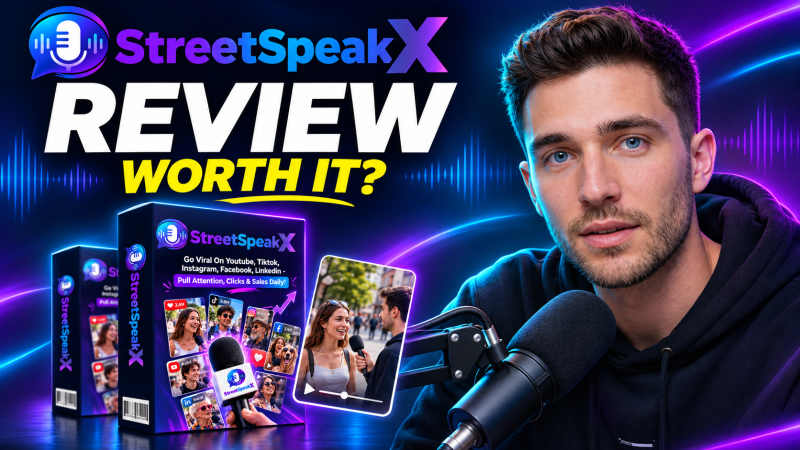
StreetSpeak X is a cloud app from Ram Rawat and Gaurab Borah that creates AI street interview videos with recurring characters, face and voice clones, scripted conversations built around your brand and offer, 8 camera styles and 12+ languages, then schedules them across five social platforms, with Premium at a one-time launch price of $37.
Product Brand: Ram Rawat and Gaurab Borah
Product Currency: USD
Product Price: 37
Product In-Stock: InStock
4

