
IntentStriker Review 2026
Can This AI Sales Agent Find Higher-Intent LinkedIn Leads?
Finding prospects on LinkedIn is not necessarily difficult. Finding the right prospects at the right time is the harder part.
A typical outbound campaign begins with a broad list of job titles, companies, or industries. Sales teams then send connection requests, write follow-up messages, update spreadsheets, and wait to see which prospects respond. Much of that activity happens before the team knows whether a person has any real interest in the offer.
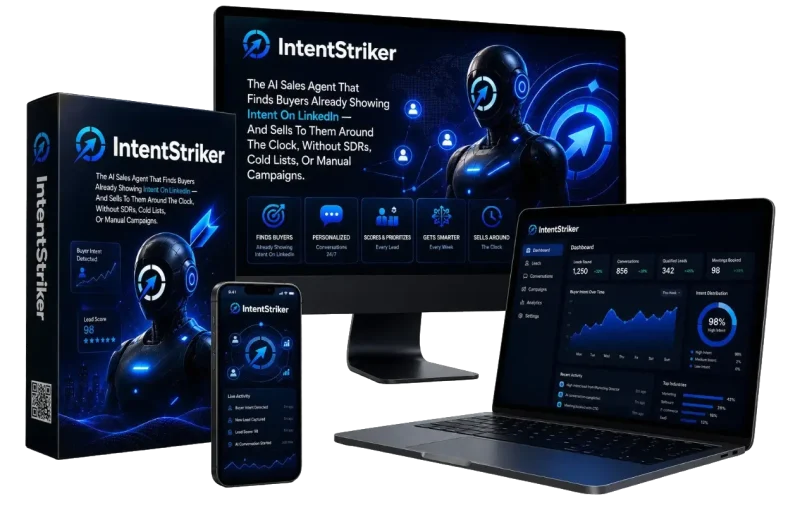
IntentStriker takes a different approach. Instead of starting with a static contact list, it is designed to identify LinkedIn users who are already showing possible buying signals. It then scores those leads, adds them to outreach campaigns, helps personalize messages, and tracks conversations from one dashboard.
According to the official product information, IntentStriker was created by Victory Akpos and launched on August 2, 2026. The front-end offer is listed at $37 as a one-time payment during the launch period, with a commercial license and a 30-day money-back guarantee included. Pricing may change after launch, so buyers should confirm the current offer on the official page before purchasing.
This IntentStriker review examines what the platform does, how its demonstrated workflow operates, who may benefit from it, its main strengths and limitations, the upgrade structure, and whether it offers reasonable value for LinkedIn prospecting and outreach.
Affiliate disclosure: This review may contain affiliate links. Tika Review may receive a commission if you purchase through those links, at no additional cost to you. Editorial conclusions remain independent.
IntentStriker Quick Verdict
Best for: B2B marketers, agencies, consultants, recruiters, founders, and sales teams that use LinkedIn for prospecting.
Main strength: IntentStriker combines buyer-intent discovery, lead scoring, campaign automation, message review, inbox management, and analytics in one workflow.
Main limitation: Its effectiveness still depends on targeting quality, the strength of the offer, message relevance, and responsible LinkedIn usage.
Not ideal for: Businesses that do not sell through professional relationships, users who want fully hands-off automation without reviewing campaign settings, or companies that require an established enterprise platform with independently verified security and compliance documentation.
Overall assessment: IntentStriker appears to be a practical LinkedIn prospecting platform for users who want to move beyond broad cold lists and focus outreach on prospects displaying relevant activity. The guided onboarding and centralized workflow are especially appealing, although buyers should confirm front-end usage limits, LinkedIn account requirements, support arrangements, and the exact capabilities reserved for upgrades.
IntentStriker Overview

| Product | IntentStriker |
| Creator | Victory Akpos |
| Category | AI sales agent and LinkedIn lead-generation platform |
| Primary Purpose | Find, score, contact, and manage higher-intent LinkedIn prospects |
| Launch Date | August 2, 2026 |
| Front-End Price | $37 one-time during the stated launch period |
| Commercial License | Listed as included with the front-end offer |
| Refund Policy | 30-day money-back guarantee |
| Main Users | B2B teams, agencies, recruiters, consultants, founders, and sales professionals |
| Bundle Price | $347 one-time before any stated coupon |
| Access Model | Web-based dashboard connected to LinkedIn |
| Official Page | getintentstriker.com/fe |
Official product information describes IntentStriker as an AI sales agent that can learn about a business from its website, recommend an ideal customer profile, monitor LinkedIn buying signals, score prospects, build outreach sequences, and manage replies.
Its distinguishing idea is not simply message automation. The platform is positioned around intent-based prospecting: identifying people whose recent activity suggests that they may be more relevant than a randomly selected contact from a large database.
The product information also includes an official walkthrough showing the onboarding flow, Leads Inbox, Signal Agents, campaign builder, Copilot review area, unified inbox, analytics, integrations, white-label settings, team management, and AI message templates.
What Problem Does IntentStriker Try To Solve?
LinkedIn prospecting often becomes fragmented.
A sales professional may use one tool to search for leads, another to enrich contact information, a spreadsheet to track conversations, an AI writer to draft messages, and a CRM to manage the pipeline. Even after assembling that stack, the original contact list may still be based mainly on job titles and company data rather than current interest.
IntentStriker attempts to reduce three common problems.
1. Too Much Time Spent Finding Prospects
Manual LinkedIn research can involve searching profiles, checking recent posts, reviewing company changes, and deciding whether each person matches the offer.
IntentStriker’s Signal Agents are presented as continuously monitoring selected criteria and activity patterns. Qualified prospects then appear in the Leads Inbox for review.
2. Weak Prioritization
A conventional list may contain hundreds of contacts but provide little guidance about who deserves attention first.
IntentStriker assigns each discovered prospect an AI Fit Score. This is intended to help users focus on stronger matches before spending time on outreach.
The score should still be treated as a prioritization aid rather than proof that someone will purchase. A relevant profile can ignore a message, while a lower-scored contact may still become a customer.
3. Disconnected Outreach And Follow-Up
The platform combines connection requests, messages, profile visits, wait steps, follow-ups, inbox replies, and campaign analytics.
This can reduce tool switching and make it easier to see where each contact is in the workflow.
What Is Buyer Intent On LinkedIn?
Buyer intent refers to behavior that may suggest a person or company is exploring a topic, solution, supplier, or business opportunity.
On LinkedIn, potential signals can include:
- Engaging with posts about a relevant problem
- Following competitors or industry companies
- Changing jobs
- Announcing funding
- Visiting a profile
- Participating in discussions around selected keywords
- Following companies in a target market
- Showing activity associated with a defined niche
Intent does not guarantee a purchase. It provides context that may make an outreach message more timely and relevant.
For example, a generic message might say: “We help SaaS companies generate more leads. Would you like to talk?”
An intent-informed message could reference a recent hiring announcement, funding event, or discussion relevant to the prospect’s business. That context gives the sender a clearer reason for reaching out.
IntentStriker is designed to help discover and organize those signals before the campaign begins.
Who Created IntentStriker?
IntentStriker was created by Victory Akpos, a digital entrepreneur and software developer associated with AI-powered marketing products.
The product information references previous releases including DreamForge AI, AffiliMachine, Local Mator and Redmator. These products are presented as covering content creation, affiliate marketing, and business automation.
With IntentStriker, the focus shifts toward LinkedIn prospecting, buyer-intent discovery, outreach automation, and lead management.
The creator background is relevant, but buyers should evaluate IntentStriker on its current functionality, documentation, support, and long-term product maintenance rather than previous launch history alone.
Who Is IntentStriker For?
IntentStriker appears best suited to users whose prospects are active on LinkedIn and whose offers depend on conversations rather than immediate ecommerce purchases.
B2B Founders
A founder can enter a company website, define the types of companies they want to reach, select relevant intent signals, and build a prospecting campaign without hiring a full sales development team.
This may be particularly useful for early-stage businesses that need a repeatable outreach process but are not ready to build a complex sales stack.
Sales Professionals
Sales representatives can use the AI score, lead filters, campaign activity, and reply inbox to prioritize follow-up.
The main value is not replacing sales judgment. It is reducing the amount of manual research and administration required before a conversation begins.
Marketing And Lead-Generation Agencies
Agencies can manage multiple LinkedIn accounts, assign campaigns, invite team members, and connect leads to external systems.
Commercial rights are listed as part of the front-end purchase, while white-label and broader reseller capabilities may depend on upgrades. Buyers planning to serve clients should confirm the precise license terms.
Recruiters
Recruiters can define job titles, industries, locations, company types, and relevant activity signals.
However, recruitment outreach still requires careful personalization. Automated sequences should not replace understanding a candidate’s experience, preferences, or current situation.
Consultants And Freelancers
Independent professionals can use the system to identify businesses or decision-makers facing problems related to their services.
A consultant selling conversion optimization, for example, could monitor relevant marketing discussions and approach prospects with a more specific reason for starting a conversation.
Users Who May Need Another Solution
IntentStriker may be a weaker fit for:
- Consumer businesses whose audiences are more active on Instagram, TikTok, or ecommerce marketplaces
- Companies that depend primarily on inbound search traffic
- Users who do not maintain an active LinkedIn profile
- Enterprises that require independently audited security, compliance, or data-governance documentation
- Sales teams already committed to a mature enterprise prospecting platform and CRM workflow
IntentStriker Main Features
1. AI Business Analysis
The onboarding process begins with a company name and website URL.
IntentStriker is shown analyzing the business to identify its industry, create a company description, and prepare a value proposition. Users without a website can enter keywords instead.
Why It Matters
Many campaign tools begin with a blank setup screen. That requires users to define every audience and message parameter manually.
By creating a starting business profile, IntentStriker can reduce the initial setup burden.
What Users Should Review
AI-generated company descriptions and value propositions can be incomplete or overly broad. They should be checked carefully before being used to guide targeting or messaging.
2. AI Ideal Customer Profile Generator
IntentStriker recommends:
- Job titles
- Industries
- Company sizes
- Locations
- Company types
- Keywords
- Exclusions
Users can add, remove, or refine those criteria.
Why It Matters
A well-defined ideal customer profile is the foundation of an effective outbound campaign.
If the audience is too broad, the campaign may generate irrelevant leads. If it is too narrow, the Signal Agent may have too little activity to monitor.
Practical Example
A web-design agency might target:
- Founders and marketing directors
- B2B software companies
- Teams with 10–100 employees
- Specific countries or regions
- Companies discussing conversion rates, redesigns, or new funding
The agency could exclude existing customers, direct competitors, or businesses outside its preferred size range.
3. AI Signal Agents
Signal Agents are IntentStriker’s core prospect-discovery component.
They are presented as monitoring activity related to:
- Keywords
- Competitor profiles
- Job changes
- Funding announcements
- Profile visitors
- Company followers
- Industry activity
- Niche markets
- Other configured buying signals
New leads are sent to the Leads Inbox.
Why It Matters
This changes prospecting from a one-time list-building task into a continuing monitoring process.
Instead of downloading a database and working through it for several weeks, users can create an agent that continues looking for new matches.
Realistic Limitation
A signal indicates possible relevance, not confirmed purchasing intent. The user still needs to evaluate the contact and communicate appropriately.
4. AI Lead Scoring
Each lead discovered by IntentStriker receives an AI Fit Score.
The Leads Inbox can then be filtered by score, campaign, industry, company, location, and other criteria.
Why It Matters
Lead scoring helps users decide where to focus first.
A smaller team may not have time to contact every discovered prospect. Ranking leads makes it easier to concentrate on the people who most closely match the chosen profile and signals.
What The Score Does Not Prove
The available information does not disclose the full scoring methodology, weighting system, or independent validation of its accuracy.
The score should therefore support human judgment rather than replace it.
5. Centralized Lead Management
The IntentStriker lead workspace is shown supporting:
- Custom lead lists
- Notes
- Filters
- Company and profile details
- Contact enrichment
- Email and phone data
- Exporting
- CRM synchronization
- Reply status
- Campaign activity
- Current workflow stage
Why It Matters
This reduces dependence on spreadsheets and helps preserve the context behind each prospect.
A lead is more useful when the user can see why the person was discovered, what signal was detected, which messages have been sent, and whether they have replied.
6. Visual LinkedIn Campaign Builder
IntentStriker includes a workflow builder for creating multi-step outreach sequences.
Demonstrated actions include:
- Connection requests
- Personalized LinkedIn messages
- Profile visits
- Wait steps
- Follow-up messages
- AI icebreakers
- Uploaded voice messages
Users can configure delays and define the order in which actions occur.
Why It Matters
Not every prospect should receive the same immediate sales pitch.
A more natural workflow may involve viewing the profile, sending a connection request, waiting, and then following up with a message related to the detected signal.
Important Consideration
Complex sequences can become difficult to manage. Beginners may benefit from starting with a short campaign and reviewing results before adding more steps.
7. AI-Personalized Outreach
IntentStriker is presented as generating:
- Icebreakers
- Connection-request messages
- Follow-ups
- Conversation starters
- Reusable AI templates
Users can define a preferred tone and brand voice.
Why It Matters
Personalization can make outreach feel more relevant than a generic template.
The strongest use case is generating a first draft based on available lead context, then reviewing it before sending.
Common Mistake
AI personalization should not be confused with genuine understanding. A message can include a person’s company or recent activity and still feel automated.
Users should remove awkward claims, avoid invented details, and make sure the message offers a clear reason to reply.
8. Copilot And Review Mode
IntentStriker’s Copilot displays scheduled invitations, messages, and follow-ups before delivery.
Users can:
- View the prospect’s profile and company details
- Review completed and upcoming actions
- Edit a message
- Approve outreach
- Reject outreach
- Filter by LinkedIn account or campaign
Review Mode can hold first-touch messages until a manager approves them.
Why It Matters
This is one of IntentStriker’s most useful control features.
Automation becomes less risky when a person can inspect messages before they are sent. Agencies and teams can use approval rules to protect brand voice and reduce inappropriate outreach.
9. Unified LinkedIn Inbox
The IntentStriker Unibox area brings conversations from connected LinkedIn accounts into one workspace.
The demonstrated workflow includes:
- Synchronizing messages
- Filtering by campaign, account, or status
- Viewing conversation history
- Replying inside the platform
- Opening the conversation on LinkedIn
- Viewing lead details and AI score
- Composing new LinkedIn messages
- Inserting meeting links
Why It Matters
Centralizing conversations is helpful for agencies and teams managing multiple campaigns.
It also reduces the risk of losing a warm reply among unrelated LinkedIn notifications.
10. Campaign Scheduling And Queue Management
The IntentStriker campaign area includes:
- Scheduled activities
- Delivery status
- Enrolled contacts
- Workflow stages
- Previous campaign launches
- Invitation history
- Message history
- Follow-up status
Why It Matters
Users can see what the automation is preparing to do instead of treating the campaign as a black box.
This visibility is important when adjusting timing, correcting a message, or stopping an unsuitable sequence.
11. Pipeline Analytics
The demonstrated IntentStriker analytics include:
- Total leads
- Average daily leads
- Active Signal Agents
- Monitored intent signals
- Leads discovered
- Invitations sent
- Messages delivered
- Acceptance rates
- Reply rates
- Audience growth
- Workflow completion
- Funnel performance
- Activity trends
- Signal performance
- Heatmaps
Why It Matters
Analytics can help users compare signals and campaigns.
For example, a team may discover that job-change signals produce more replies than general keyword engagement. That insight can guide future targeting.
Important Context
Activity metrics are not the same as revenue.
A campaign can produce high acceptance or reply rates without generating qualified opportunities. Users should connect platform metrics to booked calls, sales opportunities, and actual customers.
12. CRM And Workflow Integrations
IntentStriker lists integrations with tools including:
- HubSpot
- Salesforce
- Pipedrive
- Folk
- Zoho CRM
- Attio
- Breakcold
- Instantly
- Lemlist
- SmartLead
- SmartReach
- Zapier
- Slack
- Clay
- Webhooks
- API connections
Email marketing integrations mentioned include:
- Mailchimp
- GetResponse
- MailerLite
The official walkthrough demonstrates the integration area and describes synchronizing leads with CRM and outreach systems.
Why It Matters
IntentStriker can act as the discovery and LinkedIn outreach layer while an existing CRM remains the main system of record.
Email-platform integrations may also support multichannel campaigns.
What To Verify
- Which integrations are available in the front-end plan
- Whether API or webhook access requires an upgrade
- Whether third-party platform subscriptions are required
- Which fields synchronize in each integration
- Whether synchronization is one-way or two-way
13. Multi-Account And Team Management
IntentStriker is presented as supporting:
- Multiple LinkedIn accounts
- Team invitations
- User roles
- Permissions
- Organizations
- Sender profiles
- LinkedIn seats
- Campaign assignment
Why It Matters
These features may make the platform more suitable for agencies and sales teams than a single-account browser automation tool.
The exact number of accounts, team members, and seats included in each plan should be confirmed before purchasing.
14. Safety And Activity Controls
IntentStriker includes settings for:
- Daily sending limits
- Weekly limits
- Working days
- Time zones
- Scheduled delays
- Connection-aware messaging
- Retry logic
- Review controls
- Existing first-degree connection exclusions
Why It Matters
Responsible pacing is essential when automating LinkedIn activity.
These controls can help users avoid overly aggressive campaigns, although no software can remove all account risk.
LinkedIn controls access to its platform and can change its rules or enforcement practices. Users remain responsible for how they configure and operate automation.
15. Relationship And Profile Automation
Additional IntentStriker tools are presented for:
- Congratulating contacts on job changes
- Recognizing anniversaries and milestones
- Accepting or withdrawing connection requests
- Managing connections
- Viewing selected profiles
- Encouraging profile visibility
These features may support ongoing relationship building rather than limiting the platform to cold acquisition.
However, automated congratulations can feel impersonal when used without review. Genuine engagement is usually more valuable than sending a large volume of generic milestone messages.
16. White-Label Branding
The IntentStriker walkthrough presents a white-label section for changing:
- Application name
- Logo
- Favicon
- Brand colors
- Support email
- Custom domain
This is positioned for agencies and resellers that want to deliver a branded client experience.
White-label access should not be assumed to be included with the $37 front-end plan. Buyers should confirm which upgrade provides it and whether any hosting, domain, or account restrictions apply.
And that’s not all – with IntentStriker, you’ll also receive these fantastic bonuses:
How Does IntentStriker Work?
The official IntentStriker walkthrough demonstrates the following workflow.
Step 1: Enter Your Business Information
Enter your company name and website.
IntentStriker analyzes the site and prepares a suggested:
- Industry
- Company description
- Value proposition
Users without a website can enter keywords instead.
Why this step matters: The information created here influences the suggested audience and outreach messages. Review it carefully before continuing.
Step 2: Define Your Ideal Customer Profile
Select or edit:
- Job titles
- Industries
- Company sizes
- Locations
- Company types
- Keywords
- Excluded companies
- Excluded terms
Expected result: The platform creates a targeting profile used to evaluate prospects.
Common mistake: Avoid targeting every possible customer type in one campaign. Separate audiences usually make message testing and performance analysis easier.
Step 3: Choose Buying-Intent Signals
Add AI-suggested or custom keywords and competitor profiles.
The platform uses those inputs to look for activity related to the target market.
Expected result: A Signal Agent is configured to search for prospects that match both the ideal customer profile and selected intent criteria.
Step 4: Connect LinkedIn
Choose a location and connect the LinkedIn account that will run the campaign.
Configure:
- Time zone
- Working days
- Daily activity limits
- Sender account
Why this step matters: The account connection enables prospect discovery, invitations, messages, inbox synchronization, and campaign actions.
Users should review LinkedIn’s current rules and avoid excessively aggressive settings.
Step 5: Launch The Signal Agent
Click the launch option to create the agent and initial campaign.
The Signal Agent begins monitoring configured criteria and sends discovered prospects to the Leads Inbox.
Expected result: New prospects appear with profile information, signal context, and an AI score.
Step 6: Review And Organize Leads
Use filters to review prospects by:
- Score
- Campaign
- Industry
- Company
- Location
- Reply status
Create lists, add notes, enrich contact data, export records, or sync leads to a CRM.
Tip: Before enrolling leads in outreach, manually inspect a sample of results. This helps determine whether the audience criteria and signals are producing relevant contacts.
Step 7: Build The Outreach Workflow
Open the campaign builder and add actions such as:
- Profile visit
- Connection request
- Wait period
- Personalized message
- Follow-up
- Additional wait period
- Final follow-up
Enable AI icebreakers or add a voice message where appropriate.
Common mistake: Adding too many follow-ups can damage credibility. Every step should have a clear purpose.
Step 8: Configure Campaign Controls
Choose:
- Sender account
- Campaign objective
- Message tone
- Review Mode
- Exclusion settings
Users can exclude existing first-degree connections to avoid placing current contacts into a cold sequence.
Step 9: Start The Campaign
Qualified leads move through the configured workflow.
The Scheduled tab previews upcoming actions, while the Status and Contacts areas show delivery history and campaign progress.
Step 10: Review Messages In Copilot
Copilot displays scheduled outreach.
Users can edit, approve, or reject messages before delivery. Teams can require managerial approval for first-touch messages.
Best practice: Review at least the first group of messages in every new campaign. This makes it easier to catch poor personalization or targeting errors before they scale.
Step 11: Manage Replies In Unibox
Synchronize LinkedIn messages and use filters to organize conversations.
Open a contact to see:
- Full message history
- Company information
- Campaign details
- AI score
- Lead source
Reply directly or use the included meeting link.
Step 12: Evaluate Campaign Performance
Use analytics to compare:
- Leads generated
- Invitation acceptance
- Reply rate
- Workflow completion
- Signal performance
- Campaign trends
Update the ideal customer profile, signals, messaging, and timing based on the results.
Get a closer look at how the platform works by watching the demo video below:
Practical Ways To Use IntentStriker
Client Acquisition For Agencies
A marketing agency can use IntentStriker to create Signal Agents around topics such as lead generation, paid advertising, local SEO, or website redesign.
When matching decision-makers engage with those topics, the agency can place them in a contextual outreach sequence.
Recruiting Campaigns
A recruiter can define job functions, industries, locations, company types, and career-related signals.
The system can organize relevant contacts and help manage follow-ups, while the recruiter retains control over the actual conversation.
Software Sales
A SaaS company can monitor discussions related to the problem its software solves.
The sales team can prioritize prospects whose activity is more relevant than a broad title-based search.
Consulting Services
A consultant can monitor funding announcements, leadership changes, hiring activity, and industry discussions.
Those events can create a more natural reason to introduce a relevant service.
LinkedIn Lead-Generation Services
The commercial license is presented as allowing users to provide LinkedIn prospecting, outreach, campaign-management, and growth services to clients.
Agencies should confirm account limits and whether client-facing branding requires a separate white-label upgrade.
IntentStriker Pros And Cons
Pros
- Focuses on intent rather than only contact data: IntentStriker attempts to identify relevant activity before outreach starts. This can produce more context than a conventional list of names and job titles.
- Covers most of the LinkedIn prospecting workflow: Lead discovery, scoring, campaigns, message review, replies, analytics, and integrations are available from one dashboard.
- Guided onboarding lowers setup friction: The guided process gives beginners a defined starting point.
- Human review remains available: Copilot and Review Mode allow users to inspect AI-generated messages before they are sent.
- Useful for teams and agencies: Multi-account management, roles, permissions, CRM connections, and white-label options can support broader service workflows.
- Commercial license listed with the front-end: This can be valuable for freelancers or agencies that intend to offer lead-generation services.
- One-time launch pricing: The stated $37 front-end price is significantly lower than many established monthly LinkedIn sales platforms, although limits and long-term support should be considered.
Cons
- Buying signals do not guarantee purchasing intent: A prospect who engages with a topic may be researching, networking, recruiting, or simply interested in the discussion.
- Campaign quality still depends on the user: Weak offers, broad targeting, and generic messages will not become effective simply because they are automated.
- LinkedIn platform dependency creates risk: Changes to LinkedIn policies, limits, interfaces, or enforcement could affect automation-based workflows.
- Front-end limits are not clearly detailed: The available information does not clearly specify all limits for Signal Agents, leads, campaigns, LinkedIn accounts, users, enrichment, or message volume.
- Several advanced capabilities may require upgrades: Unlimited usage, white-label delivery, reseller rights, agency resources, and implementation support appear to be separated across the funnel.
- Security and privacy details require further verification: The available information describes account controls and active-session management, but it does not provide independently verified information about encryption standards, data retention, compliance certifications, or third-party security audits.
- AI-generated messages require supervision: Automated personalization may still produce awkward, inaccurate, or overly generic outreach.
IntentStriker Pricing
Front-End: IntentStriker
Listed price: $37 one-time during the launch period.
The front-end offer is presented as including:
- Core IntentStriker access
- Buyer-intent lead discovery
- AI lead scoring
- LinkedIn campaign automation
- Lead management
- Campaign tracking
- Commercial license
- Priority support
- Training and onboarding materials
- 30-day money-back guarantee
The exact front-end usage limits should be checked on the current order page.
Pricing is launch-dependent and may change.
IntentStriker Bundle
Listed price: $347 one-time.
A coupon code, IS50, is stated to reduce the bundle price by $50 when applicable.
The bundle is presented as including:
- IntentStriker front-end
- Unlimited Edition
- Done-for-you LinkedIn marketing agency package
- 50 ready-to-use campaigns
- Unlimited traffic upgrade
- Unlimited reseller rights
- Commercial license
- Bonuses
- Agency website
- Client-acquisition resources
- Marketing scripts
- Campaign templates
The bundle may offer better value to agencies or resellers that already know they need several upgrades.
A solo consultant testing LinkedIn outreach may be better served by beginning with the front-end and evaluating the limits first.
Add my code IS50 to get $50 off the IntentStriker Bundle.
IntentStriker OTOs And Upgrades
The supplied IntentStriker funnel information does not clearly identify an OTO 2. Buyers should inspect the live checkout sequence because upgrade names, order, and prices may change.
OTO 1: IntentStriker Unlimited Edition >>More Details<<
Price: $57 one-time.
This upgrade is presented as removing standard usage limits and supporting:
- Larger prospecting operations
- Broader intent monitoring
- More active campaigns
- Multiple brands
- Client accounts
- Higher-volume engagement
This may be appropriate for agencies or regular users who reach the front-end limits.
OTO 2: DFY LinkedIn Marketing Agency >>More Details<<
Price: $147 one-time.
This package is presented as providing:
- Agency setup resources
- Client-acquisition materials
- Presentation assets
- Pricing guidance
- Onboarding workflows
- Credibility materials
It is intended for buyers who plan to sell LinkedIn lead-generation services.
OTO 3: 50 DFY Profit-Generating Campaigns >>More Details<<
Price: $77 one-time.
This upgrade provides prepared campaigns intended to reduce setup and offer-research time.
Buyers should review the included niches, offers, licensing conditions, and customization requirements before relying on these campaigns.
OTO 4: IntentStriker Unlimited Traffic >>More Details<<
Price: $97 one-time.
This is presented as a traffic resource for sending visitors to:
- Sales pages
- Offers
- Funnels
- Stores
- Blogs
- Agency websites
The exact traffic sources, targeting method, delivery terms, and quality standards should be confirmed before purchase.
This upgrade appears separate from IntentStriker’s LinkedIn buyer-intent workflow.
OTO 5: Unlimited Reseller License >>More Details<<
Price: $297 one-time.
This upgrade is presented as allowing users to resell IntentStriker and retain the sales revenue under the included reseller arrangement.
Before purchasing, verify:
- Branding rights
- Pricing rules
- Customer-support responsibilities
- Refund responsibilities
- Allowed marketplaces
- License duration
- Software-update access
- Any restrictions on advertising claims
OTO 6: Four-Week Implementation Coaching >>More Details<<
Price: $77 one-time.
The coaching program is presented as including guidance from Victory Akpos and his team covering:
- Strategy
- Funnels
- Marketing-tool connections
- Campaign launches
- Optimization
This may be useful for users who prefer direct implementation assistance.
Buyers should confirm the format, schedule, group size, replay availability, and exact level of personal support.
NOTE:
Here are some OTO links for your reference. You have to buy FE firstly and then you can buy any OTOs if you like.
If you buy OTOs alone, you will receive NOTHING and it takes your time to ask for refund. Remember FE is a must-have package to at least make sure the software is working.
Is IntentStriker Safe For LinkedIn?
IntentStriker includes safeguards such as:
- Daily and weekly limits
- Intelligent pacing
- Working-day settings
- Delayed follow-ups
- Retry logic
- Message review
- Connection-aware actions
- First-degree connection exclusions
These controls can support more responsible operation.
However, no LinkedIn automation tool can promise zero account risk. LinkedIn controls the platform, and its terms, technical restrictions, and enforcement may change.
Users should:
- Keep activity volumes conservative.
- Review messages before sending.
- Avoid repetitive templates.
- Use accurate profile information.
- Stop campaigns that generate complaints or poor engagement.
- Review LinkedIn’s current policies before connecting an account.
The safest approach is to treat IntentStriker as an assistance and workflow platform rather than a license to send unlimited automated messages.
Does IntentStriker Guarantee Leads Or Sales?
No software can guarantee qualified leads, appointments, or sales.
IntentStriker can help users:
- Identify possible intent signals
- Organize prospects
- Prioritize leads
- Automate campaign steps
- Personalize message drafts
- Manage conversations
- Analyze performance
Results still depend on:
- Audience selection
- Signal quality
- The offer
- Market demand
- Profile credibility
- Message relevance
- Follow-up quality
- Pricing
- Sales ability
- Campaign volume
- Timing
A well-targeted campaign may improve the chances of starting relevant conversations, but the software cannot force prospects to respond or buy.
IntentStriker Alternatives
LinkedIn Sales Navigator
Sales Navigator may suit users who want LinkedIn’s established native prospect-search experience and advanced professional filters.
It is less focused on end-to-end AI outreach automation but may appeal to teams that prefer manual research and official LinkedIn tooling.
Apollo
Apollo combines a large B2B database, contact information, enrichment, email sequencing, and sales intelligence.
It may be a better fit for teams that depend heavily on cold email and database search rather than LinkedIn activity signals.
Clay
Clay is suited to advanced users who want flexible data enrichment and customized prospecting workflows across many sources.
It offers more workflow freedom but may require more setup and technical understanding.
Expandi Or Dripify
Specialized LinkedIn automation tools may appeal to users who primarily want sequence automation.
IntentStriker’s intended advantage is combining signal-based discovery, lead scoring, campaigns, inbox management, and analytics.
Manual LinkedIn Prospecting
Manual research remains a reasonable alternative for users with small target markets.
It requires more time but provides greater control and may be sufficient for consultants who only need to approach a few carefully selected prospects each week.
Frequently Asked Questions
What Is IntentStriker?
IntentStriker is an AI-powered LinkedIn prospecting and outreach platform. It is designed to find people showing relevant activity, score them, add them to campaigns, automate follow-ups, and manage conversations.
Who Created IntentStriker?
IntentStriker was created by Victory Akpos.
How Much Does IntentStriker Cost?
The front-end price is listed at $37 as a one-time payment during the launch period. Prices may change, so check the official page for the current offer.
Is IntentStriker Beginner-Friendly?
The platform includes a guided onboarding process that walks users through business setup, ideal-customer targeting, buying signals, LinkedIn connection, and agent creation.
Beginners will still need to learn basic B2B targeting and message strategy.
Does IntentStriker Require A Website?
No. The walkthrough states that users without a website can enter keywords to create a company profile.
Does It Include A Commercial License?
The front-end offer is presented as including commercial rights for delivering LinkedIn prospecting and outreach services. Confirm the current license terms before using it for clients.
Can I Connect Multiple LinkedIn Accounts?
Multi-account management is presented as a platform capability, but buyers should verify how many accounts or seats are included in each plan.
Can It Integrate With A CRM?
The product lists integrations with HubSpot, Salesforce, Pipedrive, Zoho CRM, and other sales tools. Availability may depend on the chosen plan.
Does IntentStriker Send Messages Automatically?
Yes. It is presented as supporting automated connection requests, messages, profile visits, and follow-ups. Copilot and Review Mode allow messages to be reviewed or edited before sending.
Is It Safe To Use?
It includes pacing, limits, delays, review controls, and connection-management settings. These features may reduce risk, but they cannot guarantee that a LinkedIn account will never be restricted.
Does It Guarantee Sales?
No. It can support prospecting and outreach, but sales depend on the market, offer, targeting, messaging, follow-up, and sales process.
Is There A Refund Policy?
The offer is listed with a 30-day money-back guarantee. Buyers should read the current refund terms and eligibility requirements on the checkout page.
Do I Need The Upgrades?
Not necessarily.
The front-end may be enough for individuals testing the core workflow. Agencies, high-volume users, resellers, and buyers who want coaching or white-label capabilities may find selected upgrades more relevant.
IntentStriker Final Verdict
IntentStriker addresses a genuine weakness in conventional LinkedIn outreach: too many campaigns begin with broad lists and too little context.
Its strongest idea is using selected activity signals and ideal-customer criteria to discover prospects before moving them into an outreach sequence. The demonstrated workflow then connects that discovery process with lead scoring, campaign building, message approval, conversation management, analytics, and CRM synchronization.
That combination may be valuable for B2B founders, consultants, recruiters, agencies, and sales teams that currently use several disconnected tools.
The platform should not be viewed as an automatic sales machine. Buying signals can be misunderstood, AI scores require judgment, generated messages need review, and LinkedIn automation always carries some platform dependency.
The pricing also deserves careful attention. The $37 front-end appears accessible, but buyers should confirm its usage limits and determine which advanced capabilities require optional upgrades.
Overall, IntentStriker appears worth considering for users who already know that LinkedIn is an important source of clients and want a more organized, signal-informed prospecting workflow. Its value is strongest when automation supports thoughtful targeting and human conversation rather than replacing them.
Recommendation confidence: Moderate.
The workflow and features are supported by detailed official information and a product demonstration. Long-term reliability, support quality, security practices, real-world signal accuracy, and performance at scale still require broader independent verification.
IntentStriker is an AI-powered LinkedIn prospecting and outreach platform. It is designed to find people showing relevant activity, score them, add them to campaigns, automate follow-ups, and manage conversations.
Product Brand:
Victory Akpos
Product Currency:
USD
Product Price:
37
Product In-Stock:
InStock IntentStriker
4.4
(You will receive ALL Bonuses on Part 1 to Part 5)
PART 1
PART 2
PART 3
PART 4
PART 5
And you can pick 1 package (for each purchase) from the following packages that you think are the most useful for you:
And you can pick 1 package (for each purchase) from the following packages that you think are the most useful for you:
***3 STEPS TO CLAIM THIS BONUSES***
Step 1: Order IntentStriker Review through my IntentStriker Review:
Step 2: After you complete the order, send [the receipt id] in a message to my email at: support@tikareview.com or complete your information on this page.
Step 3: I will send all bonuses for you within 24 hours. Please wait your bonus.

