
Nazo Box Review
Murder Mystery Nonogram Books With Verified Answers, Checked Case By Case
Why Picture-Logic Mysteries Are A Fresh Puzzle Shelf
Walk through the puzzle book section on Amazon and you’ll see the same thing again and again. Word search. Sudoku. Mazes. Thousands of nearly identical covers fighting for the same buyers. It’s a tough place to launch a new title.
Murder mystery puzzle books are different. Readers love them because every page is a tiny case to crack, and the shelf is growing. Most of those books, though, use one kind of puzzle, the classic logic grid. A mystery where the reader shades squares and a hidden picture names the killer is still rare.
Nazo Box is built for exactly that gap. Ike Paz and Luke Bowes from Royalty Prints made a browser app that creates murder mystery nonogram books. You pick a look, a number of cases and a difficulty, click once, and the engine builds the whole book: case files, suspects, forensic clues, picture grids, hints, solutions and an epilogue. Every puzzle is solved by the engine before it reaches the page, so each one has exactly one answer.
It launches on November 23, 2026 on WarriorPlus at $19 one time, with three upgrades behind it. There’s one big catch you should know before anything else. All sales are final. There’s no refund, so this review goes through the app, the pricing and the risks in more detail than usual. I’d rather you buy it knowing exactly what you’re getting, or skip it with a clear conscience.
Nazo Box Quick Facts

| Detail | Information |
|---|---|
| Product | Nazo Box |
| Vendor | Ike Paz and Luke Bowes |
| Launch | November 23, 2026, 8 AM EST; launch ends November 26, 11:59 PM EST |
| Sold through | WarriorPlus |
| Sales Page | https://royaltyprints.co/nazobox |
| Category | Puzzle book creation software for Amazon KDP and printables |
| Type | Cloud web app, runs in the browser |
| Front-end price | $19 one-time |
| Upsells | Three: Nazo Bright $57, Sagase Box $187, Hako Escape $47 |
| Refund | No refunds; all sales are final |
A Nonogram Engine That Wraps Every Grid In A Crime Story
A nonogram is a picture-logic puzzle. Numbers run along the top and the side of a grid, and each number tells the reader how many squares in that row or column are filled. Shade the right squares and a picture appears. Some people know it as paint by numbers or griddlers.
Nazo Box takes that puzzle and puts it inside a short murder mystery. Each case opens with a victim, a scene and statements from five suspects. The row and column numbers become the forensic report. The grid sits over a lettered crime scene photo, so every square ties back to a spot in the room. When the reader finishes shading, the picture that appears is the clue that points to the killer.
That’s a clever twist, and it solves the hardest part of making these books by hand. Building a nonogram that has only one solution is fiddly. One wrong number and the puzzle has two answers, or none, and a broken puzzle is how a puzzle book collects angry one-star ratings. The engine draws the picture first, writes the numbers, then solves its own puzzle to prove the answer is unique. If it can’t prove it, the page never makes it into your book.
Around the puzzles, the app builds the rest of a real book. You get a title page, contents, a suspect gallery, how-to-play pages, worked examples, bonus puzzles, hints, full solutions, a final mystery, an epilogue, detective cards and a certificate. That’s what makes it more than a puzzle generator. You’re getting a finished interior you can edit and export.
Meet Ike Paz And Luke Bowes
Ike Paz is a book and printable seller who has spent years building tools and training for Amazon KDP and printable publishers under the Royalty Prints name, with earlier releases such as Royalty Prints, Kawaii Town Prints, Manaka Royalty, Ohanashi AI Gen, Kuro Nazo, Techo Royalty and the Murdoku-style mystery engine Shigai Royalty, while his partner Luke Bowes, a digital product developer, builds the puzzle engines, which explains why Nazo Box feels like the next step in a line of verified, single-solution mystery book tools rather than a first attempt.
Every Nazo Box Feature, From The Solver To The PDF
The sales page lists nine core features as exhibits, and the product tour fills in how each one works. Here’s the whole set, grouped the way you’ll meet them.
The Puzzle Engine
- Verified picture-logic engine: builds the picture, writes the clues, then solves the puzzle to prove there’s one answer.
- Mystery wrapper: every puzzle sits inside a short crime story with a victim, a scene and suspects.
- Forensic report clues: the row and column numbers are presented as evidence for each case.
- Lettered crime scene grid: a grid laid over the scene picture so readers can match squares to the room.
- Case tools: peek at the answer on screen, reroll a case for a brand new mystery, or change its difficulty.
Book Building
- Setup wizard: name the book, add a pen name, pick a look and choose the cases.
- Three collections: Heritage Library, Midnight Archive and Golden Gallery give each book a different style.
- Difficulty and layout controls: easy to expert, small grids to big grids, and one case per page or two.
- Difficulty curve: choose how many mysteries you want and how fast they get harder.
- Full book structure: title page, contents, suspect gallery, rules, worked examples, hints, solutions, epilogue, detective cards and a certificate.
- Colour switch: turn the whole book into a full colour edition with one click.
- Page sizes for KDP: the default build is an 8.5 x 11 paperback, and you can choose the size and layout inside the tool.
The Page Editor
- Edit any text: double click a case title or a line of story and type over it, and the page updates right away.
- Swap pictures: change any image on any page.
- Move, resize and format: drag page parts, resize them and change fonts and styles.
- Add pages anywhere: text pages, image pages, notes pages or blank pages for front and back matter.
Library, Checks And Exports
- Local book library: every project saves so you can reopen it later and make a new edition.
- Publishing check: the app reviews page size, margins, fonts, text and pictures and tells you what to look at.
- Publishing pack: a print-ready PDF for KDP, a sample PDF and the check report.
- PNG and JPG export: single pages as images for Etsy listings, social posts or A+ content.
- PDF export: up to 100 PDF exports a month on the front end.
Rights And Support
- Commercial rights: sell every book you make on KDP, Etsy, Gumroad, your own site or in print.
- Browser based: works on Mac, PC and Chromebook with nothing to install.
- Training and support: short training videos in the members area and email support from Ike and Luke.
That’s a tidy, focused feature list. The parts I’d judge first are how varied the clue pictures feel across a full book and how readable the grids are once printed, since those decide whether a buyer finishes book one and orders book two.
The Five ToolShelf Bonuses From Ike And Luke
Launch buyers get five browser tools from the vendors’ ToolShelf suite. They’re working tools rather than PDFs, and they come off the offer when the launch timer resets.
- PDF Page Mover (Value $97): reorder, remove or merge pages in your browser without a design app.
- KDP Keyword Finder (Value $197): pulls search phrases buyers type into Amazon to help fill your title and seven keyword slots.
- Description Helper (Value $97): turns a few facts about your book into a clean, formatted listing description.
- QR Book Generator (Value $47): adds scan-to-solve or scan-for-answers codes to your pages.
- Best Amazon KDP Research Tool And Niche Revealer (Value $197): shows what’s selling, what’s crowded and where the gaps are before you build.
The keyword finder and the research tool are the ones I’d use most, since a mystery puzzle book still needs the right title and keywords to be found. As for the QR generator, it’s a nice touch for answer pages, as long as the link behind each code stays live.
Thirteen Steps From First Click To Publishing Pack
Here’s the whole workflow, from an empty account to a finished book, in the order you’ll do it.
Step 1: Click Make My First Book
Nazo Box runs right in the browser, so there’s nothing to install. I log in and click Make my first book, which opens the setup wizard.
Step 2: Give Your Book A Name
First, I give the book a name. I call it Midnight Case Book and add a pen name, which is what will appear as the author on the title page.
Step 3: Pick A Look
Next, I pick a look. There are three collections: Heritage Library, Midnight Archive and Golden Gallery. I take Midnight Archive, the darkest of the three, because it suits a murder mystery shelf.
Step 4: Review The 12 Cases, Easy To Hard
The wizard then shows the cases. By default that’s 12 cases running from easy to hard, on an 8.5 x 11 paperback with instructions, hints and solutions. It’s a sensible starting point for a first book.
Step 5: Click Build My First Book
I click Build my first book. In seconds the engine makes the whole book, with 12 cases built and checked so every puzzle has exactly one answer.
Step 6: Open Pages And Chapters
I open pages and chapters to see everything it made. Up front there’s a title page, contents, a suspect gallery, how-to-play pages and two worked examples. At the back I get bonus puzzles, hints, full solutions, a final mystery, an epilogue, detective cards and a certificate. That’s a complete book rather than a stack of loose puzzle pages.
Step 7: Open Case One
Then I open case one. It starts with a case file: the victim, the scene and statements from five suspects. Next comes the forensic report, which holds the clues for every row and every column. After that is the crime scene, with a lettered grid over the picture so the reader can tie each square back to the room. Last is the puzzle grid, where the reader works it all out.
Step 8: Use The Tools Every Case Has
Every case has its own tools. I can peek at the answer on screen, reroll the case for a brand new mystery, or change the difficulty anywhere from easy to expert. Rerolling is handy when a picture doesn’t feel clear enough.
Step 9: Double Click The Case Title And Type A New One
Every word on the page is mine to edit. I double click the case title, type a new one, and the page updates right away. The same goes for story text, and I can swap pictures, move and resize page parts or add a notes page or a blank page.
Step 10: In The Cases Step, Choose How Many Mysteries And The Difficulty Curve
If I want a different book, I go back to the cases step. There I choose how many mysteries I want and the difficulty curve, then generate a whole new book with those settings.
Step 11: Click Finish And Publish
When I’m happy, I click Finish and publish. The app checks the whole book for page size, margins, fonts, text and pictures, and tells me what to look at before I upload anything.
Step 12: Download Your Publishing Pack
Then I download the publishing pack: the print-ready PDF for KDP, a sample PDF and the check report. I can export single pages as PNG or JPG too. The front-end feature list has no cover maker, so I plan a cover separately or use the Sagase Box upgrade.
Step 13: Come Back And Make The Next Edition
Every book stays in my library. I can come back later, change the title or the detective’s name, and make the next edition without starting from scratch.
Discover all the platform’s features by watching the demo video below:
Nazo Box Next To The Old Ways Of Making Puzzle Books
The sales page compares four ways to get one of these books made, and the contrast explains most of the appeal.
| Approach | Time per book | Puzzles verified? | KDP-ready layout |
|---|---|---|---|
| By hand | Two to four weeks | No | You guess the margins |
| Outsourcing | One to three weeks of waiting | Maybe | Depends on the freelancer |
| Patchwork tools | Days of copy and paste | No | Not really |
| Nazo Box | About an hour | Yes, every page | Built in |
Freelancers typically charge $300 to $900 for a book like this, and you still can’t be sure every grid has one answer. Generic nonogram generators can make grids, but they don’t wrap them in a story, build suspect pages or lay out a whole book. That’s the real gap Nazo Box fills: verified puzzles and a finished mystery structure in one place.
I’d take the one hour figure with a pinch of salt. The build is fast, but checking cases, editing text and making a cover will push a polished book to a few evenings. That’s still far quicker than drawing puzzles on graph paper.
Six Book Ideas The Engine Can Produce
The sales page suggests six kinds of books, and they’re a sensible starting point because each one changes only the settings, not the engine.
- Classic whodunit volumes: dark covers and 50 to 100 cases, each page a small crime.
- Large-print mysteries: bigger grids and fewer rows for readers who don’t want to squint.
- Difficulty-ladder series: an easy book, a medium book and a hard book, so finishers buy the next one.
- Holiday and seasonal cases: a spooky October edition or a snowed-in winter lodge.
- Travel and activity books: thin, cheap and quick to solve for airports and road trips.
- Gift and custom editions: a friend’s name on the detective, sold as personalised printables.
The series idea is the one I like best. Puzzle buyers who enjoy a book often look for the next volume, and a clear ladder gives them an easy reason to stay with you.
How A Nonogram Case Plays For Your Reader
It helps to picture the experience from the buyer’s side, because that’s what decides your ratings.
A reader opens case three. The case file tells them a jewel went missing from a locked study, and five suspects each give a short statement. They turn the page to the forensic report, which is really the set of row and column numbers. On the crime scene page, a lettered grid sits over a picture of the study. Then they work the puzzle grid, square by square, until an image appears. Maybe it’s a pocket watch, and only one suspect mentioned a watch.
That loop is satisfying when it works. The picture has to be recognisable at the grid size, the clue has to connect clearly to one statement, and the difficulty has to rise gently. The engine handles the logic. You still need to flip through every case and make sure the story and picture fit together in a way a human reader will enjoy.
Publishing Puzzle Books On KDP Without Tripping The Rules
Amazon is the main place these books will be sold, and KDP has rules worth knowing before you upload a single title.
- AI content questions: KDP asks publishers whether a book contains AI-generated text, images or translations. Content created by software like this may count, so answer honestly when you publish.
- Daily title limits: Amazon limits how many new titles an account can create in a day, so a plan to upload dozens at once won’t work.
- Similar content: KDP can block or remove books that are near copies of each other or of books already for sale. Vary your cases, themes and covers.
- Trademarks: don’t put other brands’ names in your title or keywords. Murdle is a brand name, and some picture puzzle names belong to big companies. Stick with generic terms like nonogram or picture logic.
- Accurate listings: describe the difficulty, page count and puzzle type honestly so buyers know what they’re getting.
Etsy and Gumroad have their own rules for printables and digital downloads. The commercial rights cover the books you make, not the right to resell the software itself.
Covers, Titles And Listings For A Mystery Puzzle Book
The interior is only half a KDP book. Buyers judge puzzle books in a second from the thumbnail, so the cover and listing decide whether anyone opens the preview.
A good mystery puzzle cover is dark, simple and readable at thumbnail size. Show a hint of the format, like a partly shaded grid or a magnifying glass over a picture, and put the puzzle type in plain words. Buyers searching for nonogram or picture logic puzzles need to see straight away that this is what they’re getting.
- Say what it is: murder mystery nonogram puzzles in the title or subtitle.
- State the difficulty: easy, medium, hard or mixed.
- Give the count: twelve cases or fifty cases sets expectations.
- Show inside pages: use PNG exports of a case file and a grid in your images.
- Mention the answers: buyers like knowing full solutions are included.
The description helper bonus can turn those facts into a clean listing, and the keyword finder can suggest phrases for your seven keyword slots. Keep both honest. A listing that oversells the difficulty or the story will cost you more in returns and ratings than it gains in clicks.
Standing Out When Every Book Comes From The Same Engine
Here’s the quiet risk with any done-for-you book tool. Everyone who buys Nazo Box during launch week gets the same three collections, the same book structure and the same kind of case. If hundreds of buyers publish their first book with the default Midnight Archive look, the empty shelf won’t stay empty for long, and the books on it will look alike.
The fix is editing. Change the case titles, rewrite the suspect statements in your own voice, add your own front matter, pick a niche theme like cosy village crimes or a ghost ship, and design a cover that doesn’t look like everyone else’s. A detective character who appears across a whole series also helps buyers remember you.
I’d also take the time to solve a few cases myself in print. It’s the best way to see whether the difficulty labels match what a real reader feels, and it gives you honest wording for your listing.
$19 Up Front And A Strict No-Refund Policy
Nazo Box sells for $19 one time during launch week. You won’t see the number on the sales page itself, because it’s revealed at checkout, and the WarriorPlus order form opens at the start of the launch on November 23 at 8 AM EST. Expect the price to climb when the launch timer resets, which the vendors say they’ve done on every launch.
| Item | Price |
|---|---|
| Nazo Box front end | $19 one-time |
| Upgrade 1: Nazo Bright | $57 |
| Upgrade 2: Sagase Box | $187 |
| Upgrade 3: Hako Escape | $47 |
There’s no subscription on the front end, and the sales page doesn’t list a launch coupon. There’s also no bundle offer that packs the upgrades together, so each one is a separate yes or no in the funnel.
No Refunds
This is the part to take seriously. All sales are final. The FAQ says there’s no money-back guarantee and that you accept that at checkout, and the footer repeats it. With $19 that’s a small risk. If you go on to add every upgrade, it’s a much bigger one, so I’d watch the full demo, read the feature list twice and only buy the upgrades you’re sure you’ll use.
Three Upgrades That Turn One App Into Four
You must buy the front end first before any of these appear. Each upgrade is a separate app or toolkit, and none of them is needed to make complete books.
OTO 1: Nazo Bright, $57
A second puzzle app for murder mystery Akari, also called light-up puzzles, with logic certification and print checks on every page. It adds the full scene catalogue, extra tones, custom characters and art, a World Builder, edition conversion and a generation queue, and it removes the PDF limit with unlimited PDF exports in both apps. It also upgrades the front end to Nazo Box Pro, which adds Word and PowerPoint export, borders, house styles and templates. If you plan to publish often, this is the upgrade that matters most.
OTO 2: Sagase Box, $187
The premium tier. It adds Sagase Box, a murder mystery search and find app, and Ashidori with Ashidori Premium for murder mystery city map books. You get room searches, suspect statements, solutions, your own picture uploads, illustrated and kawaii art packs, story chapters, mastermind formats, journals, hints, dossiers, timed hunts and certificates. It also brings the selling side: cover design, listing copy, promo images and A+ content, plus online companion pages, flipbook trailers and SVG export. It opens up the premium tiers of the other apps too. This is the one that covers the missing cover step, but it’s also the biggest spend.
OTO 3: Hako Escape, $47
A printable escape room kit builder with 50 signature worlds and the option to build your own. It includes crossword, word search, maze, mini Sudoku, anagram and multiple choice puzzles, plus student, facilitator and complete print packets, timers, hints, certificates and Google Forms and Slides export. Everything is included, with no further upgrades for this app. It’s aimed at classrooms, Etsy and Teachers Pay Teachers rather than KDP paperbacks.
Which Ones Make Sense?
Nazo Bright makes sense if 100 PDF exports a month feels tight or you want a second puzzle type. Sagase Box suits publishers who want covers, listing copy and a third and fourth book line without other tools. Hako Escape is a separate business idea, great for teachers and party planners, and easy to skip if you only want KDP books. Taken together, the full funnel comes to $310 including the front end, and none of it is refundable.
Who Nazo Box Suits And Who Should Skip It
Nazo Box suits KDP and printable publishers who already know how to list a book and want a puzzle format that isn’t on every shelf. Puzzle fans who enjoy the craft will get even more from it, because they’ll spot weak cases and fix them. Teachers and families who want custom mystery activities can use it too.
It’s a weaker fit for anyone expecting the books to sell themselves, anyone who wants a refund safety net, and anyone who isn’t willing to make or buy covers. If you’ve never published on KDP, plan on a learning curve that the software can’t remove.
Where Nazo Box Shines And Where It Falls Short
What Worked
- A fresh format: murder mystery nonograms are far less common than word search or sudoku.
- Verified puzzles: every grid is solved by the engine before it reaches the page.
- A complete interior: front matter, cases, hints, solutions, epilogue and extras in one build.
- Real editing: text, pictures, layout and extra pages are all yours to change.
- Publishing check: page size, margins, fonts and images reviewed before export.
- Useful bonuses: keyword, description and research tools that fit a KDP workflow.
- Low entry price: $19 one time with commercial rights.
What Didn’t
- No refunds: all sales are final, on the front end and the upgrades.
- No cover maker on the front end: you’ll need another tool or the $187 upgrade.
- Export cap: up to 100 PDF exports a month until you buy Nazo Bright.
- Sameness risk: every launch buyer gets the same collections and structure.
- Price hidden on the sales page: you only see it at checkout.
Where The Empty Shelf Promise Needs A Reality Check
The sales page leans hard on one idea: a new KDP niche just opened, and the first books on it win. Here’s how the big claims hold up.
A new KDP puzzle niche just opened. Murder mystery puzzle books are a real and growing category, and picture-logic mysteries are rare. But a launch puts the same tool in many hands at once, so the gap may narrow quickly.
Readers are buying these by the thousands. The examples shown are popular mystery puzzle books from established brands with big marketing behind them. They prove demand for the category, not for a new title from an unknown pen name.
A whole book in about an hour. The build takes seconds. Editing, solving a few cases yourself, making a cover and writing a listing will take longer, and that’s the work that separates a good book from a forgettable one.
No one-star broken-puzzle ratings. Verified answers remove the most common complaint about puzzle books. Readers can still dislike a book because the pictures are hard to recognise, the stories feel repetitive or the difficulty doesn’t match the cover.
Members are pulling royalties right now. The screenshots come from members of the vendors’ older tools, and the page itself says results vary. Treat them as marketing.
The launch price never comes back. Launch pricing and timers are standard on WarriorPlus, and the five bonus tools really are tied to the launch window. Still, a $19 tool isn’t worth rushing into when there’s no refund. Watch the demo and decide calmly.
No art, no math, no writing. True for the puzzles. Covers, titles and keywords are still on you unless you add tools or upgrades.
Proofing A Printed Copy Before Readers Do
Screens hide problems that paper shows straight away. Grid lines that look crisp on a monitor can print faint, small numbers can blur on cream paper, and a dark crime scene photo can turn muddy in black and white.
That’s why I’d order a printed proof from KDP before making any book live. It costs a few dollars plus shipping, and it’s the cheapest insurance you can buy.
- Grid size: can a reader comfortably shade every square with a pencil?
- Clue numbers: are they readable without squinting, especially in large-print editions?
- Scene pictures: does the lettered grid still line up in print?
- Gutter: do grids near the spine stay clear of the binding?
- Answers: spot-check a few solutions against the cases.
The publishing check inside Nazo Box catches size, margin and font issues. A proof copy catches the rest, and it’s how you find out whether the colour edition is worth the higher print cost.
Questions To Settle Before You Buy A No-Refund Tool
- What does a printed page look like at each difficulty? Ask for a sample PDF if the sales page images aren’t enough.
- How varied are the clue pictures? A 100-case book needs plenty of distinct images.
- Which page sizes and trims are supported? Large-print and travel books need different sizes.
- Does the 100 PDF limit reset monthly? And does a re-export of the same book count again?
- Can I use my own pictures in Nazo Box? Or only in the upgrades?
- What happens to my library if the app changes? Keep local copies of every export either way.
A First-Month Plan For One Mystery Series
If I bought Nazo Box, I’d keep the first month focused on one series.
In week one, I’d build a twelve-case book in one collection, print it at home and solve at least four cases myself. I’d note any picture that’s hard to read and reroll those cases.
In week two, I’d rewrite the case titles and suspect statements in a consistent voice, create a recurring detective and design a cover. Then I’d use the keyword finder and description helper to write a clear listing and publish.
In weeks three and four, I’d build the medium book in the same series, using what I learned from the first one. By the end of the month I’d know whether the format fits my catalog before spending anything on upgrades.
Is Nazo Box Worth $19?
For KDP and printable publishers who want a puzzle format that stands apart from word search and sudoku, yes, it’s easy to justify. Verified nonograms wrapped in short mysteries, a full book structure, real editing tools and a publishing check are a lot of software for a $19 front end, and the five bonus tools add genuine value.
What you’re buying is a book maker, not a royalty stream. You’ll still need covers, careful editing, good keywords and patience, and the no-refund policy means you should be sure before you click. I’d buy the front end, build one series, and only add Nazo Bright or Sagase Box once the first books show you this format is worth more of your time.
Frequently Asked Questions
What is Nazo Box?
A browser app from Royalty Prints that builds murder mystery nonogram books, where each solved picture is a clue to the case.
How much does Nazo Box cost?
The front end is $19 one time during launch week. Three optional upgrades cost $57, $187 and $47.
Is there a coupon?
The sales page doesn’t list a launch coupon.
Does Nazo Box offer a refund?
No. All sales are final on the front end and the upgrades.
Is every puzzle really solvable?
Yes. The engine solves each puzzle before it reaches the page and only keeps puzzles with exactly one answer.
Does it make covers?
The front end has no cover maker. Cover design comes with the Sagase Box upgrade, or you can use your own design tool.
How many books can I export?
The front end includes up to 100 PDF exports a month plus PNG and JPG exports. Nazo Bright makes PDF exports unlimited.
Can I sell the books I make?
Yes. You get full commercial rights to sell them on KDP, Etsy, Gumroad, your own site or in print.
Do I need to install anything?
No. It runs in the browser on Mac, PC and Chromebook.
What bonuses come with Nazo Box?
Five ToolShelf tools: PDF Page Mover, KDP Keyword Finder, Description Helper, QR Book Generator and a KDP research and niche tool.
Get Nazo Box With My Exclusive Bonuses
If Nazo Box fits your publishing plans, grab it through the link on this page and I will add my exclusive Tika Review bonus pack at no extra cost.
1. Buy Nazo Box through the link on this page.
2. Find your bonuses in the member area, or email me your receipt.
3. Download your bonuses and put them to work.
Here is everything you get when you buy through my Nazo Box review below:
1. Brainy Kids Mega Adventure Pack
2. Kiddz Stories
3. Kiddz Game Station
4. Kiddz Art Coloring
5. Childrens Video Channel
6. Educational Poster Prompts for Kids
7. Inspirational Audiobooks for Kids
8. Genius Kids Learning Kit
9. The Joy Of Helping Your Child Shed The Pounds
10. How To Self Publish Your E-Book on Amazon
11. Insta Niche Profits
12. SEO Traffic Tricks Using AI
13. Sales Letter Boss
14. 25 Ebooks – Artificial Intelligence Traffic
15. Zero-Code Profits
16. AI Side Hustle Success Profitable Prompts
17. AI-Proof
Nazo Box Review: Is The $19 Puzzle Book Maker Worth It?
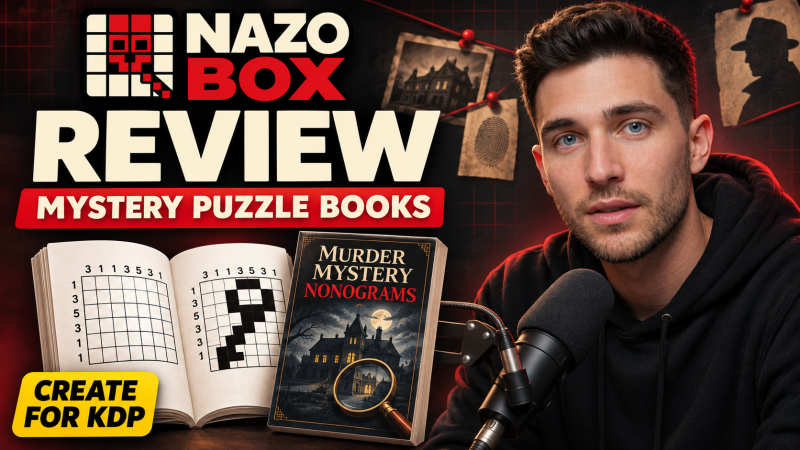
Nazo Box is a browser app from Ike Paz and Luke Bowes of Royalty Prints that builds murder mystery nonogram books for Amazon KDP and printables. Each puzzle sits inside a short crime story, the solved picture is the clue to the killer, and the engine verifies every grid has exactly one answer before building a complete, editable book with case files, suspects, hints, solutions and a print-ready PDF, for $19 one time.
Product Brand: Ike Paz and Luke Bowes
Product Currency: USD
Product Price: 19
Product In-Stock: InStock
4.4

