
Jikan Nazo Review 2026
My Experience With This Elimination Puzzle Book Creator
If you have ever tried to build an elimination puzzle book yourself, you probably know that creating the basic puzzle is not actually the hardest part.
I can put a list of possible answers into Excel. I can create rules for eliminating entries. I can write clues manually, and these days I can even use AI to help check whether those clues make sense.
The problem starts when I try to turn that process into a full puzzle book.
Is every puzzle valid? Do the clues leave exactly one answer? Is the puzzle challenging enough? Does the first clue eliminate so many possibilities that the rest become pointless? And if I create dozens of puzzles, am I really going to solve every single one manually just to check whether it is enjoyable?
Those were the questions that interested me when I started looking closely at Jikan Nazo.
And after working through how the system creates and evaluates elimination puzzles, I found something I did not initially expect.
The feature that interests me most is not its ability to create puzzles.
It is what Jikan Nazo does after the puzzle has already been created.
That is what I want to concentrate on in this Jikan Nazo Review, because the custom clue grading system is the part that, for me, separates it from simply combining Excel with an AI tool.
Overview Of Jikan Nazo

| Product | Jikan Nazo |
| Creator | Ike Paz |
| Product Type | Online elimination puzzle book creation app |
| Main Purpose | Creating elimination-style puzzle books |
| Main Puzzle Types | 20 |
| Core Feature | Custom clue grading system |
| Puzzle Validation | Yes |
| Possible Register Size | Hundreds or thousands of entries |
| Example Answer Types | Names, numbers, dates, times, phone numbers, addresses, license plates, IP addresses |
| Front-End Price | $19 |
| Launch Date | September 23, 2026 |
| Training | Included |
| Support | Included |
| Refund Policy | All sales final |
There are several features here, but after going through the workflow, I would not judge Jikan Nazo by how many boxes it can tick.
For me, the product really revolves around three things:
- Create the puzzle.
- Make sure the puzzle is valid.
- Check whether solving it is actually enjoyable.
The first two can be done in other ways.
The third is where Jikan Nazo started making considerably more sense to me.
What Is This App?
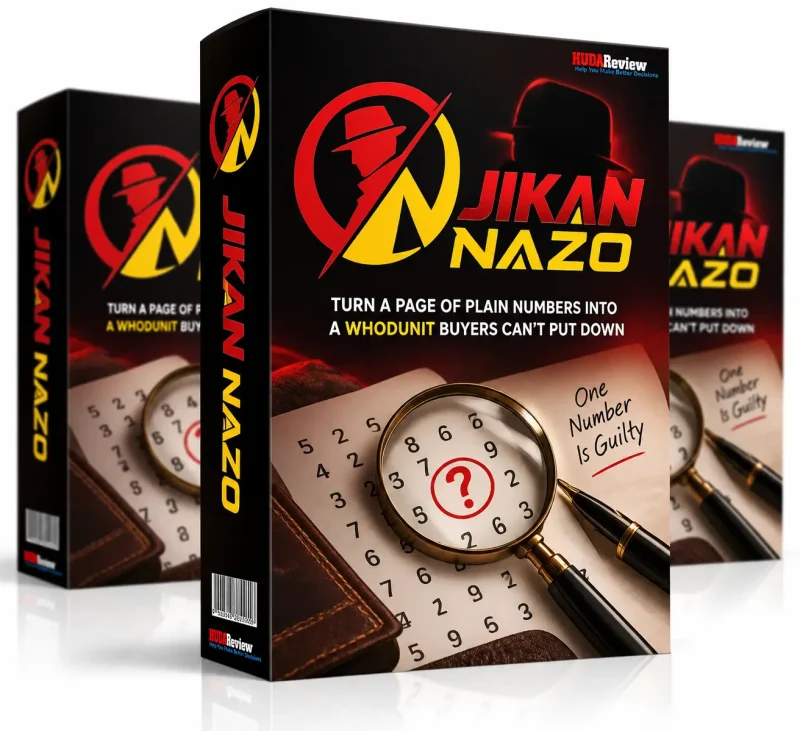
Jikan Nazo is an online application designed specifically for creating elimination puzzle books.
The easiest way I can explain the concept is with a simple example.
Imagine I give you a register containing 1,000 possible answers.
Somewhere inside those 1,000 entries is the correct one.
Instead of guessing, you receive clues.
The first clue might eliminate every entry that does not meet a particular condition.
The second removes another group.
The third narrows the register further.
You continue applying clues until, eventually, exactly one entry remains.
That final entry is the answer.
When I first looked at elimination puzzles, it was easy to associate them mainly with names and surnames.
Find the suspect.
Find the person.
Find the criminal.
But when I looked at Jikan Nazo more closely, I realized that this is unnecessarily restrictive.
A crime investigation is rarely about discovering only a person’s name.
You might need to identify a secret number.
Or determine when something happened.
Or locate an address.
Or find a phone number.
Or identify a vehicle through its license plate.
Or even narrow down an IP address.
That is where I started seeing what Jikan Nazo could potentially do with the format.
Instead of producing a book containing page after page of essentially the same “find the person” puzzle, the elimination mechanic can be applied to different types of information.
And that gives me considerably more room when thinking about an actual mystery or investigation-style puzzle book.
The Main Idea Behind Jikan Nazo
One thing became clear to me very quickly:
Creating an elimination puzzle is not the real problem.
I could create a basic version myself in Excel.
I could create the clues manually.
I could potentially give the data to AI and ask it to check the clues.
So if Jikan Nazo only automated those steps, I would find it useful—but not particularly difficult to replace.
The real problem appears after that.
Suppose I create a register containing 500 possible answers.
I create a valid set of clues.
Every clue is technically correct.
There is exactly one solution.
Perfect?
Not necessarily.
Imagine that the first clue eliminates 490 answers.
The second clue eliminates nine.
The reader has effectively solved the puzzle almost immediately.
Technically, nothing is wrong.
The logic works.
There is one correct answer.
But as a puzzle, I would not be happy publishing it.
That distinction between technically valid and actually enjoyable is where Jikan Nazo started to win me over.
The Features Of Jikan Nazo
20 Main Puzzle Types
Jikan Nazo provides 20 main puzzle types, and those main types can have additional settings and features underneath them.
That immediately gives me more possibilities than building every elimination puzzle around names.
What I like about this is not simply being able to say, “the software has 20 puzzle types.”
Feature counts do not automatically make a good book.
What matters is what those types allow me to do creatively.
For example, if I were creating a detective-themed puzzle book, I would not necessarily want every chapter to end with the identity of a suspect.
One puzzle could ask the reader to identify a person.
Another could revolve around a secret number.
The next could involve a time or date.
Another investigation might lead to a phone number.
The next could require finding an address.
Then I could potentially build one around a license plate or IP address.
The underlying logic remains familiar to the reader, but the objective changes.
For me, that is a much better foundation for a full book.
Large Registers Of Possible Answers
Jikan Nazo‘s elimination concept can work with registers containing hundreds or even thousands of possible answers.
This is important.
If I start a mystery with six suspects and give the reader four clues, there is not much sense of investigation.
But if the starting point contains hundreds of possibilities, every clue feels like it is doing actual work.
There is a trade-off, though.
The larger the register becomes, the less interested I am in checking everything manually.
With ten entries, I can look at the data myself.
With hundreds or thousands, I want the software doing the repetitive verification.
That is one of the points where Jikan Nazo becomes more useful as the project becomes larger.
Puzzle Creation
Jikan Nazo creates the underlying elimination puzzle.
I want to be careful not to oversell this part because, after going through the concept, I do not think puzzle generation alone is the reason to buy it.
This is the relatively easy part.
I can build data in Excel.
Someone comfortable with spreadsheets and logic could create an elimination system manually.
AI makes parts of that job easier too.
So when I judge Jikan Nazo, I do not ask:
“Can it create a puzzle?”
I ask:
“What does it save me from having to do after creating that puzzle?”
That leads directly to the next feature.
Clue Validation
After creating the puzzle and clues, Jikan Nazo checks whether those clues are valid.
This matters because elimination puzzles have a hard requirement:
There should be one final answer.
Not zero.
Not two.
Not “either of these depending on how you interpret clue four.”
One.
I would never want to publish a logic puzzle where a reader carefully follows my instructions and discovers that the puzzle itself is broken.
That creates a particularly bad reader experience because the reader initially assumes they made the mistake.
They go back.
They try again.
They get the same result.
Eventually, they realize the book is wrong.
That is exactly the kind of quality-control problem I want to catch before publishing.
But even here, I still do not think we have reached Jikan Nazo’s most interesting feature.
Because a valid puzzle can still be a bad puzzle.
The Custom Clue Grading System
This is the part of Jikan Nazo that changed how I looked at the product.
Once Jikan Nazo has created a valid puzzle with valid clues, the process does not simply stop.
The custom grading system takes over.
The easiest way I think about it is this:
Jikan Nazo now attempts to look at the puzzle from the solver’s side.
It evaluates what happens as those clues are applied.
Does the puzzle collapse too quickly?
Does the clue sequence create a reasonable solving process?
Is the experience sufficiently engaging?
If the system determines that the clue combination is not producing the desired solving experience, it rejects those clues.
Then it tries another set.
That process continues until the required satisfaction level is reached.
This is the feature I would have the hardest time reproducing manually at scale.
I could certainly grade puzzles myself.
In fact, human judgment is still something I would keep in the process.
But think about doing it across an entire book.
- Create puzzle #1.
- Solve it.
- Accept it.
- Create puzzle #2.
- Solve it.
- Too easy.
- Rewrite the clues.
- Solve it again.
- Create puzzle #3.
- Solve it.
- Create puzzle #4.
- Solve it.
Repeat that 50, 100, or more times.
At that point, I am no longer spending most of my time creatively developing a book.
I am doing repetitive QA.
Jikan Nazo’s grading system is designed to take some of that burden away.
And for me, that is the real product.
Everything else supports it.
How Does Jikan Nazo Work?
One thing I like about Jikan Nazo is that the book-building process is fairly structured. I am not dropped into a blank editor and expected to figure out what comes next. The workflow takes me from choosing the puzzle format and difficulty through regeneration, page-by-page review, editing, and finally export.
Here is how I worked through the process.
Open The Creator
I start by opening Jikan Nazo and clicking Creator in the top navigation.
This takes me into the main book-building workspace. This is essentially the control center for the project, where I can configure the puzzle, change the book setup, review generated pages, and prepare the finished project for export.
What I noticed immediately is that Jikan Nazo treats this as a book project, rather than simply asking me to generate one puzzle at a time. That makes more sense for the way I would actually use the software for KDP.
Start A New Book
From the Creator, I click Start another book to create a fresh project.
Jikan Nazo divides the process into three stages:
1 Design → 2 Setup → 3 Review
I like this organization because it gives the workflow a logical progression. I am not jumping randomly between puzzle generation, formatting, and finished pages.
Once I have the initial project ready, I move into 2 Setup, which is where most of the important puzzle and book settings are configured.
This is also where I would spend a little time before generating anything. A few decisions here—especially puzzle type, difficulty, typography, and print mode—can affect the entire book.
Choose The Puzzle Type
This is where Jikan Nazo becomes much more interesting than a simple Find-the-Number generator.
I open the Puzzle drop-down and choose what the reader is supposed to identify.
The available choices shown in the interface include:
- Find the Number
- Find the Date
- Find the Phone Number
- Find the Timestamp
- Find the Time
- Find the Coordinate
- Find the Lottery Ticket
- Find the Hand
- Find the Coded Name
- Find the Color
- Find the IP Address
- Find the Address
- Find the Symbol
- Find the Price
- Find the License Plate
- Find the Reading
- Find the Barcode
- Find the ISBN
- Find the Dominoes
- Find the Postcode
This is one of the parts I find particularly useful because changing the search target can change the feel of the finished book without abandoning the underlying elimination-puzzle concept.
For example, if I were creating a crime-investigation book, I would not have to make every case about identifying a suspect. One case could involve a license plate, another an address, another a timestamp, and another an IP address.
That gives me considerably more creative room when planning a series of mysteries.
Set The Difficulty And Print Mode
Next, I choose the difficulty.
In the setup I reviewed, Jikan Nazo uses Standard, which the interface describes as a structure involving around 16 to 18 clues.
This setting matters more than I initially expected.
With elimination puzzles, I do not simply want a technically valid answer. I want the reader to have enough clues and enough elimination work to make reaching that answer satisfying.
So difficulty is one of the settings I would choose based on the intended reader rather than automatically selecting the hardest option.
The same screen also gives me a Large print edition option.
When I enable it, Jikan Nazo formats the book using 18-point type in a single-column layout.
There is a practical trade-off here: larger text can substantially increase the total page count.
That is something I would watch closely for a KDP paperback. Better readability is useful, but a much longer book can also affect printing costs and potentially the retail price I need to charge.
Adjust The Type Sizes
Jikan Nazo also lets me control several typography elements separately rather than applying one font size to everything.
I can adjust:
Entries
Clues
Chapter label
Chapter title
In the setup shown, these are configured at:
- Entries: 12 pt
- Clues: 14 pt
- Chapter label: 14 pt
- Chapter title: 20 pt
I like having these controls separated.
A register containing a large number of entries has different space requirements from a clue page, while chapter titles need enough visual weight to create a clear hierarchy.
This may look like a small feature, but when an automatically generated book contains many pages, getting the typography right at the setup stage can save a lot of repetitive editing later.
Regenerate The Book
Once I change the puzzle type, difficulty, print mode, or typography, I click Regenerate the Book.
Jikan Nazo then rebuilds the book using my current configuration.
This is an important part of the workflow because I can experiment without treating my first setup as final.
For example, I can generate the book with one configuration, look at the pages, decide that the entries are too small or that the layout feels too dense, change the settings, and regenerate it.
That is much more practical than manually correcting the same formatting issue across dozens of individual pages.
It also changes how I approach the software.
I do not expect my first generation to be the finished book.
I treat it more like:
Configure → Generate → Inspect → Adjust → Regenerate
That gives me more control over the final result.
Review The Generated Pages
After regeneration, I move into the review stage.
Jikan Nazo displays page thumbnails along the bottom of the workspace, so I can move through different parts of the generated book rather than blindly accepting the entire output.
I can inspect the front matter, clue pages, register pages, and other sections individually.
There is also a page number and page-type selector above the canvas, which lets me jump directly to a particular page or section.
This is one step I would not skip.
Even though Jikan Nazo is doing the heavy lifting, I still want to see what the reader will actually receive.
I would check several things here:
Does the register look readable?
Are the clue pages too crowded?
Does the typography remain consistent?
Are chapter transitions clear?
Does the large-print version create awkward page breaks?
Do different sections of the book look like they belong together?
The software can generate an entire book quickly, but that makes review more important, not less important. If there is a formatting problem in the setup, automation can repeat that same problem across the entire project.
Edit Individual Pages
If I find something I want to change, I can select that page and use the editor rather than regenerating the entire project for every small adjustment.
The toolbar includes Text and Image controls, along with options for font, size, alignment, and related formatting.
This gives me two different levels of control.
For a book-wide change, I can adjust the setup and regenerate.
For a small page-specific issue, I can edit the page directly.
I think that distinction is useful.
If every clue needs larger text, I would not manually edit 100 pages—I would change the global setting.
But if one particular page needs a small visual adjustment, there is no reason to rebuild everything.
The important thing is to make sure the correct page is selected in the canvas before editing so the change goes to the intended section.
Save The Project
Once I am satisfied with the changes, I click Save.
I also make sure Jikan Nazo confirms that the changes have actually been saved before moving on.
It sounds obvious, but after spending time adjusting typography or editing individual pages, this is not the point where I want to discover that I moved to export without preserving the latest version.
Run The Final Checks
Before exporting, the workspace gives me a Pre-flight option.
This is exactly where I want a final production check.
My approach would be to use Jikan Nazo’s checks first, then still inspect the exported book myself before considering the project finished.
Automation is useful for catching technical problems, but I do not want to outsource the final publishing decision entirely to software.
I still want to know what the customer is going to see.
Export The Finished Book
When everything looks right, I click Export All… to move into the final export process.
The workspace also includes Batch… and Pre-flight controls beside the main export option, which makes it clear that Jikan Nazo is designed around a production workflow rather than simply generating a single puzzle image.
And this is probably the biggest difference I noticed when looking at the full process.
Jikan Nazo is not simply:
Choose a puzzle → click Generate → download something.
The actual workflow is closer to:
Start the book → choose the puzzle type → set difficulty → configure the print format → adjust typography → regenerate → review the pages → edit individual sections → save → pre-flight → export.
That is a much more useful workflow for me because I still retain control over the finished book.
The software handles a lot of the repetitive construction work, but I can intervene before the output reaches the reader.
And that is how I prefer to use automation: let the software handle repetition, while I keep the final editorial decision.
To see the platform in action, be sure to check out the full demo video below:
My Experience
The most important realization I had while working through Jikan Nazo was that I initially focused on the wrong feature.
At first, I thought the attraction would be:
“This software creates elimination puzzles.”
After going through how the system actually approaches the problem, that is no longer the part I find most compelling.
Puzzle creation is relatively easy.
If I really wanted to, I could sit down with Excel and build the basic mechanism myself.
Creating clues is also manageable.
AI can help.
Checking whether clues are logically valid is harder, but still possible.
The point where I start thinking, “I really don’t want to do this manually 100 times,” is grading the solving experience.
That is where Jikan Nazo makes sense to me.
I do not just want a book full of technically correct puzzles.
I want someone to reach puzzle number 20 and still want to solve puzzle 21.
That requires more than correct answers.
It requires pacing.
It requires clues that progressively narrow the field.
It requires enough resistance to make the final answer satisfying.
And it requires avoiding those embarrassing puzzles where the answer becomes obvious almost immediately.
That is why the custom clue grading system is the feature I kept coming back to.
What I Liked
The first thing I liked was that Jikan Nazo does not treat valid and good as the same thing.
That sounds obvious, but plenty of automated content tools do exactly that.
They generate something.
It passes a basic technical check.
Finished.
Jikan Nazo adds another evaluation layer.
I also liked the flexibility of the elimination concept.
Once I stopped thinking exclusively about names and surnames, I started seeing more interesting possibilities.
A detective book does not need 100 suspects.
It can have suspects, times, dates, phone numbers, addresses, vehicles, IP addresses, secret numbers, and other pieces of evidence.
That gives me a way to maintain the same underlying puzzle mechanic while changing the reader’s objective.
I also appreciate that the software solves a genuinely repetitive problem.
That is what I want automation to do.
I do not necessarily want AI deciding what kind of book I should publish or what my readers should enjoy.
I am happy making those decisions.
I want software handling the boring checking that I would otherwise repeat dozens of times.
What I Would Still Check Manually
I would not publish Jikan Nazo output blindly.
That is probably the most important limitation I would put on my own use of the software.
If I created a 100-puzzle book, I would manually solve samples from different parts of the book.
I would deliberately check early, middle, and later puzzles.
I would look for patterns.
I would pay attention to whether the same type of clue keeps doing most of the work.
I would also inspect whether the stated difficulty matches how the puzzle actually feels.
The grading system is valuable precisely because it reduces this work.
But “reduces” and “eliminates” are not the same word.
I still want final editorial control.
Who Is The Audience For This?
After understanding the workflow, I think Jikan Nazo makes the most sense for people who already have a reason to create elimination puzzles.
Amazon KDP Puzzle Publishers
This is an obvious fit.
If I were already publishing word searches, sudoku, mazes, logic puzzles, or activity books, Jikan Nazo would give me another specialized format to explore.
More importantly, it automates a format that could become labor-intensive if created manually.
Mystery And Detective Puzzle Publishers
This is probably where I see the strongest creative potential.
Names and surnames are only one possibility.
Using numbers, dates, times, phone numbers, addresses, license plates, IP addresses, and other information allows the elimination format to feel more like an investigation.
I could imagine building a book where every chapter represents a new case.
The reader might identify the suspect in one case and the vehicle in another.
That is more interesting to me than producing 100 almost-identical number puzzles.
Publishers Working With Excel
If you already build puzzle logic in spreadsheets, Jikan Nazo is particularly easy to understand.
You know exactly what the repetitive part feels like.
The question is simply whether paying for specialized software is preferable to continuing to build, validate, and grade everything manually.
Once volume increases, I think that argument becomes stronger.
People Creating Only A Few Puzzles
This is where I would be less enthusiastic.
If I needed three elimination puzzles for an activity book, I could probably build them myself.
I would not buy specialist software simply because it exists.
Jikan Nazo becomes more compelling when repetition becomes the problem.
Why Is It Worth Checking Out?
For me, the reason comes down to scale.
Creating one puzzle manually is manageable.
Creating one good puzzle manually is manageable.
Creating a full book of good puzzles while checking every clue and every solution is where the workload grows.
The same task repeats over and over:
- Create.
- Check.
- Solve.
- Reject.
- Rewrite.
- Solve again.
- Accept.
- Move to the next puzzle.
Jikan Nazo attempts to automate a substantial part of that loop.
That is useful.
The second reason is variety.
Twenty main puzzle types give me more room to experiment with how elimination logic is presented.
The third is quality control.
I would rather have a system actively reject weak clue combinations than have software generate everything and leave me to discover the bad puzzles manually.
And finally, there is the price.
The Price
The documented front-end price for Jikan Nazo is $19.
At that price, I would not compare Jikan Nazo against an entire publishing suite.
I would compare it against my time.
Suppose I create a full puzzle book manually.
How much time am I going to spend constructing registers?
How long creating clues?
How long validating them?
How long solving puzzles to make sure they are not embarrassingly easy?
How many times will I rewrite a clue set?
If Jikan Nazo meaningfully reduces that process across multiple books, $19 becomes relatively easy to justify.
But there is one purchasing condition I would take seriously.
The OTOs
After looking through the upgrade options, I do not think you need to buy the entire Jikan Nazo funnel from the beginning. The front end is the better place to start, while the OTOs make more sense when you need additional puzzle formats or publishing flexibility.
OTO 1: Jikan Nazo PRO – $57
PRO is the upgrade I would consider first.
It expands Jikan Nazo with 9 additional register types, more design options, support for 7 languages, unlimited PDF exports, plus DOCX and PPTX export options.
For me, PRO makes the most sense once I start creating multiple books and want more variety or find the front-end export limits restrictive.
My take: Start with the front end and upgrade to PRO when you actually need the additional registers or export options.
OTO 2: Jikan Nazo PREMIUM – $187
PREMIUM includes PRO and moves Jikan Nazo further into story-driven mystery publishing.
It reportedly adds 10 story-oriented registers, The Casebook, printed story pages, and SVG export.
This is the upgrade I would consider if I specifically wanted to create richer detective or investigation-style books rather than straightforward elimination puzzles.
My take: Interesting for serious mystery-book projects, but I would not spend $187 unless I had a clear plan to use the story features.
OTO 3: Icon Nazo – $47
Icon Nazo is slightly different because I see it as a separate puzzle engine rather than an essential upgrade.
It focuses on icon-based mystery puzzles, potentially opening up more visual puzzle books, printables, family activities, and similar products.
My take: Worth considering if I want another visual puzzle product line. Otherwise, I would skip it.
Which Version Would I Choose?
My approach would be simple:
| Version | Price | Best Fit |
|---|---|---|
| Jikan Nazo Front End | $19 | Testing the core puzzle workflow |
| PRO | $57 | More registers, languages, and export flexibility |
| PREMIUM | $187 | Story-driven mystery and Casebook projects |
| Icon Nazo | $47 | Visual/icon-based puzzle books |
Personally, I would start with the $19 front end. I would move to PRO when I need more formats, consider PREMIUM only for story-focused mystery books, and buy Icon Nazo only if I want to expand into visual puzzles.
Since the documented policy states that all sales are final, I would choose the version based on what I actually plan to publish rather than buying every upgrade upfront.
Refund Policy
The documented policy states that all sales are final because this is a digital product with immediate access to the software and bonuses.
Training and support are included.
That means I would decide whether elimination puzzle creation genuinely fits my publishing plans before purchasing.
The price is inexpensive.
That does not mean I would buy it without knowing what I intend to do with it.
Pros & Cons
Pros
- The clue grading system addresses the right problem. This is the biggest advantage for me. I can create puzzles elsewhere. Automatically filtering weaker clue combinations is harder to replace.
- It distinguishes validity from entertainment. A puzzle having one correct answer does not automatically make it enjoyable.
- 20 main puzzle types provide creative variety. This gives me more room to build a complete book without making every puzzle feel identical.
- It goes beyond names and surnames. Numbers, dates, times, phone numbers, addresses, license plates and IP addresses open up more investigation-style concepts.
- It reduces repetitive quality-control work. This becomes increasingly valuable as the number of puzzles grows.
- The $19 front-end price is relatively accessible. I do not need huge productivity gains before the software potentially pays for itself in saved time.
- Training and support are included. That is useful for anyone unfamiliar with elimination puzzle design.
Cons
- I would still manually review the output. I do not consider automated grading a replacement for editorial judgment.
- The software is specialized. If I am not creating elimination puzzle books, there is little reason for me to own it.
- It does not solve the business side of KDP. It does not automatically give me a profitable niche, attractive cover, strong listing, traffic, reviews, or sales.
- Automated grading is still system-based judgment. A human reader can have a different opinion about what is fun.
- There is no refund window. All sales are documented as final, so I would make the purchase decision carefully.
Is Jikan Nazo Legit?
After looking at what Jikan Nazo actually does, I think the important distinction is between a legitimate production tool and an income promise.
I can see the production problem it addresses.
Creating elimination puzzles manually is possible.
Validating them is possible.
Grading them manually is possible.
But doing all of those things repeatedly across an entire book becomes tedious.
Jikan Nazo automates that process.
That is a concrete function.
What I would not do is turn that into:
“Jikan Nazo will make you money on Amazon.”
Those are two completely different claims.
Jikan Nazo can help me create puzzle content.
Whether that content sells depends on what I do with it.
I still need to think about the market.
I still need a good concept.
I need a professional cover.
I need appropriate formatting.
I need a convincing Amazon listing.
I need sensible pricing.
And most importantly, I need a book readers actually enjoy.
Software cannot remove those responsibilities.
The Final Thought
After going through Jikan Nazo in detail, the feature that stays with me is not “20 puzzle types.”
It is not the ability to work with thousands of possible answers.
And it is not simply the ability to create elimination puzzles automatically.
It is the grading system.
That is where I see the strongest practical value.
I can build an elimination puzzle myself.
I can use Excel.
I can ask AI for help.
But once I start producing an entire book, I do not want to manually solve every generated puzzle, identify weak clue combinations, rebuild them, solve them again, and repeat that process dozens or hundreds of times.
Jikan Nazo is trying to automate exactly that boring middle ground between “the puzzle technically works” and “this is ready for a reader.”
I still would not remove myself from the process.
My preferred workflow would be:
Let Jikan Nazo create and grade → manually inspect samples → edit where necessary → publish.
That is how I think automation should be used.
For someone who only wants to experiment with a couple of elimination puzzles, Jikan Nazo may be more tool than necessary.
But if I were planning to create full elimination puzzle books—especially mystery, detective, or investigation-themed books—the $19 front end would make much more sense to me.
Just remember the important purchasing condition: sales are final.
So I would not buy it because the price looks cheap.
I would buy it because I already know I have a repetitive puzzle-production problem that Jikan Nazo is specifically designed to solve.
And after working through how the system approaches that problem, the custom clue grading system is the reason I would consider using it instead of doing the entire job manually.
Frequently Asked Questions
What is Jikan Nazo?
Jikan Nazo is an online application for creating elimination puzzle books. Readers begin with a register of possible answers and apply clues until one answer remains.
What makes Jikan Nazo different from creating puzzles in Excel?
For me, the main difference is not basic puzzle creation. Jikan Nazo also validates the puzzle and then uses a custom grading system to evaluate the clue combination and reject weaker solving experiences.
How many puzzle types does Jikan Nazo have?
Jikan Nazo provides 20 main puzzle types, with additional settings and features within those types.
Does it only create name puzzles?
No. The concept can extend to information such as secret numbers, times, dates, phone numbers, addresses, license plates, IP addresses, and other elimination targets.
How does the clue grading system work?
After creating a valid puzzle with valid clues, Jikan Nazo evaluates the solving process. If the clue combination does not meet its satisfaction criteria, it rejects the clues and tries another combination.
Why is that useful?
Because technically valid and entertaining are not the same thing. A puzzle can have one correct answer but still become obvious far too quickly.
Could I create these puzzles manually?
Yes. That is actually an important part of my assessment. You can use spreadsheets, manual logic, and potentially AI assistance. Jikan Nazo becomes more valuable when you want to automate that process across many puzzles.
Would I still need to check the puzzles manually?
I would. I would manually solve samples, inspect clue wording, check difficulty, and look for repetitive patterns before publishing.
Who is Jikan Nazo best for?
I see the strongest fit with Amazon KDP puzzle publishers, mystery and detective puzzle creators, activity-book publishers, and anyone creating enough elimination puzzles that manual validation and grading have become repetitive.
Who probably does not need it?
Someone creating only a handful of simple puzzles may be able to handle the process manually without purchasing specialist software.
How much does Jikan Nazo cost?
The documented front-end price is $19.
Does Jikan Nazo have a refund guarantee?
No. The documented policy states that all sales are final due to the digital nature of the software and immediate access to the product and bonuses.
Are training and support included?
Yes. Training and support are stated to be included.
Can Jikan Nazo guarantee KDP sales?
No. It helps with puzzle production. Market research, positioning, covers, listings, pricing, promotion, and overall publishing quality remain the publisher’s responsibility.
What is my favorite Jikan Nazo feature?
The custom clue grading system. That is the feature I find hardest to replace with a simple spreadsheet workflow and the one that addresses the most repetitive part of creating elimination puzzle books at scale.
Is Jikan Nazo worth $19?
For me, it depends on volume. If I were creating only a few puzzles, I could do much of the work manually. If I were producing complete elimination puzzle books, the ability to automate creation, validation, and especially clue grading would make the $19 price much easier to justify.
Jikan Nazo is an online elimination puzzle book creation tool designed for puzzle creators and publishers. It supports 20 main puzzle types and uses a custom clue grading system to validate puzzles and evaluate clue combinations before they become part of a finished puzzle book.
Product Brand:
Ike Paz et al.
Product Currency:
USD
Product Price:
19
Product In-Stock:
InStock Jikan Nazo
4.4
And you can pick 1 package (for each purchase) from the following packages that you think are the most useful for you:
***3 STEPS TO CLAIM THIS BONUSES***
Step 1: Order Jikan Nazo Review through my Jikan Nazo Review:
Step 2: After you complete the order, send [the receipt id] in a message to my email at: support@tikareview.com or complete your information on this page.
Step 3: I will send all bonuses for you within 24 hours. Please wait your bonus.

