
CommissionPilot AI Review
Can An AI Run Your Pinterest And Amazon Side Business?
Pinterest Pins, Amazon Carts And An AI That Does The Posting
Here’s a side business idea that’s been around for years. Someone on Pinterest types gift for dad or best air fryer, sees a nice pin, clicks through and buys on Amazon. The person who made that pin earns a small commission. No stock, no shipping, no customer emails, and no need to film yourself or build a following before the first click can turn into a sale on the world’s biggest store.
The idea is simple. The daily work isn’t, and anyone who has tried to run a Pinterest affiliate account by hand knows how quickly the routine of finding products, designing pins, writing descriptions, picking keywords and posting every morning turns a fun side project into a second job nobody asked for. You need products that sell, pins that stop the scroll, keywords so people find them, a page to send clicks to, and fresh posts every single day. Most people give up somewhere around week three.
CommissionPilot AI wants to take that daily grind off your plate. It finds Amazon products, writes and designs image pins and video pins, builds a hosted product page and posts to Pinterest on a schedule you set. You bring a free Pinterest account and a free Amazon Associates account. The app does the rest, or at least that’s the pitch.
It comes from Pranshu Gupta and Ram Malav of Team BizOmart. The Personal plan is $17 one time and the Commercial plan is $27, with two working coupons, four upgrades and a 30-day money-back guarantee. I like the focus. It’s one channel, one marketplace and one job done well, which is rarer than it should be. I’m also realistic about how slowly Pinterest grows, and this review covers both sides.
CommissionPilot AI Quick Facts

| Detail | Information |
|---|---|
| Product | CommissionPilot AI |
| Vendor | Pranshu Gupta and Ram Malav (Team BizOmart) |
| Launch | November 24, 2026, 11 AM EST |
| Sold through | Launchpad |
| Sales Page | https://commissionpilotai.com |
| Category | Affiliate marketing software |
| Type | Cloud-based AI app for Pinterest and Amazon Associates |
| Front-end price | $17 one-time (Personal) or $27 one-time (Commercial) |
| Coupon | COMMISSION30 for 30% off (Personal $17 to $11.33, Commercial $27 to $18.37) or COMMISSION5 for $5 off (Personal $11.44, Commercial $21.44) |
| Upsells | OTO 1 Unlimited Profit $67 to $147, OTO 2 DFY $97, OTO 3 Traffic $47, OTO 4 Biz-in-a-Box $97 to $197 |
| Refund | 30-day money-back guarantee |
What CommissionPilot AI Actually Builds For You
Think of CommissionPilot AI as a small production line with three outputs. First, pins: static image pins in six styles plus a short video pin made from the product photo, each with a title, description and keywords. Second, a hosted affiliate page for every product, sitting on your own subdomain with click tracking and an Amazon disclosure built in. Third, a posting schedule that sends those pins to your Pinterest board over the coming days.
Everything starts with a campaign. One campaign is one Amazon product, the pins made for it, its page and its schedule. The Personal plan covers 10 campaigns, and the Commercial plan covers 20.
When a shopper clicks Visit Site on one of your pins, they land on your product page, where you can also collect email leads. From there, they click through to Amazon. If they buy, your Associates tag gets the credit. Amazon handles payment, delivery and returns, which is the whole appeal of the model.
There’s no API key to set up and no charge for each pin. Pinterest connects through its official login button, so you never hand over your password.
Why A Pin Beats A Post For Amazon Products
Pinterest behaves more like a search engine than a social feed. People arrive with a plan: gift ideas, home ideas, recipes, best of lists. A pin with the right keywords can keep getting found for months, while a post on most social apps is gone in a day.
That matters for affiliate work, because the slow, compounding nature of search traffic is exactly what turns a pile of small, patient efforts into something that keeps sending clicks long after you’ve stopped thinking about a particular pin. You don’t need followers for a pin to show up in search, so a brand-new account has a real chance. And Amazon pays on qualifying items bought within 24 hours of the click, so a shopper who clicks for a grill set and adds a thermometer and coffee pods still counts toward your commission.
The catch is volume and patience, since one great pin rarely moves the needle on its own and the accounts that do well usually have hundreds of fresh, keyword-rich pins built up over many months of steady posting. Pinterest likes steady, fresh content from a growing account. That’s exactly the part CommissionPilot AI automates, and it’s why the app makes more sense here than a general AI writer would.
Meet Pranshu Gupta And Ram Malav
Pranshu Gupta is a digital entrepreneur and software developer who builds AI tools for content creation, online marketing and everyday business tasks, with a clear habit of making AI simpler for people who don’t want a pile of separate apps. You may know his recent launches ClaudFable AI, PublishClaw AI and SocialClaw AI, which cover content production, publishing and social media automation. He runs CommissionPilot AI with Ram Malav under the Team BizOmart name, and support goes through the BizOmart help desk.
Every CommissionPilot AI Feature, From Product Finder To CSV Backup
The app does more than draw pins. Here’s everything listed for the front end, grouped by what it helps with.
Finding Products
- Best-Selling Product Finder: browse trending and best-selling Amazon products by niche instead of guessing what sells.
- Earnings preview: see the estimated commission on a product before you build a campaign around it.
- Paste any Amazon link: already have a product in mind? Drop in the link and the app fills in the details.
- Done For You library: ready-made campaigns across niches like home and kitchen, fitness, beauty and pets.
- Holiday calendar: seasonal ideas for gift periods such as Christmas, Mother’s Day and Father’s Day.
Making Pins
- 1-Click Campaign Builder: one product becomes a full set of pins, a video pin and a page in about a minute.
- Six pin styles plus a video pin: gift idea, lifestyle, top picks list, holiday special and more, with mood and style options.
- Real AI video pins: short promo videos built from the product photo, with a Shop Now button.
- Titles, descriptions and keywords: written by the AI so each pin has a chance in Pinterest search.
- Every pin unique: each one is generated fresh rather than copied across campaigns.
Pages And Leads
- Hosted affiliate pages: a clean product page for every campaign on your own subdomain, with 6 designs to choose from and nothing to build or host.
- Lead capture: collect email addresses from visitors before they head to Amazon.
- AI page customization: adjust the page’s text and design with AI help.
- Amazon disclosure built in: each page carries the disclosure the Associates program expects.
Posting
- Auto-publish to Pinterest: fresh pins go live every day, spaced out across the day.
- Autopilot: switch it on, choose images, videos or both, pick your board and set how many posts go out each day.
- 1-Click Pin Refill: when a campaign runs low, top it up with five fresh pins.
- Official Pinterest connection: one click to connect, no password sharing, no browser bots.
- Account warm-up: new accounts start slowly, with a daily cap, so the posting pattern looks natural.
- AI profile and boards setup: the app helps set up your bio, profile and boards.
Tracking
- Pinterest stats: views, saves and clicks pulled straight from Pinterest.
- Page and earnings stats: clicks on your pages, leads and estimated commissions for each campaign.
- 3-sales tracker: follow your progress toward Amazon’s early sales requirement for new Associates.
- CSV backup: export your pins, images and campaign data whenever you like.
Access And Support
- Quick-start training: step-by-step videos to get your accounts set up and your first pins live.
- Lifetime access: a one-time payment with no monthly fees during the launch.
That’s a lot for a front end, and the pieces fit together better than in most launch apps I come across, where you often get a clever generator bolted onto a weak scheduler or a page builder that doesn’t talk to anything else. The tracking side is where I’d look hardest during the refund window, because the estimated commission numbers can only be as good as the data Amazon shares.
Two Fast-Action Bonuses From Team BizOmart
Your order includes two bonuses, and both are aimed at total beginners.
- Quick-Start Setup Training: a click-by-click video course on opening a free Amazon Associates account and a Pinterest Business account, connecting both to the app and getting your first pins live. Listed value: $197.
- Top 50 Pinterest Niches That Sell On Amazon: a guide to 50 niches people search for on Pinterest, with example Amazon products for each, so you can pick one and start. Listed value: $97.
The training is the one I’d watch first. Getting the Associates account approved and the Pinterest Business account set up properly saves headaches later.
Fifteen Steps From Dashboard To Daily Autopilot
Here’s how I’d go from an empty account to a campaign that posts itself, in the order the app lays it out.
Step 1: Start On Your Main CommissionPilot AI Dashboard
Everything begins on the main dashboard, where I manage the whole business in one place. Four tiles track my pins published, clicks to Amazon, earnings from the Amazon report and campaigns on Autopilot. Below them, I can check my recent campaigns and see the upcoming pins going out to Pinterest, all from the same screen.
Step 2: Click Create Campaign
To build my first campaign, I simply click Create Campaign. The flow has two parts, Product and Generate, and each screen handles one decision.
Step 3: Select Amazon As Your Affiliate Platform
First, I select Amazon as my affiliate platform. The card is labeled Amazon Associates, and it’s the marketplace the whole app is built around. A second slot for other platforms is marked as coming soon.
Step 4: Search For Any Amazon Product Or Paste A Product Link
Next, I use Search Amazon for a Product. I can type a product name or paste an Amazon link, and there’s a Trending on Amazon list if I don’t have anything in mind. Here, I search for home and kitchen organizers, and each result shows the price, rating and an estimated commission. I click Use on the product I like, and every field below fills itself in.
Step 5: Enter Your Amazon Affiliate URL And Click Continue
The product details screen shows what the app found: my saved Amazon tracking ID, the product URL, name, brand, price, description, key features and product photos. All I need to add is my Affiliate URL, which I copy from the SiteStripe bar on Amazon. Then I click Continue.
Step 6: Choose Your Pin Style, Customize The Look And Pick How Many Pins
Now comes the fun part. I pick a content style such as How-To, Comparison or Seasonal, then a pin look: Soft & airy, Bold & punchy, Warm & cozy or Moody & dark. Next, I choose how many pins to make. Image pins run from 1 to 20, and video pins from none to 20. I go with 3 image pins and 1 video pin, which is a sensible way to see the output before scaling up.
Step 7: Click Generate Pins
I click Generate pins and let the app work. Within moments, the Your pins are ready panel fills up. Each pin gets its own title and description, the images are designed from my product photo and a short promotional video sits alongside them. If I don’t like a set, there’s a Regenerate button.
Step 8: Choose Where To Publish Your Content
Next comes Where should it post? I select Pinterest, which already shows as connected and is marked as the recommended platform for affiliate sales. A More platforms option sits underneath, but Pinterest is the one this campaign is built for.
Step 9: Decide When Your Pins Should Go Live
The next question is When should the pins go out? There are three options:
- Post now: every pin goes to Pinterest as soon as I create the campaign.
- Schedule: the pins are spread over the coming days through Autopilot, with a board, a daily pin count and a first pin date.
- Just create: the campaign is saved, and I post or schedule later from the campaign page.
I went with Post now so the pins would go live right away. Schedule is the better habit for a new account, since one pin a day over several days looks more natural. I also pick my board here, Kitchen & Dining Decor Ideas.
Step 10: Choose From Six Affiliate Page Designs
Then I pick one of the 6 designs for my affiliate page: Cozy Home, Fresh Kitchen, Soft Glow, Festive Gift, Playful Kids and Luxe Gold. Each preview shows my real product, so I can see the finished page before choosing. I went with Fresh Kitchen to match the storage containers, and the AI builds my sales page in that style.
Step 11: Click Create & Post Now
Once everything looks right, I click Create & post now. The app saves the campaign, builds the affiliate product page and sends the pins to Pinterest. When someone clicks Visit Site on one of them, they land on my product page, where I can capture leads, and if they buy through my link, I earn a commission.
Step 12: Explore My Campaigns
Next, I open My Campaigns, where every campaign is organized in one place. Each one has a campaign checklist, the hosted affiliate page address with Copy and Open buttons, and the list of connected accounts it posts to. The tabs across the top are:
- Overview: product information, the Amazon link and the description.
- Image Pins: the product pins the AI made.
- Video Pins: product videos with Shop Now buttons.
- Schedule: post manually or let Autopilot publish automatically.
- Affiliate Page: customize the product page with AI and collect leads.
- Results: track posts, visitors, clicks, leads and estimated commissions.
I can also open and share my pages or export the campaign data and images with one click.
Step 13: Turn On Autopilot
Autopilot is the feature that saves the most time. I switch it on, and the panel shows when the next post goes out, how many pins are in the queue and how many days of pins are left. Several campaigns can run at once, and each has its own toggle. On the right, I choose image pins, video pins or both, select my connected Pinterest account, pick a board and set the daily number of posts. I set it to 10 posts a day, the most the app allows on each platform, though it suggests starting lower for a new account. When a campaign runs out of new pins, a Make more pins button tops it up.
Step 14: Check Out The Done For You Library
If I don’t want to build a campaign from scratch, I head to the DFY Library. Its Ready campaigns tab holds product campaigns checked by the team, sorted into niches such as Home & Kitchen, Home Decor, Cleaning & Organizing, Fitness at Home, Pets, Beauty & Self-care and Garden & Outdoors. I browse, choose a product and click Use this product. It goes straight into my campaigns, ready for me to customize and add to Autopilot.
Step 15: Explore The Holiday Calendar
Last, I open the Holiday calendar tab. It has a pack for every month, from New Year, New Home in January to the Christmas Gift Guide in December, with Valentine’s Day, Mother’s Day, Father’s Day, Back to School, Halloween and Black Friday in between. Each pack holds 3 products with pins and sales pages, and it’s ready about 45 days early, since Pinterest users plan a month or two ahead. I click Import pack, and Autopilot starts posting in time for the season. No starting from zero. Just pick a pack and go.
For a detailed guide on using the platform, watch the insightful demo video below:
Coupon: COMMISSION5 – $5 Off / COMMISSION20 – 20% Off ( Entire Funnel )
CommissionPilot AI Next To Doing Pinterest By Hand
It helps to compare the app with the old routine of a design tool, a scheduler and a simple website, because that’s the setup most people try first.
| Task | By hand | CommissionPilot AI |
|---|---|---|
| Finding products | Hours of browsing Amazon | Product finder with earnings preview |
| Designing pins | 20 to 30 minutes each | Six styles in one click |
| Video pins | A separate video editor | Built in |
| Titles and keywords | Written yourself | Written by the AI |
| Product pages | Build and host a site | Hosted pages on your subdomain |
| Daily posting | Every day, by hand | Schedule or Autopilot |
| Costs | Several monthly tools | One-time launch price |
The manual route gives you total control over every pixel and every word, and some experienced pinners will always prefer it. For a beginner, though, the gap is huge. The hard part of this model was never knowing what to do. It was doing it every single day for months without a break, and that’s the job CommissionPilot AI takes over so you can spend your limited time on picking better niches and checking what’s actually getting clicks.
Personal Or Commercial: Picking Your Plan
The two front-end plans share the same app. The differences are limits and licensing.
| Feature | Personal $17 | Commercial $27 |
|---|---|---|
| Campaigns | 10 | 20 |
| Fresh pins each month | 150 | 250 |
| Pinterest accounts | 1 | 2 |
| Commercial license for clients | No | Yes |
| Bonuses | Both | Both |
Pin limits reset every month. At about five pins a day, 150 pins is the steady pace the vendors recommend for a growing account, so the Personal plan isn’t as tight as it looks.
I’d lean toward Commercial. It’s only $10 more, you get a second Pinterest account for a second niche, and the client license gives you an extra way to use the app later.
Pinterest Rules, Amazon Rules And Keeping Your Accounts Safe
This section matters more than any feature. You’re automating posts to Pinterest and promoting Amazon products, and both companies have rules.
On the Pinterest side, the official connection is the right way to do it. No password sharing and no browser bots means you’re not breaking Pinterest’s terms just by logging in. The app also warms up new accounts, caps daily posts, spaces pins out and makes each pin unique. Those are good habits. Pinterest still watches for spammy behavior, though, and lots of near-identical pins pointing to the same page can look like spam whoever made them.
On the Amazon side, the Associates program is strict. You’ll need to:
- List your sites: add your Pinterest profile and your affiliate page domain to your Associates account.
- Disclose clearly: the pages include a disclosure, but your pin descriptions should be honest too.
- Be careful with prices: Amazon prices change constantly, so avoid stating a fixed price that may be wrong tomorrow.
- Stay accurate: don’t invent reviews or claims about a product you haven’t checked.
None of this is a reason to skip the app,. It’s a reason to read both rulebooks once. Then keep the daily cap sensible. A banned Pinterest account or a closed Associates account wipes out months of work.
The Amazon Associates Details Beginners Miss
The Associates program has a few rules that catch new people out.
The first is the three-sales rule. New Associates need to make three qualifying sales within 180 days, or the account gets closed and you have to reapply. CommissionPilot AI‘s tracker shows where you stand, which is genuinely helpful, but it can’t make the sales happen.
The second is commission rates. Amazon sets them by category, and gift, home and kitchen items usually sit around 3 to 4.5 percent. A cheap product earns pennies, so a pin for a ten-dollar gadget has to work very hard to matter, while a pin for a mid-priced grill set or kitchen appliance can pay for a whole week of effort with a single order. Bigger carts help, and so does the 24-hour window that counts other items the shopper buys.
The third is reporting. Amazon reports earnings in its own dashboard, and the numbers can lag. Any earnings figure inside a third-party app is an estimate, so trust Amazon’s report.
Finally, approval isn’t automatic. Amazon reviews your account after those first sales. A real Pinterest profile with useful pins and a clean product page puts you in a better position.
Running Pinterest For Clients With The Commercial License
Upgrading to Commercial adds a license to make pins, video pins and affiliate pages for other people and keep what you charge. The page points to local shops, freelance marketplaces, bloggers and store owners as possible clients.
It’s a fair idea, and it’s one of the few commercial license pitches in this corner of the market that maps onto something small businesses already pay freelancers to do every month. A tool that produces pins quickly could make that service practical.
Keep two things in mind. First, the app is built around Amazon products, so for a boutique selling its own stock you’ll mostly be using the pin and page tools, not the product finder. Second, client work means client expectations, and a shop owner paying you every month will want to see visitors, saves and sales long before Pinterest is ready to deliver them at any real scale. Start with one client you know, set honest expectations and price for your time, not for the software.
$17 Or $27 Up Front, Two Coupons And A 30-Day Refund
CommissionPilot AI costs $17 one time for Personal or $27 one time for Commercial. There’s no monthly fee during the launch. The page compares it with a much higher monthly regular price, which is a sales anchor rather than anything you’d actually pay.
| Item | Price |
|---|---|
| Personal | $17 one-time |
| Commercial | $27 one-time |
| OTO 1: Unlimited Profit | $67 to $147 |
| OTO 2: DFY | $97 |
| OTO 3: Traffic | $47 |
| OTO 4: Biz-in-a-Box | $97 to $197 |
The cart opens on November 24, 2026 at 11 AM EST and the launch runs until November 30 at 11:59 PM EST.
Coupons
Two codes work on the order form right now. COMMISSION30 takes 30% off and COMMISSION5 takes $5 off. On the Personal plan they bring the total to $11.33 and $11.44. On the Commercial plan, COMMISSION30 is the clear winner at $18.37, against $21.44 with COMMISSION5. The vendors say the codes work across the entire funnel, so try them on the upgrades too.
Refunds
There’s a 30-day money-back guarantee. If CommissionPilot AI doesn’t meet your expectations, contact support within 30 days for a refund. That’s a comfortable window to connect your accounts, run a few campaigns and see how the pins look on your board.
Unlimited Profit, DFY, Traffic And Biz-in-a-Box: The Four Upgrades
You must buy the front end first before any of these appear. There are four upgrades, and the front end works on its own without any of them.
OTO 1: Unlimited Profit, $67 To $147
The top upgrade, priced in a range that suggests more than one tier. The name points to removing the front-end caps on campaigns and pins. If you plan to run several niches or many campaigns, this is the one to look at first.
OTO 2: DFY, $97
A done-for-you package. Expect ready-made campaigns or setup help so you can skip some of the building. It suits people who want results with less time in the app.
OTO 3: Traffic, $47
The cheapest upgrade, focused on extra traffic. On a Pinterest-first tool, that likely means more ways to get pins and pages in front of buyers.
OTO 4: Biz-in-a-Box, $97 To $197
A complete business package, again in a price range. It sounds aimed at people who want a ready-to-run setup or rights to offer the tool as a service.
Read each offer page carefully before you click, since the full details show once you’re inside the funnel.
Which Ones Make Sense?
Most buyers don’t need any of them on day one, because the front end already covers the full loop from product to pin to page to posting, and the limits on the Commercial plan are generous enough for a first niche or two. Start with the front end, use the 30 days, and only upgrade if you hit the campaign or pin limits. If you do, Unlimited Profit is the logical first pick.
Who CommissionPilot AI Suits And Who Should Pass
It suits:
- Complete beginners: who want a simple first affiliate project without building a website.
- Busy parents and 9-to-5 workers: who can’t post every day but can check in weekly.
- Camera-shy people: there’s no face or voice on camera at all.
- Affiliate marketers: who want Pinterest as an extra, steady traffic channel.
- Bloggers and store owners: who want more visitors from Pinterest.
- Freelancers and small agencies: who could offer Pinterest pins as a service with the Commercial plan.
It’s not for:
- Anyone who needs money this month: Pinterest traffic builds slowly.
- People outside Amazon’s program: if Associates isn’t available or practical in your country, the main model breaks.
- Brands with strict creative rules: AI pins are quick and good, but they aren’t a design agency.
- Anyone hoping to skip reading the rules: automation doesn’t remove your responsibility for what’s posted.
What Works, What Doesn’t And What Isn’t Clear Yet
What Works
- Narrow focus: one channel and one marketplace, done properly.
- Complete campaigns: pins, a video pin and a hosted page from one product.
- Safe connection: Pinterest’s official login, a warm-up period and capped posting.
- Low entry price: $17 or $27, with a coupon that cuts it further.
- Long refund window: 30 days is generous for a launch app.
- Useful bonuses: setup training and a niche guide for total beginners.
What Doesn’t
- Slow results: Pinterest rewards months of consistency, not one busy week.
- Small commissions: Amazon’s rates are low, so you need volume.
- Platform dependence: a change at Pinterest or Amazon could hit the whole model.
- Big income talk: the page leans hard on monthly earnings examples.
What Isn’t Clear Yet
- Upgrade details: the four upgrades show names and prices, with few details.
- Estimated earnings: how closely the in-app figures match Amazon’s own reports.
Where The Pins-Pay-While-You-Sleep Promise Needs A Reality Check
The page sells a picture of pins quietly earning while you rest. Here’s how the main claims hold up.
Officially approved by Pinterest. The app connects through Pinterest’s official login, which is a good sign. That’s a technical connection, though, not an endorsement of the product, and the page itself says it isn’t affiliated with Pinterest or Amazon.
Zero followers needed. True in the sense that Pinterest search can show new pins to anyone. In practice, new accounts get little reach at first, and it takes time to build.
Get paid on the whole cart. Amazon does pay on qualifying items bought within 24 hours of the click. You don’t control what shoppers add, though, so treat it as a bonus.
Steady side income in a few months. The page shows example math and income ranges. Those examples depend on click rates and conversion rates that vary hugely by niche. The page admits results aren’t typical, and I’d plan for a slow start.
Your first pins live in minutes. That one holds up. Fully. Building and scheduling a campaign really is quick.
Pay once, use forever. It’s a one-time launch price with no monthly fee. Ask support how future updates and any new limits will work.
Launch price going up soon. Timers are normal for launches. They’re still a pressure tactic, so decide on the product, not the clock.
What To Ask Support Before You Connect Pinterest
- How does Autopilot pace posts once the monthly pins run out?
- Which countries’ Amazon stores does the product finder support?
- How are product prices kept up to date on pins and pages?
- What happens to my pages and pins if I stop using the app?
- What exactly do the four upgrades add?
- Do the coupons apply to every upgrade?
Support runs through the BizOmart help desk.
A Thirty-Day Test With One Niche And One Board
Here’s how I’d use the refund window.
In week one, I’d set up the Associates account, connect Pinterest, watch the quick-start training and pick one niche from the bonus guide. I’d build three campaigns by hand and read every pin before it goes out.
In week two, I’d switch Autopilot on at a modest daily number and keep an eye on the queue. I’d check each page loads properly on a phone, since most Pinterest traffic is mobile.
In weeks three and four, I’d watch Pinterest stats more than earnings. Saves and outbound clicks tell you whether pins are working long before Amazon shows a sale. If pins get impressions but no clicks, I’d change styles. If nothing moves at all, I’d change the niche before blaming the app.
By day 30, you’ll know whether the workflow suits you, whether the pins look like something you’d be happy to put your name on, and whether the time you save is worth more to you than the price you paid. You won’t know your long-term earnings yet, and that’s fine. Pinterest is a slow-burn channel, and the people who do well with it usually treat the first three months as planting season rather than harvest time.
Is CommissionPilot AI Worth $17?
For me, yes. With the right expectations. I like that it does one thing completely. It finds a product, builds pins and a page, and keeps posting while I get on with my day. The official Pinterest connection, the warm-up and the daily cap show the team has thought about account safety, which many tools in this space ignore.
What you’re buying is consistency, which sounds dull until you remember that consistency is the one ingredient almost every failed Pinterest affiliate account was missing. CommissionPilot AI won’t make Amazon pay higher rates or make Pinterest grow faster. It removes the boring daily work that makes most people quit. If you can give it a few months, that’s exactly what this business model needs.
I’d take the Commercial plan with COMMISSION30, keep the daily posting modest, read both companies’ rules once and judge results by saves and clicks in the first month. With a 30-day guarantee behind it, the risk is small.
Frequently Asked Questions
What is CommissionPilot AI?
A cloud app that finds Amazon products, creates image pins, video pins and hosted product pages, and posts them to Pinterest on a schedule.
How much does CommissionPilot AI cost?
The Personal plan is $17 one time and the Commercial plan is $27 one time. Four optional upgrades follow.
Is there a coupon?
Yes. COMMISSION30 takes 30% off and COMMISSION5 takes $5 off. With COMMISSION30, Personal comes to $11.33 and Commercial to $18.37.
What accounts do I need?
A free Pinterest account and a free Amazon Associates account. The setup training bonus walks you through both.
Do I need followers?
No. Pinterest shows pins based on searches, so a new account can be found, though reach grows over time.
Is it safe for my Pinterest account?
It uses Pinterest’s official connection, warms up new accounts, caps daily posts and spaces pins out. Follow Pinterest’s and Amazon’s rules too.
Do I need API keys?
No. There are no API keys to set up and no charge for each pin.
What’s the difference between the two plans?
Commercial adds a client license, a second Pinterest account and higher limits: 20 campaigns and 250 pins a month instead of 10 campaigns and 150 pins.
How soon will I see results?
Pinterest builds slowly. Most people see clicks grow over weeks and months as more pins go live.
Is there a refund?
Yes, a 30-day money-back guarantee.
Get CommissionPilot AI With My Exclusive Bonuses
If CommissionPilot AI fits your plans, grab it through the link on this page, use coupon COMMISSION30 for 30% off, and I will add my exclusive Tika Review bonus pack at no extra cost.
1. Buy CommissionPilot AI through the link on this page.
2. Find your bonuses in the member area, or email me your receipt.
3. Download your bonuses and put them to work.
Here is everything you get when you buy through my CommissionPilot AI review below:
1. PLR Business Kickstart
2. EBook Cash Bundle
3. Launch With Zaxaa
4. Run Your Business From The Cloud
5. Snapchat for Business
6. Build Your Store With Shopify
7. Dropshipping Success
8. Business Automation Blueprint
9. Affiliate AI
10. Affiliate Launch Marketing
11. Super Affiliate Strategy
12. ClickBank Traffic Ninja
13. Affiliate Funnel
14. How To Plan and Run a Product Launch With Affiliates
15. Viral Content Creation With AI
16. Google Veo 3 AI Expertise
17. Digital Domination – 15 Complete Business Systems
18. The Essential AI Tool Box
19. Pinterest and Profit with AI
20. Pinster
CommissionPilot AI Review: Pinterest Pins On Autopilot?
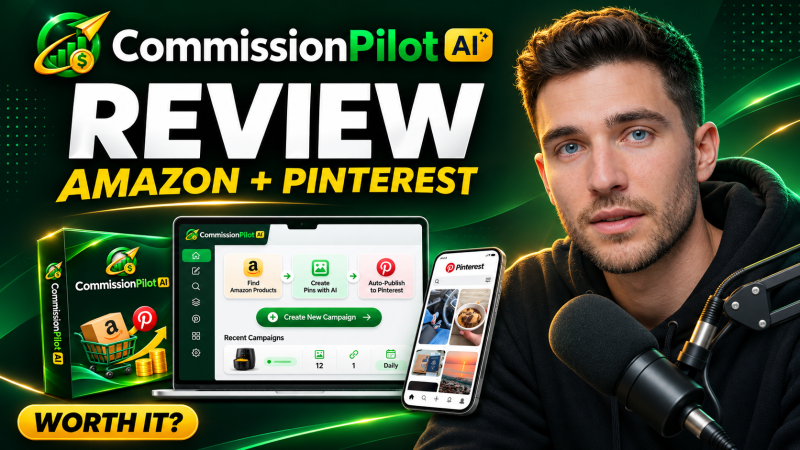
CommissionPilot AI is a cloud app from Pranshu Gupta and Ram Malav of Team BizOmart that finds Amazon products, writes and designs image pins and video pins, builds a hosted product page for each one and posts to Pinterest on a schedule or on Autopilot. It needs no API keys, connects through Pinterest's official login and costs $17 for Personal or $27 for Commercial, one time.
Product Currency: USD
Product Price: 17
Product In-Stock: InStock
4.4

