
ClawChannel Review 2026
Can This AI Agent Really Build, Run, and Monetize a Faceless YouTube Channel?
If you have ever stared at a blank YouTube dashboard and felt that quiet mix of hope and dread, you already know the real problem. Ideas are cheap. Execution is expensive. Scripts take time. Voiceovers take money. Editing takes evenings. Thumbnails take another tool. SEO takes yet another login. Then you still have to upload, write a description, add tags, schedule the video, and hope the algorithm notices.
That pile of work is why so many faceless channel plans die in week two.
ClawChannel entered that crowded space with a loud promise. It claims to be an AI-first system that can launch, run, and monetize a complete faceless YouTube channel from one command. Not a single script tool. Not a thumbnail maker with extra buttons. A full workflow that tries to behave like a small production team sitting inside one dashboard.
I spent time inside the platform the way a working creator actually would. I tested the one-click builder, ran through the nine-agent flow, generated scripts and voiceovers, looked at video assembly, checked thumbnails, and walked the publishing and monetization setup. This review is the honest version of that experience. I will show you what ClawChannel actually is, who built it, how the agents work, where the value is real, where the hype still needs a human brain, and whether the current launch price makes sense.
If you are searching for a ClawChannel review, a faceless YouTube AI tool, or a YouTube automation platform that does more than spit out a rough draft, keep reading. This one is long on purpose. You deserve the full picture before you spend a dollar.
Overview Of ClawChannel

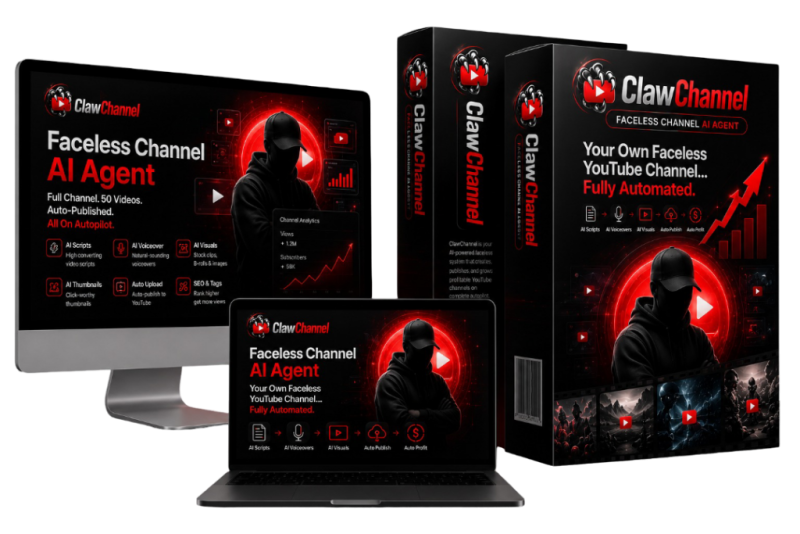
ClawChannel is an AI-powered YouTube automation platform built for people who want faceless channels without living inside CapCut, ChatGPT, Canva, TubeBuddy, and a freelancer inbox at the same time. The core idea is simple. You start a channel project. Specialized AI agents then take over research, branding, SEO, scripts, narration, video production, thumbnails, monetization setup, and publishing.
The marketing language is aggressive. The sales page talks about pressing BUILD MY CHANNEL and watching a complete faceless channel come together, complete with branding, a batch of videos, a content roadmap, and monetization paths. In practice, it is closer to a coordinated production pipeline than a magic ATM. That is still a big deal if you have been stitching six tools together by hand.
The platform sits in the faceless YouTube niche, which has exploded because creators want reach without showing their face, buying a camera rig, or becoming on-camera talent. ClawChannel tries to own that entire stack. Niche discovery. Channel identity. Keyword clusters. Retention-focused scripts. AI voice. Assembled video. Click-focused thumbnails. Affiliate and CPA placement. YouTube API upload.
Here is the short snapshot before we go deeper.
| Product | ClawChannel |
| Category | AI YouTube automation / faceless channel builder |
| Creator | Seun Ogundele, Fastplus Innovation |
| Front-End Price | $17 one-time during early-bird launch |
| Coupon | CCL30OFF for 30% off the front end and OTOs |
| Guarantee | 30-day money-back |
| Best For | Beginners, faceless creators, affiliates, freelancers, small agencies |
| Not For | People who want to film everything themselves or expect guaranteed views |
What Is ClawChannel?
ClawChannel is a multi-agent AI system designed to operate a faceless YouTube channel as a connected workflow rather than a pile of disconnected apps. Think of it as a channel operator that can research a niche, invent a brand, plan a content calendar, write scripts, generate voiceovers, assemble videos, design thumbnails, insert monetization elements, and prepare or push the final upload.
The product is aimed at people who do not want to appear on camera. You do not need to record yourself. You do not need to master Premiere. You do not need to hire a narrator. You do not need to live inside a keyword tool. The software tries to absorb those jobs.
That is the real definition. ClawChannel is not just a video generator. A video generator gives you a clip. ClawChannel tries to give you a channel operating system. The difference matters. A clip without a niche plan, a brand, a publishing schedule, and a monetization path is just another file on your hard drive. A channel system is something you can actually run.
When I opened it, the first thing that stood out was how the product frames the starting point. You can enter a niche and an income goal. You can also let the research side suggest direction. Then the builder can prepare branding assets, a first batch of videos, SEO groundwork, monetization placeholders, and a longer publishing plan. The sales copy loves the phrase one button. The dashboard still asks you to make a few choices. That is a good thing. Blind automation without a goal is how people end up with 40 videos about nothing.
ClawChannel supports English plus languages such as Spanish, French, German, and Arabic, with additional language options depending on the voice and channel builder settings. That multilingual angle is not a side note. Faceless content travels well when the topic is universal and the narration sounds clean. Health explainers, money tips, AI roundups, productivity lists, and curiosity topics all work across borders if the packaging is right.
It also includes commercial-use rights, which means you can build channels and content for clients instead of only running your own projects. For freelancers, that is often more interesting than the personal-channel dream. A local business, a coach, or a small brand will pay for a packaged YouTube presence long before your own channel hits AdSense.
So, in one sentence: ClawChannel is an AI channel factory for faceless YouTube, built to compress research, production, optimization, and publishing into a single environment.
What Makes ClawChannel Different?
Most YouTube AI tools do one slice of the job well and leave you to glue the rest together. One app writes a script. Another clones a voice. A third slaps stock clips on a timeline. A fourth guesses a thumbnail. A fifth tries to guess tags. You become the project manager of five dashboards.
ClawChannel’s pitch is that those jobs should talk to each other. The research agent is supposed to inform the SEO agent. The SEO plan is supposed to inform the script agent. The script feeds the voice agent. The voice and script feed the video agent. The video needs a thumbnail. The finished package needs monetization and a publish-ready metadata set. That chain is the difference.
The second difference is volume. The mass generator is built for batches. Ten videos. Fifty. One hundred. Even a 300-video run is part of the positioning. Whether you should publish 300 videos in a week is another question. The software wants to make volume possible. On YouTube, volume without a plan is noise. Volume with a keyword map and a consistent brand is a strategy.
The third difference is monetization baked into the workflow. A lot of AI video tools stop at export. ClawChannel tries to place affiliate links, CPA offers, custom URLs, lead magnets, description templates, and pinned-comment promotions as part of the same job. That matters if you are not waiting for AdSense. Most new channels will not hit 1,000 subscribers and 4,000 watch hours overnight. Affiliate and offer links can start working earlier if the content actually matches the product.
The fourth difference is the commercial license and agency mode. Plenty of creator tools are personal-use only or fuzzy about client work. ClawChannel leans into client delivery. You can treat it as a service engine. Build a branded faceless channel package. Hand over videos, thumbnails, and a content calendar. Charge a project fee.
The fifth difference is pricing structure. The front end is a one-time launch price rather than another $29 to $99 monthly stack. You still have optional upgrades. The base offer is meant to feel like an affordable entry into a full workflow instead of a drip of subscriptions.
Is it unique in the entire AI universe? No. The faceless YouTube category is crowded in 2026. ChannelAgent from the same vendor already explored this space. Other tools generate long-form videos, Shorts, and AI avatars every week. What ClawChannel does differently is insist that the channel, not the clip, is the product. That framing is smarter than most.
I also noticed a practical difference once I used it. The system wants you to think in projects. A project has a niche, a brand, a keyword set, a calendar, and a batch of assets. That project mindset keeps you from generating random videos that do not belong together. Random videos kill channels. A tight series builds them.
Who Brought To You?
ClawChannel comes from Seun Ogundele, founder and CEO of Fastplus Innovation. If you have spent time in the digital product world, that name will feel familiar. Fastplus has been shipping software for marketers, creators, and online business owners for more than a decade. The company claims a catalog of over 30 products across content, publishing, audio, traffic, and automation.
Recent names around this vendor include ChannelAgent, ClawBook, GooglAI, AudioMint, AzonAgent, KidzKDP, and WP Genie. ChannelAgent is the most relevant cousin. That product already pushed automated faceless YouTube workflows. ClawChannel looks like the next pass at the same problem with a heavier multi-agent story and a more complete monetization and publishing chain.
Why does the creator matter? Because YouTube automation tools fail in boring ways. Uploads break. Voices sound robotic. Thumbnails look like cheap templates. Keyword lists are generic. Support disappears after launch week. A vendor with a long product history is not a guarantee of quality. It is a signal that the team has shipped before, supported users before, and learned which parts of a funnel actually need human backup.
Seun’s products usually follow a familiar launch pattern. Low front-end price. Optional OTOs for unlimited use, done-for-you setup, traffic, reseller rights, and extra income assets. A 30-day refund window. That is the Fastplus house style. ClawChannel fits it.
I do not treat vendor history as a substitute for testing. I do treat it as context. ClawChannel did not appear from a brand-new team that just discovered YouTube last month. It sits on top of earlier experiments in AI content and channel automation. That shows in the feature list. The agents are not random. They map to the exact bottlenecks people hit when they try to run a faceless channel alone.
The Features Of ClawChannel
This is the meat of the review. Features decide whether the story holds. I will walk the nine agents first, then the broader tools that sit around them.
The 9 AI Agents Running Your YouTube Workflow
The platform is built around nine specialized agents. Each one owns a stage. Together they are supposed to act like a small YouTube team that never sleeps and never argues about revisions.
Research Agent
This is the scout. It looks at current YouTube trends, studies videos that are already winning, checks niche potential including CPM-style opportunity, and hunts for topics with room to compete. Good research is the difference between a channel that has a chance and a channel that publishes into a graveyard. I liked that the agent is not only chasing whatever is viral this morning. Viral without commercial intent is a hobby. The better question is whether a topic can attract viewers and later support ads, affiliates, or both.
Branding Agent
Next comes identity. Channel name. Description. Branding angle. Logo concept. Banner direction. About section. A faceless channel still needs a face in the brand sense. Viewers subscribe to a feeling. If every video looks like it came from a different planet, you do not have a channel. You have a folder. The branding agent tries to lock that identity before the first video goes live.
SEO Agent
This agent researches a large keyword set, often framed as more than 100 relevant terms, then groups topics and maps a 30- to 90-day plan. That is the unglamorous work most beginners skip. They publish whatever popped into their head at midnight. Then they wonder why search and suggested traffic never show up. A content map will not rank a video by itself. It gives the channel a direction that YouTube can actually understand.
Script Agent
Scripts are where retention lives. ClawChannel’s script engine leans on hooks in the opening seconds, storytelling patterns in the middle, and calls to action at moments when attention is still high. Watch time is still one of the loudest ranking signals. A pretty video with a dead first ten seconds gets abandoned. I read several generated scripts. The structure was better than the average one-prompt ChatGPT dump. Openings tried to interrupt the scroll. Middles tried to keep a thread. Endings pointed somewhere. You should still edit. AI loves filler. A human pass that cuts fluff will raise the quality more than any setting in the dashboard.
Voice Agent
The voice layer turns scripts into narration. You get multiple styles, tones, and emotional deliveries, plus language support that includes English, Spanish, French, German, Arabic, and more. Voice quality is the first place faceless channels get exposed. If the narrator sounds like a GPS from 2014, people leave. The better voices here are usable. Not every voice will fit every niche. A finance channel wants calm authority. A curiosity channel can handle more energy. Pick with your ears, not the preview thumbnail.
Video Agent
This is the assembler. It matches script and narration with AI images, B-roll, stock-style footage, animations, subtitles, text overlays, transitions, and background music. Then it syncs those pieces into a finished video. This is the feature people care about most, and it is also the feature that needs the most realistic expectations. AI video assembly has improved. It still produces generic moments. Stock clips can feel recycled. Text overlays can be busy. Music can fight the voice. The win is speed. What used to take an editor an evening can come back as a draft you can accept, trim, or regenerate.
Thumbnail Agent
Thumbnails decide whether the video exists. Nobody watches a video they never click. This agent creates multiple variations with bold text, contrast, and expressive imagery. A/B options are useful because your first guess is often wrong. I treat thumbnails as a testing surface, not a finished art print. Generate a few. Pick the one that would stop your own thumb on a phone screen. Then watch click-through rate after publish and swap if needed.
Monetization Agent
This agent adds the money layer. Affiliate links from Amazon, ClickBank, WarriorPlus, and Digistore24. CPA offers. Custom links. Lead magnets. Description templates. Pinned-comment promotions. If you only chase AdSense, you wait. If you attach relevant offers to relevant videos, you can earn while the channel is still small. Relevance is the rule. Slapping a random make-money offer under a sleep-story video is how you train viewers to ignore you.
Publishing Agent
The last mile is ugly when you do it by hand. Title. Description. Tags. Thumbnail. Chapters. End screens. Upload. Schedule. The publishing agent prepares that package and can send it through the YouTube API. You can still review before anything goes live. I recommend that review. Automation is fast. Public mistakes are faster.
Those nine agents are the engine. Around them sits a second layer of tools that decide whether you can scale.
Core Tools for Creating and Scaling Your Channels
One-Click Channel Builder
You give it a niche and an income goal. It can prepare the project foundation: branding, a batch of up to 30 videos, SEO prep, monetization elements, and a 90-day publishing plan. This is the feature the sales page shouts about. Used well, it saves a week of setup. Used blindly, it creates a channel that looks finished and still has no point of view. Give it a real niche. Give it a real goal. Then inspect the output like an editor, not a spectator.
Multi-Agent AI Architecture
This is the same nine-agent idea sold as a team. The value is coordination. A script that ignores the keyword map is wasted. A video that ignores the script is wasted. A thumbnail that ignores the title is wasted. The architecture is trying to keep those pieces in the same conversation.
Viral Topic Engine
This tool studies videos that already work and looks at structure, angle, and pattern. Then it proposes fresh ideas in your niche. That is smarter than copying a title and hoping. YouTube does not need another clone of last week’s viral video. It needs a recognizable pattern with a new hook. Use the engine for angles, not for carbon copies.
Mass Video Generator
Bulk mode is for people who want a library, not a single upload. Batches of 10, 50, 100, or even 300 videos sound wild until you remember how the algorithm treats empty channels. A new channel with three videos looks abandoned. A new channel with a planned series looks alive. The danger is obvious. Bulk junk still looks like junk, only faster. Generate in batches you can actually review.
Realistic AI Voiceover Suite
Beyond the basic voice agent, the suite is about range. Different styles. Different emotions. Different languages. Faceless channels live or die on audio comfort. If someone can listen for eight minutes without noticing the machine, you are in the game.
Auto Monetization Engine
Links and offers can be dropped into descriptions, pinned comments, and other promotional spots automatically. Set this up once with offers that match the niche. Then audit it. Broken links and off-topic offers cost trust.
High-CTR Thumbnail Generator
Contrast, emotion, bold messaging, multiple versions. Same rule as before. Generate fast. Judge on a phone. Track the click.
90-Day Content Calendar and Roadmap
Consistency beats intensity. A calendar keeps you from disappearing for three weeks after the first burst of excitement. It also helps you build topical authority instead of posting a finance video on Monday and a true-crime video on Thursday.
Multilingual Channel Builder
English is crowded. Spanish, French, German, Arabic, and other markets can be less saturated depending on the topic. Localization is not just translation. The voice, examples, and packaging still need to feel native. Treat extra languages as new channel bets, not as copy-paste.
Full Export Options
MP4 downloads. Bulk ZIP exports. Direct sends to YouTube channels. This matters if you manage more than one project or deliver work to a client who wants the files.
Commercial License
You can build faceless channels and related content for paying clients. That turns the software into a service product. A simple package might include branding, ten videos, thumbnails, and a 30-day calendar. Price that like professional work, not like a $17 tool.
Unlimited Channel Creation Without Per-Video API Charges
The launch offer leans on a one-time payment model and the claim that you are not nickel-and-dimed per render or per upload the way some API-heavy tools do. Always read the current plan limits. Launch pages change. The spirit of the offer is scale without a surprise invoice after video 12.
AI Niche Research Engine
Before you commit a month of publishing, you want a niche that can pay. The engine looks at trending videos, CPM potential, and affiliate opportunity. Use it as a filter. Then validate with your own common sense. If you would never watch the content, do not build the channel.
Retention-Engineered Script Generator
Hooks. Story sequences. CTAs. Watch-time focus. I said it earlier and I will say it again. Edit the scripts. Keep the structure. Cut the mush.
Multilingual Voice Studio
Same family as the voice suite. Match narrator to audience. A calm German explainer and a punchy English listicle should not share one voice preset.
Full AI Video Producer
This is the render pipeline. B-roll, AI imagery, stock visuals, animation, overlays, subtitles, transitions, music, sync. Your job after the render is quality control. Watch the first 20 seconds at full volume on your phone. If you drop off, so will a stranger.
YouTube API Auto-Publisher
Titles, descriptions, tags, chapters, thumbnails, end screens, scheduling. Convenient. Also dangerous if you never look at the metadata. A sloppy title can bury a decent video.
Smart SEO System
Keyword research, topic clusters, ranking gaps, future content ideas. This is how a channel becomes findable instead of only depending on suggested traffic luck.
Agency Mode
Commercial rights plus workflow support for people who want to sell YouTube packages. If you already talk to clients, this may be the highest-ROI use of the tool. You are not waiting on the algorithm. You are billing for delivery.
Put together, the feature set is broad. That breadth is the product. ClawChannel wants to replace a toolkit. It mostly can, with one condition. You stay in the loop as editor-in-chief.
And here’s the icing on the cake – with ClawChannel, you’ll also get these limited-time bonuses:
How Does ClawChannel Work?
The workflow is easier to understand as a story than as a spec sheet. Here is how it ran when I used it, from first click to publish-ready package.
Step 01: Start
You open ClawChannel and begin a project. The loud version of the sales page says you press BUILD MY CHANNEL and walk away. The useful version is slightly more adult. You choose or confirm a niche. You set an income goal. You pick a monetization mix if the builder asks for one. AdSense later. Affiliates now. CPA. Digital products. Or a blend. Those choices steer the agents. A channel built for Amazon affiliates should not be planned like a pure AdSense documentary channel.
Then you start the build. That is the one-button moment. Everything after this is the system moving through its stages.
Step 02: Research
The research layer scans live-style YouTube signals. Trending videos. Competitive patterns. CPM-style opportunity. Content gaps. The output should feel like a brief, not a vibe. You want a niche that has viewers, room to publish, and a way to get paid. If the suggested niche is overcrowded and thin on commercial intent, reject it. The software can search. You still decide.
Step 03: Branding
Now the channel gets a name, a description, a positioning angle, a logo concept, a banner direction, and an About section. This stage is easy to shrug off. Do not. A clear brand makes later videos feel related. Related videos help viewers binge. Binges help watch time. Watch time helps everything else.
I tweaked names. Some AI names sound like leftover domains. If a name feels plastic, change it. The rest of the branding can stay.
Step 04: Strategy
The SEO and planning layer researches a wide keyword set, builds topic clusters, and maps a 30- to 90-day calendar. This is where ClawChannel becomes more than a renderer. A calendar turns a burst of generation into a channel plan. You can see what week three looks like before week three arrives. That reduces the Sunday-night panic that kills most new channels.
Step 05: Scripts
Then the scripts arrive. Full drafts, not outlines. The better ones open with a pattern interrupt, keep a narrative thread, and plant a call to action before the viewer is gone. Read them out loud. If a sentence is awkward in your mouth, it will be worse in an AI voice. Shorten. Swap vague claims for concrete examples. Keep the hook.
Step 06: Voiceover
The voice studio turns the approved script into narration. Choose style, tone, and language with the niche in mind. Listen to the first 30 seconds and the last 20. Those are the spots where robotic cadence shows. If the voice clips words or rushes lists, regenerate or switch voices. Do not fall in love with the first preset.
Step 07: Production
The video agent builds the visual layer around the voice. B-roll. AI images. Animations. Overlays. Subtitles. Music. Transitions. Sync. This is the longest wait and the biggest wow if you have ever edited by hand. It is also the stage where generic visuals sneak in. Watch for repeated stock energy, text that covers faces that do not exist, and music that is too loud. A small cleanup here separates a usable video from an obviously automated one.
Step 08: Thumbnails
You get multiple thumbnail directions. Look at them the way a tired person looks at a phone at 11 p.m. Would you tap? If the text is tiny, fix it. If the face or object is muddy, pick another variant. High contrast still wins on mobile.
Step 09: Monetization
Links and offers go into the places YouTube actually lets you sell: description, pinned comment, end screen, and any other supported slot the system uses. Match the offer to the video. A video about home office setups can carry a desk chair affiliate link. A video about focus habits can carry a relevant app or book. Mismatch is spam. Spam trains people to bounce.
Step 10: Launch
The publishing agent wraps title, description, tags, chapters, thumbnail, and end screens, then can upload through the YouTube API and schedule the post. I still log into YouTube after the first few uploads. I want to see how the listing looks on mobile. I want to confirm the thumbnail rendered. I want to know the description did not swallow a broken link.
That is the loop. After the first batch, you repeat from research or from the calendar. The machine is fast. Your taste is the quality control.
One more practical note. You can export MP4s and publish manually if you do not want API access connected on day one. Some people prefer that while they learn the dashboard. Either path works. The point is the pipeline, not the button count.
For a thorough exploration of the platform, be sure to check out the demo video below:
Who Is It The Most Suitable For?
ClawChannel is not for every creator on earth. It is for a specific kind of operator.
It fits complete beginners who want a structured way onto YouTube without learning six crafts at once. If you have never written a script or cut a timeline, the guided pipeline is kinder than a blank editor.
It fits faceless creators who already believe in the model and just need more output. If you are good at choosing topics and weak at production, this is the missing factory floor.
It fits affiliate marketers who want video pages that can rank or get suggested traffic and then send people to offers. YouTube is still one of the best free attention platforms on the internet. An affiliate with a content engine has a shot. An affiliate with no content has a hope.
It fits freelancers and small agencies who want to sell YouTube channel packages. Branding plus a starter library plus a calendar is a product you can invoice.
It fits entrepreneurs who want a media asset next to a product or newsletter. A channel can warm up an audience before you ever mention a checkout page.
It fits marketers who manage more than one niche and cannot personally edit every video. Multilingual support expands that further if you have a real plan for each language, not just a translated dump.
It is a poor fit if you love filming yourself and building a personal brand on camera. Those channels win on personality. ClawChannel is not trying to replace your face. It is trying to replace the production grind of faceless content.
It is a poor fit if you publish twice a year and do not care about systems. You do not need a factory for two videos.
It is a poor fit if you want guaranteed subscribers, views, or income. No ethical tool can sell that. Anyone who promises a specific daily dollar figure without knowing your niche, your offer, and your consistency is selling a mood, not a method.
The best user I can picture is someone who will treat the software like a junior production team. You set the brief. You approve the work. You kill the weak pieces. You publish the strong ones on a schedule. That person will get more from ClawChannel than the person who presses one button and goes to sleep expecting a business.
The Reasons Why You Should Consider Using It (Honest Thoughts After Using ClawChannel)
I am going to talk like someone who actually sat with the dashboard instead of someone reciting a feature list.
The first feeling I had was relief. Not because the videos were perfect. They were not. Relief because the empty-channel problem has a shape now. Most people fail at faceless YouTube for a boring reason. They never get past video three. Life gets loud. Editing feels heavy. The thumbnail looks wrong. The title feels stupid. They pause. The pause becomes a month. The month becomes never.
ClawChannel attacks that exact failure point. It makes the next video cheaper in time. When the next video is cheaper, you are more likely to publish it. Publishing is the whole game in the beginning.
The second feeling was caution. Speed can trick you. I generated assets faster than I could judge them. That is a new kind of bottleneck. In the old world, production was slow, so you had time to think. In this world, production is fast, so thinking becomes the scarce resource. If you do not build a review habit, you will upload average work at industrial scale. Average work at industrial scale is how people burn a brand before it exists.
So here is what I actually value after using it.
Less time spent on production. Research, scripting, narration, assembly, thumbnails, metadata, and upload used to be a full afternoon for one decent video. The pipeline compresses that into a review cycle. I still watch the output. I still change lines. I still reject weak thumbnails. I just do not start from zero.
Lower dependence on a tool stack. Before a system like this, you pay for a writer, a voice tool, an editor, a thumbnail app, a keyword tool, and maybe a scheduler. Those subscriptions add up while the channel is still earning nothing. Combining the jobs does not make each job world-class. It makes the stack affordable enough to test a channel without lighting money on fire.
More room to publish and scale. YouTube rewards libraries. Suggested traffic likes a place to send people next. A calendar plus bulk generation plus auto-publish support makes a library possible for one person. That is the honest advantage. Not guaranteed virality. Capacity.
A better starting brief than most beginners ever write. Niche research plus branding plus a keyword map plus a 90-day outline is more strategy than a lot of new channels ever get. Even if you rewrite every script, you are rewriting inside a plan. That is a gift.
Client work becomes realistic. This surprised me more than the personal-channel use case. If you can deliver a branded starter channel in days instead of weeks, you can sell a service. The commercial license is not a footnote. For some users it will be the whole business.
Now the honest limits I hit.
AI visuals still drift toward generic. You will see familiar stock energy. You will see images that almost match the sentence and then miss. You can regenerate. You can swap clips if the editor allows. You can keep the voice and rebuild the picture. What you should not do is pretend every render is ready for a premium brand.
Scripts still need a human. The structure is useful. The prose can wander. Specificity is your job. Add numbers. Add examples. Cut repeated phrases. Make the CTA sound like a person.
Voice quality varies by preset and language. English has more usable options. Other languages can be good and can also sound stiff. Always listen before you publish.
Monetization setup is only as smart as the offers you give it. The agent can place links. It cannot make a bad product relevant.
And YouTube itself is still YouTube. New channels start at zero authority. AI content is allowed when it follows the rules, but quality guidelines still exist. Duplicate, misleading, or low-effort spam gets treated like low-effort spam even if an agent made it. Original angles, clean audio, watchable pacing, and honest titles still matter.
After using ClawChannel, I do not think of it as a robot that prints money. I think of it as a production department I can afford. That is a calmer and more accurate promise. If you want a department, this launch price is easy to justify. If you want a substitute for strategy, no software will save you.
Would I use it again for a faceless test channel? Yes. I would pick a niche I understand. I would generate the first ten videos. I would edit the weak openings. I would publish on a fixed rhythm. I would attach one relevant offer. I would watch retention, not just view count. That is a real experiment. That is how this tool earns its keep.
ClawChannel Pricing
The current launch offer puts the ClawChannel front end at $17 as a one-time payment. That is the early-bird number, and launch prices in this market usually rise after the initial wave.
For what the dashboard tries to cover, that entry cost is aggressive. You are not buying a single generator. You are buying access to a workflow that includes research, branding, scripting, voice, video assembly, thumbnails, SEO planning, monetization helpers, and publishing support.
There is a 30-day money-back guarantee. Use that window like an adult. Log in. Run a real project. Generate a batch. Listen to the voices. Watch the videos. If the output is not useful to you, refund. Do not buy it, ignore it for 29 days, and then decide.
The coupon circulating with this launch is CCL30OFF, which is positioned as 30% off the front end and the upsells. Apply it at checkout if the field is there. Launch checkouts change. The code is the one attached to this campaign.
Is $17 the whole story? No. Like most funnels from this vendor, optional OTOs sit behind the front end. You can stay on the core plan and still do real work. You only need upgrades if you hit limits, want setup help, want extra automation, or want side assets like traffic or reseller rights.
One-time pricing is the part I respect. Recurring AI video bills can quietly become the most expensive hobby in your stack. A launch price lets you test the model before you commit to a lifestyle.
The OTO Details
The front-end version already covers the core YouTube workflow. The OTOs are optional expansions. I will describe each one in plain language so you can skip what you do not need.
Use CCL30OFF on these as well if the checkout still accepts it.
OTO 1: ClawChannel Unlimited Edition
Two common options:
- Unlimited Premium: $67 one-time
- Unlimited Deluxe: $167 with a downsell path around $47
Unlimited is the upgrade people buy when they want to stop thinking about caps. More channels. More videos. More scripts. More voiceovers. More thumbnails. If you are testing one personal channel at a gentle pace, you may not need this on day one. If you plan to run multiple niches, build client packages, or generate in large batches, limits become the whole problem. This is the scale key.
Deluxe usually layers on more capacity, faster processing, and business-facing extras. Buy the version that matches how many projects you will actually touch in the next 90 days, not the version that sounds more impressive on a sales page.
OTO 2: ClawChannel Done For You Edition
Two common options:
- DFY Gold: $197 one-time
- DFY Platinum plus buyer traffic: $297 with a downsell path around $97
This is setup help. The team side of the offer is supposed to configure the platform, prepare channel ideas, tighten settings, connect workflows, and get monetization elements in place so you are not staring at a new dashboard wondering which button matters. Platinum adds deeper customization, more ideas, payment setup help, and stronger support for people who want a bigger YouTube or client operation.
Buy this if you know you will stall at setup. Do not buy this if you enjoy learning tools and already know how you want the channel to work. Done-for-you is expensive compared with $17. It can still be cheap compared with a month of not starting.
OTO 3: ClawChannel Automation Edition
Price: $47 with a downsell path around $27
This upgrade is for people who want fewer repeating chores after the first build. Deeper automation around recurring production, publishing, traffic, and monetization tasks. If your goal is a channel that keeps moving without you living in the tab, this is the philosophical match. If you want to approve every video by hand, you can skip it at first.
OTO 4: 100X Booster Edition
Price: $47 with a downsell path around $27
This one is an acceleration layer. Faster workflow. Less waiting. More momentum through creation, growth tasks, and monetization activities. Think of it as a performance upgrade rather than a new product. Useful if you are already committed and the regular queue feels slow. Easy to skip if you are still testing.
OTO 5: Limitless Buyer Traffic Edition
Price: $97 with a downsell path around $77
This is not a YouTube feature. It is a traffic add-on. Recurring buyer-traffic campaigns aimed at selected links. That can support an offer page, a lead magnet, or a review site sitting next to your channel. It will not replace a good video strategy. It can give an offer a pulse while organic YouTube is still warming up. Only buy it if you have a page worth sending people to.
OTO 6: DFY Money Sites Edition
Price: $67 with a downsell path around $47
This adds a side system: ready-to-use review sites for pre-approved offers, with AI content, affiliate links, conversion elements, and a traffic component. It is a second income surface next to YouTube. Some users like having a search asset and a video asset pointing at the same offers. Some users should stay focused on one channel until it works. Be honest about your bandwidth.
OTO 7: AI Income Site Edition
Price: $47 with a downsell path around $27
This one is a directory-style site built around AI tools and several monetization methods. Listings, advertising space, premium placements, affiliate links, and ClawChannel-powered content. Again, this is a separate asset. It can make sense if you want a web property in the AI niche. It is a distraction if your only goal is a faceless YouTube test.
OTO 8: ClawChannel Reseller Edition
Price: $197 with a downsell path around $97
Reseller rights let you sell ClawChannel as your own software offer and keep the revenue from those sales. The vendor side typically keeps hosting, funnel mechanics, payments, and support. You drive traffic. This is a marketing business, not a YouTube business. Buy it only if you already know how to sell digital products. A reseller license does not create customers by itself.
OTO 9: AI Traffic Machine
Price: $47 with a downsell path around $27
This upgrade focuses on visibility inside AI search and answer engines such as ChatGPT, Gemini, Claude, Perplexity, and similar discovery layers. The idea is to analyze where your brand or offer appears, find gaps, compare with competitors, and improve the chance of getting cited. If your 2026 plan includes AI search as a traffic source, this is aligned. If you only care about YouTube suggested traffic, park it.
What I would actually buy
If I were starting clean with a modest budget, I would take the front end, apply the coupon, and run one serious project for a week. If I hit caps or wanted client volume, I would add Unlimited. If I froze at setup, I would consider DFY. I would ignore traffic and reseller OTOs until I had an offer and a workflow I trusted.
That is the unglamorous buying plan. It is also how you avoid owning eight dashboards and zero published videos.
Pros And Cons
No tool is only a highlight reel. Here is the balanced list after using the product and walking the full promise.
Pros
- Beginner-friendly path from niche idea to a packaged channel project
- Compresses research, scripts, voice, video, thumbnails, SEO, and publishing into one place
- Reduces the need for a pile of monthly subscriptions
- Lowers the urge to outsource every script, edit, and thumbnail on day one
- Supports high-volume creation when you want a real content library
- Works for new channels and for people who already have a faceless presence
- Fits the faceless model, so you never have to go on camera
- Includes multiple monetization paths, not only AdSense daydreams
- Commercial use opens a client-service angle
- Multilingual support creates extra market tests
- One-time front-end pricing makes the first experiment affordable
- 30-day refund window lowers the risk of a bad fit
- Project-based workflow encourages a calendar instead of random uploads
- Export options help agencies and multi-channel operators
Cons
- Results still depend on niche, offer, and consistency
- AI videos and scripts need human review if you care about quality
- Visuals can look generic if you accept the first render every time
- Voice quality is uneven across presets and languages
- Bulk generation can tempt you into publishing weak content at scale
- YouTube growth is still slow at the start, no matter how fast you render
- Optional OTOs can raise the real cost if you buy emotionally
- Auto-publish is only as good as the metadata you allow to go live
- Not a fit for on-camera personal brands
- No tool can guarantee views, subscribers, or revenue
The pro list is long because the workflow is wide. The con list is shorter and more important. Almost every weakness is a human-process problem wearing a software mask.
The Final Thought
ClawChannel is one of the more complete attempts I have seen at turning faceless YouTube into a single operating system. It does not erase the work. It moves the work from creation to direction. That shift is the actual product.
If you have been sitting on a channel idea because editing steals your nights, this is worth a serious look at the current $17 launch price. Use the coupon CCL30OFF if it still applies. Run a real niche. Generate a real batch. Watch the output on your phone. Keep what is sharp. Kill what is dull. Publish on a rhythm you can sustain.
If you expect to press BUILD MY CHANNEL and wake up to a business, you will be disappointed. YouTube still rewards clarity, consistency, and packaging. AI still needs an editor. Offers still need to match the content. New channels still need time.
My verdict is practical. ClawChannel is a strong production accelerator for faceless channels and a useful delivery engine for small agencies. It is not a substitute for taste. Used with taste, it can save you weeks. Used without taste, it can help you publish mediocre videos faster than your competitors, which is not a win.
I would recommend it to beginners who want structure, to affiliates who need volume, and to freelancers who want a package they can sell. I would not recommend it to anyone hunting a guaranteed income screenshot.
The best time to test a tool like this is while the front end is cheap and the refund window is open. Do the work inside that window. Let the output, not the headline, make the decision.
Frequently Asked Questions
Can I use ClawChannel for more than one YouTube niche?
Yes. You can run projects across topics such as finance, AI, health, productivity, business, self-improvement, and other faceless-friendly categories. That is useful for testing. It is also how people get distracted. Validate one niche long enough to learn before you open five empty channels.
Do I need an existing YouTube channel before I start?
No. You can start from scratch. The branding and planning layers exist specifically for people who do not have a channel yet. If you already have a channel, you can still use the production and SEO tools to feed it.
Can I edit the content before it goes live?
Yes, and you should. Review scripts, visuals, titles, descriptions, thumbnails, and links. Automation is the draft. Publishing is the decision.
Is this only useful for long-form YouTube videos?
No. The system can support different formats, including shorter videos. A smart plan often mixes long-form pieces that can rank or hold watch time with shorter pieces that can discover new viewers.
Can I use my own affiliate links and offers?
Yes. You can add your own affiliate links, CPA offers, lead magnets, or product URLs. Built-in network options are a convenience. Your own offers are often the better business.
Does it help with content planning after the first batch?
Yes. The calendar and SEO clustering are meant to keep you moving after the launch burst. That long-term map is one of the more underrated features.
Can agencies use it for client projects?
Yes. Commercial rights make it suitable for freelancers and agencies that want to sell videos or complete faceless channel packages. Price the service for the outcome, not for the software cost.
Can I create channels for audiences outside the English-speaking market?
Yes. Multilingual support covers scripts, voiceovers, and channel content for languages including English, Spanish, French, German, and Arabic, with additional options depending on the studio. Treat each language as its own market, not as a copy of your English channel.
Do I need separate software for voiceovers, thumbnails, and video production?
Not necessarily. The point of ClawChannel is that those jobs can live in one environment. You can still export and finish in another editor if you want more control. Many users will not need that extra layer at the beginning.
Will this get me monetized on YouTube automatically?
No. YouTube Partner Program rules still apply. You still need to meet the platform’s thresholds and follow its policies. Affiliate and offer links can work earlier, but they work because the video earned the click and the trust, not because a button existed.
Is AI content allowed on YouTube?
YouTube allows AI-assisted content when it follows community guidelines and quality rules. Misleading claims, spam behavior, and low-effort mass posting can still hurt a channel. Make original, watchable videos. Label things honestly where required. Do not treat automation as a loophole.
What if I do not get views right away?
That is normal. New channels need a body of work and a clear topic. A first batch of videos is a start, not a finale. Watch retention. Improve hooks. Tighten titles. Keep publishing. The tool can accelerate output. It cannot skip the trust-building phase.
Is the $17 plan enough, or do I need the OTOs?
Many people can test the whole idea on the front end. Buy Unlimited when volume becomes the constraint. Buy DFY if setup is the constraint. Buy traffic and reseller add-ons only when you have a use for them. The cheapest way to waste money in a launch funnel is to collect upgrades instead of publishing videos.
Who should skip ClawChannel?
Skip it if you want to be on camera, if you dislike reviewing AI output, or if you need a promise of specific income. Also skip it if you already have a production team you like and a workflow that is already shipping.
ClawChannel will not do your thinking. It will do a surprising amount of your making. If that trade sounds fair, the current launch is an easy test. If that trade sounds like a shortcut to riches, close the tab and write a content plan by hand. The plan was always the hard part. The software just made the rest faster.
ClawChannel is an AI tool that helps you build and run a faceless YouTube channel from one dashboard. You pick a niche (or let it suggest one). Then its AI agents handle the heavy steps: research, channel branding, scripts, voiceover, video, thumbnails, SEO, affiliate/monetization links, and upload/scheduling. You don’t need to go on camera, write every script by hand, or edit every video from scratch. It is built for beginners, affiliates, and people who want volume — not for guaranteed views or income. Launch price was about $17 one-time, with optional upgrades.
Product Brand:
Seun Ogundele
Product Currency:
USD
Product Price:
17
Product In-Stock:
InStock ClawChannel
4.2
(You will receive ALL Bonuses on Part 1 to Part 5)
PART 1
PART 2
PART 3
PART 4
PART 5
And you can pick 1 package (for each purchase) from the following packages that you think are the most useful for you:
***3 STEPS TO CLAIM THIS BONUSES***
Step 1: Order ClawChannel Review through my ClawChannel Review:
Step 2: After you complete the order, send [the receipt id] in a message to my email at: support@tikareview.com or complete your information on this page.
Step 3: I will send all bonuses for you within 24 hours. Please wait your bonus.

