
ClaudApps AI Review 2026
Can You Really Build AI Apps Without Coding?
Coming up with an AI app idea is usually the easy part. The difficult part starts five minutes later, when you realize the idea needs an interface, logic, hosting, revisions, branding, deployment, and possibly a developer who understands what you are trying to build.
For a marketer, freelancer, or small business owner, that gap between “I know what I want” and “I have something people can actually use” can be expensive. Traditional development takes technical skill, while many no-code builders still expect you to understand databases, workflows, integrations, and interface design.
That is what made ClaudApps AI worth investigating. In this ClaudApps AI Review, I am looking at a prompt-driven app builder from Pranshu Gupta that is designed to turn plain-English instructions into working AI applications, then let you continue refining them through conversation. The front-end also includes hosting, app previews, branding options, lead capture, ready-made app ideas, and commercial-use rights.
What caught my attention is not simply the promise that “AI builds the app.” We have heard variations of that pitch before. The more useful question is: does ClaudApps AI genuinely remove technical work, or does it simply hide that work behind another AI interface?
I also want to know how far the inexpensive front-end can realistically take someone before the upgrade funnel becomes relevant. So below, I will break down what ClaudApps AI does, how the workflow works, where its strongest practical value lies, what remains in the user’s hands, who should consider it, and how the pricing and OTOs fit together.
Overview Of ClaudApps AI

| Product | ClaudApps AI |
| Creator | Pranshu Gupta |
| Product Type | AI app builder |
| Launch Date | September 8, 2026 |
| Front-End Price | $14.95 |
| Coupon | CLAUDAPP2 – $2 off the funnel |
| Payment Model | One-time payment during the launch offer |
| Welcome Credits | 10,000 |
| Commercial Rights | Included |
| Hosting | Included |
| Refund Policy | 30-day money-back guarantee |
| Best For | Beginners, marketers, freelancers, service providers, and aspiring SaaS creators |
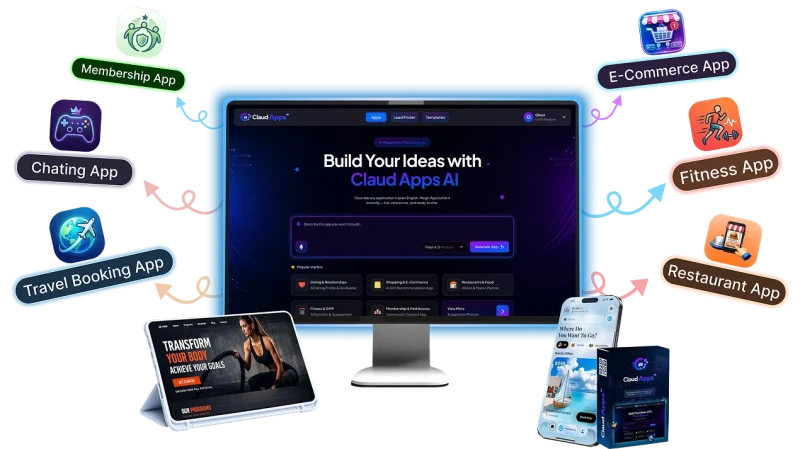
The main offer is a cloud-based AI application builder centered on natural-language instructions rather than traditional coding. Users can create an app, request changes conversationally, preview the result, customize the project, and publish it without arranging separate basic hosting for every app.
The commercial angle is important. ClaudApps AI is not positioned only as a personal prototyping tool. Its license also allows users to create apps for clients and sell them as services, which makes the product more relevant to freelancers and small agencies than a purely hobby-focused builder.
What Is This App?
ClaudApps AI is an AI-assisted, no-code app creation platform designed to convert an idea described in normal language into a usable application.
Instead of opening a coding environment and manually building the frontend, logic, styling, and other components, you begin by telling the AI what you want.
For example, a local marketer might want a lead-qualification app for roofing companies. A fitness coach could want a simple workout-planning tool. An affiliate marketer might create a recommendation or comparison utility. A freelancer could build a niche calculator or customer-intake application for a client.
The important part is that the workflow remains conversational after the first generation.
If the first version needs a different layout, another field, new wording, different branding, or additional functionality, the system is designed to accept those revisions through chat rather than forcing the user into source code.
That does not mean human judgment disappears.
You still need to decide whether the app solves a useful problem, whether the information makes sense, whether the interface is suitable for its audience, and whether the finished project is good enough to place in front of customers.
That distinction matters. ClaudApps AI is better understood as a way to reduce the technical barrier between an idea and a deployable first version—not as a substitute for product thinking.
Who’s Behind The Creation?
ClaudApps AI was created by Pranshu Gupta, a software developer and digital entrepreneur whose recent products have focused heavily on practical AI tools for marketers, creators, and online business owners.
His other releases include products such as ClaudFable AI App, PublishClaw AI, GrokPrime AI and SocialClaw AI covering areas including content creation, publishing, social media, and automation.
That background makes ClaudApps AI a fairly logical addition to his product line. Instead of using AI primarily to generate another piece of content, this product moves further into software creation and gives non-developers a way to turn instructions into interactive applications.
What’s Included In This ClaudApps AI?
The useful way to look at the feature set is not as a long list of AI buzzwords, but as the individual pieces required to move from an idea to something people can actually access.
Natural-language app creation
This is the heart of ClaudApps AI.
You describe what you want to create in regular language, and the AI handles the initial construction. For a non-coder, this removes the most obvious barrier: having to learn a programming language before you can even test whether an idea is worthwhile.
The quality of the initial instruction will still matter. “Make me a marketing app” leaves far more room for interpretation than a clear description of the audience, inputs, desired output, layout, and purpose.
Chat-based editing
This is probably more important than the first generation itself.
AI rarely guesses every requirement correctly on the first attempt. ClaudApps AI lets users continue requesting changes conversationally rather than opening the underlying code and figuring out what line needs to be changed.
In practical terms, the workflow becomes:
Create → inspect → request changes → inspect again → refine.
That makes experimentation more accessible to people who understand the business problem but do not understand software development.
Live app preview
Being able to preview a generated app before publishing is essential because AI-generated software should still be reviewed.
A preview gives you an opportunity to see how the pieces fit together, notice awkward layouts, identify missing information, and make another round of edits before putting the app in front of users.
Built-in editing
ClaudApps AI includes editing capabilities for refining generated applications after the initial build.
That matters because prompt-only creation would become frustrating very quickly if every small revision meant regenerating the whole project.
30+ ready-made app ideas
One surprisingly practical inclusion is the library of more than 30 app ideas.
This solves a different problem from coding.
Some buyers will understand the technology but still stare at the dashboard wondering what they should build. The ready-made ideas give beginners a starting structure they can customize for their own niche rather than inventing a concept from zero.
I would treat these as starting points, not businesses in a box. The commercial value comes from matching an application to a real audience and problem, not simply publishing the same template everybody else received.
Included hosting
Apps created with ClaudApps AI include hosting, so users do not need to arrange a separate basic server setup for every project.
For beginners, that removes another technical decision from the process.
Building software is only one side of the job. You also need somewhere for it to run. Keeping creation and hosting inside the same workflow makes ClaudApps AI considerably more convenient for small projects and client prototypes.
Custom branding
The platform supports branding apps with your own identity.
That becomes especially relevant when the application is being presented to a customer or used as part of a commercial service. A client does not necessarily want an app that looks like a generic demonstration from another vendor.
Branding lets the project feel more like a business asset than an AI experiment.
Lead-capture functionality
Lead forms can be included in appropriate applications.
This opens up some more practical marketing use cases.
Instead of creating an app simply because an interactive tool looks interesting, a local marketer might use a quote calculator, assessment, recommendation tool, or niche utility as the first step in a lead-generation process.
The app still needs traffic and a compelling reason for someone to use it. ClaudApps AI does not eliminate that marketing work.
Multilingual app possibilities
The feature set also includes multilingual app creation, which can make the system more flexible for marketers serving different audiences or geographic markets.
Commercial license
The front-end includes commercial rights. The official FAQ states that users can build applications for customers and sell their work through freelance marketplaces or directly to businesses.
This is one of the stronger reasons to look at ClaudApps AI as more than a novelty.
A personal app builder saves you development effort.
A commercially licensed app builder potentially becomes part of a service business.
The difference is significant.
But that’s just the start – with ClaudApps AI, you’ll be treated to these amazing bonuses:
Coupon: CLAUDAPP2 – $2 off the funnel
How Does ClaudApps AI Work?
The documented workflow is deliberately simple.
Step 1 – Describe
You begin with an idea and explain the type of application you want.
This is where the user’s knowledge still matters most.
AI can build from instructions, but it cannot automatically know the exact business objective hidden in your head. A clear description of the audience, problem, inputs, desired outputs, and visual direction should give the system more useful instructions to work with.
If you have no idea where to start, the included app concepts provide ready-made starting points.
Step 2 – AI Builds
ClaudApps AI generates the application from the description.
From there, you can preview what has been created and continue refining it through chat. Instead of manually editing code, you describe what should change.
This is the part of the workflow I find most compelling.
The value is not really “one prompt and everything is perfect.”
The value is being able to iterate without turning each revision into a development task.
Step 3 – Launch
Once the project is ready, the documented workflow allows you to add your branding, connect a domain, and deploy the application.
Hosting is included, which removes one more piece of technical setup.
The end result could be a personal tool, a lead-generation app, an application delivered to a client, or the foundation for a small niche software offer.
ClaudApps AI can also be used through its dashboard on desktop or mobile, while Telegram is available as an optional mobile workflow rather than a requirement.
For a comprehensive walkthrough of the platform, check out the demo video below:
Coupon: CLAUDAPP2 – $2 off the funnel
Who Should Try ClaudApps AI?
ClaudApps AI makes the most sense for people whose main obstacle is technical execution, not a shortage of ideas.
Beginners who cannot code are the clearest audience. If you can describe a workflow but would normally stop as soon as HTML, APIs, servers, or development environments enter the conversation, the natural-language approach is attractive.
Affiliate marketers could use it to create calculators, recommendation tools, interactive lead magnets, quizzes, or niche utilities rather than relying entirely on static pages.
Freelancers have a more direct commercial use case. Instead of selling only design or marketing services, they can potentially add simple AI application creation to their offers.
Local marketers and consultants could build niche tools around specific business problems and combine them with lead-generation or client services.
Agency owners may find the platform useful when they repeatedly need smaller custom applications without wanting every project to begin with a developer quote.
Aspiring SaaS creators are another audience, although expectations matter here. ClaudApps AI can lower the barrier to building and launching an application, but building a sustainable SaaS business also involves customer research, positioning, support, acquisition, retention, and product improvement.
People who already have a sophisticated development stack, need extensive low-level code control, or build complex enterprise applications are less obvious candidates. A conversational AI builder is useful partly because it abstracts technical complexity; experienced developers may prefer to retain that control themselves.
Why Is It Worth Checking Out?
What makes ClaudApps AI interesting is the number of separate jobs it attempts to collapse into one workflow.
Without a tool like this, a non-technical entrepreneur could easily move through several stages:
idea → wireframe → developer → revision → hosting → deployment → branding.
Each stage introduces another tool, another bill, another learning curve, or another person who needs instructions.
ClaudApps AI tries to compress much of that into:
describe → generate → chat → preview → publish.
That is a meaningful difference for the right buyer.
I also like that editing is conversational rather than treating generation as a one-shot event. Anyone who has used generative AI for serious work knows that the first output is often only the beginning. Being able to say “change this section,” “add this functionality,” or “make this fit this audience” is much closer to how useful AI-assisted work actually happens.
The commercial license adds another layer of value.
At $14.95, this would already be an inexpensive way for a non-coder to experiment with app creation. The ability to use completed projects commercially makes it potentially more useful to someone who already sells marketing, consulting, design, automation, or freelance services.
The included hosting also matters more than it first appears.
No-code software becomes less “no-code” very quickly when the user eventually has to configure servers, deployments, and technical infrastructure. Keeping the application hosted reduces that friction.
There are still boundaries.
The product should not be treated as proof that any app idea will become profitable, that every generated app will be ready without review, or that client acquisition suddenly becomes automatic.
ClaudApps AI reduces the building barrier.
It does not remove the business decisions around what to build, why people should care, how to position it, how to get users, or how to support customers.
For me, that is the healthiest way to evaluate the product.
The Pricing
The front-end launch price for ClaudApps AI Special is $14.95.
The available coupon is:
CLAUDAPP2 – $2 off
The purchase includes 10,000 welcome credits, hosted apps, the core AI builder, chat-based editing, previews, ready-made app concepts, commercial-use capabilities, and a 30-day money-back guarantee.
The official FAQ describes the launch offer as a one-time payment rather than a monthly subscription.
At this price, I think the front-end is the logical version for someone whose main objective is to build personal projects or a modest number of client applications.
The important limitation is that the platform is still usage-based to some degree. The account begins with 10,000 credits, and the first upgrade is specifically positioned for users who need heavier usage. That means higher-volume creators should look at the Unlimited option based on workload rather than assuming the entry-level account is designed for unlimited agency-scale production.
The OTO Details
There are eight optional upgrades.
They should be treated as different business extensions, not as pieces everyone needs to buy.
OTO 1 – ClaudApps AI Unlimited: $67–$97
This is the most logical upgrade for people who run into usage restrictions or intend to build applications frequently.
A casual user does not need to jump here immediately. A freelancer or agency producing projects repeatedly has a clearer reason to consider it.
OTO 2 – ClaudApps AI DFY: $77
The DFY edition is aimed at buyers who want more prebuilt resources and assistance rather than creating everything themselves.
It makes more sense for someone who values speed and prepared assets than for a buyer who enjoys developing each idea from scratch.
OTO 3 – ClaudApps AI Client Finder: $67
This upgrade moves away from app construction and into customer acquisition.
That distinction is important.
If your problem is “I can build apps but I do not know who to sell them to,” Client Finder is more relevant than another generation upgrade.
If you already have customers or an audience, it becomes easier to skip.
OTO 4 – ClaudApps AI Sales Engine: $47
Sales Engine targets the next stage: converting app-building capability into a more organized sales process.
It is aimed more at commercial users than hobbyists.
OTO 5 – ClaudApps AI Business Accelerator: $47
This upgrade is intended for users treating ClaudApps AI as the foundation of a broader software business rather than simply building occasional apps.
OTO 6 – ClaudApps AI Agency: $197
The Agency edition is a much larger investment and is most relevant to users who genuinely plan to serve multiple customers or manage a higher project volume.
Someone building a few personal applications has little reason to pay for an agency-focused upgrade.
OTO 7 – ClaudApps AI Whitelabel: $297
The Whitelabel edition is the highest-priced upgrade in the documented funnel.
This is aimed at businesses that want a deeper level of control over how the software offering is presented under their own brand.
It is a specialist upgrade rather than something the average buyer needs.
OTO 8 – ClaudApps AI Reseller: $97
The Reseller edition is for users whose business model includes reselling software access.
Again, this should be driven by an actual business plan, not by the assumption that reaching the last OTO somehow gives you the “complete” product.
The documented funnel prices and intended audiences range from heavier individual usage through client acquisition, sales, agency operations, white-labeling, and reseller rights.
My preferred buying logic is simple: the front-end covers the core app-building proposition. Unlimited becomes relevant when usage volume becomes the constraint. The business-oriented upgrades make sense only when your existing workflow creates a specific reason for them.
Pros & Cons
Pros
- Natural-language app creation lowers the barrier for non-developers.
- Chat-based revisions are more practical than one-shot AI generation.
- Hosting is included rather than requiring a separate basic server setup.
- 30+ app ideas help people who know they want to build something but lack a starting concept.
- Commercial rights support freelance and client work.
- Lead forms expand the usefulness of apps for marketers.
- Branding and custom-domain deployment make projects more suitable for business use.
- Desktop, mobile, and optional Telegram access provide flexible ways to work.
- The $14.95 front-end is inexpensive relative to traditional custom development.
- A 30-day refund policy reduces the financial commitment of the launch offer.
Cons
- AI-generated applications still need human review and refinement.
- The entry-level account uses credits, so heavier creators may eventually want the Unlimited edition.
- Eight OTOs make the overall funnel much more expensive if someone buys several business extensions.
- Building an app does not solve product-market fit, customer acquisition, or ongoing support.
- Advanced developers who want direct technical control may find an AI-first workflow less appealing.
- More sophisticated commercial operations can quickly move beyond the inexpensive front-end into higher-priced agency or white-label options.
Is ClaudApps AI Legit?
There is enough concrete product information for me to treat ClaudApps AI as a legitimate commercial software release rather than an anonymous “make money with AI” offer.
The product has an identifiable creator, Pranshu Gupta, a defined launch date, a documented app-building workflow, specific front-end functionality, commercial-use rights, pricing for the main product and upgrades, and a 30-day refund policy.
The more important distinction is between a legitimate tool and guaranteed business results.
ClaudApps AI can provide technology for creating apps. It cannot guarantee that the app you choose to build has demand, that clients will purchase it, or that launching a SaaS offer automatically produces revenue.
That part still depends on the user.
I see the product as most credible when evaluated for what it actually changes: it gives non-coders a shorter path from an application idea to a hosted, editable project.
That is useful enough without attaching unrealistic income promises to it.
Frequently Asked Questions
Do I need coding skills to use ClaudApps AI?
No. The core workflow is built around describing an app in plain English and refining it conversationally rather than manually programming it.
Is ClaudApps AI a monthly subscription?
The launch offer is documented as a one-time purchase with lifetime access rather than a monthly subscription.
How much does ClaudApps AI cost?
The front-end launch price is $14.95. The CLAUDAPP2 coupon provides a $2 discount.
How many credits are included?
The account includes 10,000 welcome credits at activation.
Can I sell apps created with ClaudApps AI?
Yes. The front-end includes commercial rights for creating applications for customers and selling app-development services.
Is hosting included?
Yes. Apps created through ClaudApps AI include hosting, so a separate basic hosting purchase is not required for each project.
Do I need Telegram?
No. Telegram is optional. Apps can also be created and managed through the ClaudApps dashboard on desktop or mobile.
What if I do not know what kind of app to build?
The system includes more than 30 ready-made app ideas that can be selected and customized.
Is the Unlimited upgrade necessary?
Not for everyone. It is most relevant to heavier users who intend to create apps regularly and need greater usage capacity.
What is the refund period?
ClaudApps AI includes a 30-day money-back guarantee.
Final Verdict
ClaudApps AI makes the most sense when you have ideas for useful software but lack the coding skills—or the budget—to turn each idea into a custom development project.
Its strongest advantage is not simply AI generation. It is the complete flow around that generation: describe an app, create it, refine it through conversation, preview the result, apply branding, host it, and deploy it without moving through a traditional development stack.
The biggest limitation is equally clear.
AI can reduce the work of constructing software, but it cannot decide whether you have chosen the right problem to solve. You still need to understand your audience, review what the system generates, improve weak areas, market the finished application, and support clients or users.
At $14.95, I think the front-end represents the strongest value for beginners, marketers, freelancers, and small business owners who want to explore AI app creation without making a large initial investment.
Most new users do not need the entire funnel.
The Unlimited upgrade is the first one I would consider for genuinely high-volume creation. Client Finder, Sales Engine, Agency, Whitelabel, and Reseller editions become useful only when you already have a clear commercial reason for needing those capabilities.
So my recommendation is CONSIDER, leaning positive for non-technical users.
If your current bottleneck is getting an application from idea to working, hosted version without hiring a developer, ClaudApps AI addresses a real problem at a low entry price.
If you are already an experienced developer, require deep technical control, or expect the software itself to find a profitable market for you, the fit is much weaker.
For the right user, ClaudApps AI is not interesting because it promises to turn everyone into a software tycoon. It is interesting because it makes building and iterating on small AI applications much more accessible—and that is a practical advantage I can see people actually using.
ClaudApps AI is a no-code AI app builder that lets you create, edit, preview, brand, and launch AI-powered apps using simple text commands instead of traditional coding.
Product Brand:
Pranshu Gupta
Product Currency:
USD
Product Price:
17
Product In-Stock:
InStock ClaudApps AI
4.4
(You will receive ALL Bonuses on Part 1 to Part 5)
PART 1
PART 2
PART 3
PART 4
PART 5
And you can pick 1 package (for each purchase) from the following packages that you think are the most useful for you:
***3 STEPS TO CLAIM THIS BONUSES***
Step 1: Order ClaudApps AI Review through my ClaudApps AI Review:
Step 2: After you complete the order, send [the receipt id] in a message to my email at: support@tikareview.com or complete your information on this page.
Step 3: I will send all bonuses for you within 24 hours. Please wait your bonus.

